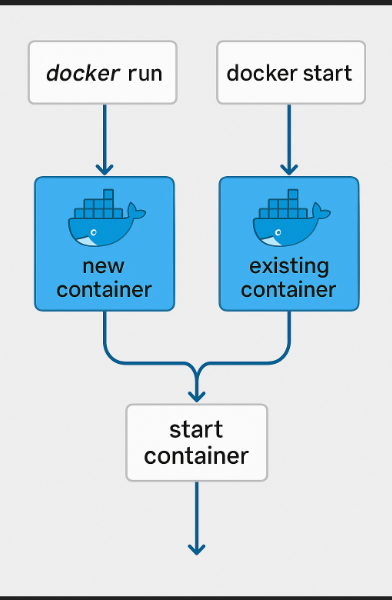
The key difference is that docker run creates a new container and starts it, while docker start only starts an existing container.
docker run is actually a combination of two operations: docker create followed by docker start. It takes an image, creates a brand-new container from that image, and starts it immediately. If the image is not available locally, Docker pulls it first. For example:
docker run -d --name web nginx
This creates a new container named web from the nginx image and starts it in detached mode. Every time you run docker run, you get a new container instance, even if you use the same image.
docker start works on a container that already exists but is stopped or exited. It does not create anything and does not need an image. It simply resumes the existing container with its current filesystem, name, and settings:
docker stop web
docker start web
The second command starts the same web container again, preserving any changes made inside it. You can also use docker start -a web to start and attach to its output.
A common practical issue: if you run docker run --name web nginx again while a container named web already exists, Docker returns a name conflict. If you omit --name, each docker run creates a new unnamed container, which can lead to many unused containers accumulating.
So the rule is simple:
- Use
docker run when you want a fresh container from an image.
- Use
docker start when you already have a container and just want to start it again.