Home Classes DevSecOps Certification Training Program Online
Completed

DevSecOps Certification Training Program Online

New G 4.5/5   f 4.5/5

DevSecOps - Develop, Build and Release Secure Software Faster

Online 72 : Hours Starts 01 Nov 2023 Certificate Included

How DevOpsSchool helps you in DevSecOps Certification Training Program...

  • 1 Real-time scenario-based project
  • No of toolsets/stacks - 26
  • Lifetime LMS access (Class recordings + Notes + Slides etc.) + Technical support
  • Industry Expert Trainers
  • Instructor-led training
  • Group discounts available

Instructor-led, Live & Interactive Training

Everything you need to know about this batch's schedule.

Duration
72 : Hours
Start Date
01 Nov 2023
End Date
30 Nov 2023
Start Time
08:00 PM
End Time
12:00 AM
Mode
Online

Agenda & Curriculum

  • SDLC Models & Architecture with Agile, DevOps, SRE & DevSecOps, SOA & Micro services - Concept
    • Let’s Understand about Software Development Model
      Overview of Waterfall Development Model
      Challenges of Waterfall Development Model
      Overview of Agile Development Model
      Challenges of Agile Development Model
      Requirement of New Software Development Model
      Understanding an existing Pain and Waste in Current Software Development Model
      What is DevOps?
      Transition in Software development model
      Waterfall -> Agile -> CI/CD -> DevOps -> DevSecOps
      Understand DevOps values and principles
      Culture and organizational considerations
      Communication and collaboration practices
      Improve your effectiveness and productivity
      DevOps Automation practices and technology considerations
      DevOps Adoption considerations in an enterprise environment
      Challenges, risks and critical success factors
      What is DevSecOps?
      Let’s Understand DevSecOps Practices and Toolsets.
      What is SRE?
      Let’s Understand SRE Practices and Toolsets.
      List of Tools to become Full Stack Developer/QA/SRE/DevOps/DevSecOps
      Microservices Fundamentals
      Microservices Patterns
      Choreographing Services
      Presentation components
      Business Logic
      Database access logic
      Application Integration
      Modelling Microservices
      Integrating multiple Microservices
      Keeping it simple
      Avoiding Breaking Changes
      Choosing the right protocols
      Sync & Async
      Dealing with legacy systems
      Testing
      What and When to test
      Preparing for deployment
      Monitoring Microservice Performance
      Tools used for Microservices Demo using container
  • Platform - Operating Systems - Centos/Ubuntu & VirtualBox & Vagrant
    • Ubuntu

    • Installing CentOS7 and Ubuntu
    • Accessing Servers with SSH
    • Working at the Command Line
    • Reading Files
    • Using the vi Text Editor
    • Piping and Redirection
    • Archiving Files
    • Accessing Command Line Help
    • Understanding File Permissions
    • Accessing the Root Account
    • Using Screen and Script
    • Overview of Hypervisor
    • Introduction of VirtualBox
    • Install VirtualBox and Creating CentOS7 and Ubuntu Vms
    • Vagrant

    • Understanding Vagrant
    • Basic Vagrant Workflow
    • Advance Vagrant Workflow
    • Working with Vagrant VMs
    • The Vagrantfile
    • Installing Nginx
    • Provisioning
    • Networking
    • Sharing and Versioning Web Site Files
    • Vagrant Share
    • Vagrant Status
    • Sharing and Versioning Nginx Config Files
    • Configuring Synced Folders
  • Platform - Cloud - AWS
    • Introduction of AWS
    • Understanding AWS infrastructure
    • Understanding AWS Free Tier
    • IAM: Understanding IAM Concepts
    • IAM: A Walkthrough IAM
    • IAM: Demo & Lab
    • Computing:EC2: Understanding EC2 Concepts
    • Computing:EC2: A Walkthrough EC2
    • Computing:EC2: Demo & Lab
    • Storage:EBS: Understanding EBS Concepts
    • Storage:EBS: A Walkthrough EBS
    • Storage:EBS: Demo & Lab
    • Storage:S3: Understanding S3 Concepts
    • Storage:S3: A Walkthrough S3
    • Storage:S3: Demo & Lab
    • Storage:EFS: Understanding EFS Concepts
    • Storage:EFS: A Walkthrough EFS
    • Storage:EFS: Demo & Lab
    • Database:RDS: Understanding RDS MySql Concepts
    • Database:RDS: A Walkthrough RDS MySql
    • Database:RDS: Demo & Lab
    • ELB: Elastic Load Balancer Concepts
    • ELB: Elastic Load Balancer Implementation
    • ELB: Elastic Load Balancer: Demo & Lab
    • Networking:VPC: Understanding VPC Concepts
    • Networking:VPC: Understanding VPC components
    • Networking:VPC: Demo & Lab
  • Platform - Containers - Docker
    • What is Containerization?
    • Why Containerization?
    • How Docker is good fit for Containerization?
    • How Docker works?
    • Docker Architecture
    • Docker Installations & Configurations
    • Docker Components
    • Docker Engine
    • Docker Image
    • Docker Containers
    • Docker Registry
    • Docker Basic Workflow
    • Managing Docker Containers
    • Creating our First Image
    • Understading Docker Images
    • Creating Images using Dockerfile
    • Managing Docker Images
    • Using Docker Hub registry
    • Docker Networking
    • Docker Volumes
    • Deepdive into Docker Images
    • Deepdive into Dockerfile
    • Deepdive into Docker Containers
    • Deepdive into Docker Networks
    • Deepdive into Docker Volumes
    • Deepdive into Docker Volume
    • Deepdive into Docker CPU and RAM allocations
    • Deepdive into Docker Config
    • Docker Compose Overview
    • Install & Configure Compose
    • Understanding Docker Compose Workflow
    • Understanding Docker Compose Services
    • Writing Docker Compose Yaml file
    • Using Docker Compose Commands
    • Docker Compose with Java Stake
    • Docker Compose with Rails Stake
    • Docker Compose with PHP Stake
    • Docker Compose with Nodejs Stake
  • Planning and Designing - Jira & Confulence
    • Overview of Jira
    • Use cases of Jira
    • Architecture of Jira
    • Installation and Configuraration of Jira in Linux
    • Installation and Configuraration of Jira in Windows
    • Jira Terminologies
    • Understanding Types of Jira Projects
    • Working with Projects
    • Working with Jira Issues
    • Adding Project Components and Versions
    • Use Subtasks to Better Manage and Structure Your Issues
    • Link Issues to Other Resources
    • Working in an Agile project
    • Working with Issues Types by Adding/Editing/Deleting
    • Working with Custom Fields by Adding/Editing/Deleting
    • Working with Screens by Adding/Editing/Deleting
    • Searching and Filtering Issues
    • Working with Workflow basic
    • Introduction of Jira Plugins and Addons.
    • Jira Integration with Github
    • Exploring Confluence benefits and resources
    • Configuring Confluence
    • Navigating the dashboard, spaces, and pages
    • Creating users and groups
    • Creating pages from templates and blueprints
    • Importing, updating, and removing content
    • Giving content feedback
    • Watching pages, spaces, and blogs
    • Managing tasks and notifications
    • Backing up and restoring a site
    • Admin tasks
      • Add/Edit/Delete new users
      • Adding group and setting permissions
      • Managing user permissions
      • Managing addons or plugins
      • Customizing confluence site
    • Installing Confluence
      • Evaluation options for Confluence
      • Supported platforms
      • Installing Confluence on Windows
      • Activating Confluence trial license
      • Finalizing Confluence Installation
  • Source Code Versioning - Git using Github
    • Introduction of Git
    • Installing Git
    • Configuring Git
    • Git Concepts and Architecture
    • How Git works?
    • The Git workflow
      • Working with Files in Git
      • Adding files
      • Editing files
      • Viewing changes with diff
      • Viewing only staged changes
      • Deleting files
      • Moving and renaming files
      • Making Changes to Files
    • Undoing Changes
      • - Reset
      • - Revert
    • Amending commits
    • Ignoring Files
    • Branching and Merging using Git
    • Working with Conflict Resolution
    • Comparing commits, branches and workspace
    • Working with Remote Git repo using Github
    • Push - Pull - Fetch using Github
    • Tagging with Git
  • Code Analysis & Securing Code (SAST) - SonarQube & - OWASP SonarQube
    • What is SonarQube?
    • Benefits of SonarQube?
    • Alternative of SonarQube
    • Understanding Various License of SonarQube
    • Architecture of SonarQube
    • How SonarQube works?
    • Components of SonarQube
    • SonarQube runtime requirements
    • Installing and configuring SonarQube in Linux
    • Basic Workflow in SonarQube using Command line
    • Working with Issues in SonarQube
    • Working with Rules in SonarQube
    • Working with Quality Profiles in SonarQube
    • Working with Quality Gates in SonarQube
    • Deep Dive into SonarQube Dashboard
    • Understanding Seven Axis of SonarQube Quality
    • Workflow in SonarQube with Maven Project
    • Workflow in SonarQube with Gradle Project
    • OWASP Top 10 with SonarQube
  • Webserver - Apache HTTP & Nginx
    • Apache HTTP

    • Introduction to web server
    • Install Apache on CentOS 7.4
    • Enable Apache to automatically start when system boot
    • Configure the firewall service
    • Where is Apache?
    • Directory structure
      • Apache directory structure
      • Configuration file
      • Create your first page
    • Virtual hosts
      • Setting up the virtual host - name based
      • Setting up the virtual host - port based
    • Using aliases and redirecting
    • Configuring an alias for a url
    • Redirects
    • Logging
      • The error log
      • The access log
      • Custom log
      • Log rotation
    • Security
      • Basic Security - Part 1
      • Basic Security - Part 2
      • Set up TLS/SSl for free
      • Basic authentication
      • Digest authentication
      • Access Control
      • .htaccess (Administrator Side)
      • .htaccess (User Side)
      • Install and Configure antivirus
      • Mitigate dos attacks - mod_evasive
    • Apache Performance and Troubleshooting
      • Apache Multi-Processing Modules (MPMs)
      • Adjusting httpd.conf - Part 1
      • Adjusting httpd.conf - Part 2
      • Troubleshoot Apache (Analyz Access Log) - Part 1
      • Troubleshoot Apache (Analyze Access Log) - Part 2
      • Use Apachetop to monitor web server traffic
    • Nginx

    • Overview
      • Introduction
      • About NGINX
      • NGINX vs Apache
      • Test your knowledge
    • Installation
      • Server Overview
      • Installing with a Package Manager
      • Building Nginx from Source & Adding Modules
      • Adding an NGINX Service
      • Nginx for Windows
      • Test your knowledge
    • Configuration
      • Understanding Configuration Terms
      • Creating a Virtual Host
      • Location blocks
      • Variables
      • Rewrites & Redirects
      • Try Files & Named Locations
      • Logging
      • Inheritance & Directive types
      • PHP Processing
      • Worker Processes
      • Buffers & Timeouts
      • Adding Dynamic Modules
      • Test your knowledge
    • Performance
      • Headers & Expires
      • Compressed Responses with gzip
      • FastCGI Cache
      • HTTP2
      • Server Push
    • Security
      • HTTPS (SSL)
      • Rate Limiting
      • Basic Auth
      • Hardening Nginx
      • Test your knowledge
      • Let's Encrypt - SSL Certificates
  • Securing infra & compliance - Chef InSpec
    • About InSpec
      • Orchestration, Configuration Management, Validation to Deployment
      • Automating Security Validation Using InSpec
      • Processing InSpec Results
    • Overview
      • InSpec Profile Structure
      • InSpec Controls Structure
      • InSpec Results
        • Failure
        • Pass
        • Multiple Controls
    • Environment Setup
      • Download and Install VirtualBox
      • Download and Install Vagrant
      • Clone or Download-Unzip This Course Repository
      • Setup Environments
        • Run Vagrant to install the Virtual Environment
        • Setup network in VirtualBox
      • Vagrant Credentials
      • AWS Credentials
    • Studying an InSpec profile
      • Understanding the profile structure
      • Understand a control's structure
      • Understand a describe block's structure
        • file
        • it
        • should
        • be_directory
    • Exploring the InSpec Shell
    • Enter the shell
    • Explore the file resource
    • Explore the nginx resource
    • Write the InSpec controls
    • Refactor the code to use Attributes
      • Multiple Attribute Example
    • Running baseline straight from Github/Chef Supermarket
    • Viewing and Analyzing Results
      • Syntax
      • Supported Reporters
      • Putting it all together
    • Automation Tools
    • Additional InSpec tricks
      • rspec Explicit Subject
      • looping file structure
    • Create basic profile
      • Download STIG Requirements Here
      • Example Control V-38437
      • Getting Started on the RHEL6 baseline
      • Completed RHEL6 Profile for Reference
    • Cleanup Environments
  • Container Orchestration - Kubernetes & Helm Introduction
    • Understanding the Need of Kubernetes
    • Understanding Kubernetes Architecture
    • Understanding Kubernetes Concepts
    • Kubernetes and Microservices
    • Understanding Kubernetes Masters and its Component
      • kube-apiserver
      • etcd
      • kube-scheduler
      • kube-controller-manager
    • Understanding Kubernetes Nodes and its Component
      • kubelet
      • kube-proxy
      • Container Runtime
    • Understanding Kubernetes Addons
      • DNS
      • Web UI (Dashboard)
      • Container Resource Monitoring
      • Cluster-level Logging
    • Understand Kubernetes Terminology
    • Kubernetes Pod Overview
    • Kubernetes Replication Controller Overview
    • Kubernetes Deployment Overview
    • Kubernetes Service Overview
    • Understanding Kubernetes running environment options
    • Working with first Pods
    • Working with first Replication Controller
    • Working with first Deployment
    • Working with first Services
    • Introducing Helm
    • Basic working with Helm
  • Infrastructure Coding - Terraform
    • Deploying Your First Terraform Configuration
      • Introduction
      • What's the Scenario?
      • Terraform Components
    • Updating Your Configuration with More Resources
      • Introduction
      • Terraform State and Update
      • What's the Scenario?
      • Data Type and Security Groups
    • Configuring Resources After Creation
      • Introduction
      • What's the Scenario?
      • Terraform Provisioners
      • Terraform Syntax
    • Adding a New Provider to Your Configuration
      • Introduction
      • What's the Scenario?
      • Terraform Providers
      • Terraform Functions
      • Intro and Variable
      • Resource Creation
      • Deployment and Terraform Console
      • Updated Deployment and Terraform Commands
  • Network configurations and Service Discovery - Consul
    • Why Consul?
    • Modern Ops Challenges
    • An Explosion of Services
    • First Class Service Discovery
    • Distributed Failure Detection
    • Reactive Configuration via Key/Value Store
    • Multi Datacenter Aware
    • Monitoring Nodes
    • Nodes and Services
    • What We Will Set Up
    • Defining the consul-server Node
    • Launching the consul-server Node
    • Network Interfaces on consul-server
    • Exercise Consul Is Easy to Install
  • Installing Consul
  • Running the Consul Dev Agent
  • Running Consul Locally to Access the Web UI
  • Interface Web UI
  • Interface HTTP API
  • Interface DNS
  • Interface CLI RPC
  • Client vs. Cluster Address Conventions
  • Challenge Spin Up Web and LB nodes
  • Defining Web and LB Nodes
  • Running Web and LB Nodes
  • nsul Agent On Web and LB nodes
  • Remote Command Execution Across Cluster
  • Graceful Leave vs. Failure
  • Service Discovery
  • From Nodes to Services
  • Registering a Web Service
  • Service Definitions
  • Health Checking the Web Service
  • Launching NGINX
  • Consul DNS for Randomized Internal Service Load Balancing
  • HTTP API and Failing Services
  • Exercise Register Load Balancer
  • Maintenance Mode
  • Registration Methods
  • Dynamic LB Config with consul-template
  • HAProxy
  • Setup Script for HAProxy
  • Static HAProxy Config
  • Handling Failed Services
  • HAProxy Config Template
  • What Is Consul Template?
  • Installing Consul Template
  • Consul Template Dry Mode
  • Dynamically Regenerate HAProxy Config
  • Rolling Updates with Maintenance Mode
  • Other Tools Like Consul Template
  • Benefits Recap and What Next
  • Reactive Configuration via Key/Value Store Why?
  • Creating Keys and Folders in the Web UI
  • Key Value CRUD via the CLI
  • Exercise Get KV Data into HAProxy
  • Reactive, Real Time Configuration Files
  • Revolutionizing Configuration Management
  • Blocking Queries
  • Tools to Investigate
  • Health Checking
  • Intro
  • Terms Agent, Client, and Server Mode
  • Gossip and Edge Triggered Updates
  • Understanding Serf Health Status
  • Node and Service Level Check Definitions
  • Custom Node Level Health Checks of Disk, Memory, and CPU
  • Self Healing Nodes
  • Health Checking Is the Value at the Last Transition
  • Health Check Recap
  • Don't Forget to Try This Out
  • Consul Docs Overview


  • Securing credentials - HashiCorp Vault & SSL & Certificates
  • Securuing Containers & Kubernetes (RASP) - Falco & Notary
  • Infrastructure Monitoring Tool 1 - Datadog
  • Log Monitoring Tool 1 - Splunk
  • Log Monitoring Tool 2 ELK stake
  • Performance & RUM Monitoring - NewRelic
  • Emergency Response & Alerting & Chat & Notification - SMTP, SES, SNS,Pagerduty & Slack - Pagerduty & Slack
  • Security Through Logs 1 - Splunk SIEM
  • Security Through Logs 2 - Elasticsearch with Kibana Security
  • Cloud Security service & Practices - Cloud Security with AWS service
Pre-requisites
  • There are no prerequisites for DevSecOps Program. As we are going to start all the concepts from scratch. Even, if any aspirant is planning to enter the IT world or DevOps this course will help them to get all the job-ready skills.
Who should attend (Audience)
  • DevOps aspirants
  • DevSecOps aspirants
  • Pipeline aspirant
  • CI/CD aspirants
  • Build/Release/Automation/Infrastructure Engineers
  • Infrastructure or platform engineer
  • Developer
  • QA
  • Support Engineer
  • Freshers
  • InfoSec Professional
  • Cyber Security Professionals

DevSecOps Certification Training Pro... Certification

Benefits of this certification

  • Recognised by modern software teams hiring for reliable delivery.
  • Industry adoption keeps growing — your skills stay in demand.
  • Certified engineers are among the highest-paid roles in tech.
  • A long-term, future-proof career path.
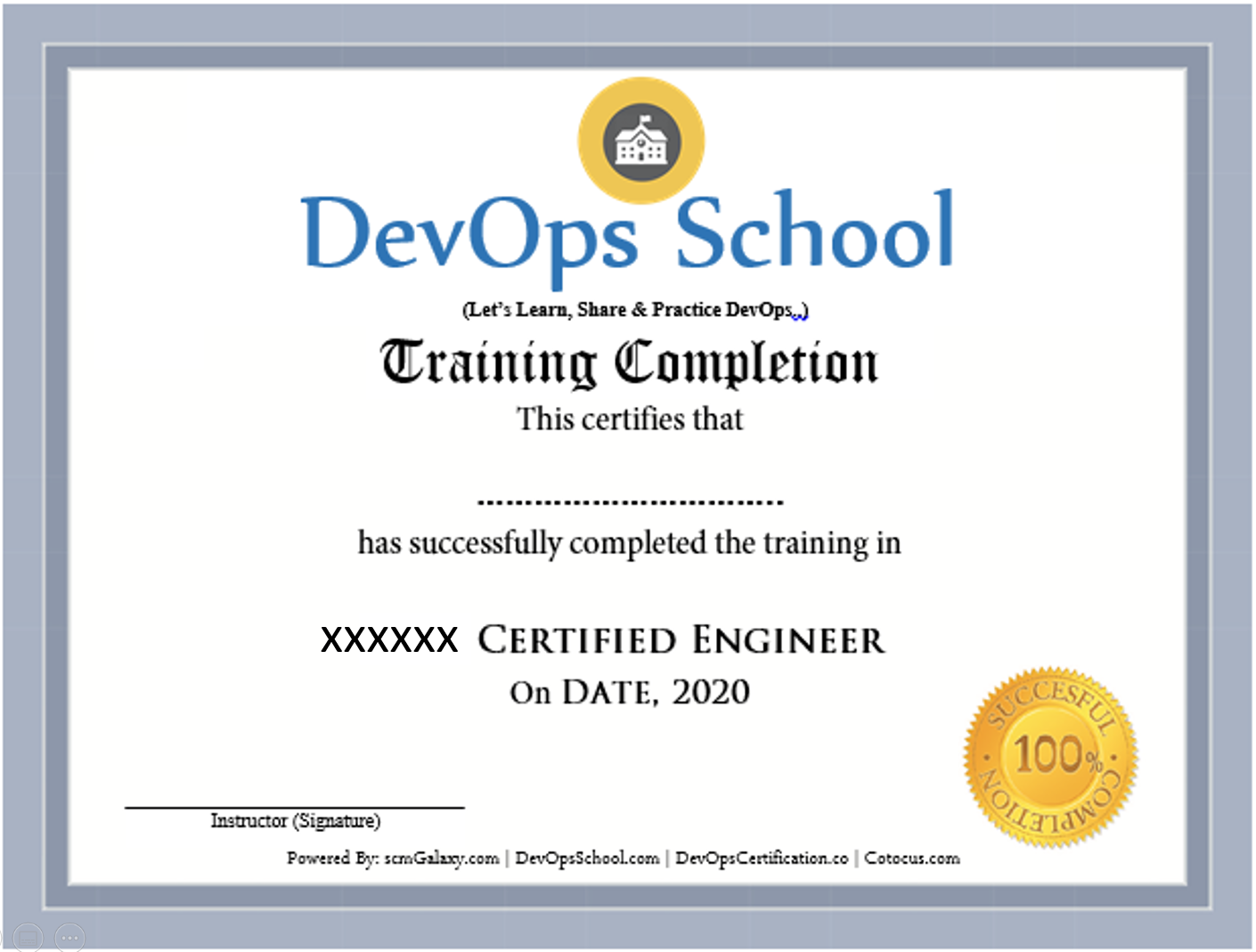
Certificate preview

Frequently Asked Questions

Can I attend a Demo Session?
To maintain the quality of our live sessions we allow a limited number of participants, so a live demo is not possible without enrollment. However, you can request pre-recorded training videos to get familiar with our methodology and the trainer's style.
Will I get any project?
Yes. After training completion you get a real-time, scenario-based project to implement your learnings and gain practical, industry-ready experience.
Who are the training Instructors?
All trainers are highly qualified industry professionals with 10–15 years of relevant experience across IT, Agile, SCM, DevOps, consulting and mentoring, selected through a rigorous screening + demo process.
Do you provide placement assistance?
We help you get interview-ready with resume preparation and real-life projects, and we share openings through our "JOB updates" and "Forum updates" pages.
What are the system requirements?
A Windows / Mac / Linux PC with minimum 2GB RAM and 20GB free storage.
How will I execute the practicals?
Hands-on labs run on DevOpsSchool's AWS cloud; we provide a step-wise lab setup guide. You can also practise on an AWS Free Tier account or local VMs.
What are the payment options?
Google Pay / PhonePe / Paytm, NEFT/IMPS, Debit/Credit card, Xoom & PayPal (USD), and our website payment gateway.
What if I miss a class?
You never lose a lecture — access recordings, notes and presentations 24×7 via our LMS, or attend the missed session in another live batch within 3 months. Learning material access is lifetime.
Do you have classroom training?
Yes — in Bangalore, Hyderabad, Chennai and Delhi. Other cities are possible with 6+ participants.
Do you provide a certificate?
Yes — the industry-recognised "DevOps Certified Professional (DCP)" certificate accredited by DevOpsCertification.co, awarded based on projects, assignments and evaluation.
Is there any group discount?
Yes — 2–3 students: 10% off, 4–6 students: 15% off, 7+ students: 25% off (subject to discussion).
What is the refund policy?
Once training is confirmed we have a no-refund policy; please share concerns with the trainer so we can help resolve them.
How do I get a fee receipt?
Payments via the website gateway auto-generate an invoice over email; for other options, contact our representative for the invoice.
What if I have more queries?
Email us at contact@DevOpsSchool.com and we'll be glad to help.

Ratings & Feedback

4.1
Google Ratings
4.1
Video Reviews
4.1
Facebook Ratings
“The training was very useful and interactive. The trainer helped develop the confidence of all.”
“Trainer was able to resolve our queries effectively. We really liked the hands-on examples covered during the program.”
“Very well organized training — helped a lot to understand the concepts and the various tools in detail.”
“Good experience overall. The trainer was very helpful and clear with the concepts.”

Enrolled Students

No students have enrolled yet — be the first to join this batch!

Video Gallery

See more videos

Ready to join DevSecOps Certification Training Program...?

Secure your seat in this live, instructor-led batch today.