Home Classes Master in GitLab
Completed

Master in GitLab

New G 4.5/5   f 4.5/5

GitLab Advance Training by DevOpsSchool is the highly demanded course in the area of information technology and IT sectors. GitLab Advance Training focused on GitLab version control system.

Online 15 : Hours Starts 01 Nov 2023 Certificate Included

How DevOpsSchool helps you in Master in GitLab

This training will help to clear an official certification by becoming an expert by learning it from scratch to an advanced level. The significant advantage of GitLab is it is available for free and easy to manage and configure. It enables only a limited number of private repository, integrate several API and third-party server and consume only a reliable uptime. The code reviews and pulls up requests made it more compact and user-friendly.

Instructor-led, Live & Interactive Training

Everything you need to know about this batch's schedule.

Duration
15 : Hours
Start Date
01 Nov 2023
End Date
11 Nov 2023
Start Time
08:00 AM
End Time
11:00 AM
Mode
Online

Agenda & Curriculum

  • Installing GitLab
  • Configuring GitLab
  • User settings and permissions
  • Getting started with GitLab
  • GitLab Basics: Start working on your command line and on GitLab.
  • GitLab Workflow: Enhance your workflow with the best of GitLab Workflow
  • See also GitLab Workflow - an overview.
  • GitLab Markdown: GitLab's advanced formatting system (GitLab Flavored Markdown).
  • GitLab Flow: explore the best of Git with the GitLab Flow strategy
  • Setting up a code review

  • Customizing GitLab's appearance
  • Maintaining GitLab
  • Updating GitLab
  • GitLab platform integrations
  • Project settings
  • Repository settings
  • Continuous Integration settings
  • Git configuration options
  • Monitoring GitLab
  • Troubleshooting GitLab
  • Use cases - Mastering Code Review With GitLab.
  • Use cases - GitLab Workflow in depth
  • Use cases - Code hosting in repositories with version control
  • Use cases - Track proposals for new implementations, bug reports, and feedback with a fully-featured
  • Use cases - View your entire CI/CD pipeline involving more than one project with Multiple-Project Pipeline Graphs
  • Use cases - Lock files to prevent conflicts
  • Use cases - View of the current health and status of each CI environment running on Kubernetes with Deploy Boards
  • Use cases - Leverage your continuous delivery method with Canary Deployments
  • Use cases - Scan your code for vulnerabilities and display them in merge requests.
  • Issue Tracker
  • Use cases - Organize and prioritize with Issue Boards
  • Account - Authentication: Read through the authentication methods available in GitLab.
  • Account - Permissions: Learn the different set of permissions levels for each user type (guest, reporter, developer, maintainer, owner).
  • Account - Feature highlight: Learn more about the little blue dots around the app that explain certain features
  • Gitlab Groups
  • Gitlab Discussions
  • GitLab Flavored Markdown
  • Gitlab Todos
  • Gitlab Search
  • Gitlab Snippets
  • Gitlab Integrations
  • Gitlab Webhooks
  • Gitlab API
  • Projects - Repositories: Host your codebase in repositories with version control and as part of a fully integrated platform.
  • Projects - Issues: Explore the best of GitLab Issues' features.
  • Projects - Merge Requests: Collaborate on code, reviews, live preview changes per branch, and request approvals with Merge Requests.
  • Projects - Milestones: Work on multiple issues and merge requests towards the same target date with Milestones
  • GitLab CI/CD - GitLab Auto Deploy: Deploy your application out-of-the-box with GitLab Auto Deploy.
  • GitLab CI/CD - Review Apps: Live-preview the changes introduced by a merge request with Review Apps.
  • GitLab CI/CD - GitLab Pages: Publish your static site directly from GitLab with GitLab Pages. You can build, test, and deploy any Static Site Generator with Pages.
  • GitLab CI/CD - GitLab Container Registry: Build and deploy Docker images with Container Registry
  • Account - Settings: Manage your user settings to change your personal info, personal access tokens, authorized applications, etc.
  • Getting started with GitLab CI/CD
    • Creating a .gitlab-ci.yml file
    • Push .gitlab-ci.yml to GitLab
    • Configuring a Runner
    • Seeing the status of your pipeline and jobs
  • Using Docker images
  • API
  • Auto DevOps
  • SSH authentication
  • Kubernetes integration
  • GitLab Pages
  • GitLab Container Registry
  • Complete DevOps with GitLab
  •  
Pre-requisites
  • There are no prerequisites for Master in GitLab Training. As we are going to start all the concepts from scratch. Even, if any aspirant is planning to enter the IT world or DevOps this course will help them to get all the job-ready skills.
Who should attend (Audience)

To maintain the quality of our live sessions, we allow limited number of participants. Therefore, unfortunately live session demo cannot be possible without enrollment confirmation. But if you want to get familiar with our training methodology and process or trainer's teaching style, you can request a pre recorded Training videos before attending a live class.
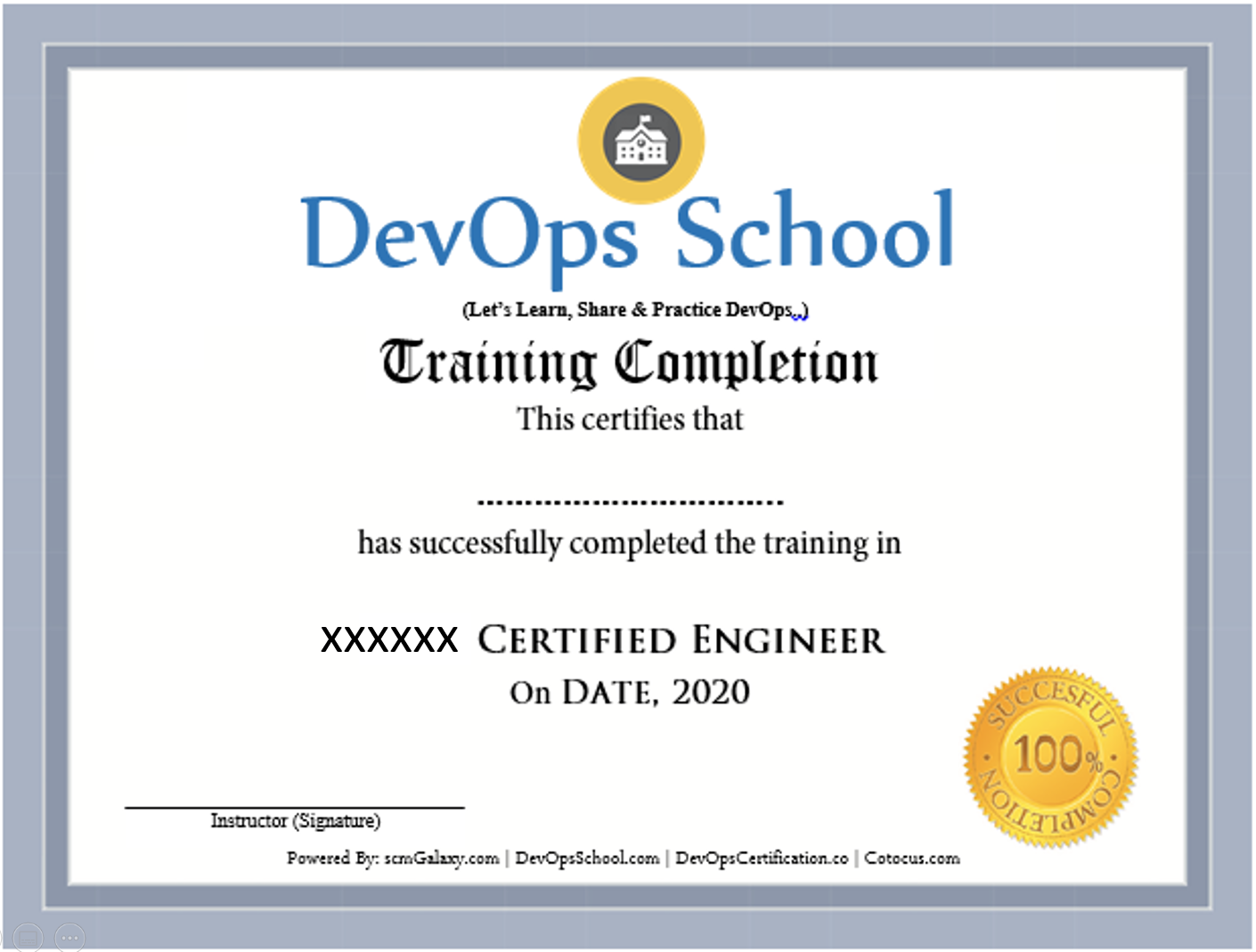
Master in GitLab Certification

Benefits of this certification

  • Recognised by modern software teams hiring for reliable delivery.
  • Industry adoption keeps growing — your skills stay in demand.
  • Certified engineers are among the highest-paid roles in tech.
  • A long-term, future-proof career path.
Certificate preview

Frequently Asked Questions

Can I attend a Demo Session?
To maintain the quality of our live sessions we allow a limited number of participants, so a live demo is not possible without enrollment. However, you can request pre-recorded training videos to get familiar with our methodology and the trainer's style.
Will I get any project?
Yes. After training completion you get a real-time, scenario-based project to implement your learnings and gain practical, industry-ready experience.
Who are the training Instructors?
All trainers are highly qualified industry professionals with 10–15 years of relevant experience across IT, Agile, SCM, DevOps, consulting and mentoring, selected through a rigorous screening + demo process.
Do you provide placement assistance?
We help you get interview-ready with resume preparation and real-life projects, and we share openings through our "JOB updates" and "Forum updates" pages.
What are the system requirements?
A Windows / Mac / Linux PC with minimum 2GB RAM and 20GB free storage.
How will I execute the practicals?
Hands-on labs run on DevOpsSchool's AWS cloud; we provide a step-wise lab setup guide. You can also practise on an AWS Free Tier account or local VMs.
What are the payment options?
Google Pay / PhonePe / Paytm, NEFT/IMPS, Debit/Credit card, Xoom & PayPal (USD), and our website payment gateway.
What if I miss a class?
You never lose a lecture — access recordings, notes and presentations 24×7 via our LMS, or attend the missed session in another live batch within 3 months. Learning material access is lifetime.
Do you have classroom training?
Yes — in Bangalore, Hyderabad, Chennai and Delhi. Other cities are possible with 6+ participants.
Do you provide a certificate?
Yes — the industry-recognised "DevOps Certified Professional (DCP)" certificate accredited by DevOpsCertification.co, awarded based on projects, assignments and evaluation.
Is there any group discount?
Yes — 2–3 students: 10% off, 4–6 students: 15% off, 7+ students: 25% off (subject to discussion).
What is the refund policy?
Once training is confirmed we have a no-refund policy; please share concerns with the trainer so we can help resolve them.
How do I get a fee receipt?
Payments via the website gateway auto-generate an invoice over email; for other options, contact our representative for the invoice.
What if I have more queries?
Email us at contact@DevOpsSchool.com and we'll be glad to help.

Ratings & Feedback

4.1
Google Ratings
4.1
Video Reviews
4.1
Facebook Ratings
“The training was very useful and interactive. The trainer helped develop the confidence of all.”
“Trainer was able to resolve our queries effectively. We really liked the hands-on examples covered during the program.”
“Very well organized training — helped a lot to understand the concepts and the various tools in detail.”
“Good experience overall. The trainer was very helpful and clear with the concepts.”

Enrolled Students

No students have enrolled yet — be the first to join this batch!

Video Gallery

See more videos

Ready to join Master in GitLab?

Secure your seat in this live, instructor-led batch today.