Home Classes Terraform Associate Training
Completed

Terraform Associate Training

New G 4.5/5   f 4.5/5

Terraform by HashiCorp is an infrastructure as code (IaC) tool that allows you to build, change, and version infrastructure safely and efficiently. It manages your cloud infrastructure automatically.

Online 20 : Hours Starts 01 Nov 2023 Certificate Included

How DevOpsSchool helps you in Terraform Associate Training

Devopsschool is one of the best options to choose for terraform certification training, we provide online classroom and corporate training by experts in top cities of India like Hyderabad, Bangalore, Chennai, Pune, Delhi, and globally as well. Join DevOpsSchool today we provide you the best experts of the program who will guide you from essential to advance level with the quality training program.

Instructor-led, Live & Interactive Training

Everything you need to know about this batch's schedule.

Duration
20 : Hours
Start Date
01 Nov 2023
End Date
30 Nov 2023
Start Time
08:00 AM
End Time
10:00 AM
Mode
Online

Agenda & Curriculum

Essential

  • What is DevOps Vs DevSecOps Vs SRE?
  • Tool sets in DevOps Vs DevSecOps Vs SRE?
  • Overview of infrastructure during SDLC?
  • Problems with many infrastructure tools?
  • Introducing Infrastructure as Code
  • Declarative vs. Imperative
  • Introduction of Terraform
  • Advantage & Disadvantage of Terraform
  • How Terraform works for Infrastructure as Code?
  • Alternative of Terraform
  • Terraform Use cases
  • How to install Terraform?
    • Introductions of Terraform Components?
    • - Terraform Providers
    • - Terraform Registry
    • - Terraform Resources
    • - Terraform Resources Argument Reference
  • Deploying Your First Terraform Configuration
  • Terraform Basics Workflow using Terraform CLI
  • - terraform validate
  • - terraform init
  • - terraform plan
  • - terraform apply
  • - terraform show
  • - terraform detroy
  • Updating Your Configuration with More Resources
  • Configuring a Resource After Creation
  • Adding a New Provider to Your Configuration
  • Undertanding Terraform state file
  • Terraform Resource Behavior & Lifecycle
  • Undertanding Terraform HCL syntax & Style
    • Terraform Resources Meta-Argument
    • - depends_on
    • - count
    • - for_each
    • - provider
    • - lifecycle
  • Using Terraform for Create Cloud Provider Compute Resources

Intermediate

  • Introduction of Terraform Variables & Values
  • - Input Variables
  • - Output Values
  • - Local Values
  • Where to declare a Terraform Input Variables?
  • Deep dive into Types of Terraform Input Variables
    • - string
    • - number
    • - bool
    • - list
    • - set
    • - map
    • - object
    • - tuple
  • How to access Terraform Input Variables value?
  • Terraform Input Variables precedence & Scope
  • Working with Terraform Output Values
  • Working with Terraform Local Values
  • Introduction of Terraform Data sources?
  • Accessing Terraform Data sources?
  • Working with Terraform HCL Operators
  • Overview of Terraform Functions
  • Working with Terraform Functions
    • - Numeric Functions
    • - String Functions
    • - Collection Functions
    • - Encoding Functions
    • - Filesystem Functions
    • - Date and Time Functions
    • - Hash and Crypto Functions
    • - IP Network Functions
    • - Type Conversion Functions
    • Introducing Terraform Provisioners
    • Working with Terraform Provisioners
    • - file
    • - local-exec
    • - remote-exec
  • Using Terraform for Create Cloud Provider Storage & Networking Resources

Advanced

  • Working with Terraform Templates
  • Working with Workspaces for multiple environments
  • Working with Remote Backend for managing State file for team
  • - artifactory
  • - s3
  • - azurerm
  • - gcs
  • Understanding Terraform State locking
  • Terraform Troubleshooting using logs & common errors
  • Introducing Terraform Module
  • Using with Terraform Module from Registry
  • Developing Custom Terraform Module
  • Publishing Modules on the Terraform Registry
  • Introducing Terraform Console
  • Introducing Terraform Tags
  • Introducing Terraform Cloud
  • Using Terraform for use Multiple providers for CI/CD
Pre-requisites

Knowledge of AWS

Who should attend (Audience)

IT Professionals and Freshers

Terraform Associate Training Certification

Benefits of this certification

  • Recognised by modern software teams hiring for reliable delivery.
  • Industry adoption keeps growing — your skills stay in demand.
  • Certified engineers are among the highest-paid roles in tech.
  • A long-term, future-proof career path.
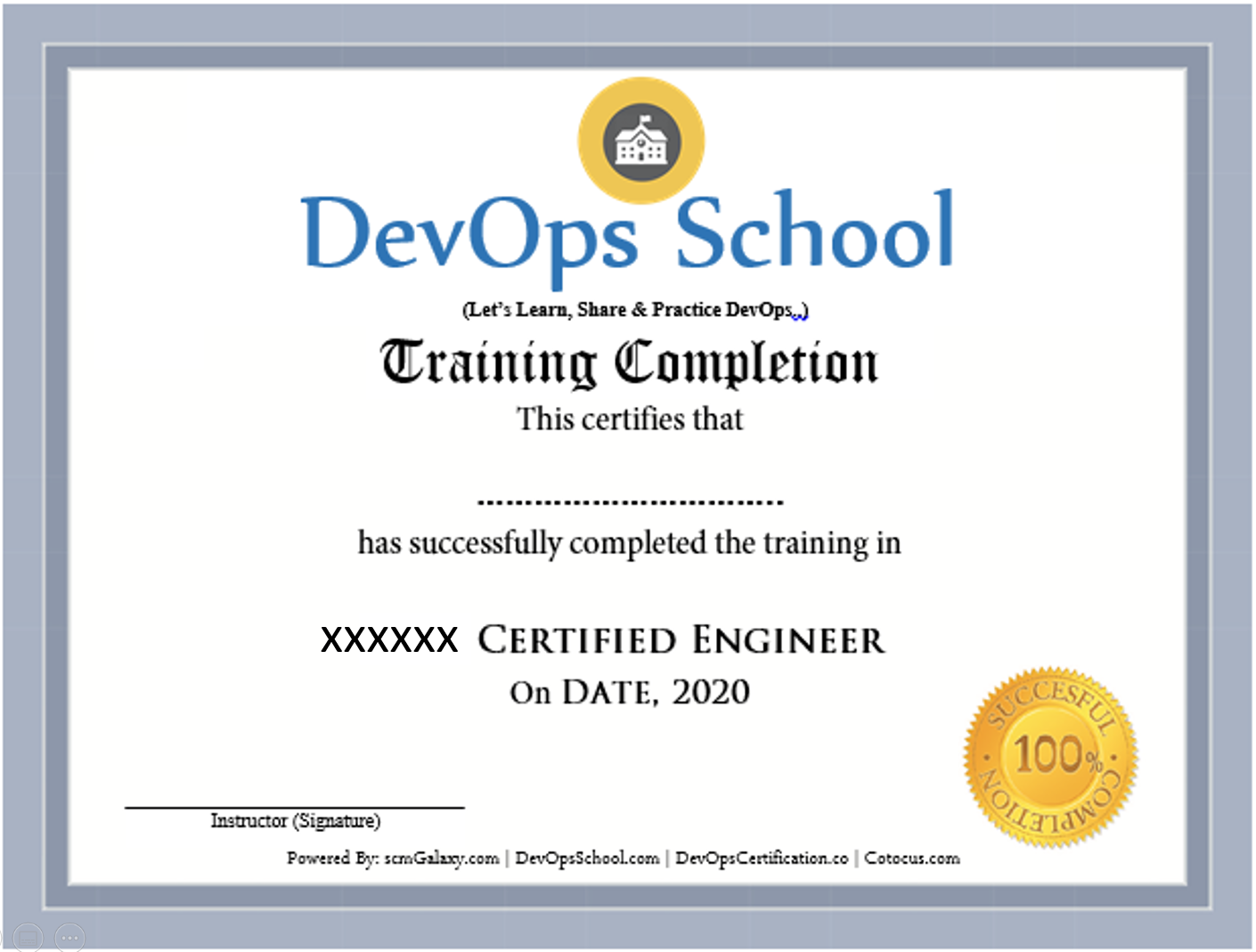
Certificate preview

Frequently Asked Questions

Can I attend a Demo Session?
To maintain the quality of our live sessions we allow a limited number of participants, so a live demo is not possible without enrollment. However, you can request pre-recorded training videos to get familiar with our methodology and the trainer's style.
Will I get any project?
Yes. After training completion you get a real-time, scenario-based project to implement your learnings and gain practical, industry-ready experience.
Who are the training Instructors?
All trainers are highly qualified industry professionals with 10–15 years of relevant experience across IT, Agile, SCM, DevOps, consulting and mentoring, selected through a rigorous screening + demo process.
Do you provide placement assistance?
We help you get interview-ready with resume preparation and real-life projects, and we share openings through our "JOB updates" and "Forum updates" pages.
What are the system requirements?
A Windows / Mac / Linux PC with minimum 2GB RAM and 20GB free storage.
How will I execute the practicals?
Hands-on labs run on DevOpsSchool's AWS cloud; we provide a step-wise lab setup guide. You can also practise on an AWS Free Tier account or local VMs.
What are the payment options?
Google Pay / PhonePe / Paytm, NEFT/IMPS, Debit/Credit card, Xoom & PayPal (USD), and our website payment gateway.
What if I miss a class?
You never lose a lecture — access recordings, notes and presentations 24×7 via our LMS, or attend the missed session in another live batch within 3 months. Learning material access is lifetime.
Do you have classroom training?
Yes — in Bangalore, Hyderabad, Chennai and Delhi. Other cities are possible with 6+ participants.
Do you provide a certificate?
Yes — the industry-recognised "DevOps Certified Professional (DCP)" certificate accredited by DevOpsCertification.co, awarded based on projects, assignments and evaluation.
Is there any group discount?
Yes — 2–3 students: 10% off, 4–6 students: 15% off, 7+ students: 25% off (subject to discussion).
What is the refund policy?
Once training is confirmed we have a no-refund policy; please share concerns with the trainer so we can help resolve them.
How do I get a fee receipt?
Payments via the website gateway auto-generate an invoice over email; for other options, contact our representative for the invoice.
What if I have more queries?
Email us at contact@DevOpsSchool.com and we'll be glad to help.

Ratings & Feedback

4.1
Google Ratings
4.1
Video Reviews
4.1
Facebook Ratings
“The training was very useful and interactive. The trainer helped develop the confidence of all.”
“Trainer was able to resolve our queries effectively. We really liked the hands-on examples covered during the program.”
“Very well organized training — helped a lot to understand the concepts and the various tools in detail.”
“Good experience overall. The trainer was very helpful and clear with the concepts.”

Enrolled Students

No students have enrolled yet — be the first to join this batch!
Video Gallery

See more videos

Ready to join Terraform Associate Training?

Secure your seat in this live, instructor-led batch today.