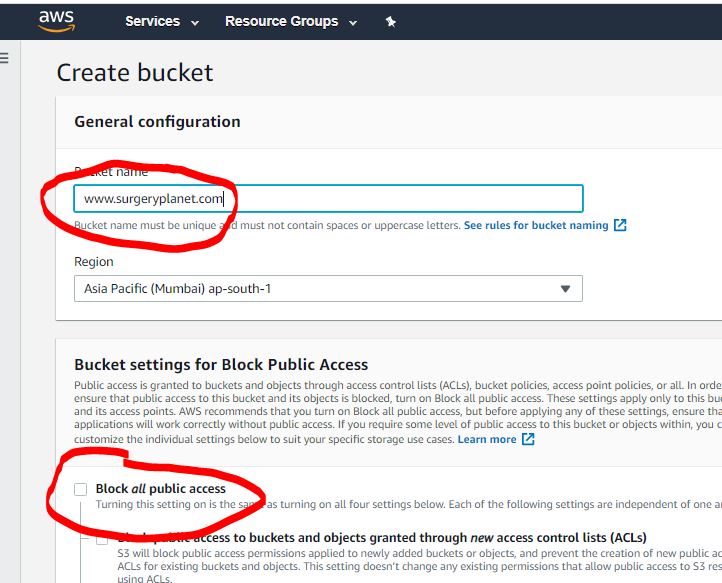
Step 1- Create a S3 Bucket with enable all public access.
Step 2- Upload all static files using AWS console or AWS cli command line such as
$ cd www.surgeryplanet.com
$ aws s3 sync . s3://www.surgeryplanet.com
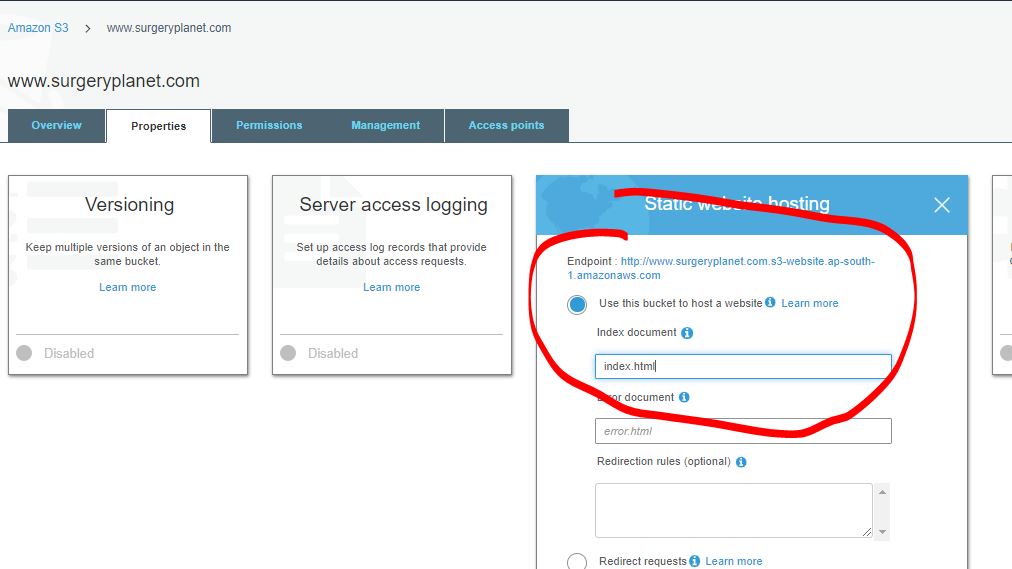
Step 3- Enable Bucket S3 Static Website Hosting
Step 4- Apply Bucket Policy to public
{
    "Version": "2012-10-17",
    "Statement": [
        {
            "Sid": "PublicReadGetObject",
            "Effect": "Allow",
            "Principal": "*",
            "Action": "s3:GetObject",
            "Resource": "arn:aws:s3:::www.surgeryplanet.com/*"
        }
    ]
}Code language: JSON / JSON with Comments (json)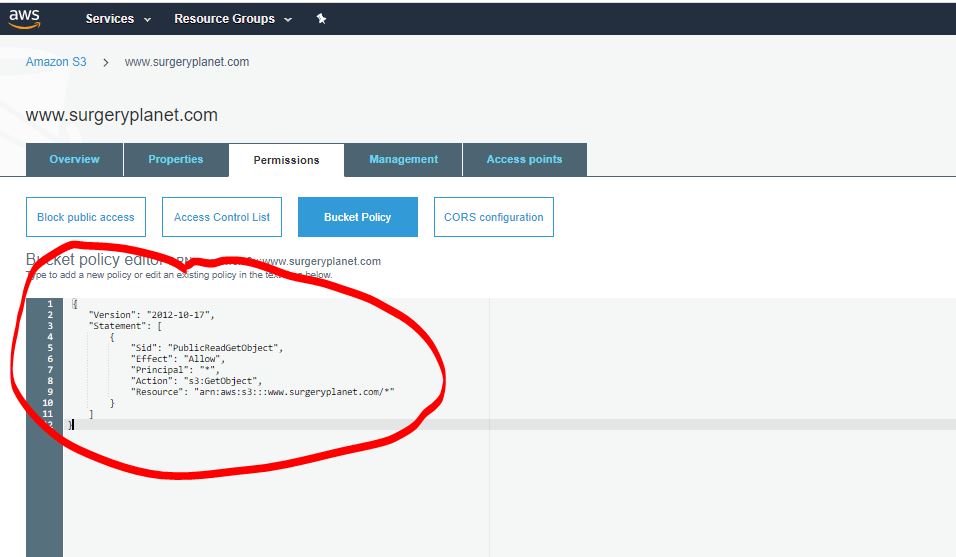
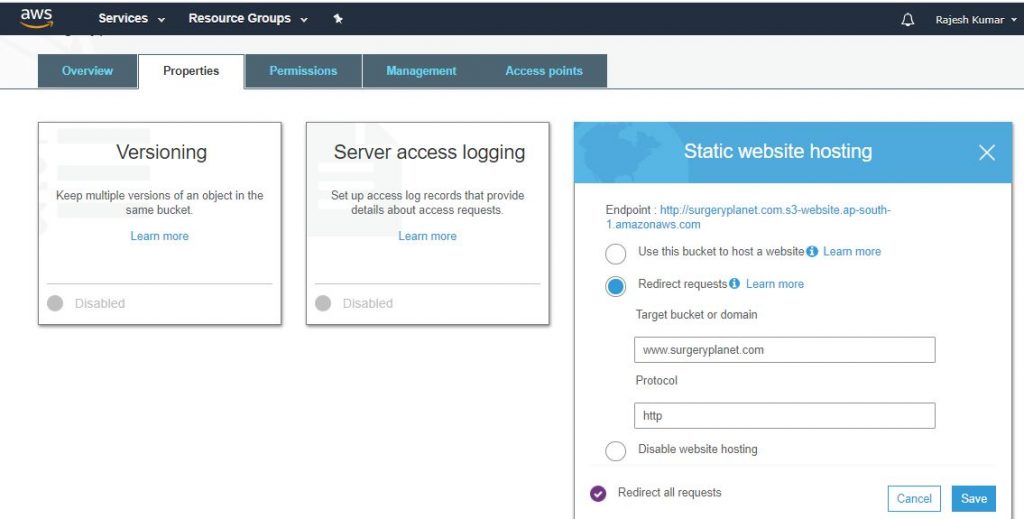
Step 5- Create a S3 Bucket such as surgeryplanet.com and redirect to www.surgeryplanet.com
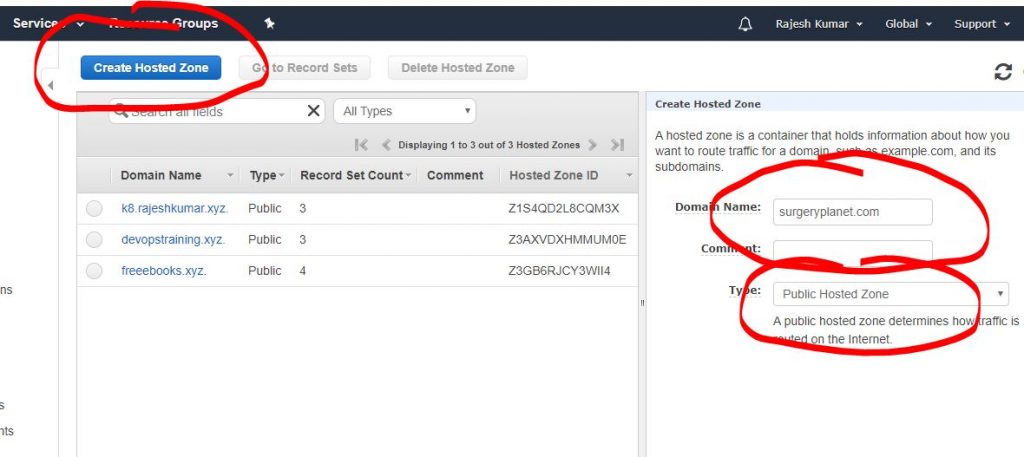
Step 6- Create a domain hosted zone in AWS route 53.
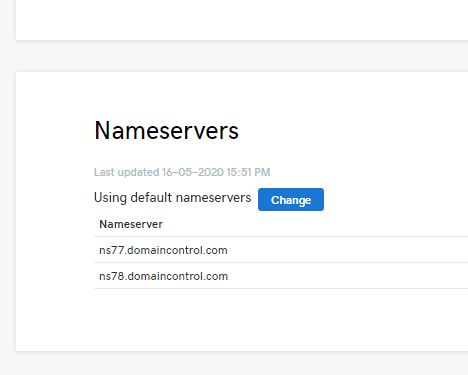
Step 7 – Gather NS record from Route 53 domain hosted zone.
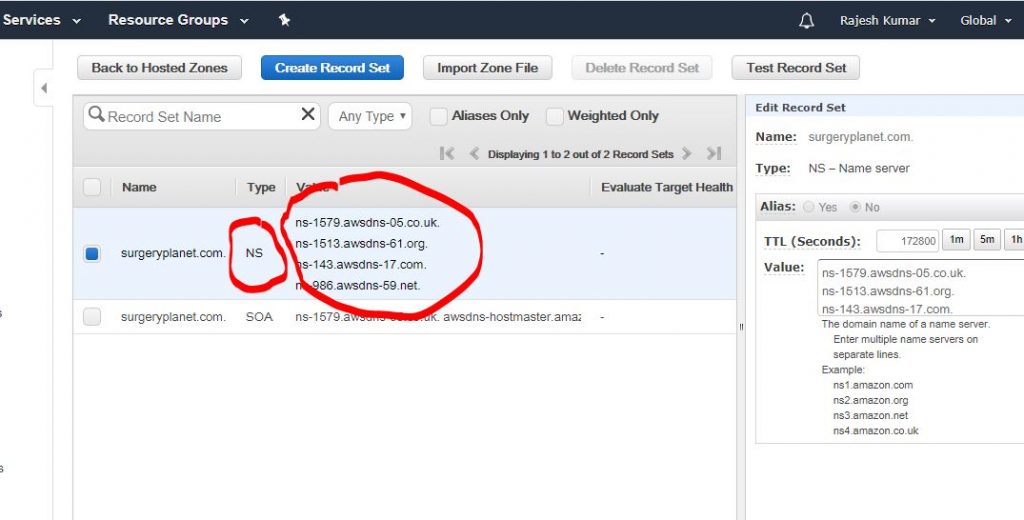
Step 8 – Apply Route 53 given records in Godaddy Domain DNS server
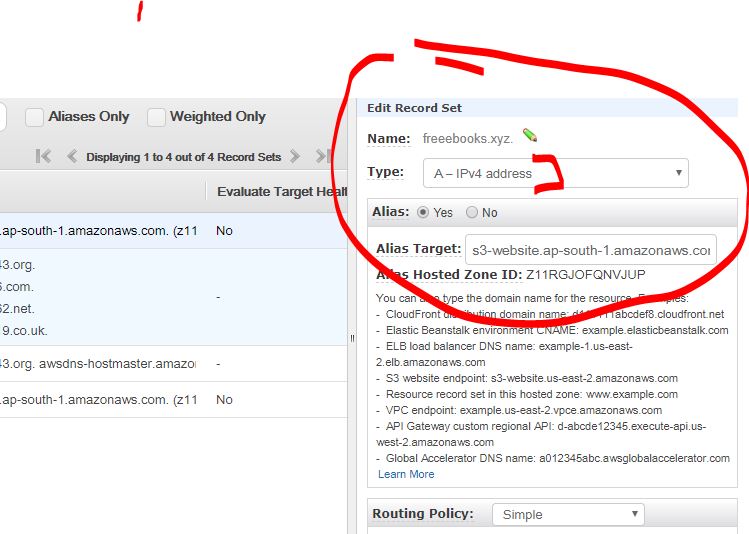
Step 9 – In Route 53, Add A records with S3 Bucket of
Sorry, there was a YouTube error.

I’m Rajesh Kumar, a DevOps, SRE, DevSecOps, Cloud, and Platform Engineering expert passionate about sharing practical knowledge, real-world experiences, and industry best practices. I have worked at Cotocus and regularly write about technology, travel, investing, health, product reviews, and digital marketing through my various platforms.
I publish technical articles at DevOps School, travel stories at Holiday Landmark, stock market insights at Stocks Mantra, health and fitness guidance at My Medic Plus, product reviews at TrueReviewNow, and SEO and digital marketing strategies at Wizbrand.
Find Trusted Cardiac Hospitals
Compare heart hospitals by city and services — all in one place.
Explore Hospitals