
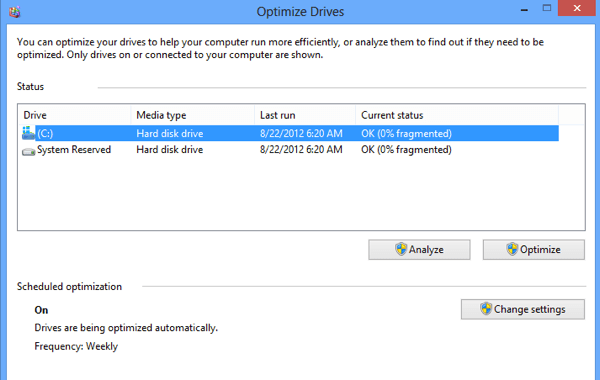
1.Defragmentation and optimize drives
Optimizing your drives can help your PC run smoother and boot up faster. To optimize them:
- Select the search bar on the taskbar and enter defrag.
- Select Defragment and Optimize Drives.
- Select the disk drive you want to optimize.
- Select the Optimize button.
2.Disk cleanup
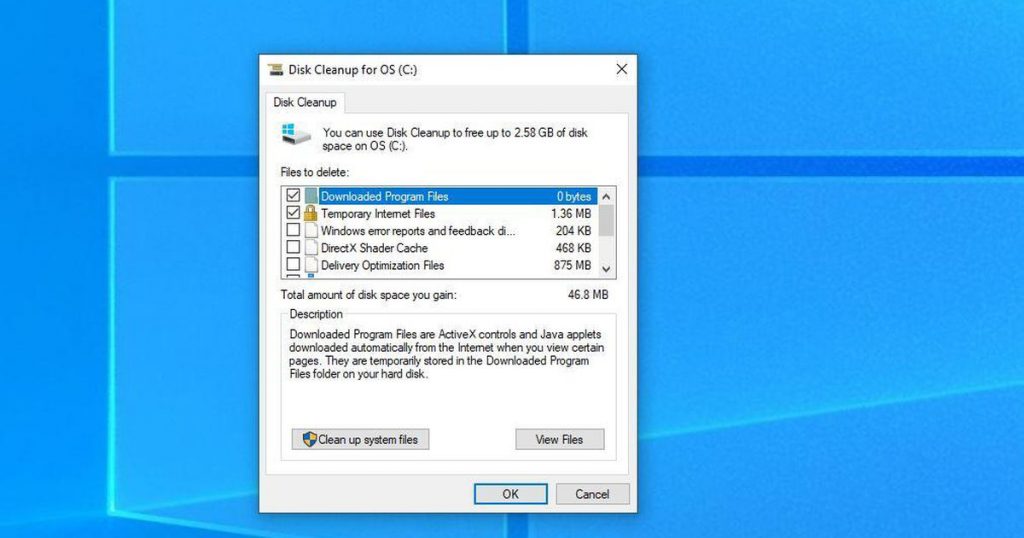
To delete temporary files:
- In the search box on the taskbar, type disk cleanup, and select Disk Cleanup from the list of results.
- Select the drive you want to clean up, and then select OK.
- Under Files to delete, select the file types to get rid of. To get a description of the file type, select it.
- Select OK.
If you need to free up more space, you can also delete system files:
- In Disk Cleanup, select Clean up system files.
- Select the file types to get rid of. To get a description of the file type, select it.
- Select OK.
3.Local Security Policy
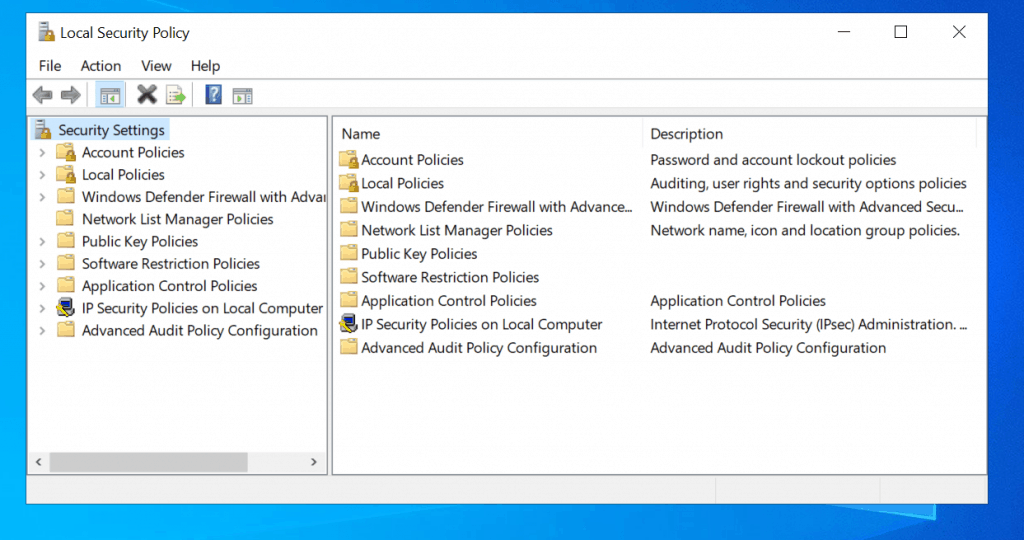
The local security policy of a system is a set of information about the security of a local computer. The local security policy information includes the following: … Which user accounts may access the system and how. For example, interactively, through a network, or as a service.
4.Recovery drive
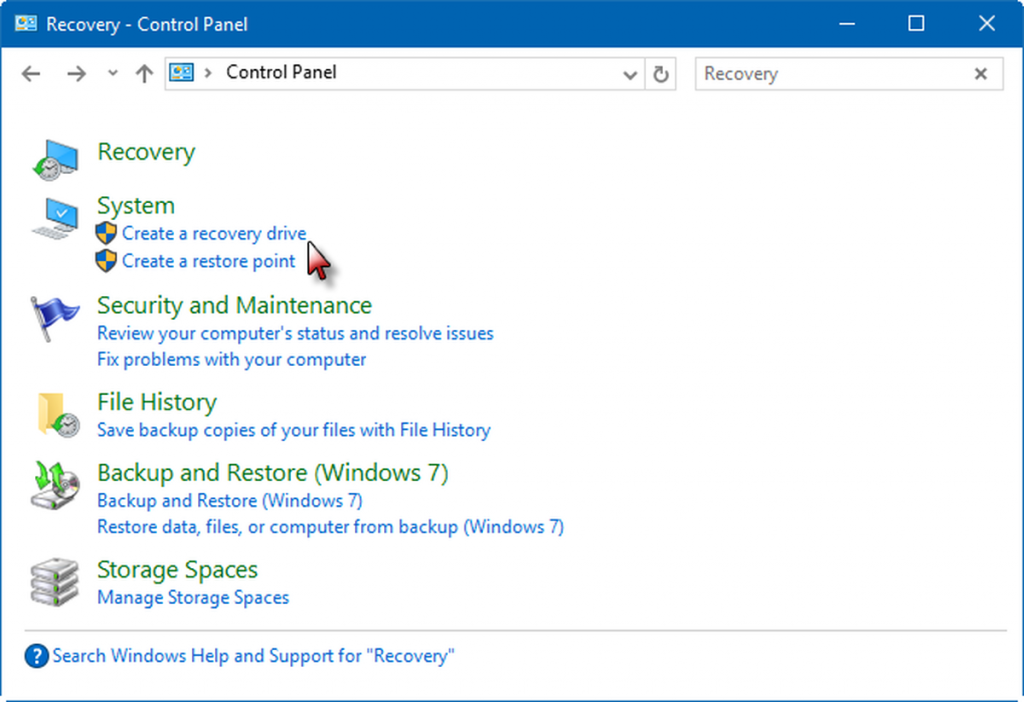
A recovery drive stores a copy of your Windows 10 environment on an external source, like a DVD or USB drive. … In most cases you would be out of luck, but not if you’ve already created a recovery drive, which stores a copy of your Windows 10 environment on another source, such as a DVD or USB drive.
5.Registry editor
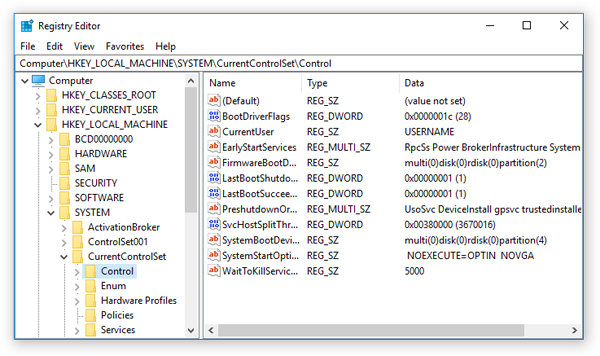
Registry Editor allows users to perform the following functions: Creating, manipulating, renaming, and deleting registry keys, subkeys, values, and value data. Importing and exporting . … Loading, manipulating, and unloading registry hive format files (Windows NT systems only).
6.Windows defender firewall with advanced security
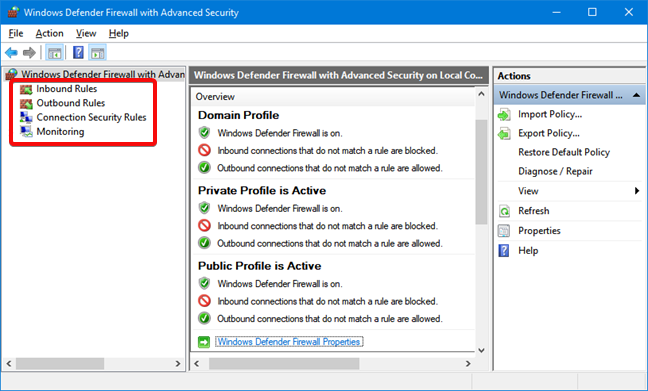
Windows Defender Firewall with Advanced Security is an important part of a layered security model. By providing host-based, two-way network traffic filtering for a device, Windows Defender Firewall blocks unauthorized network traffic flowing into or out of the local device.
7.Windows memory diagnostic
How to Start Memory Diagnostic Tool in Windows 10
- Open Control Panel.
- Click on System and Security.
- Click on Administrative Tools.
- Double-click the “Windows Memory Diagnostic” shortcut.
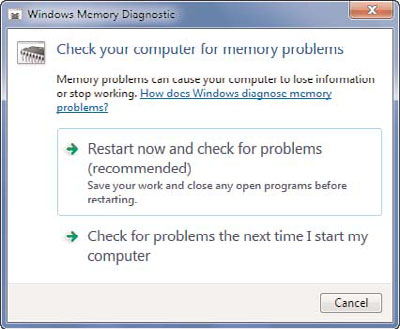
- Click the “Restart now and check for problems” option (The tool also offers an option to schedule a test in the next reboot).
8.System configuration
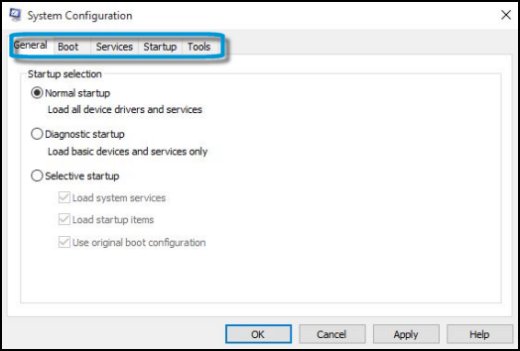
A system configuration (SC) in systems engineering defines the computers, processes, and devices that compose the system and its boundary. More generally, the system configuration is the specific definition of the elements that define and/or prescribe what a system is composed of.
9.Control panel
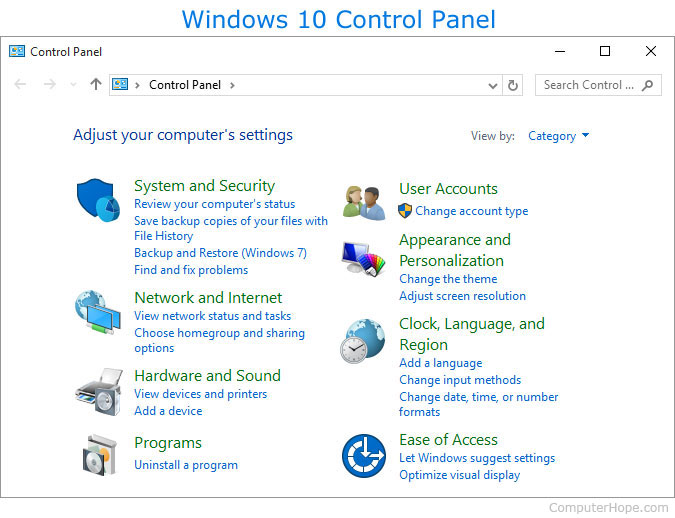
You can use Control Panel to change settings for Windows. These settings control nearly everything about how Windows looks and works.
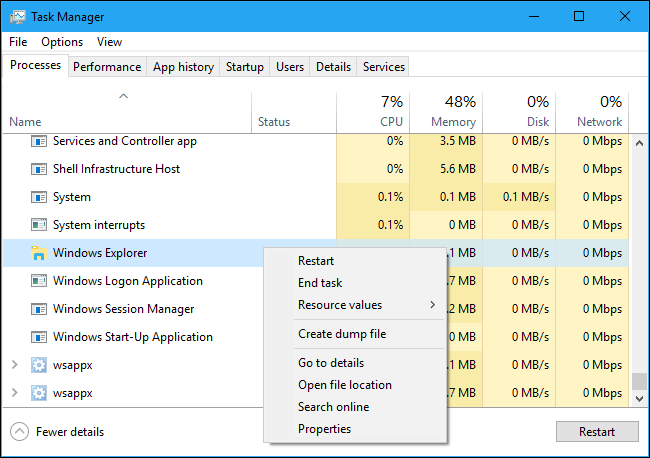
10.Task Manager
Task Manager (Windows) … Task Manager, previously known as Windows Task Manager, is a task manager, system monitor, and startup manager included with Microsoft
11.HWiNFO
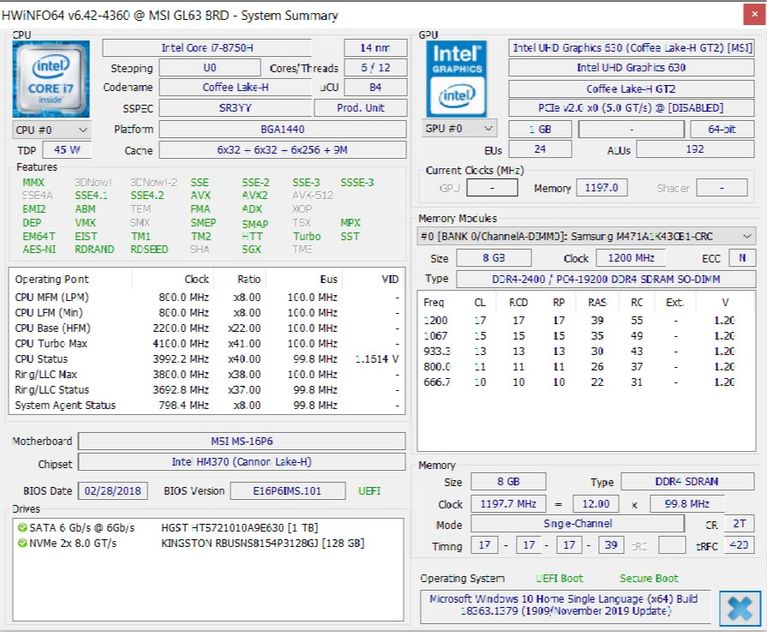
HWiNFO is the most comprehensive system summary tool by a long shot. It displays all information about your computer- from the CPU temperatures to fan voltages. In fact, if you are using a Ryzen processor, this should be your go-to choice as alternatives such as CPU-Z have been known to show incorrect readings.
It’s a good tool to have when you want the most accurate readouts of everything related to your computer components.
12.Windows Network Diagnostics Tool
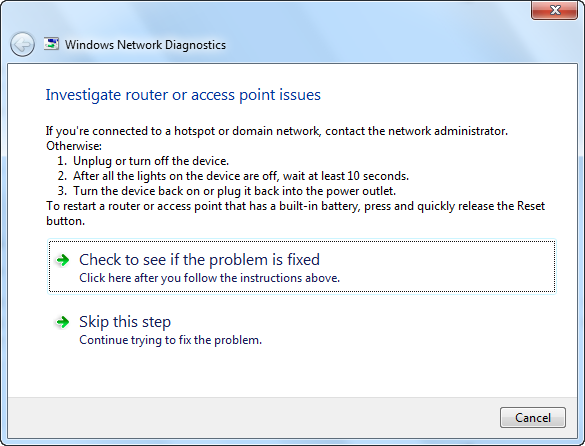
This tool will perform several tests to troubleshoot network connectivity or performance issues. If there are problems with the connection, this tool will try to diagnose the problem and present some possible solutions. It can be used to troubleshoot different network problems such as Internet connectivity, issues connecting to a shared folder, HomeGroup connectivity issues, and even network printer problems. WNDT will automatically run when it detects a problem.
13.Problem Reports and Solutions Tool
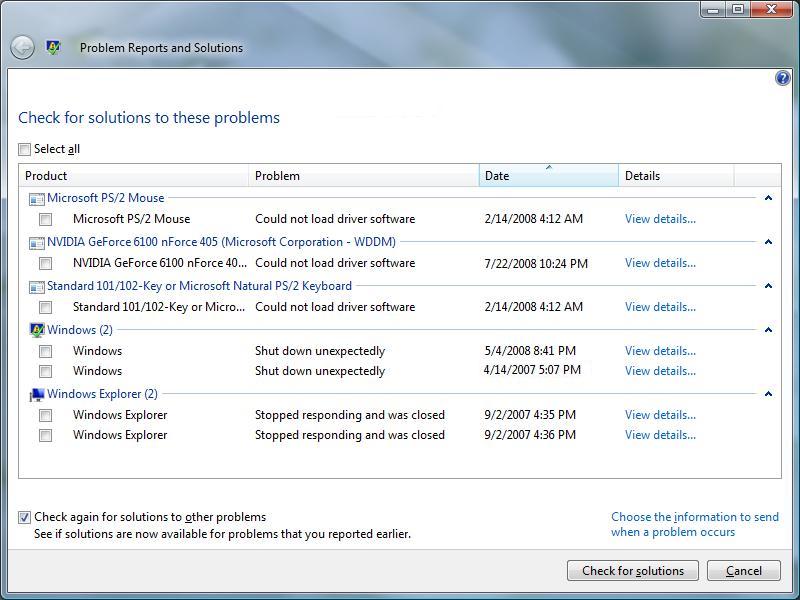
This tool will automatically check for problems in Windows related to installations and applications. We can also run this tool manually if we have a particular problem. This tool also enables us to view the problem history. We can also check for new solutions on the Internet. We can always clear solutions and problem history.
14.Services Console
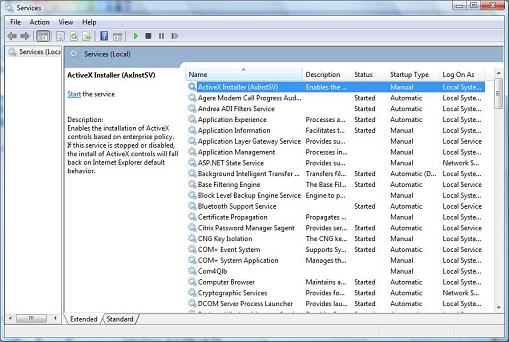
To start or stop the services in real-time, we can use the Services console. The Services console (MMC snap-in) lists detailed information about each service and provides management options. This is the same list as in MSConfig, however, it provides more information and more management options. Keep in mind that services need some type of authentication to be able to start. By default, most services work with a local system account, but we can specify another account to be used when the service wants to start.
15.Windows Diagnostic Infrastructure (WDI)
Starting from Windows 7 we have a Windows Diagnostic Infrastructure (WDI) available. WDI is a set of diagnostic tools that identify existing disk, network, and memory problems. They detect failures and alert us of potential problems. WDI can show us information about existing problems and help us prevent future problems.

I’m Rajesh Kumar, a DevOps, SRE, DevSecOps, Cloud, and Platform Engineering expert passionate about sharing practical knowledge, real-world experiences, and industry best practices. I have worked at Cotocus and regularly write about technology, travel, investing, health, product reviews, and digital marketing through my various platforms.
I publish technical articles at DevOps School, travel stories at Holiday Landmark, stock market insights at Stocks Mantra, health and fitness guidance at My Medic Plus, product reviews at TrueReviewNow, and SEO and digital marketing strategies at Wizbrand.
Find Trusted Cardiac Hospitals
Compare heart hospitals by city and services — all in one place.
Explore Hospitals
