
What Are Compliance Automation Tools Used For?
Compliance automation tools are software platforms designed to help organizations meet industry, regulatory, and security standards—with less manual effort, fewer errors, and greater speed.
Key Uses & Benefits
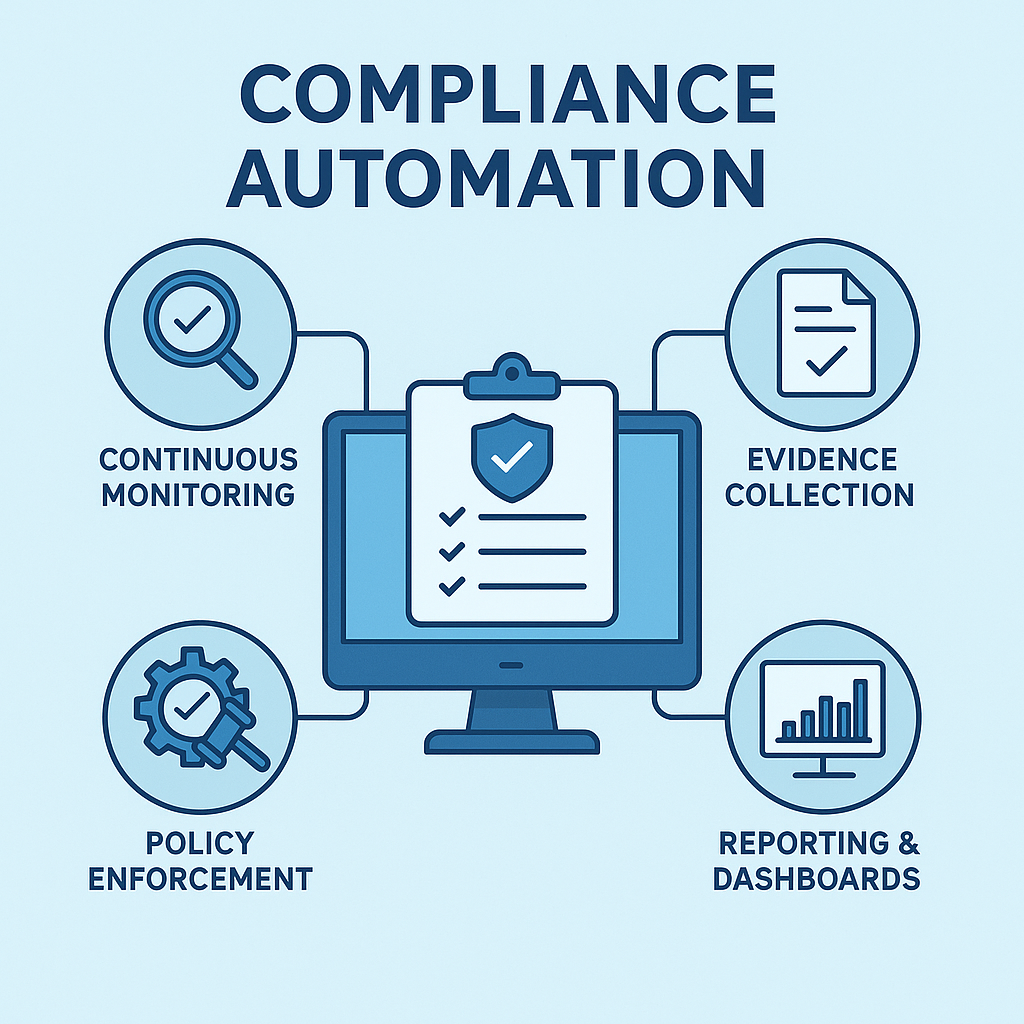
1. Continuous Compliance Monitoring
- Automatically track your systems, cloud infrastructure, employee access, and data flows.
- Alert you instantly when something drifts out of compliance (e.g., new user not enrolled in MFA, server missing encryption).
2. Evidence Collection & Audit Preparation
- Automatically collect logs, screenshots, policy docs, and other “proof” needed for audits (like SOC 2, ISO 27001, HIPAA).
- Store and organize audit evidence so you’re always ready for an auditor.
3. Policy Enforcement
- Enforce security policies (password complexity, encryption, access controls) automatically across your organization.
- Reduce human error by automating repetitive compliance tasks.
4. Streamlining Employee Onboarding & Offboarding
- Ensure new hires complete security training, sign policies, and get appropriate access.
- Remove access and collect assets when employees leave—automatically.
5. Real-Time Reporting & Dashboards
- Provide up-to-date compliance status, risk scores, and pending tasks in a visual dashboard.
- Make it easy for leadership and auditors to see compliance posture at a glance.
6. Multi-Framework Management
- Help you manage compliance with multiple regulations (e.g., SOC 2, GDPR, PCI-DSS) in one place.
- Map your security controls across frameworks, so evidence is collected once but used for many audits.
7. Save Time and Lower Costs
- Dramatically reduce manual work (spreadsheets, emails, chasing evidence).
- Free up your team for more strategic tasks instead of repetitive audit prep.
8. Reduce Risk of Fines & Breaches
- Proactively identify and fix compliance gaps before they become legal or security issues.
- Help avoid costly penalties, lost business, or brand damage.
In Simple Terms:
Compliance automation tools make it easier, faster, and more reliable to prove you’re following the rules and keeping data safe—so you can focus on your actual business instead of paperwork and audits.
Here’s a concise yet comprehensive list of some of the best compliance automation tools in 2026, along with their core features. This includes solutions for cloud, DevOps, security, and regulatory compliance (such as GDPR, SOC 2, HIPAA, PCI-DSS, ISO 27001, etc.).
1. Drata
Best for: SOC 2, ISO 27001, HIPAA, PCI-DSS, GDPR, and more
Features:
- Continuous automated monitoring of controls and assets
- Integration with AWS, Azure, GCP, GitHub, Jira, Slack, and more
- Automated evidence collection and mapping to compliance frameworks
- Vendor risk management
- Real-time audit readiness dashboard
- Automated employee security training management
2. Vanta: Agentic Trust Platform
Best for: 35+ frameworks including SOC 2, ISO 27001, HIPAA, PCI, and GDPR
Features:
- Continuous monitoring and evidence collection using Vanta
- Integration with 400+ cloud and SaaS platforms (AWS, GitHub, Okta, etc.
- Automated policy templates and workflow management
- Real-time compliance status and alerts
- Third-party risk management
- Employee onboarding/offboarding compliance checks
3. Sprinto
Best for: SOC 2, ISO 27001, GDPR, HIPAA
Features:
- End-to-end compliance automation, from controls to audit
- Automated mapping of controls to multiple frameworks
- Integration with cloud providers and collaboration tools
- Automated risk assessments
- Real-time dashboards and audit trail
- Evidence auto-collection
4. Copla
Best for: Continuous Regulatory Compliance, ISO 27001, DORA, NIS2, and SOC 2 Automation with Expert CISO Support
Features:
- Continuous control monitoring and automated evidence collection across cloud and IT environments
- Cross-mapping controls across multiple regulatory frameworks (DORA, NIS2, ISO 27001, SOC 2, PCI DSS) to eliminate duplicate work
- Built-in automated policy generation, documentation repository, and risk register management
- Comprehensive compliance management software combining automation with dedicated CISO support for audit readiness
- Vendor risk assessment, incident reporting workflows, and real-time compliance status dashboards
5. AuditBoard
Best for: SOX, SOC 1/2, ISO, NIST, Internal Audit, Risk Management
Features:
- Workflow automation for audits and compliance processes
- Controls management and real-time dashboards
- Automated evidence collection and testing
- Risk and issue management
- Policy and document management
- Compliance calendar and reminders
6. ComplyAdvantage
Best for: AML, Financial Crime, KYC, Sanctions Screening
Features:
- Real-time AML screening and monitoring
- Automated KYC and onboarding workflows
- Adverse media and sanctions list monitoring
- Automated regulatory reporting
- Integration with core banking and fintech platforms
7. OneTrust
Best for: GDPR, CCPA, ISO, Vendor Risk, Privacy, Security
Features:
- Automated data discovery and classification
- Privacy rights management and regulatory reporting
- Policy and risk management automation
- Vendor risk assessment automation
- Real-time compliance tracking dashboards
- Workflow automation for data subject requests
8. Hyperproof
Best for: Multi-framework (SOC 2, ISO, NIST, PCI, HIPAA, GDPR, FedRAMP)
Features:
- Automated evidence collection and controls monitoring
- Framework mapping and crosswalks
- Integration with collaboration and cloud tools
- Real-time compliance dashboards
- Issue and task management
- Policy and risk registers
9. A-LIGN
Best for: SOC 2, ISO 27001, PCI DSS, HITRUST
Features:
- Automated evidence collection and compliance monitoring
- Readiness assessment tools
- Auditor collaboration and workflow management
- Policy and documentation templates
- Real-time status dashboards
10. LogicGate Risk Cloud
Best for: GRC, SOX, GDPR, ISO, HIPAA, Custom Workflows
Features:
- Customizable GRC workflows and automation
- Risk assessment and remediation automation
- Integration with external data sources
- Policy and compliance register management
- Reporting and analytics
Summary Table
| Tool | Best For | Key Features |
|---|---|---|
| Drata | SOC 2, ISO, HIPAA, GDPR | Continuous monitoring, integrations, evidence collection, dashboards |
| Vanta | SOC 2, ISO, HIPAA, PCI | Real-time compliance, automation, vendor management |
| Sprinto | SOC 2, ISO, GDPR, HIPAA | End-to-end automation, integrations, risk assessment |
| Secureframe | SOC 2, ISO, PCI, HIPAA | 100+ integrations, continuous monitoring, policy mgmt |
| AuditBoard | SOX, SOC, ISO, NIST | Audit workflow, risk management, compliance calendar |
| ComplyAdvantage | AML, KYC, FinCrime | AML monitoring, KYC automation, regulatory reporting |
| OneTrust | GDPR, Privacy, Vendor Risk | Data discovery, privacy management, workflow automation |
| Hyperproof | Multi-framework | Evidence automation, mapping, dashboards |
| A-LIGN | SOC 2, ISO, PCI, HITRUST | Evidence, readiness, dashboards, templates |
| LogicGate | GRC, Risk | Custom workflows, automation, analytics |
Choosing the Right Tool
- For SaaS startups: Drata, Vanta, or Secureframe for fastest SOC 2/ISO automation.
- For large enterprise: AuditBoard, OneTrust, or LogicGate for advanced GRC and custom workflow automation.
- For fintech/banking: ComplyAdvantage for AML/KYC automation.
- For multi-framework compliance: Hyperproof or Sprinto.

👤 About the Author
Ashwani is passionate about DevOps, DevSecOps, SRE, MLOps, and AiOps, with a strong drive to simplify and scale modern IT operations. Through continuous learning and sharing, Ashwani helps organizations and engineers adopt best practices for automation, security, reliability, and AI-driven operations.
🌐 Connect & Follow:
Website: WizBrand.com
Facebook: facebook.com/DevOpsSchool
X (Twitter): x.com/DevOpsSchools
LinkedIn: linkedin.com/company/devopsschool
YouTube: youtube.com/@TheDevOpsSchool
Instagram: instagram.com/devopsschool
Quora: devopsschool.quora.com
Email– contact@devopsschool.com
Find Trusted Cardiac Hospitals
Compare heart hospitals by city and services — all in one place.
Explore Hospitals
Setting up compliance automation tools looks seamless on paper until you have to deal with API token expirations and broken cloud connectors. Platforms like Vanta and Secureframe speed up SOC 2 evidence collection, but the second an unmapped SaaS tool or bespoke Kubernetes cluster enters the mix, engineers end up doing manual screenshots anyway. Alert fatigue hits security teams hard when minor drift triggers constant false alarms instead of actionable fixes. If your external auditor refuses to review raw evidence directly inside the vendor portal, much of that automated dashboard value evaporates. Prioritizing reliable custom integrations and native auditor buy-in saves far more sanity than chasing automated questionnaire responses.
Shifting from periodic manual evidence collection to continuous compliance monitoring fundamentally changes how engineering and security teams handle audits. Cross-mapping controls across multiple frameworks like SOC 2 and ISO 27001 prevents redundant duplication of effort.
Compliance automation tools help businesses save time by making it easier to follow rules and keep records organized. I think automated checks, clear reports, and alerts for missing requirements are especially useful. These features can help teams find problems early instead of waiting for an audit. It’s also important to choose a tool that is easy to use and fits the company’s needs and budget. The right tool can make compliance simpler and reduce manual work.
Compliance automation tools can save time, but the right choice depends on a company’s rules and risks. Teams should check how well a tool collects evidence, tracks changes, and flags gaps. It is also important to review automated results instead of relying on them blindly. Clear reports can make audits easier and help teams fix issues sooner. The best tool should support ongoing compliance without adding needless complexity.
Compliance automation tools help teams track security controls, collect audit evidence, and reduce manual work. One useful feature is continuous monitoring, which can flag problems when systems no longer meet required policies. I would also check how each tool maps evidence to different standards, such as SOC 2 and ISO 27001. This can reduce repeated work when a company follows several frameworks. However, automated checks cannot replace human review of complex risks or policy decisions. Clear alerts and assigned owners help teams fix gaps before an audit. The best tool should fit the company’s systems, simplify evidence collection, and make compliance easier to maintain over time.
Compliance automation tools can save teams a lot of repetitive work, but automating evidence collection is only useful if the evidence stays accurate and up to date. I’d look for tools that continuously monitor controls, flag configuration changes, and make audit trails easy to review. Integration with existing cloud and security systems also helps avoid gaps between what a policy requires and what’s actually happening. Automation works best when it gives teams better visibility into risks rather than simply producing reports for auditors.
Jason Mitchell Nice To Meet You Here How Is The Pro Sir
Very informative article! The list of compliance automation tools and their key features provides a clear understanding of how organizations can simplify audits and maintain regulatory compliance. A useful resource for teams looking to automate compliance and reduce manual effort.