
There are two kinds of variables in HCL Packer templates: Input variables, sometimes simply called “variables”, and Local variables, also known as “locals”. Input variables may have defaults, but those defaults can be overridden from the command line or special variable files. Local variables can be thought of as constants, and are not able to be overridden at runtime.
Once a variable is declared in your configuration, you can set it:
- Individually, with the
-var foo=barcommand line option. - In variable definitions files, either specified on the command line with the
-var-files values.pkrvars.hclor automatically loaded (*.auto.pkrvars.hcl). - As environment variables, for example:
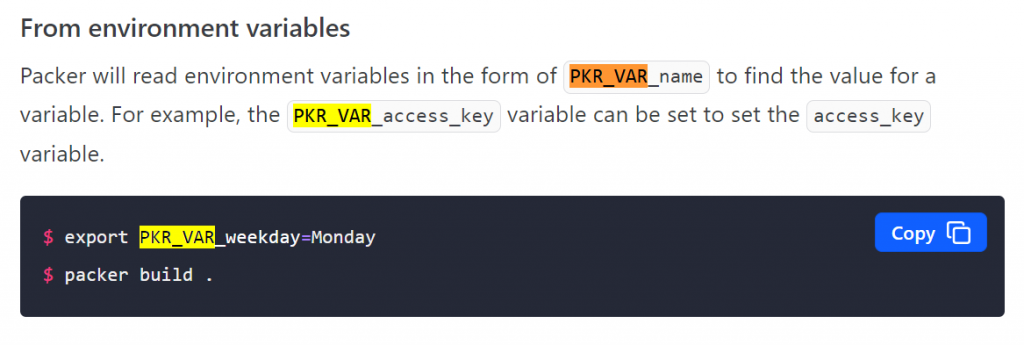
PKR_VAR_foo=bar
In Hashicorp Packer, variables can be set in several locations:
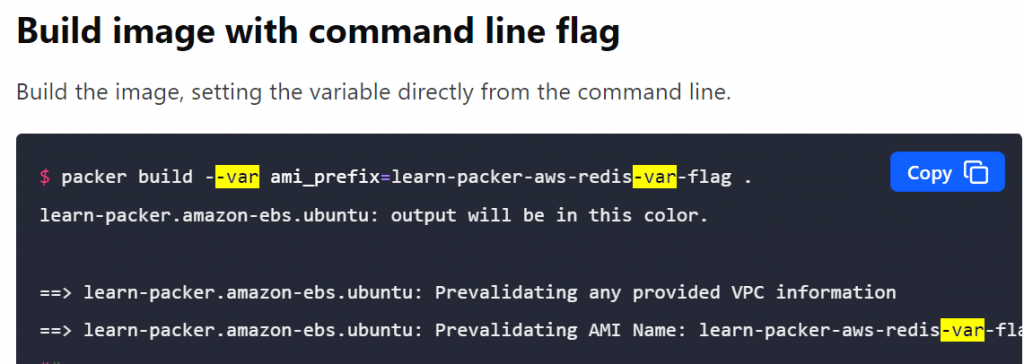
- Command-line: Variables can be passed as command-line arguments to the Packer build command. This is useful for quickly overriding variables without modifying the template.
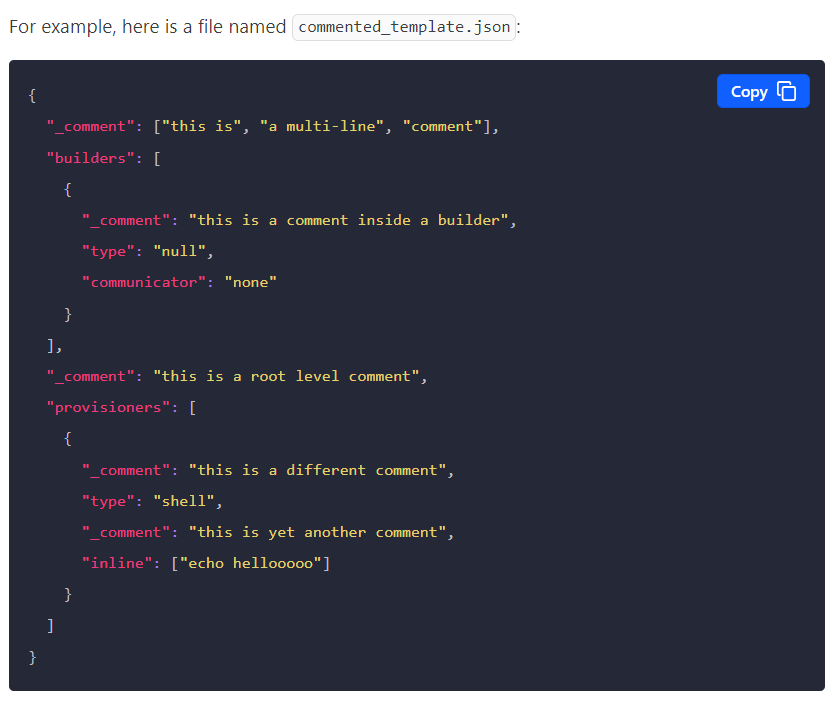
- Templates: Variables can be defined directly in the Packer template file, typically in a “variables” section at the top of the file. These variables will be used as the default values when building the image.
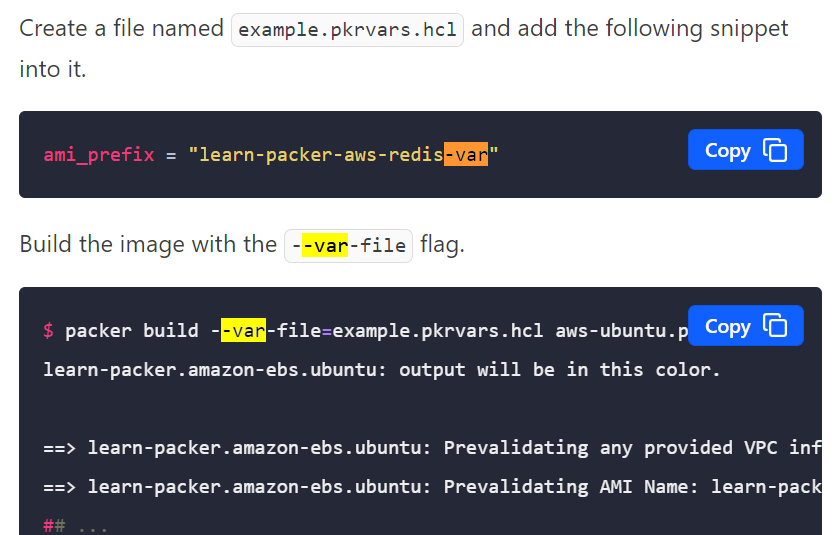
- Variable files: Variables can be stored in a separate file, in JSON or HashiCorp Configuration Language (HCL) format, and passed to Packer with the -var-file option. This can be useful for storing sensitive information that should not be committed to version control.
- Environment variables: Variables can also be set as environment variables, which Packer will automatically detect and use. This can be useful for setting variables in a script or CI/CD pipeline.
- Consul and Vault: Variables can be stored in HashiCorp Consul or Vault and passed to Packer using the -var option.
Command-line
Templates
Variable files
Environment variables
Packer Variable Precedence
The above mechanisms for setting variables can be used together in any combination.
Packer loads variables in the following order, with later sources taking precedence over earlier ones:
- Environment variables (lowest priority)
- Any
*.auto.pkrvars.hclor*.auto.pkrvars.jsonfiles, processed in lexical order of their filenames. - Any
-varand-var-fileoptions on the command line, in the order they are provided. (highest priority)
If the same variable is assigned multiple values using different mechanisms, Packer uses the last value it finds, overriding any previous values. Note that the same variable cannot be assigned multiple values within a single source.
~> Important: Variables with map and object values behave the same way as other variables: the last value found overrides the previous values.

I’m Rajesh Kumar, a DevOps, SRE, DevSecOps, Cloud, and Platform Engineering expert passionate about sharing practical knowledge, real-world experiences, and industry best practices. I have worked at Cotocus and regularly write about technology, travel, investing, health, product reviews, and digital marketing through my various platforms.
I publish technical articles at DevOps School, travel stories at Holiday Landmark, stock market insights at Stocks Mantra, health and fitness guidance at My Medic Plus, product reviews at TrueReviewNow, and SEO and digital marketing strategies at Wizbrand.
Find Trusted Cardiac Hospitals
Compare heart hospitals by city and services — all in one place.
Explore Hospitals