
Introduction
AI Pronunciation Coaching Tools help learners improve how they speak by analyzing pronunciation, accent, stress, rhythm, fluency, and clarity. Instead of only teaching vocabulary or grammar, these tools listen to a learner’s voice and provide feedback on sounds, words, intonation, and speaking confidence.
These platforms matter because global teams, remote work, international education, and AI-powered learning are making spoken communication more important than ever. Learners want fast, private, repeatable speaking practice without waiting for a human tutor every time.
Common use cases include accent reduction, English fluency improvement, interview preparation, public speaking practice, call center training, classroom pronunciation support, and exam speaking preparation.
Buyers should evaluate speech recognition accuracy, phoneme-level feedback, language support, real-time coaching, lesson quality, AI reliability, privacy, admin controls, analytics, mobile experience, pricing flexibility, and learner engagement.
Best for: language learners, students, professionals, teachers, training teams, customer support teams, global businesses, and non-native speakers improving workplace communication.
Not ideal for: learners who need only grammar lessons, full academic certification, deep linguistic research, or completely offline/self-hosted language systems.
What’s Changed in AI Pronunciation Coaching Tools
- Pronunciation coaching has moved from simple word scoring to sound-level and phrase-level feedback.
- AI speech models now evaluate stress, rhythm, pacing, and intonation more effectively.
- More tools include real-time speaking practice instead of only recorded drills.
- AI roleplay is becoming common for interviews, meetings, travel, and workplace communication.
- Mobile-first coaching makes daily 5–10 minute practice easier.
- Teachers and businesses now expect dashboards, progress reports, and measurable improvement.
- Privacy and voice data handling are becoming major buyer concerns.
- Multimodal learning is growing, combining speech, text, video lessons, and AI feedback.
- AI tutors increasingly personalize practice based on recurring pronunciation errors.
- Accent coaching is shifting from “remove accent” to “speak clearly and confidently.”
- Cost control matters more as voice AI features can be usage-heavy.
- Human review plus AI feedback is becoming valuable for higher-stakes learners.
Quick Buyer Checklist
- Does the tool provide sound-level pronunciation feedback?
- Does it support your target accent or language goal?
- Does it evaluate fluency, rhythm, stress, and intonation?
- Is feedback instant, clear, and actionable?
- Does it offer roleplay or real conversation practice?
- Are learner voice recordings stored, deleted, or used for model training?
- Does it provide teacher or admin dashboards?
- Can learners track progress over time?
- Is the mobile app reliable and easy to use?
- Does it support business, academic, or exam scenarios?
- Are pricing and usage limits clear?
- Is there a path to export reports or measure improvement?
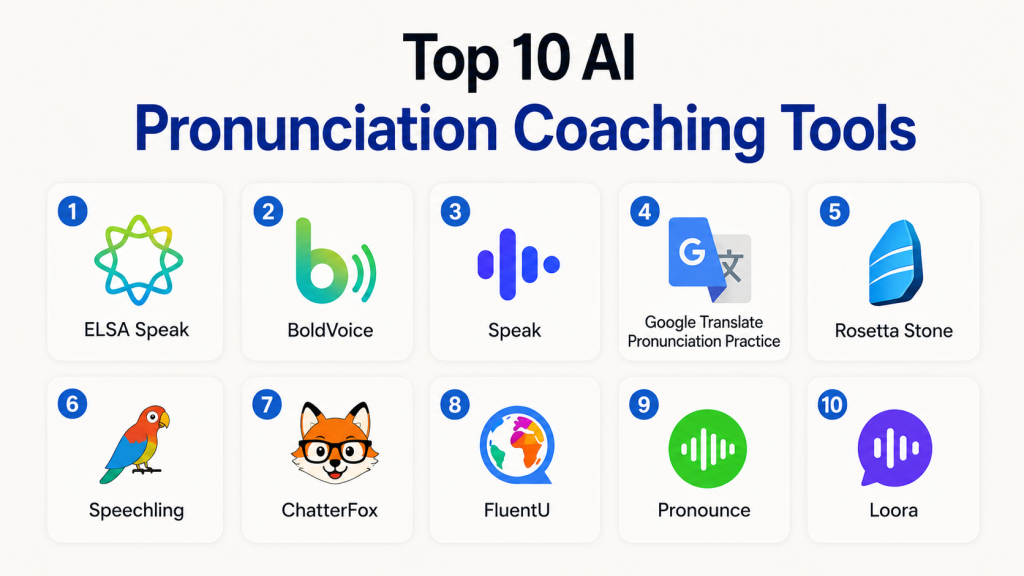
Top 10 AI Pronunciation Coaching Tools
#1 — ELSA Speak
One-line verdict: Best for learners who want detailed English pronunciation and speaking feedback.
Short description:
ELSA Speak is one of the most recognized AI pronunciation coaching apps for English learners. It focuses on pronunciation, fluency, vocabulary, and speaking confidence through AI-powered speech analysis and structured lessons.
Standout Capabilities
- Detailed pronunciation feedback
- English speaking practice
- Personalized learning paths
- Speaking scenarios for work and study
- Pronunciation scoring
- Large lesson library
- Mobile-first learning experience
- Useful for individuals, schools, and professionals
AI-Specific Depth
- Model support: Proprietary speech AI
- RAG / knowledge integration: N/A
- Evaluation: Pronunciation and speaking performance tracking
- Guardrails: Educational content controls
- Observability: Learner progress analytics
Pros
- Strong pronunciation-focused coaching
- Good for professional English improvement
- Clear progress tracking
Cons
- Mostly English-focused
- Advanced enterprise controls may vary
- Not a replacement for full human coaching
Security & Compliance
Not publicly stated. Buyers should review voice data retention, admin controls, and enterprise privacy terms before rollout.
Deployment & Platforms
- Web
- iOS
- Android
- Cloud-based
Integrations & Ecosystem
ELSA works mainly as a standalone pronunciation and speaking platform, with options for individual and institutional learning.
- Mobile learning app
- School and business solutions
- Learning analytics
- Speech assessment workflows
- Personalized practice paths
Pricing Model
Freemium and subscription-based plans. Enterprise or institutional pricing may vary.
Best-Fit Scenarios
- English pronunciation improvement
- Workplace communication training
- Student speaking practice
#2 — BoldVoice
One-line verdict: Best for professionals improving English accent clarity and confident speech.
Short description:
BoldVoice focuses on accent training and pronunciation coaching, especially for English learners who want clearer professional communication. It combines expert-led video lessons with AI-powered speaking feedback.
Standout Capabilities
- Accent training lessons
- AI pronunciation feedback
- Sound-level mistake analysis
- Video lessons from speech coaches
- Daily short practice sessions
- Stress and intonation training
- Conversation practice
- Professional communication focus
AI-Specific Depth
- Model support: Proprietary speech AI
- RAG / knowledge integration: N/A
- Evaluation: Pronunciation and accent feedback
- Guardrails: Educational content controls
- Observability: Learner progress tracking
Pros
- Strong accent coaching focus
- Useful for professionals
- Combines expert instruction with AI practice
Cons
- Mainly focused on English pronunciation
- Less suitable for full language learning
- Enterprise features may vary
Security & Compliance
Not publicly stated. Organizations should verify privacy, voice data handling, and admin reporting options.
Deployment & Platforms
- iOS
- Android
- Cloud-based
Integrations & Ecosystem
BoldVoice is primarily a focused coaching app rather than a broad integration platform.
- Mobile app
- AI speech feedback
- Coach-led lessons
- Progress tracking
- Speaking practice workflows
Pricing Model
Subscription-based model.
Best-Fit Scenarios
- Accent clarity improvement
- Workplace English confidence
- Daily pronunciation practice
#3 — Speak
One-line verdict: Best for learners who want speaking-first practice with AI conversation support.
Short description:
Speak is designed around spoken language practice, helping learners talk more frequently through AI-powered speaking exercises. It is especially useful for learners who need confidence in real conversations.
Standout Capabilities
- Speaking-first learning experience
- AI conversation practice
- Pronunciation feedback
- Real-world speaking scenarios
- Fast mobile practice
- Personalized lessons
- Fluency-building exercises
- Useful for self-paced learners
AI-Specific Depth
- Model support: Proprietary AI
- RAG / knowledge integration: N/A
- Evaluation: Speaking and pronunciation feedback
- Guardrails: Educational safeguards
- Observability: Learning progress metrics
Pros
- Strong for daily speaking practice
- Simple user experience
- Good for confidence building
Cons
- Less focused on deep grammar instruction
- Enterprise controls may vary
- Language coverage may vary
Security & Compliance
Not publicly stated.
Deployment & Platforms
- iOS
- Android
- Cloud-based
Integrations & Ecosystem
Speak is mainly a learner-facing mobile platform focused on AI conversation and speaking practice.
- Mobile learning
- AI speaking exercises
- Personalized lessons
- Progress tracking
- Conversational practice
Pricing Model
Subscription-based model.
Best-Fit Scenarios
- Speaking confidence
- Daily fluency practice
- Conversation preparation
#4 — Google Translate Pronunciation Practice
One-line verdict: Best for quick pronunciation practice inside a familiar translation workflow.
Short description:
Google Translate has expanded into pronunciation practice, helping users hear and practice words or phrases in supported languages. It is useful for quick, practical pronunciation help rather than structured coaching.
Standout Capabilities
- Pronunciation practice inside translation workflow
- Instant access for everyday phrases
- Useful for travelers and casual learners
- Speech input support
- Broad translation ecosystem
- Simple mobile experience
- Good for quick correction
AI-Specific Depth
- Model support: Proprietary Google AI
- RAG / knowledge integration: N/A
- Evaluation: Basic pronunciation feedback where available
- Guardrails: Platform-level safety controls
- Observability: N/A
Pros
- Easy to access
- Helpful for quick practice
- Strong translation ecosystem
Cons
- Not a full pronunciation curriculum
- Limited coaching depth
- Feature availability may vary by language and region
Security & Compliance
Not publicly stated for pronunciation-specific learning workflows.
Deployment & Platforms
- Web
- Android
- iOS availability may vary
- Cloud-based
Integrations & Ecosystem
Google Translate is part of a broader Google language and translation ecosystem.
- Translation app
- Speech input
- Text-to-speech
- Mobile access
- Cross-product language support
Pricing Model
Free consumer access, with business usage models varying by Google services.
Best-Fit Scenarios
- Quick word pronunciation
- Travel phrases
- Casual language practice
#5 — Rosetta Stone
One-line verdict: Best for structured language learners who want pronunciation support inside a full course.
Short description:
Rosetta Stone is a long-running language learning platform with speech recognition-based pronunciation support. It is best suited for learners who want complete language courses rather than only pronunciation drills.
Standout Capabilities
- Structured language courses
- Speech recognition pronunciation practice
- Immersive learning approach
- Multi-language support
- Mobile and web access
- Progress tracking
- Suitable for individuals and organizations
AI-Specific Depth
- Model support: Proprietary speech technology
- RAG / knowledge integration: N/A
- Evaluation: Lesson and pronunciation progress
- Guardrails: Educational content controls
- Observability: Learning analytics
Pros
- Strong structured curriculum
- Supports many languages
- Good for beginners
Cons
- Pronunciation coaching may be less detailed than specialist apps
- Less flexible for advanced speaking scenarios
- Pricing varies by plan
Security & Compliance
Not publicly stated.
Deployment & Platforms
- Web
- iOS
- Android
- Cloud-based
Integrations & Ecosystem
Rosetta Stone works as a complete language learning ecosystem.
- Mobile apps
- Web learning
- Speech recognition
- Enterprise learning options
- Progress reporting
Pricing Model
Subscription-based and institutional plans.
Best-Fit Scenarios
- Full language learning
- Beginner pronunciation practice
- Organization-wide language training
#6 — Speechling
One-line verdict: Best for learners who want pronunciation practice with human coaching support.
Short description:
Speechling combines listening, speaking, and pronunciation practice with feedback from coaches. It is useful for learners who want a mix of AI-supported practice and human review.
Standout Capabilities
- Speaking and pronunciation practice
- Human coach feedback
- Sentence-based drills
- Multi-language support
- Listening practice
- Progress tracking
- Useful for self-paced learners
AI-Specific Depth
- Model support: Varies / N/A
- RAG / knowledge integration: N/A
- Evaluation: Human and practice-based feedback
- Guardrails: N/A
- Observability: Learner progress tracking
Pros
- Human feedback adds quality
- Good for pronunciation repetition
- Supports multiple languages
Cons
- AI depth may be limited compared with newer tools
- Feedback speed may vary
- Less enterprise-focused
Security & Compliance
Not publicly stated.
Deployment & Platforms
- Web
- iOS
- Android
- Cloud-based
Integrations & Ecosystem
Speechling is mainly a learner-facing pronunciation and speaking practice platform.
- Coach feedback
- Audio practice
- Mobile apps
- Web dashboard
- Multi-language lessons
Pricing Model
Freemium and subscription-based.
Best-Fit Scenarios
- Learners wanting human feedback
- Sentence pronunciation practice
- Multi-language speaking practice
#7 — ChatterFox
One-line verdict: Best for accent reduction learners who want guided English pronunciation coaching.
Short description:
ChatterFox focuses on American English pronunciation and accent reduction. It combines structured lessons, speech practice, and coaching-style feedback for learners who want clearer English speech.
Standout Capabilities
- American English pronunciation training
- Accent reduction focus
- Guided speech lessons
- Practice-based learning
- Feedback-oriented coaching
- Professional communication use cases
- Learner progress support
AI-Specific Depth
- Model support: Varies / N/A
- RAG / knowledge integration: N/A
- Evaluation: Pronunciation practice feedback
- Guardrails: N/A
- Observability: Varies / N/A
Pros
- Focused accent training
- Useful for professionals
- Practical speech improvement approach
Cons
- Narrower language scope
- Less broad than full language platforms
- AI capabilities may vary
Security & Compliance
Not publicly stated.
Deployment & Platforms
- Web
- Cloud-based
- Mobile support may vary
Integrations & Ecosystem
ChatterFox is a focused pronunciation coaching ecosystem.
- Accent lessons
- Speech practice
- Coaching workflows
- Progress support
- English communication training
Pricing Model
Subscription or course-based model may vary.
Best-Fit Scenarios
- American English accent practice
- Professional speech clarity
- Guided pronunciation training
#8 — FluentU
One-line verdict: Best for learners improving pronunciation through authentic video and listening context.
Short description:
FluentU uses real-world videos and interactive learning to help learners understand natural pronunciation, rhythm, and usage. It is not purely a pronunciation coach, but it supports listening and speaking improvement through authentic content.
Standout Capabilities
- Real-world video learning
- Contextual vocabulary
- Listening comprehension
- Natural speech exposure
- Interactive subtitles
- Multi-language support
- Useful for pronunciation modeling
AI-Specific Depth
- Model support: Varies / N/A
- RAG / knowledge integration: N/A
- Evaluation: Learning progress tracking
- Guardrails: Educational content controls
- Observability: Learner analytics
Pros
- Strong real-world context
- Helpful for listening and pronunciation modeling
- Good content variety
Cons
- Not a dedicated pronunciation scoring tool
- Speaking feedback may be limited
- Less focused on accent correction
Security & Compliance
Not publicly stated.
Deployment & Platforms
- Web
- iOS
- Android
- Cloud-based
Integrations & Ecosystem
FluentU works as a video-based language learning ecosystem.
- Interactive subtitles
- Video lessons
- Vocabulary tools
- Mobile apps
- Learning progress tracking
Pricing Model
Subscription-based.
Best-Fit Scenarios
- Listening and pronunciation exposure
- Context-based language learning
- Learners who prefer video content
#9 — Pronounce
One-line verdict: Best for professionals practicing spoken English for meetings and workplace communication.
Short description:
Pronounce focuses on spoken English improvement, helping users practice pronunciation, fluency, and professional speaking. It is useful for non-native speakers who want workplace-ready communication.
Standout Capabilities
- English pronunciation feedback
- Speaking fluency practice
- Workplace communication focus
- AI-driven feedback
- Daily practice workflows
- Meeting and presentation support
- Progress tracking
AI-Specific Depth
- Model support: Proprietary AI
- RAG / knowledge integration: N/A
- Evaluation: Speaking and pronunciation feedback
- Guardrails: Varies / N/A
- Observability: Learner progress metrics
Pros
- Strong professional use case
- Useful for workplace English
- Practical speaking feedback
Cons
- English-focused
- Less suited for full language curriculum
- Enterprise controls may vary
Security & Compliance
Not publicly stated.
Deployment & Platforms
- Web
- Cloud-based
- Mobile support may vary
Integrations & Ecosystem
Pronounce supports professional speaking improvement workflows.
- Speaking practice
- Pronunciation feedback
- Workplace scenarios
- Progress analytics
- AI speech review
Pricing Model
Subscription-based or tiered model may vary.
Best-Fit Scenarios
- Meeting preparation
- Business English clarity
- Professional pronunciation practice
#10 — Loora
One-line verdict: Best for English learners who want conversational fluency with pronunciation feedback.
Short description:
Loora is an AI English tutor focused on conversational speaking practice. It helps learners practice natural dialogue, improve fluency, and receive feedback during AI-powered conversations.
Standout Capabilities
- AI English conversation tutor
- Speaking practice
- Real-time feedback
- Personalized learning
- Mobile-first experience
- Fluency development
- Everyday and professional conversation practice
AI-Specific Depth
- Model support: Proprietary generative AI
- RAG / knowledge integration: N/A
- Evaluation: Speaking feedback
- Guardrails: Educational moderation
- Observability: Learning analytics
Pros
- Good for conversation confidence
- Simple learner experience
- Useful for daily practice
Cons
- English-focused
- Less pronunciation-specialized than ELSA or BoldVoice
- Limited enterprise details
Security & Compliance
Not publicly stated.
Deployment & Platforms
- Mobile
- Cloud-based
Integrations & Ecosystem
Loora mainly operates as a standalone AI English tutor.
- AI conversation practice
- Mobile learning
- Speaking feedback
- Progress tracking
- Personalized sessions
Pricing Model
Subscription-based.
Best-Fit Scenarios
- English fluency practice
- Daily conversation training
- Confidence building
Comparison Table
| Tool Name | Best For | Deployment | Model Flexibility | Strength | Watch-Out | Public Rating |
|---|---|---|---|---|---|---|
| ELSA Speak | English pronunciation | Cloud | Hosted | Detailed speech feedback | Mostly English-focused | N/A |
| BoldVoice | Accent clarity | Cloud | Hosted | Expert-led accent coaching | Narrower language scope | N/A |
| Speak | Speaking practice | Cloud | Hosted | Conversation-first learning | Less grammar depth | N/A |
| Google Translate Pronunciation Practice | Quick practice | Cloud | Hosted | Easy access | Limited coaching depth | N/A |
| Rosetta Stone | Structured learners | Cloud | Hosted | Full course ecosystem | Less specialist feedback | N/A |
| Speechling | Human feedback | Cloud | Varies / N/A | Coach-supported practice | Feedback speed may vary | N/A |
| ChatterFox | Accent reduction | Cloud | Varies / N/A | Guided English coaching | Limited scope | N/A |
| FluentU | Video-based learning | Cloud | Varies / N/A | Authentic speech exposure | Not dedicated scoring | N/A |
| Pronounce | Workplace English | Cloud | Hosted | Professional speech focus | English-focused | N/A |
| Loora | Conversational English | Cloud | Hosted | AI conversation practice | Limited language range | N/A |
Scoring & Evaluation
This scoring is comparative, not absolute. It is designed to help buyers shortlist tools based on practical use cases, not declare one universal winner. Scores reflect pronunciation depth, AI feedback, safety, integrations, usability, performance, admin maturity, and support. Public ratings are not used unless confidently known. Buyers should validate these scores through a pilot with their own learners, accents, languages, and success metrics.
| Tool | Core | Reliability/Eval | Guardrails | Integrations | Ease | Perf/Cost | Security/Admin | Support | Weighted Total |
|---|---|---|---|---|---|---|---|---|---|
| ELSA Speak | 9 | 9 | 8 | 7 | 9 | 8 | 7 | 8 | 8.3 |
| BoldVoice | 8 | 8 | 7 | 6 | 9 | 8 | 6 | 7 | 7.7 |
| Speak | 8 | 8 | 7 | 6 | 9 | 8 | 6 | 7 | 7.7 |
| Google Translate Pronunciation Practice | 6 | 6 | 7 | 8 | 10 | 9 | 7 | 8 | 7.4 |
| Rosetta Stone | 8 | 7 | 8 | 7 | 8 | 7 | 7 | 8 | 7.5 |
| Speechling | 7 | 8 | 6 | 6 | 8 | 7 | 6 | 7 | 7.0 |
| ChatterFox | 7 | 7 | 6 | 5 | 8 | 7 | 5 | 6 | 6.6 |
| FluentU | 7 | 6 | 7 | 6 | 8 | 7 | 6 | 7 | 6.8 |
| Pronounce | 8 | 8 | 7 | 6 | 8 | 7 | 6 | 7 | 7.4 |
| Loora | 8 | 8 | 7 | 6 | 9 | 7 | 6 | 7 | 7.5 |
Top 3 for Enterprise
- ELSA Speak
- Rosetta Stone
- BoldVoice
Top 3 for SMB
- ELSA Speak
- Speak
- Pronounce
Top 3 for Developers
- Google Translate Pronunciation Practice
- ELSA Speak
- Speak
Which AI Pronunciation Coaching Tool Is Right for You?
Solo / Freelancer
Choose ELSA Speak, BoldVoice, Speak, or Loora if you want daily self-paced practice. ELSA is best for detailed pronunciation scoring, BoldVoice is strong for accent clarity, Speak is better for speaking confidence, and Loora is useful for English conversation practice.
SMB
Small and mid-sized businesses should consider ELSA Speak, Pronounce, or BoldVoice for employee communication training. These tools help teams improve meeting clarity, customer conversations, interviews, and presentation confidence without building a custom language program.
Mid-Market
Mid-market teams should prioritize reporting, learner engagement, and repeatable training paths. ELSA Speak, Rosetta Stone, and Speak are good candidates depending on whether the focus is pronunciation depth, full language learning, or conversation fluency.
Enterprise
Enterprises should look for admin controls, reporting, privacy terms, learner analytics, and scalable onboarding. ELSA Speak and Rosetta Stone are stronger options for structured programs, while BoldVoice may fit professional accent coaching initiatives.
Regulated Industries
Finance, healthcare, education, and public sector organizations should verify data retention, voice recording policies, access controls, auditability, and regional data requirements before deployment. If these details are not clearly stated, request vendor documentation before purchase.
Budget vs Premium
Budget learners can start with free or low-cost plans from tools like Google Translate, ELSA Speak, Speechling, or FluentU. Premium users should choose tools that provide deeper feedback, structured learning paths, and measurable improvement.
Build vs Buy
Most teams should buy rather than build. Building a pronunciation coach requires speech recognition, phoneme analysis, accent modeling, voice data governance, lesson design, evaluation pipelines, and user analytics. Build only when you need a highly customized internal platform.
Implementation Playbook
30 Days: Pilot and Success Metrics
- Select 20–50 pilot learners.
- Define the target skill: pronunciation, fluency, accent clarity, or workplace speaking.
- Capture baseline recordings.
- Choose 3–5 speaking tasks for measurement.
- Track daily practice completion.
- Measure improvement in confidence and clarity.
- Review privacy and voice data policies.
- Compare learner engagement across tools.
60 Days: Security, Evaluation, and Rollout
- Review admin controls and reporting.
- Validate feedback accuracy with human reviewers.
- Create learner groups by level and goal.
- Build internal pronunciation benchmarks.
- Add manager or teacher review where needed.
- Define escalation for incorrect AI feedback.
- Create usage guidelines for learners.
- Start a wider team rollout.
90 Days: Optimize and Scale
- Compare improvement against baseline recordings.
- Track cost per active learner.
- Identify high-performing learning paths.
- Remove tools with low engagement.
- Create governance for voice data.
- Standardize reporting dashboards.
- Expand to departments, classrooms, or regions.
- Reassess vendor lock-in and export options.
Common Mistakes & How to Avoid Them
- Choosing a general language app when pronunciation is the main goal
- Ignoring sound-level feedback quality
- Measuring app usage instead of speaking improvement
- Assuming all accents and languages are equally supported
- Skipping privacy review for voice recordings
- Not testing with real learner accents
- Depending only on AI without human review for high-stakes training
- Overlooking mobile app usability
- Choosing tools without progress tracking
- Ignoring cost increases as usage grows
- Using the same learning path for beginners and advanced speakers
- Treating accent reduction as accent removal
- Not defining success metrics before rollout
- Forgetting to review cancellation and data deletion terms
FAQs
1. What are AI Pronunciation Coaching Tools?
They are apps or platforms that listen to a learner’s speech and provide feedback on pronunciation, fluency, rhythm, stress, and clarity.
2. Are AI pronunciation tools accurate?
They can be very helpful, especially for repeated practice, but accuracy varies by language, accent, microphone quality, and speech model.
3. Which tool is best for English pronunciation?
ELSA Speak is one of the strongest choices for detailed English pronunciation feedback.
4. Which tool is best for accent training?
BoldVoice is a strong option for accent clarity and professional English speech coaching.
5. Can AI pronunciation tools replace human teachers?
No. They are excellent for practice and feedback, but human teachers are still valuable for nuance, motivation, and advanced correction.
6. Are these tools good for business communication?
Yes. Tools like ELSA Speak, BoldVoice, Pronounce, and Loora can help with meetings, interviews, presentations, and customer conversations.
7. Do these tools support multiple languages?
Some do, but pronunciation coaching quality often varies by language. Always test your target language before buying.
8. Is my voice data private?
Privacy varies by vendor. Review data retention, deletion, model training, and enterprise security policies before rollout.
9. Can I use these tools offline?
Most AI pronunciation features require internet access because speech analysis usually runs in the cloud.
10. What should schools evaluate first?
Schools should evaluate learner safety, teacher dashboards, age-appropriate content, progress tracking, and measurable improvement.
11. What should companies evaluate first?
Companies should evaluate admin controls, reporting, privacy, professional scenarios, learner adoption, and cost per active user.
12. Are free pronunciation tools enough?
Free tools are good for casual practice, but serious learners usually benefit from structured feedback and progress tracking.
13. Can these tools help with interview preparation?
Yes. Many tools support speaking confidence, pronunciation clarity, and professional communication practice.
14. What is the biggest risk when choosing a tool?
The biggest risk is choosing a tool without testing it on real learners, real accents, and real speaking goals.
Conclusion
AI Pronunciation Coaching Tools are becoming essential for learners and organizations that need clearer, more confident spoken communication. The best tool depends on the user’s goal: ELSA Speak is strong for detailed pronunciation feedback, BoldVoice is excellent for accent clarity, Speak and Loora are useful for conversational fluency, Rosetta Stone fits structured language learning, and Google Translate works well for quick everyday practice. No single platform is perfect for every learner, so buyers should shortlist a few tools, run a pilot with real users, verify privacy and evaluation quality, and then scale the solution that produces measurable speaking improvement.

Find Trusted Cardiac Hospitals
Compare heart hospitals by city and services — all in one place.
Explore Hospitals
A useful angle to expand this topic is how pronunciation coaching tools support long-term speaking fluency development instead of only correcting isolated mistakes. Improving pronunciation is not just about real-time feedback, but also about tracking recurring errors, adapting exercises to individual speech patterns, and reinforcing progress over time. It would also be important to consider accuracy across different accents, handling of multilingual learners, and the reliability of AI feedback in noisy or real-world speaking environments, ensuring these tools genuinely help learners build confident and natural communication skills rather than focusing only on short-term correction.