
The ticket timeline looks clean: opened at 9:04, resolved at 10:52. What the timeline doesn’t show is that the fix itself took eleven minutes. The other ninety-seven went to getting a session started with a user who couldn’t find the download link, a connection that dropped mid-registry edit, and a second round of scheduling because the patch needed a follow-up check the next day.
Most IT teams can quote their MTTR to the decimal. Almost none can say how much of it was spent around the remote session rather than in it. That gap matters, because the time between “technician is ready” and “technician is working on the machine” isn’t a rounding error. Across a queue of daily tickets, it’s often the largest single block of controllable time – and it appears on no dashboard, in no retro, under no line item.
This article maps the three places that time hides, and how to make it visible.
Ticket metrics start the clock too late – and stop it too early
Help desk metrics are built around the ticket lifecycle: first response time, first contact resolution, mean time to resolution. They are useful, but they treat the remote session as an atomic event. A ticket that took two hours “in progress” reads the same whether the technician spent those two hours troubleshooting or spent forty minutes of them coaching a user through installing a client, approving permissions, and reading out a session code.
The session mechanics are invisible by design. No ticketing system has a field for “user couldn’t find the .exe” or “session dropped during driver install, reconnected twice.” So the friction gets absorbed into resolution time, where it quietly inflates every average and disappears as a target for improvement.
If you manage a support function and you’ve never watched a junior technician start a session with a non-technical user, that’s worth thirty minutes of your week. The next three sections describe what you’re likely to see.
Loss zone one: before the session exists
The first block of unlogged time sits between “we need a session” and “the session is live.” Its size depends almost entirely on what your tooling asks of the person on the far end.
Some remote support workflows require the end user to download and install software, create or sign into an account, and then relay a session ID or code back to the technician. Each step is trivial for an engineer and a genuine obstacle for the accountant whose laptop is misbehaving. The technician ends up doing tech support for the support tool itself, over the phone, before the actual issue gets any attention.
The pattern compounds for solo IT providers and small internal teams. A technician supporting many client environments repeats this coordination dance many times a day, with a different unfamiliar user each time. None of those minutes are logged as work, but all of them are paid for.
The variable to watch is user-side burden: how many actions the remote user must perform, and how many of those actions can go wrong. Workflows that start from a link the user clicks, with no account creation on their side, cut most of this zone off outright.
Loss zone two: interruptions after work is underway
The second loss zone is harder to see because the session is technically “running.” The friction that is actually within a tool’s control is interruption by the software itself: prompts and dialogs that demand attention while the technician is mid-task, and, on the free tiers of some tools, usage warnings or forced cutoffs that end a session before the work does. Paid plans remove most of this – which matters when evaluating, because a team trialing a free tier may be counting interruptions the paid product doesn’t have.
Disconnections are a different problem, and worth being honest about: no remote support tool can promise a stable connection every time. Drops mostly come from networks and endpoints, not from the software, and automatic reconnection is standard behavior across the category. So the useful question isn’t “will it ever disconnect” – it’s what a drop costs when it happens. Does the session resume where it left off, and does an interrupted long-running task leave the machine in a state the technician can verify and recover?
Interruption cost also scales with session length, which means it lands hardest on exactly the work that matters most: complex troubleshooting, migrations, and maintenance windows. A five-minute password reset rarely meets a prompt. The three-hour disk recovery collects all of them.
When evaluating remote support software, teams tend to test with a short session on a healthy machine. That test cannot surface this zone. A better probe: run your longest realistic maintenance task through a trial, on the tier you actually plan to use, and count every prompt, pause, and reconnect.
Loss zone three: the second visit
Support work rarely ends when the session does. The patch needs verification tomorrow. The workaround needs replacing with a real fix next week. The same machine develops the same symptom a month later.
If every return visit requires the full session-start ceremony – contact the user, wait for availability, walk through the join flow again – then follow-up work inherits all of loss zone one, multiplied by however many visits the issue takes. Teams respond rationally: they batch follow-ups, defer them, or skip verification entirely. That shows up later as reopened tickets, which the metrics do catch, without ever pointing at the cause.
The structural answer is unattended access for machines you support repeatedly: the device is enrolled once, with consent, and the technician can return for follow-up work without re-coordinating a live join every time. Live sessions for new issues and new users; unattended access for the follow-through. Most mature support workflows need both, and treating them as one interchangeable capability is how the second visit stays expensive.
Making the invisible time visible
You don’t need new software to measure any of this. For one week, have technicians note three timestamps per remote ticket: when they were ready to start, when they had working control of the machine, and each forced interruption along the way. A shared spreadsheet is enough.
Then read the spread. If ready-to-control routinely runs over ten minutes, your session-start workflow is the problem. If long sessions show reconnects, your tooling is interrupting active work. If follow-ups take as long to start as first visits, you’re missing an unattended path. Each finding points at a different fix, and none of them shows up in MTTR alone.
What a session-first tool looks like
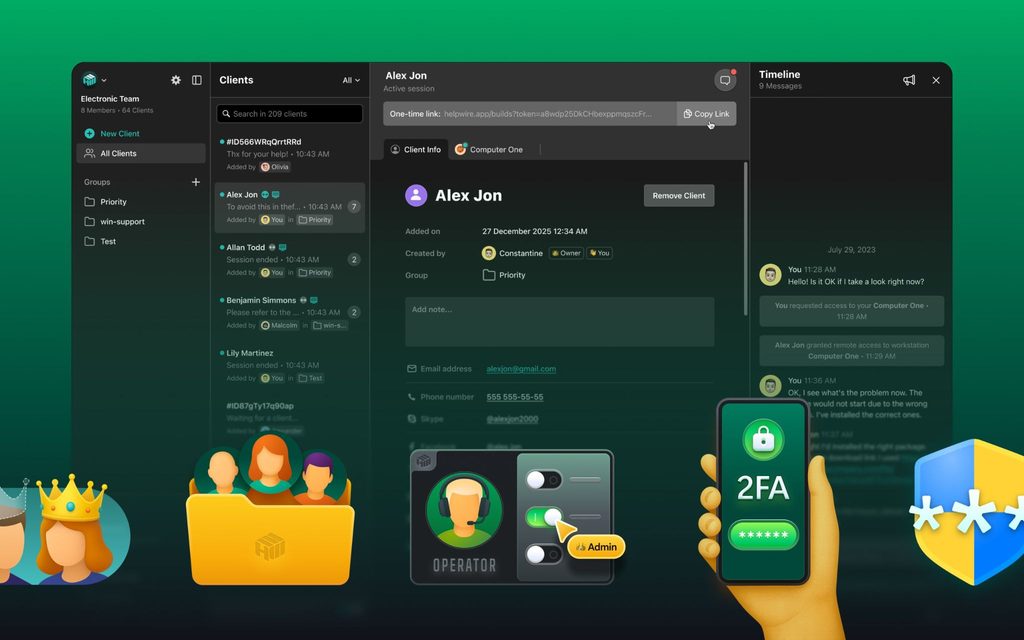
The three loss zones translate directly into evaluation criteria. A remote support tool that respects the technician’s time should start sessions with minimal action required from the end user, stay out of the way once work is underway, and offer a low-ceremony path back to machines that need follow-up.
One example of a tool built around this pattern is HelpWire. Sessions start from a link the technician sends – the remote user opens the client app without creating an account – which addresses the coordination tax of loss zone one. Once work is underway, it stays out of the technician’s way, with no intrusive prompts during active use, and it supports unattended access alongside live sessions, so returning to a managed machine doesn’t restart the whole join ceremony.
Whatever tool you evaluate, test it against your own week of timestamps rather than a feature checklist. The right choice is the one that shrinks the specific zones where your team is bleeding time.
Start the clock earlier
The cheapest improvement available to most support teams isn’t a faster technician or a bigger queue. It’s reclaiming the minutes that never make it into any log: the setup dance before the session, the interruptions during it, and the re-coordination after. Measure those for a week. The number will be larger than you expect, and unlike most numbers on your dashboard, this one is directly within your control.

Find Trusted Cardiac Hospitals
Compare heart hospitals by city and services — all in one place.
Explore Hospitals