
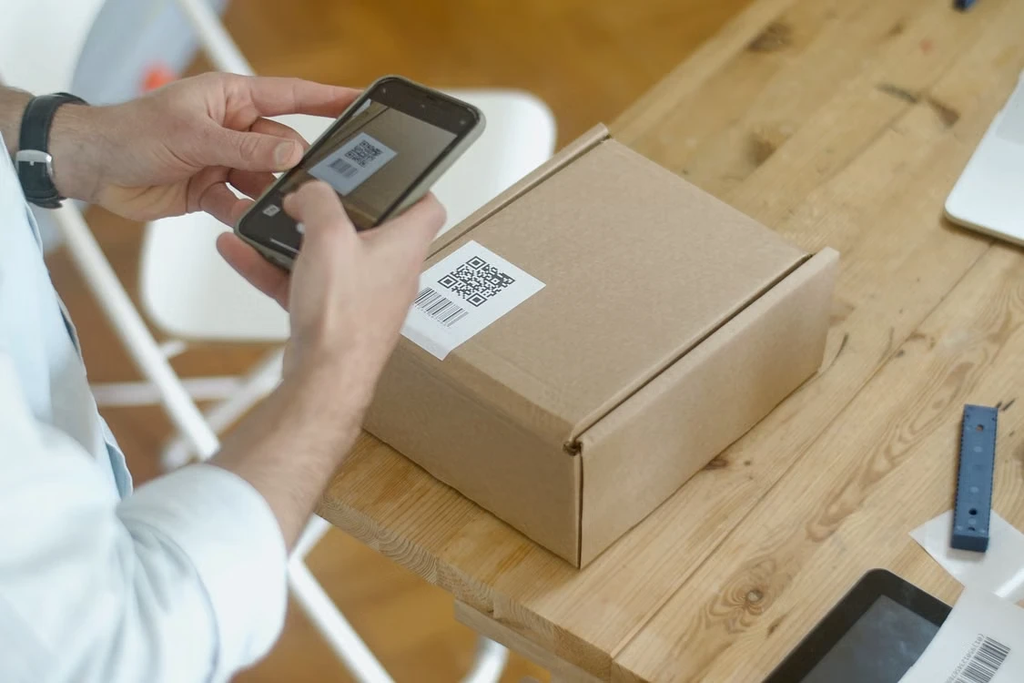
Ecommerce selling stopped being a desk job years ago. Sellers pack orders in garages, run flash sales from their phones, and answer buyer messages between school pickups. Yet most shipping tools still assume you’re at a laptop. Mobile ends up as a stripped-down companion app or a browser tab that fights a small screen.
For mobile-first sellers, the app question comes first. A tool that only works properly on desktop breaks the workflow the moment you step away.
The second question gets asked less often: which carriers can the app actually quote? A rate comparison can only compare what it can see. That carrier field caps the savings any app can find, however good the interface is. A two-carrier app will never show you a cheaper third option.
Check three things on any mobile shipping app:
- Native or browser: whether there’s a real iOS and Android app or just a mobile website.
- Labels on mobile: whether you can buy and print labels on the phone or only view orders.
- Carrier field and pricing: which carriers it quotes and whether you pay per label or per month.
1. Rollo Ship
Rollo Ship is multi-carrier shipping software with native iOS and Android apps, made for US and Canadian shippers who want to compare carriers and buy labels from a phone. US accounts get USPS and UPS® built in. Canadian accounts get Canada Post and UPS® built in. FedEx® and Purolator® are bring-your-own-account. Both countries can connect a FedEx® account, and Canadian accounts can connect Purolator, keeping their own negotiated rates.
The app isn’t just a viewer. You compare rates side by side, sorted by best value, price, or speed, then buy the label. It prints over Wi-Fi to a Rollo wireless printer, and it works with any compatible printer. Orders from Shopify, Amazon, eBay and WooCommerce import automatically. USPS labels run up to 90% off retail USPS rates on select services.
Pricing is simple. There’s no monthly subscription and no sign-up fee. The first 200 label fees are waived (one-time). After that, each label costs 5¢, dropping as low as 1¢ through Rollo Rewards. Rollo is not a carrier. Postage is paid directly to the carrier on every label. Rollo Ship is rated 4.8★ on Capterra. Rollo has 500,000+ users across the US and Canada.
Limitation: Rollo Ship supports US and Canadian origin addresses only. Sellers based elsewhere will need a tool with broader origin support.
2. ShipStation
ShipStation is subscription-based multi-carrier shipping software with a free mobile app for iOS and Android. From a phone, you can create and print labels, pick lists and packing slips, track shipments, resend tracking emails, and create return labels. That covers most daily tasks.
Its strength is workflow depth. Batch label creation and automation rules suit operations-heavy teams. ShipStation Mobile is offered in the US, Canada, the UK, Australia, New Zealand, and France.
Limitation: pricing is tiered by monthly shipment volume after a 30-day free trial. Costs climb as you ship more.
3. Veeqo
Veeqo is free shipping software from Amazon, with inventory and picking on paid plans from $19/month. Its mobile apps for iOS and Android center on orders, inventory, a daily sales dashboard, and warehouse picking.
It fits inventory-heavy, multichannel sellers. Stock updates and picking happen on the warehouse floor, not at a desk.
Limitation: batch picking on mobile requires a paid plan, and that plan’s price rises with monthly order volume. Veeqo’s economics are also built around Amazon. Sellers whose volume runs mostly elsewhere should check that the rate advantages apply to their mix.
4. Easyship
Easyship is international-focused shipping software with mobile apps for iOS and Android. It’s built for cross-border sellers who need duty and tax estimates alongside courier selection.
The app handles shipment management, tracking, barcode scanning, and pickups. Store connections and most settings stay on the web app. That’s a companion model.
Limitation: the free plan covers 50 shipments a month. Higher volumes need a paid plan.
5. Pirate Ship
Pirate Ship is free, browser-based shipping software for USPS and UPS® labels from US addresses. It’s on this list because sellers ask about its app constantly. There isn’t one.
Pirate Ship’s position is that you don’t need one. Its website runs on any device, and you can print from a phone to a wireless printer. You pay postage only, with no subscription.
Limitation: there’s no native iOS or Android app. The carrier field is two carriers, with no FedEx®, and there’s no shipping from Canada or anywhere outside the US.
Comparison at a Glance
| Software | Native iOS | Native Android | Buy Labels in the App | Ship From Canada | Pricing |
| Rollo Ship | Yes | Yes | Yes | Yes | No subscription; first 200 label fees waived (one-time), then 5¢/label, down to 1¢ via Rewards; postage paid to carrier |
| ShipStation | Yes | Yes | Yes | Yes | Volume-tiered subscription after 30-day trial |
| Veeqo | Yes | Yes | Orders and inventory focus | No | Free shipping; paid inventory plans |
| Easyship | Yes | Yes | Manage, track and pickups; setup on web | Yes | Free up to 50 shipments/month |
| Pirate Ship | No (mobile browser) | No (mobile browser) | Via mobile browser | No | Free; pay postage only |
How to Choose
Start with the app itself. If you ship mostly from your phone, test the label-purchase flow on mobile before you commit. An app that only shows orders still sends you back to a desk.
Next, check the carrier field. List the carriers your orders actually need, then cut any tool that can’t quote all of them. An app can’t compare a rate it can’t see.
Pricing comes last. A cheap tool that fails the first two filters costs more in missed rates than it saves in fees.
Run the list through that filter, and it narrows fast. Cross-border sellers who mostly track and manage on mobile can keep Easyship. Amazon-centric inventory operations point to Veeqo. Teams that want deep automation and will pay for it keep ShipStation. US sellers happy with two carriers and a browser can stay on Pirate Ship.
For US and Canadian shippers who want to buy labels from a real app, Rollo Ship is an easy place to start. There’s no subscription to commit to. The first 200 label fees are waived (one-time), so a week of real orders costs only the postage you’d pay anyway. If it doesn’t fit, there’s nothing to cancel. Monthly tools ask you to decide before you know. The free-to-start one lets you know before you decide.
Frequently Asked Questions
What is the best free shipping app for iPhone and Android?
Rollo Ship is free-to-start shipping software with native iOS and Android apps. US accounts get USPS and UPS® built in, and Canadian accounts get Canada Post and UPS®. FedEx® and Purolator connect through your own account. There’s no subscription; the first 200 label fees are waived (one-time), and then it’s 5¢ per label. Postage is paid to the carrier.
Does Pirate Ship have a mobile app?
No. Pirate Ship has no native iOS or Android app; you use its website in a mobile browser. Rollo Ship, ShipStation, Veeqo, and Easyship all publish native apps.
Can I ship from Canada using a mobile shipping app?
Yes. Rollo Ship supports Canadian-origin shipping from its mobile apps, with Canada Post and UPS® built in. UPS® also covers shipments from Canada to the US. FedEx® and Purolator connect through your own account, and Purolator is Canadian-origin only. Pirate Ship supports US-origin shipping only.
Why does carrier coverage matter more than app design?
A rate comparison can only quote the carriers it supports. That caps your savings before any interface feature comes into play. More carriers means more rates in every comparison.

Find Trusted Cardiac Hospitals
Compare heart hospitals by city and services — all in one place.
Explore Hospitals