Jenkins is an open source continuous integration/continuous delivery and deployment tools. Jenkins in the Java programming language. It is used to implement CI/CD workflows, called pipelines. Jenkins makes it easy to facilitate the technical aspects behind CI to help teams be more productive in their process.
Jenkins offers a simple way to set up a continuous integration and continuous delivery environment for almost any combination of languages and source code repositories. It is a server-based application and requires a web server like Apache Tomcat. The reason Jenkins became so popular is that of its monitoring of repeated tasks which arise during the development of a project.
Advantages and disadvantages
As is the case with most software, there are pros and cons to Jenkins. One of the key advantages of Jenkins is that it requires little maintenance and has built-in GUI tool for easy updates. Jenkins also provides customized solution as there are over 400 plugins to support building and testing virtually any project. This makes Jenkins adaptable to changes in IT environments. Plugins also contribute to the flexibility of Jenkins, as does the rich scripting and declarative languages that allow for highly custom pipelines. Since Jenkins is highly unopinionated, it fits well into most environments, including complex hybrid and multi-cloud systems.
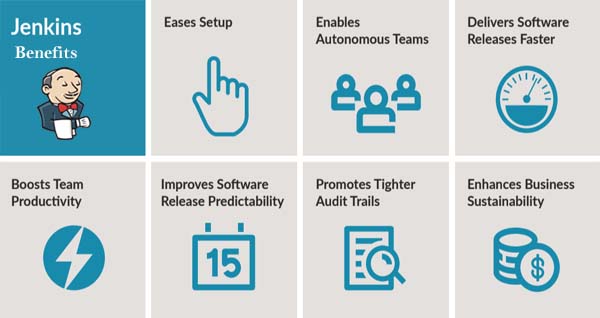
The main benefits of Jenkins are listed below:
- Easy to install: Jenkins has multiple easy installation options. More specifically, you can choose to install through an installer or through a native package. So installing Jenkins is not a tough job.
- Easy to configure: Jenkins comes with an easy-to-use web-based GUI that lets you configure it very easily. The online error checking feature and the online help facility are very useful for configuring Jenkins. There are many more advantages of this tool which have made it a favorite tool for software developers and project managers. In a nutshell, Jenkins can make your life a lot easier.
- Open-source: It’s open-source, free of cost, easy to install and configure, and highly customizable. These are the main advantages of Jenkins. Jenkins also provides customized solution as there are over 400 plugins to support building and testing virtually any project.
4. High-speed software development: Jenkins increases the productivity of a software developer significantly. It automates many integration tasks and makes many of them very easy for you. It also eliminates many integration problems, making you a highly productive software developer.
5. Great user support: With Jenkins, you have an awesome support from the community of great developers across the world. Programmers from Yahoo!, Cloudera, Apture and from many other software development companies work to improve Jenkins.
- High-quality documentation: The high-quality documentation for Jenkins has made it easy for you to learn it. If you need to learn something about this tool, just visit the Jenkins documentation. The documentation is very reliable as it has been written by the top-class authors and developers.

I’m Rajesh Kumar, a DevOps, SRE, DevSecOps, Cloud, and Platform Engineering expert passionate about sharing practical knowledge, real-world experiences, and industry best practices. I have worked at Cotocus and regularly write about technology, travel, investing, health, product reviews, and digital marketing through my various platforms.
I publish technical articles at DevOps School, travel stories at Holiday Landmark, stock market insights at Stocks Mantra, health and fitness guidance at My Medic Plus, product reviews at TrueReviewNow, and SEO and digital marketing strategies at Wizbrand.
Find Trusted Cardiac Hospitals
Compare heart hospitals by city and services — all in one place.
Explore Hospitals