
Friends, Today, in this tutorial I will explain to you about Azure App Service. As we know, the azure App Service is a completely managed web hosting service for building web applications, services, and RESTful APIs. Using this service, you can create apps faster with a one-of-a-kind cloud service to quickly and easily create enterprise-ready web and mobile apps for all platforms or devices and deploy them on the scalable and reliable cloud infrastructure. One of the great things about the service is that it provides a range of plans to meet the needs of any application, from small websites to globally scaled web applications.
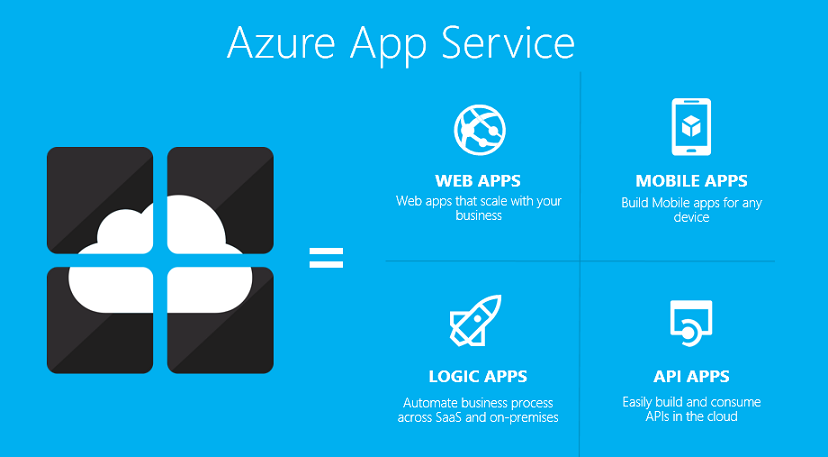
What is Azure App Service used for?
- It is a completely managed web hosting service for building web applications, services and RESTful APIs.
- It provides a range of plans to meet the needs of any application, from small websites to globally scaled web applications.
- Great experience for Visual Studio developers with automatic SDK generation.
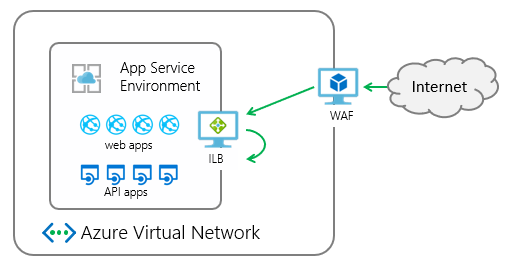
Benefits of using azure app service
- Azure app service completely managed environment, meaning App Service automatically patches and maintains the OS and language frameworks.
- This service supports a wide variety of programming languages and frameworks. Like .NET, Java, Ruby, PHP, Python.
- It can scale resources up and down or in and out.
- It can Set up CI/CD, and Access on-premises data.
- Compliance, Security, and Support for Containerization and Docker.
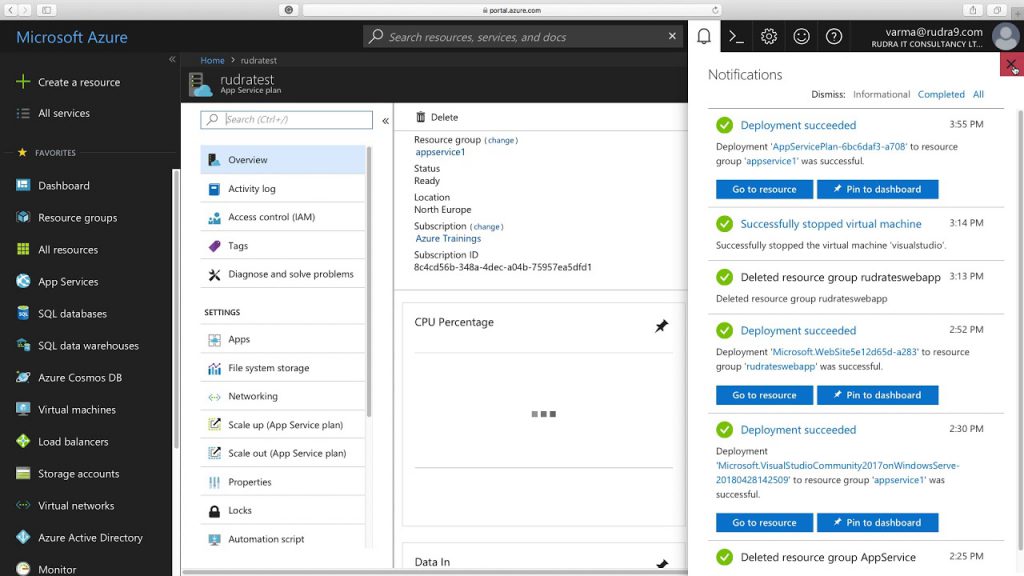
How to Create App service Plan using Azure portal
Follow below point for Create App service Plan using Azure portal
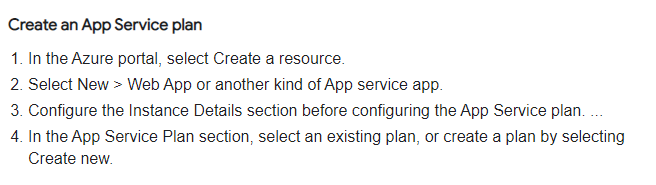
In the App Service Plan section, select an existing plan, or create a plan by selecting Create new.
Conclusion – If you want to build fast apps with a one-of-a-kind cloud service to quickly and easily build enterprise-ready web and mobile apps for any platform or device and deploy them on a scalable and reliable cloud infrastructure. Then, Azure App Service is perfect for you. I hope this article will be very helpful for you.
Thank you!

I’m Rajesh Kumar, a DevOps, SRE, DevSecOps, Cloud, and Platform Engineering expert passionate about sharing practical knowledge, real-world experiences, and industry best practices. I have worked at Cotocus and regularly write about technology, travel, investing, health, product reviews, and digital marketing through my various platforms.
I publish technical articles at DevOps School, travel stories at Holiday Landmark, stock market insights at Stocks Mantra, health and fitness guidance at My Medic Plus, product reviews at TrueReviewNow, and SEO and digital marketing strategies at Wizbrand.
Find Trusted Cardiac Hospitals
Compare heart hospitals by city and services — all in one place.
Explore Hospitals