
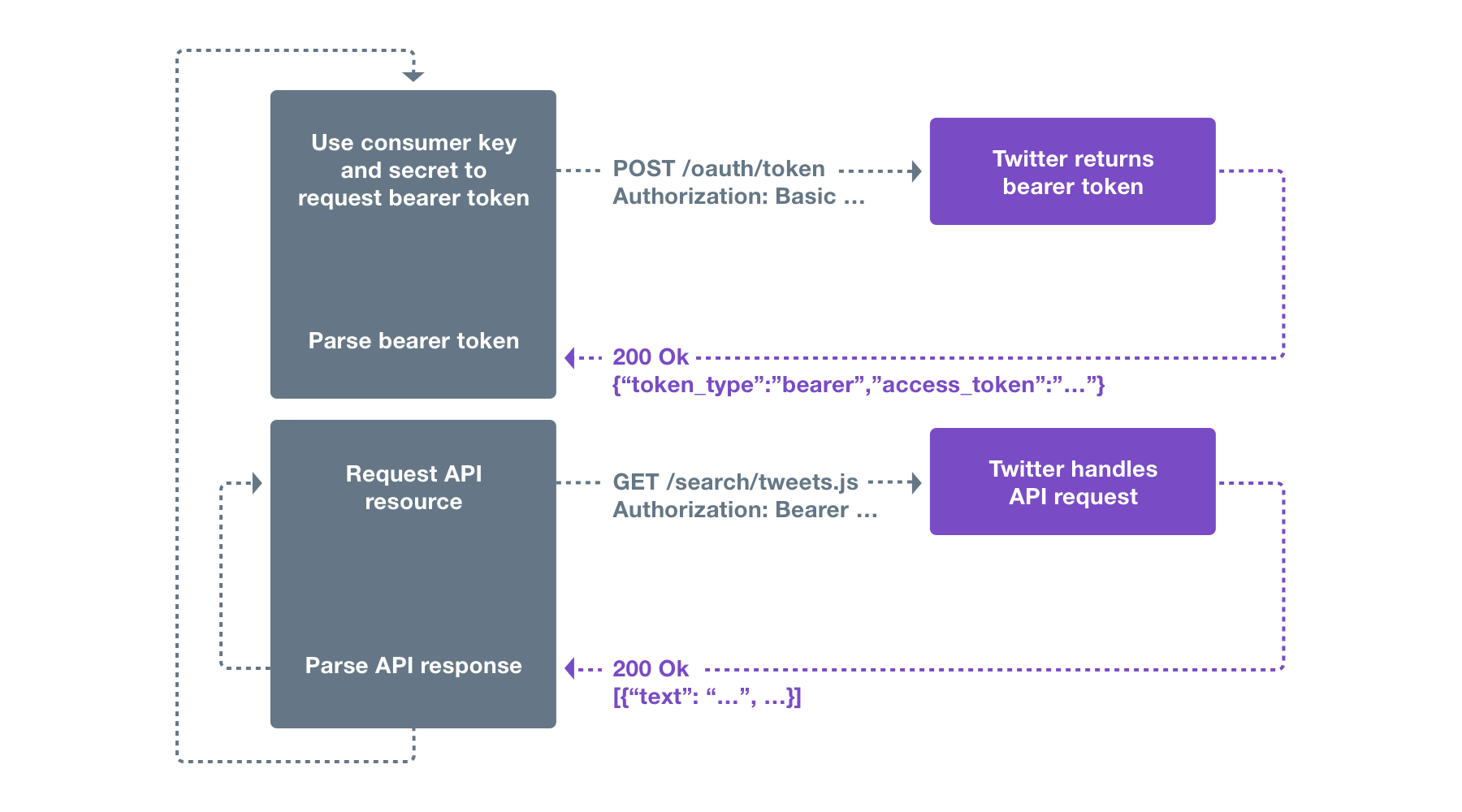
Bearer tokens are a much simpler way of making API requests, since they don’t require cryptographic signing of each request. The tradeoff is that all API requests must be made over an HTTPS connection, since the request contains a plaintext token that could be used by anyone if it were intercepted.
What is Bearer Authentication?
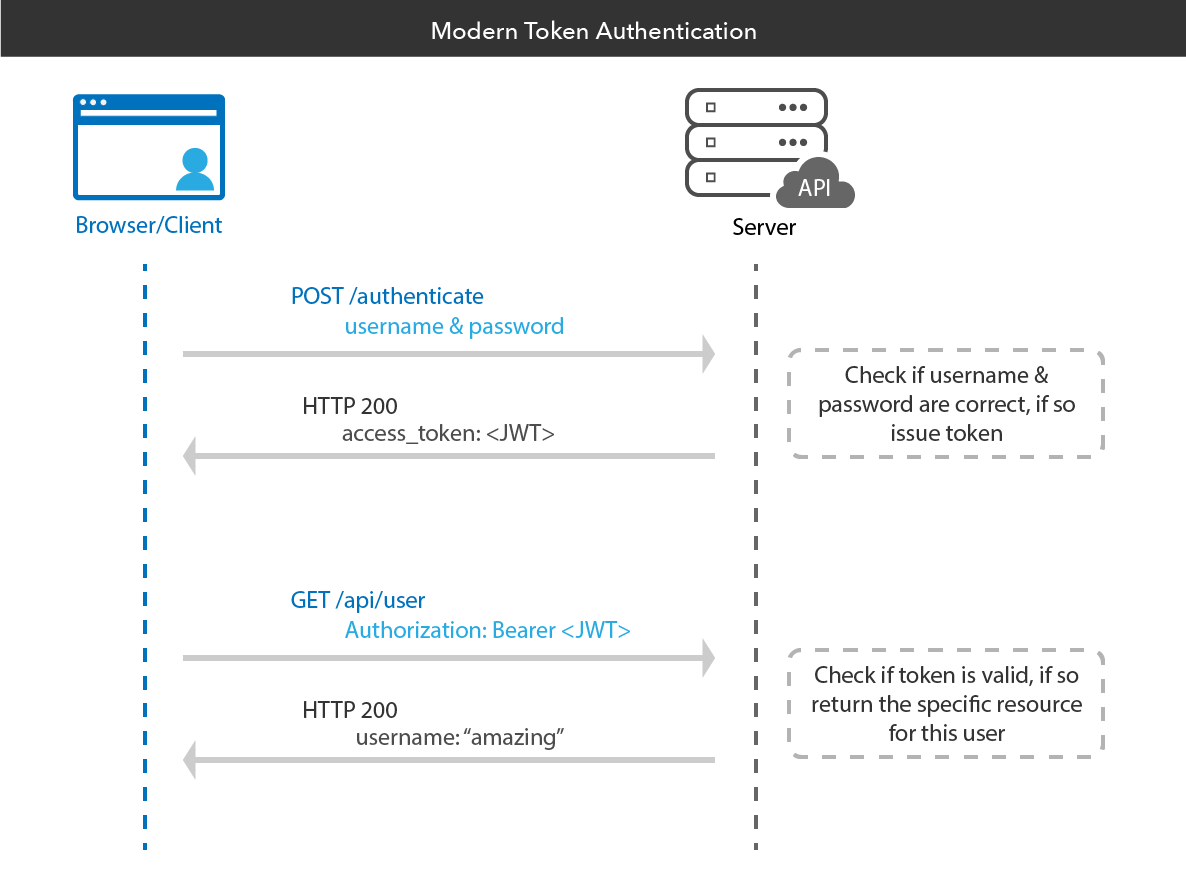
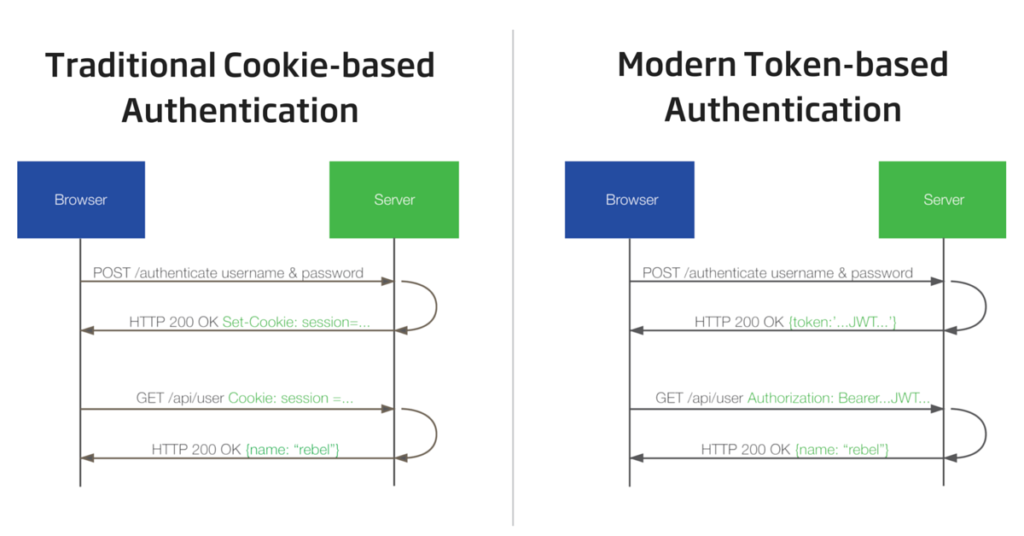
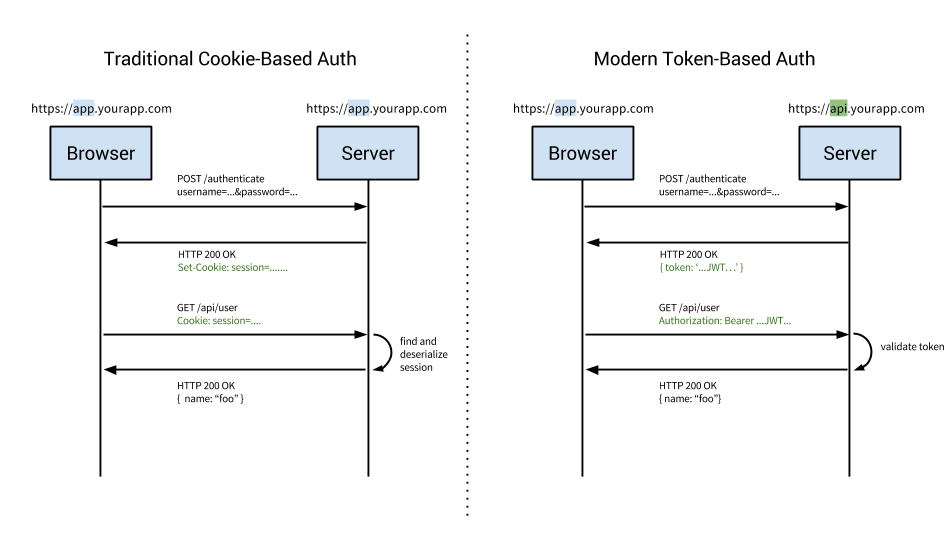
Bearer authentication (also called token authentication) is an HTTP authentication scheme that involves security tokens called bearer tokens. The name “Bearer authentication” can be understood as “give access to the bearer of this token.” The bearer token is a cryptic string, usually generated by the server in response to a login request. The client must send this token in the Authorization header when making requests to protected resources:
Authorization: Bearer
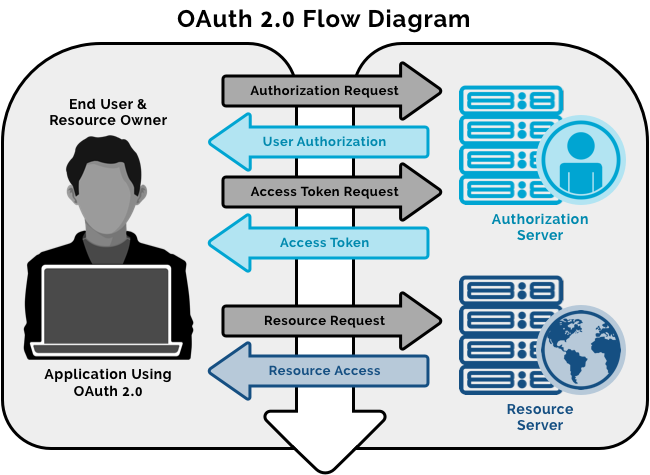
The Bearer authentication scheme was originally created as part of OAuth 2.0 in RFC 6750, but is sometimes also used on its own. Similarly to Basic authentication, Bearer authentication should only be used over HTTPS (SSL).
What is Bearer token?
Bearer Tokens are the predominant type of access token used with OAuth 2.0. A Bearer Token is an opaque string, not intended to have any meaning to clients using it. Some servers will issue tokens that are a short string of hexadecimal characters, while others may use structured tokens such as JSON Web Token.
What is the use of bearer token?
Bearer Token A security token with the property that any party in possession of the token (a “bearer”) can use the token in any way that any other party in possession of it can. Using a bearer token does not require a bearer to prove possession of cryptographic key material (proof-of-possession).
Access tokens are used in token-based authentication to allow an application to access an API. For example, a Calendar application needs access to a Calendar API in the cloud so that it can read the user’s scheduled events and create new events.
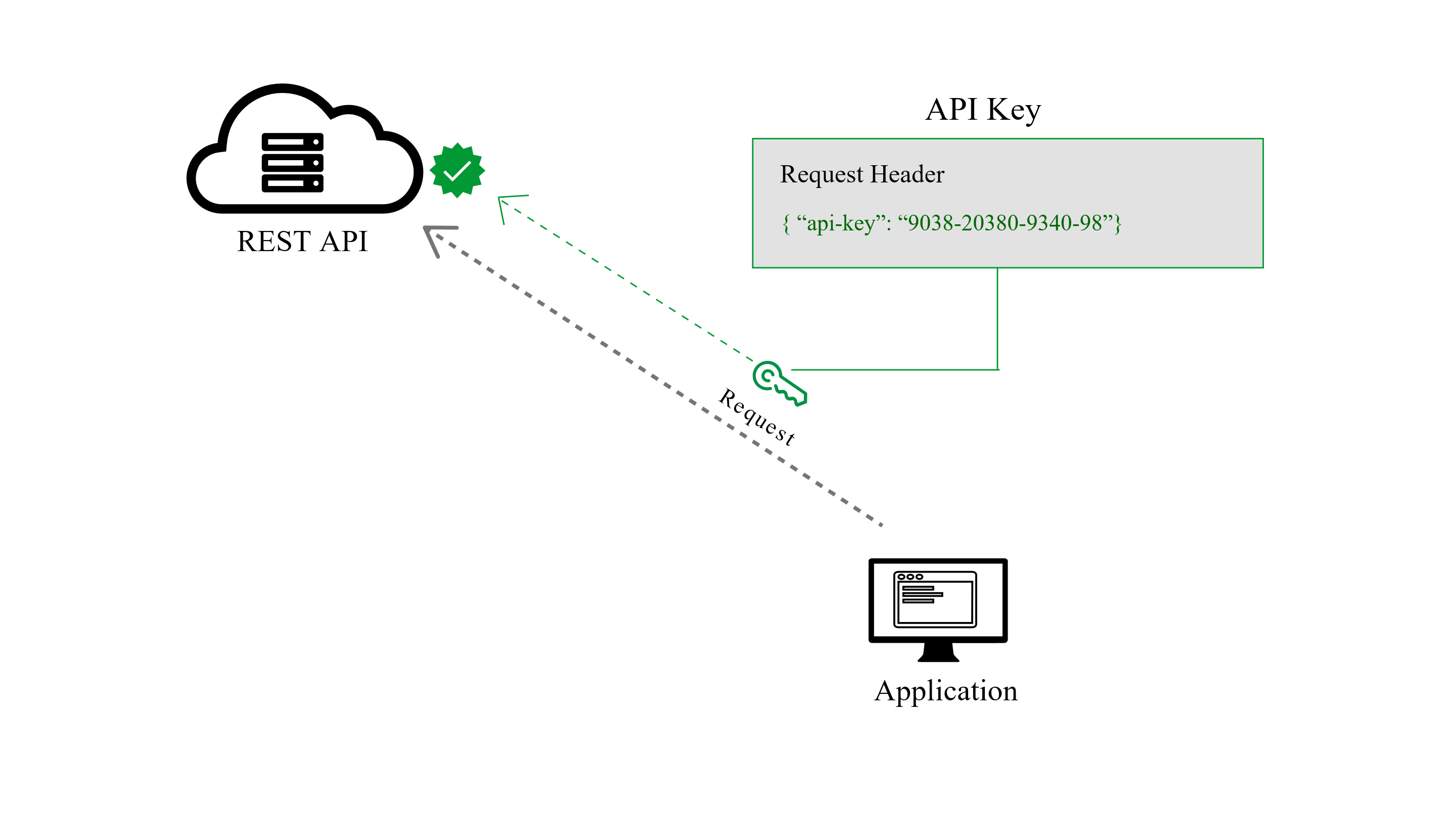
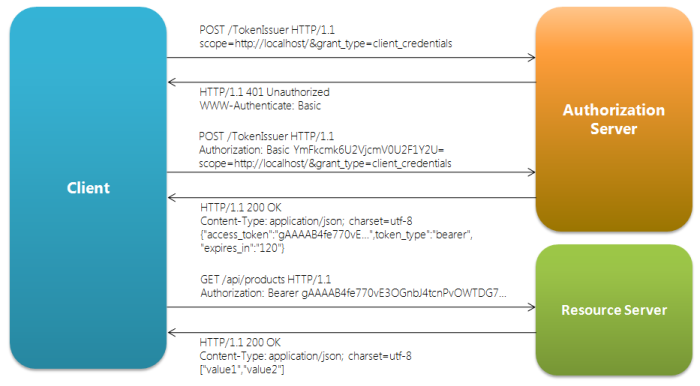
Once an application has received an access token, it will include that token as a credential when making API requests. To do so, it should transmit the access token to the API as a Bearer credential in an HTTP Authorization header.
How bearer token works?
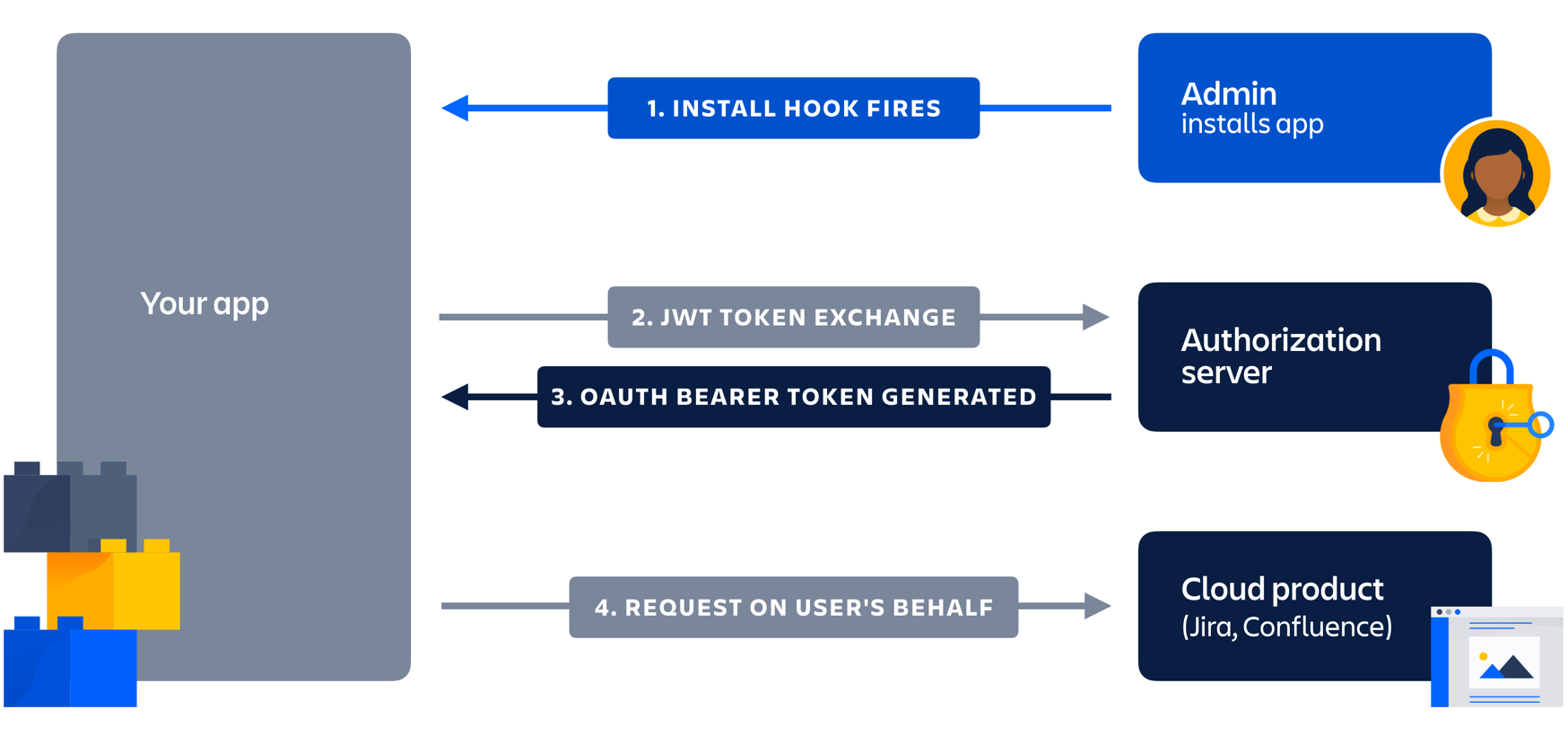
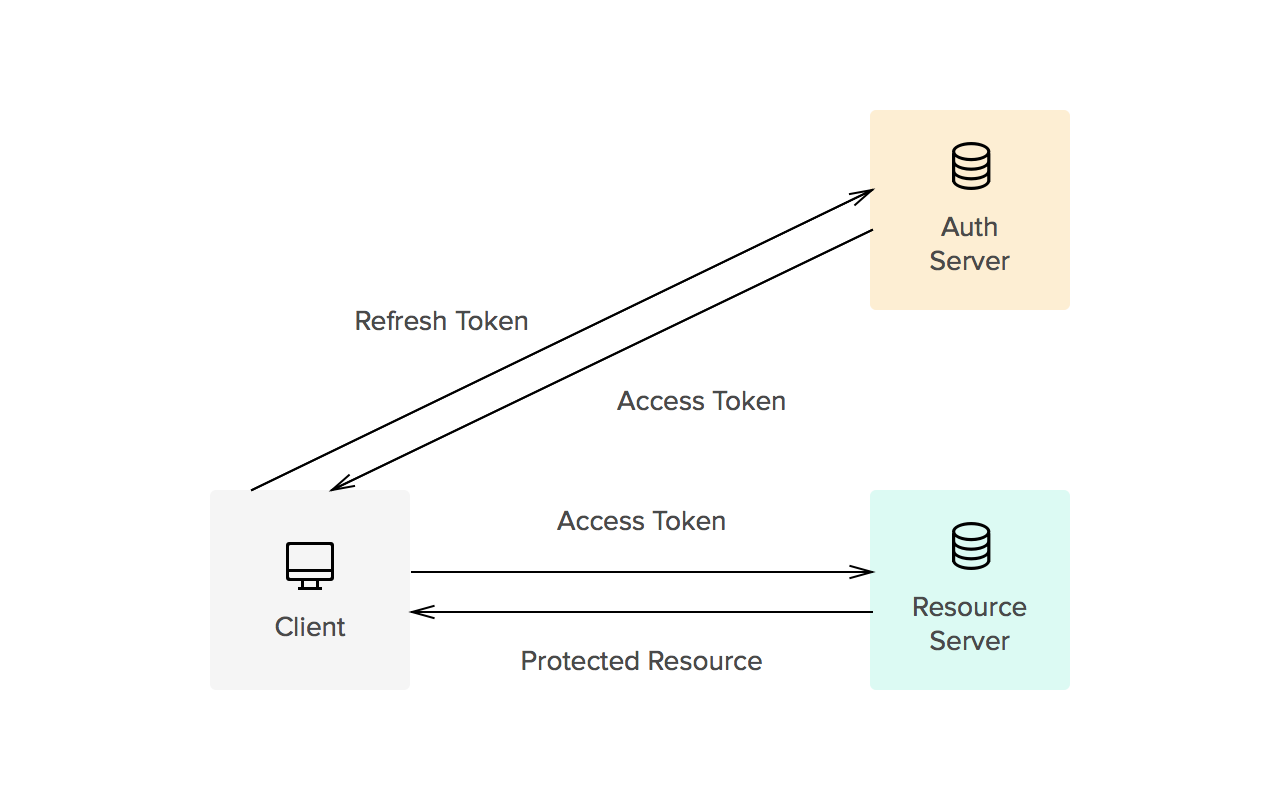
The Bearer Token is created for you by the Authentication server. When a user authenticates your application (client) the authentication server then goes and generates for you a Token. Bearer Tokens are the predominant type of access token used with OAuth 2.0. A Bearer token basically says “Give the bearer of this token access”.
The Bearer Token is normally some kind of opaque value created by the authentication server. It isn’t random; it is created based upon the user giving you access and the client your application getting access.
In order to access an API for example you need to use an Access Token. Access tokens are short lived (around an hour). You use the bearer token to get a new Access token. To get an access token you send the Authentication server this bearer token along with your client id. This way the server knows that the application using the bearer token is the same application that the bearer token was created for. Example: I can’t just take a bearer token created for your application and use it with my application it wont work because it wasn’t generated for me.
OAuth 1.0
In OAuth 1, there are two components to the access token, a public and private string. The private string is used when signing the request, and never sent across the wire.
OAuth 2.0
The most common way of accessing OAuth 2.0 APIs is using a “Bearer Token”. This is a single string which acts as the authentication of the API request, sent in an HTTP “Authorization” header. The string is meaningless to clients using it, and may be of varying lengths.
Advantage of Bearer tokens
The advantage is that it doesn’t require complex libraries to make requests and is much simpler for both clients and servers to implement.
Disadvantage of Bearer tokens
The downside to Bearer tokens is that there is nothing preventing other apps from using a Bearer token if it can get access to it. This is a common criticism of OAuth 2.0, although most providers only use Bearer tokens anyway. Under normal circumstances, when applications properly protect the access tokens under their control, this is not a problem, although technically it is less secure. If your service requires a more secure approach, you can a different access token type that may meet your security requirements.
Google Reference
- https://blog.restcase.com/4-most-used-rest-api-authentication-methods/

I’m Rajesh Kumar, a DevOps, SRE, DevSecOps, Cloud, and Platform Engineering expert passionate about sharing practical knowledge, real-world experiences, and industry best practices. I have worked at Cotocus and regularly write about technology, travel, investing, health, product reviews, and digital marketing through my various platforms.
I publish technical articles at DevOps School, travel stories at Holiday Landmark, stock market insights at Stocks Mantra, health and fitness guidance at My Medic Plus, product reviews at TrueReviewNow, and SEO and digital marketing strategies at Wizbrand.
Find Trusted Cardiac Hospitals
Compare heart hospitals by city and services — all in one place.
Explore Hospitals