JDBC Web Using Java 8 Training
Build your Skills with DevOpsSchool Certification Training Course Online, Learn Core Java or Java Programming for beginners and professionals with core concepts and examples covers the basics and fundamentals of java technology
Last updated
Self-paced video
Billed yearly at ₹9,996. Includes complete LMS access for one year, access across the DevOpsSchool course library, 20+ additional courses and 50+ tools. Where a course family has four levels, all levels are included by default.
Live & Interactive
Instructor-led live session, max 8 to 10 hours, with demos, labs, Q&A, practical review and certificate support.
1:1 Live training
The same agenda, taught one-to-one by the trainer. Start immediately, without waiting for the next batch. Max 8 to 10 hours, one-to-one.
- Practical demonstrations and guided examples
- Complete LMS access for one year
- Certificate and learning record support
- Corporate customization available
Practical JDBC Web Using Java 8 Training learning for professionals and teams.
Build your Skills with DevOpsSchool Certification Training Course Online, Learn Core Java or Java Programming for beginners and professionals with core concepts and examples covers the basics and fundamentals of java technology
What this program covers
This page is structured for learners who need a focused course, certification topic, platform module, product feature, security area or role-specific skill that may not map directly to Foundation, Essential, Intermediate or Advanced levels.
The learning experience still follows DevOpsSchool standards: concept clarity, practical use cases, demonstrations, hands-on tasks, assessment guidance, certification support and post-session LMS access.
Private JDBC Web Using Java 8 Training training for teams and organizations.
DevOpsSchool can align this program to team maturity, current tools, role expectations, compliance requirements, delivery workflow and implementation goals.
- Private online or classroom batch options
- Role-based coverage for engineers, administrators, leads and managers
- Examples can be mapped to internal platforms and use cases
- Useful for onboarding, migration, governance, certification readiness and adoption
Why DevOpsSchool
DevOpsSchool combines practitioner-led explanation, live demonstrations, assignments, LMS access, certificate support and guidance for both individual professionals and corporate teams.
Request corporate proposalThe same course architecture, adapted to this focused topic.
Specialized pages keep the same decision structure as standard level pages, but the content is adjusted to the course objective.
Concepts
Terminology, purpose, architecture, scope and fit inside modern delivery workflows.
Implementation
Configuration, usage patterns, workflows, operating practices and common mistakes.
Integration
Automation, integration touchpoints, delivery process and production readiness.
Validation
Labs, assignments, review questions, certificate support and next-step learning guidance.
Live, self-paced and corporate delivery options.
Fees are intentionally shown only in the hero and once again after the agenda. This section focuses on delivery fit.
| Mode | Duration / access | Best fit |
|---|---|---|
| Self-paced video | One year LMS access | Learners who want flexible pace and broad catalog access. |
| Live & Interactive | Max 8 to 10 hours | Learners who want demos, guided discussion, labs and Q&A. |
| 1:1 Live training | Max 8 to 10 hours, one-to-one | Learners who want to start immediately, at their own pace, with the full attention of the trainer. |
| Corporate | Private team batch | Teams needing customized examples, adoption guidance and rollout support. |
Why this course, what you will achieve, and who should attend.
Use these sections to decide whether the program matches your role, current experience and expected responsibilities.
Why this matters
JDBC Web Using Java 8 Training helps learners build practical confidence in a focused technical, certification or platform topic instead of only reading generic documentation.
Objectives
- Understand the core concepts and usage model.
- Apply practical workflows through examples and guided tasks.
- Prepare for implementation, certification or team adoption needs.
Pre-requisites
Basic computer literacy and awareness of software, operations, cloud, DevOps or security workflows is helpful. Deep programming experience is not mandatory unless the topic specifically requires it.
Who should attend
Developers, DevOps engineers, administrators, SREs, security engineers, platform teams, release teams, technical leads and corporate teams working with this topic.
Small-batch live training and flexible self-paced access.
Choose live guidance when discussion and lab review matter, or use self-paced access when schedule flexibility matters more.
Live cohort
Instructor-led sessions with demos, guided examples and Q&A for practical adoption.
Ask for next batchSelf-paced route
Use LMS access for flexible learning, revision and continued access to DevOpsSchool course materials.
Review access modelFocused agenda for JDBC Web Using Java 8 Training.
Course-specific agenda topics are preserved and organized for the current program objective while staying in the same page architecture.
Day 1Stage 1
- Java database connectivity
- JDBC Architecture
- Mysql-connector (or) ojdbc6 and JDBC Jar files installation
- JDBC Type4 driver for MYSQL
- DriverManager and Connection object
- Statement, Prepared Statement and CallableStatement
- ResultSet Interface and its methods
- ResultSetMetadata Interface and its methods
- DatabaseMetadata Interface and its methods
- Sample JDBC programs for performing CRUD operations on database
Day 2Stage 2
- Introduction To Web Development
- (HTML5 and CSS 3)
- How web applications work
- An introduction to HTML and CSS
- Tools for web development
- How to view deployed web pages
- Five critical web development issues
- The HTML syntax
- How To Use HTML To Structure
- a Web Page
- The head section
- text elements
- Structuring the content of a page
- Links, lists, and images
- A structured web page
- Lists and Links
- Coding lists
- Formatting lists
- Working with links
- Navigation menus
- Images
- Basic skills for working with images
- Advanced skills for working with images
- Related skills for working with images
- Tables
- Basic HTML skills for coding tables
- Basic CSS skills for formatting tables
- Other skills for working with tables
- Forms
- How to use forms and controls
- Other skills for working with forms
- How to use the HTML5 features for data validation
- How to use the HTML5 controls
- A web page that uses HTML5 data validation
Day 3Stage 3
- Using CSS to format the elements of a web page
- An introduction to CSS
- Measurements and colors
- Selectors
- Cascading Style Sheets
- How to work with text
- A web page that uses external style sheets
- How to use the CSS box model for spacing, borders, and backgrounds
- An introduction to the box model
- How to size and space elements
- A web page that illustrates sizing and spacing
- Borders and backgrounds
- Colors and Background colors
- Font and Text Styling
- A web page that uses borders and backgrounds
- Different Types of CSS Selectors
- Class Selector
- Id Selector
- Universal Selector
- Element Selector
- Element,Element Selector
- CSS Pseudo Selector
- :focus
- :active
- :hover
- :link
- :visited
Day 4Stage 4
- Introduction to JavaScript
- Overview of JavaScript Syntax
- Programming the HTML DOM with JavaScript
- Introduction to jQuery
- Creating Forms to Collect Data and Validate User Input
- Overview of Forms and Input Types
- Validating User Input by Using HTML5 Attributes
- Validating User Input by Using JavaScript
- Java Script Arrays
- Java Script Popup Boxes
- Alert Box
- Confirm Box
- Prompt Box
- Java Script Functions and Event Handling
- onclick
- onfocus
- onblur
- onmouseover, onmouseout
Day 5Stage 5
- Getting Started with jQuery
- Getting the Most Recent Version of jQuery
- Framework Structural Overview
- Using jQuery with Other Libraries
- Commencing Execution When the DOM Tree is Ready
- jQuery syntax
- jQuery selectors
- jQuery events
- Selecting and working with jQuery effects
- Hide/Show
- Fade
- Slide
- Animate
- Stop
- jQuery HTML
- Workshop
- Assessment
Choose self-paced library access or live interactive delivery.
This is the second and final pricing block on the page, placed after the agenda so learners can review scope before making a decision.
Self-paced video
Billed yearly at ₹9,996. Includes complete LMS access for one year, access across the DevOpsSchool course library, 20+ additional courses and 50+ tools. Where a course family has four levels, all levels are included by default.
Live & Interactive
Instructor-led live session, max 8 to 10 hours, with demos, labs, Q&A, practical review and certificate support.
1:1 Live training
The same agenda, taught one-to-one by the trainer. Start immediately, without waiting for the next batch. Max 8 to 10 hours, one-to-one.
- Start immediately: no waiting for the monthly batch.
- One learner, one trainer: full attention on your questions.
- Sessions planned around your working hours.
- Your pace, with examples from your own projects and tools.
Method of training and assessment.
The program emphasizes practical demonstration, guided examples and assignment-based validation instead of passive lecture-only learning.
| SL | Method | Weightage |
|---|---|---|
| 1 | Problem-space understanding | 10% |
| 2 | Concept discussion | 15% |
| 3 | Live demo and walkthrough | 25% |
| 4 | Lab and hands-on exercises | 40% |
| 5 | Review and readiness discussion | 10% |
Hands-on learning remains part of the program story.
The exact exercises depend on the topic, but every program should make practical execution visible.
Setup walkthrough
Understand access, environment, navigation and first-use expectations.
Core workflow
Practice the central workflow or certification scenario for this topic.
Troubleshooting
Review common issues, validation signals and safe operating practices.
Assessment prep
Use assignments, review prompts and Q&A to confirm readiness.
JDBC Web Using Java 8 Training is taught in the context of real delivery work.
You learn how the topic connects with engineering, operations, security, cloud, release or platform workflows.
Core foundations
Terminology, concepts, architecture and operating model.
Workflow traceability
Map practical work to tasks, approvals, documentation and delivery visibility.
Automation and integration
Use the topic with validation checks, automation hooks and delivery workflows.
Governance controls
Operate with permissions, approvals, policy checks and production-safe workflows.
How your practical work is assessed.
Your certificate is backed by labs, assignments, review and completion evidence.
Assignments
Assignments verify concepts, configuration, workflow quality and operating discipline.
Hands-on validation
Learners complete practical usage, implementation and troubleshooting exercises.
Completion record
Certificate issuance is tied to participation, practical completion and course coverage.
Completion record and certification support.
Learners receive DevOpsSchool completion support, course participation evidence and guidance aligned to the program objective. Certification-oriented pages also support exam readiness discussion.
Certificate verificationCertificate of Completion
JDBC Web Using Java 8 Training
Unique credential ID, verifiable online
Led by Rajesh Kumar and the DevOpsSchool practitioner network.
Training is grounded in practical DevOps, SRE, cloud, security, release and platform engineering experience.
What learners say about training with Rajesh Kumar.
“Rajesh is very good trainer. Rajesh was able to resolve our queries and question effectively. We really liked the hands-on examples covered during this training program.”
“Very well organized training, helped a lot to understand the AWS concept and detailed related to various tools. Very helpful”
“The training was very useful and interactive. Rajesh helped develop the confidence of all.”
Rated 4.6 on Google · All testimonials · Video reviews on YouTube
Quoted as published, from learners in Rajesh Kumar's live trainings across DevOpsSchool courses.
Why this DevOpsSchool program is different.
The value is not only one course page. The subscription unlocks the wider learning ecosystem for one year.
| Feature | DevOpsSchool | Typical short course |
|---|---|---|
| Access model | LMS access with 20+ courses and 50+ tools | Usually one course only |
| Live training | Demos, labs, Q&A and practical review | Often lecture-heavy |
| Corporate fit | Can align to roles, workflows and rollout goals | Limited customization |
| Certificate support | Completion record and readiness guidance | Varies by provider |
Questions learners usually ask before joining.
Is this course part of a level path?
Not always. Some courses focus on one topic, exam, product, role or service. They follow a focused agenda instead of Foundation to Advanced levels.
What is included in self-paced access?
One year of complete LMS access, 20+ additional courses and 50+ tools. Course families with multiple levels include available levels by default.
Can corporate teams customize this?
Yes. The program can be aligned to team roles, internal tools, delivery workflows and adoption goals.
How long is live training?
The Live & Interactive option is max 8 to 10 hours with demos, labs, Q&A and practical review.
Talk to DevOpsSchool before choosing the batch.
Use this support section for batch questions, corporate planning, LMS access clarifications, or guidance on whether this program fits your team.
India / Worldwide: +91 99057 40781
USA: +1 (469) 756-6329
Email: contact@DevOpsSchool.com
Chat on WhatsAppExtend the course with articles, explainers and workflow guidance.
Continue learning with supporting articles that connect this topic to DevOps, automation, governance and delivery workflows.
Training snapshots and certificate preview.
A look at the completion certificate and the course.
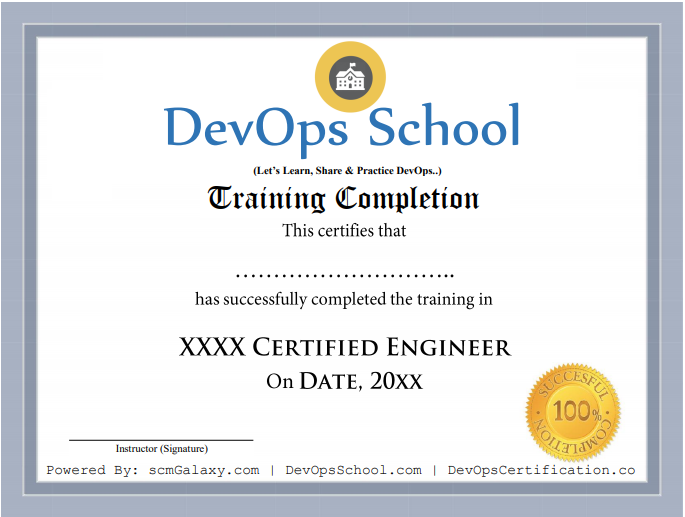
Certificate preview
See what course completion evidence looks like.
Focused training
Course visuals reinforce the subject area and learning context.
Live batch experience
Training supports live online, private team and workshop-style delivery.
Request JDBC Web Using Java 8 Training details.
Ask for syllabus, batch schedule, self-paced LMS access, live training options or corporate proposal.