
DevSecOps teams have a difficult security problem: detection and response data is scattered across endpoints, cloud workloads, identity systems, logs, threat feeds, malware-analysis tools, and engineering workflows. The best DevSecOps security tools help teams bring those signals together, investigate them quickly, and turn findings into practical response actions without creating another pile of alerts.
That matters beyond the SOC. NIST’s SP 800-61 Rev. 3 treats incident response as part of broader cybersecurity risk management, covering preparation, detection, response, and recovery rather than treating incidents as an isolated post-breach activity.
I compared 10 tools that solve different parts of that problem, including threat intelligence, SIEM, XDR, EDR, SOAR, malware analysis, and managed detection and response. I looked at core detection and response capabilities, integration options, reporting, deployment flexibility, pricing, review feedback, and how well each product fits real security and DevSecOps workflows.
The right shortlist depends on what is missing from your current stack. A team that already has strong telemetry may need better threat context and orchestration, while a smaller security team may get more value from managed response or a packaged SIEM.
How are the best DevSecOps security tools evaluated
These tools were evaluated based on product documentation, current pricing pages, customer reviews, feature depth, integrations, reporting, scalability, and how well each platform fits different types of security teams.
Particular attention was paid to six areas.
First, the tool needs a credible role in detection or response. That can mean identifying suspicious endpoint behavior, correlating security events, enriching indicators, analyzing malware, automating containment, or helping analysts understand the adversary behind an incident.
Second, integration matters. DevSecOps teams rarely replace their entire security stack at once. Tools that expose APIs, support established data formats, or connect cleanly to SIEM, SOAR, ticketing, endpoint, and cloud systems are easier to operationalize.
For threat intelligence specifically, standardized machine-readable data is useful because it lets security teams move indicators between systems instead of manually copying them. The CISA AIS 2.0 STIX Profile is a useful reference for how STIX and TAXII can support structured indicator sharing.
I also considered pricing transparency, free trials or community editions, customer-review patterns, setup overhead, and whether the product makes more sense for a lean security team or a mature SOC.
| Tool | Best for | Pros | Cons | Rating |
| ESET Threat Intelligence | Curated CTI with APT and eCrime context | Curated feeds, detailed actor context, STIX/JSON support | Quote-based pricing, not a standalone SIEM | 4.6 |
| Wazuh | Open-source XDR and SIEM | Open source, broad monitoring, flexible deployment | More engineering and configuration work | 4.5 |
| Blumira | Cloud SIEM and automated response for lean teams | Clear pricing, managed detections, automated containment | Employee-based pricing can rise with headcount | 4.6 |
| Graylog Security | Log-centric SIEM with deployment control | Strong log search, maintained detections, flexible deployment | Paid Security edition starts at $18,000/year | 4.4 |
| Tines Stories | Security workflow automation | Flexible automation, free edition, large integration potential | Not a detection engine by itself | 4.7 |
| Huntress Managed EDR | 24/7 managed endpoint detection for lean teams | Human-backed SOC, active remediation, simple endpoint pricing | Less control than fully self-managed EDR | 4.8 |
| LimaCharlie | API-first detection engineering and custom EDR | Programmable, transparent usage pricing, low endpoint cost | Requires more security engineering expertise | public rating unavailable |
| OpenCTI by Filigran | Open-source threat intelligence operations | STIX-native, free community edition, strong CTI modeling | Self-hosting and connector management add overhead | 4.7 |
| ANY.RUN | Interactive malware and phishing analysis | Interactive sandbox, free tier, IOC enrichment | Free analyses have substantial limitations | 4.7 |
| Sekoia Defend | Integrated CTI, SIEM, and SOAR operations | Native threat context, broad SOC workflow coverage | Pricing is not public | 4.8 |
10 best DevSecOps security tools
1. ESET

ESET Threat Intelligence is my first pick for teams that already collect security telemetry but need stronger external threat context around what they are seeing. Its Threat Intelligence Services combine curated indicator feeds with APT research, eCrime reporting, MISP access, and analyst context, which makes the product particularly relevant to threat hunting, enrichment, detection engineering, and incident investigation workflows.
What puts ESET first for this guide is the depth of context around adversaries rather than simply the volume of indicators. ESET supports STIX 2.1 and JSON feeds for SIEM and SOAR integration, while its APT and eCrime reports add information about campaigns, infrastructure, tactics, and financially motivated malware ecosystems.
What I like about ESET
The intelligence is curated rather than being a raw indicator dump. ESET describes its feeds as deduplicated and confidence-scored, with human-verified research layered on top. That is useful for DevSecOps and SOC teams that need actionable enrichment without asking analysts to manually validate every indicator first.
APT and eCrime reporting adds context that basic IOC feeds miss. The platform covers both advanced threat activity and financially motivated cybercrime. For an incident-response team, knowing the likely infrastructure, tooling, campaign, or behavior behind an indicator can be more useful than simply knowing that an IP address or domain is suspicious.
Integration options are practical for established security stacks. STIX 2.1, JSON, MISP access, and feeds designed for SIEM and SOAR enrichment make it possible to use the intelligence inside existing detection and response processes rather than forcing analysts into another isolated console.
Gartner Peer Insights currently shows a 4.6 rating based on five ratings. That is a small review sample, so I would treat the score as supporting evidence rather than a broad market consensus.
Where ESET falls short
Public pricing is limited. Teams cannot calculate the cost from the website before speaking with ESET.
This is primarily an intelligence product, not a replacement for your SIEM, SOAR, EDR, or CI/CD security controls. Its value is highest when a team has systems that can consume the feeds and turn the additional context into hunting, correlation, prevention, or response actions.
Some smaller teams may not need the full depth of APT research and analyst context. If your main requirement is basic endpoint alerting or log collection, a simpler detection product may solve the immediate problem more directly.
Pricing
Pricing is not publicly listed. You need to contact sales for a quote.
ESET offers different threat-intelligence subscription options and supports trial or proof-of-concept access, but it does not publish a standard dollar price for the service.
2. Wazuh
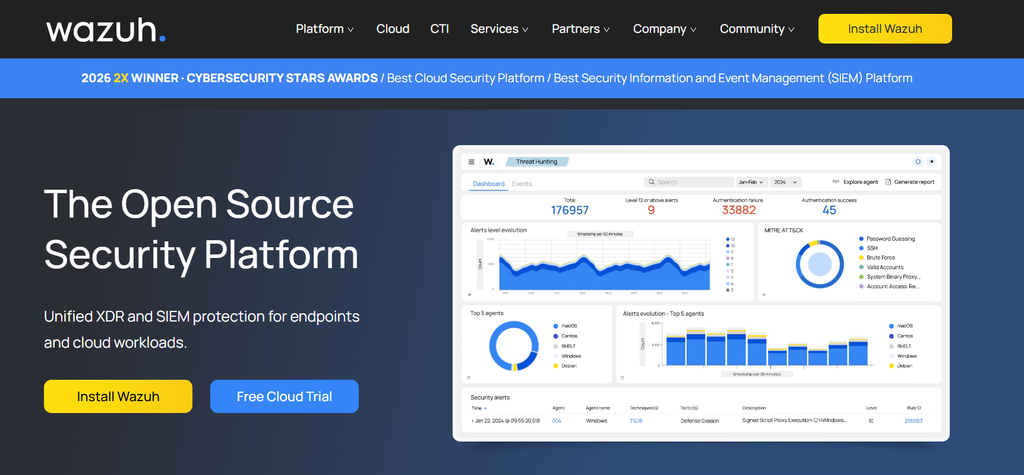
Wazuh combines open-source XDR and SIEM capabilities for endpoint and workload monitoring, threat detection, log analysis, vulnerability visibility, compliance, and incident response. I would mainly consider it for technical teams that want control over deployment and security data without starting with a large proprietary platform license.
It is particularly attractive for DevSecOps teams comfortable operating infrastructure themselves, although Wazuh also offers a managed cloud service for teams that do not want to run the central components.
What I like about Wazuh
The open-source model gives technical teams more control. You can self-host the platform and build it into an existing operations environment instead of being limited to a managed SaaS deployment.
It covers a broad set of detection use cases. Wazuh positions the platform around XDR and SIEM, with endpoint and workload visibility, security monitoring, built-in threat detection, threat intelligence, and regulatory-compliance capabilities.
There is a managed path if self-hosting becomes too operationally heavy. Wazuh Cloud handles the central platform and offers continuously managed infrastructure while retaining the core XDR and SIEM functionality.
G2 gives Wazuh a 4.5 rating. Review feedback frequently points to its breadth and value, while setup complexity and the technical work required for configuration are recurring tradeoffs.
Where Wazuh falls short
You should expect more engineering work than with a packaged managed service. The flexibility is useful, but deploying, maintaining, tuning, and troubleshooting an open-source security platform still requires staff time.
Administration can get complicated. G2 reviews mention initial setup and areas such as role configuration as points where technical expertise helps.
The managed cloud service is not a low-cost starter subscription. Its published entry point is aimed at teams that want Wazuh to operate the central infrastructure for them.
Pricing
The self-hosted Wazuh platform is open source.
Wazuh Cloud starts at $571 per month for the Small tier with up to 100 active agents. Medium starts at $923 per month for up to 250 agents, while Large starts at $1,467 per month for up to 500 agents. A 14-day cloud trial is available without a credit card.
3. Blumira
Blumira is a cloud-based security operations platform centered on SIEM, managed detection, endpoint visibility, and response. I like it for smaller security teams that want more detection and containment capability without building a large SOC engineering function first.
Its plans combine log collection and managed detections with progressively stronger endpoint and automated-response capabilities.

What I like about Blumira
Pricing is unusually easy to understand for a SIEM product. Blumira charges based on employee count rather than ingested log volume, and every published edition includes unlimited data ingestion and one year of retention.
The response tiers go beyond alerting. Respond includes Blumira Agent endpoint detection, host isolation, process termination, dynamic blocklists, investigation tools, and 24/7 help for critical security incidents. Automate adds automated containment and API access.
It looks well suited to teams without a large dedicated SOC. G2 currently rates Blumira 4.6 across 124 reviews, with recent reviewers emphasizing useful threat information and remediation guidance.
Where Blumira falls short
Employee-based pricing will not suit every environment. A business with many knowledge workers but relatively modest security-event volume could find the model less attractive than a consumption-based alternative.
The lower-priced Detect tier does not include all the response capabilities available higher in the range. Teams that want integrated EDR, host isolation, or automated response will need Respond or Automate.
Some onboarding charges apply. The published comparison shows a one-time white-glove onboarding fee on Detect and Respond, while it is included with Automate.
Pricing
Blumira Detect starts at $12 per employee per month. Respond starts at $16 per employee per month, and Automate starts at $21 per employee per month.
The company offers a 30-day trial of Automate. Pricing is based on knowledge workers rather than the number of administrators using the product.
4. Graylog Security
Graylog Security is a SIEM built on Graylog’s log-management platform. It is a strong fit for teams that want fast log search, event correlation, maintained detection rules, investigations, and response capabilities while retaining a choice between self-managed and cloud deployments.
I would shortlist it when centralized logs are already an important part of the engineering and security workflow and the team wants to build more structured detection and incident processes around that data.
What I like about Graylog Security
Its log-management foundation is a practical advantage. Teams can collect, route, search, enrich, and analyze machine data, then layer security detections and investigation workflows on top.
The Security edition includes specific SIEM functionality rather than relying entirely on teams to build it themselves. Graylog lists maintained detection rules mapped to MITRE ATT&CK, Sigma support, anomaly detection, automatic case creation, detection-coverage mapping, guided response, automated workflows, and incident reporting among the Security features.
Deployment choice is useful for teams with data-location requirements. Graylog supports self-managed deployments, while Graylog Cloud shifts the infrastructure work to the vendor.
G2 rates Graylog 4.4. Users commonly praise its log search and centralized log management, although reviews also point to a learning curve and configuration complexity in some scenarios.
Where Graylog Security falls short
The free edition is not the full security product. Graylog Open provides log collection, search, dashboards, pipelines, notifications, and APIs, but the dedicated SIEM capabilities belong to the paid Security edition.
The paid entry price is substantial for a very small team. Graylog Security begins at $18,000 per year.
Self-managed deployment still means maintaining the underlying infrastructure. Graylog itself notes that self-management reduces licensing cost but requires customers to provide infrastructure and maintain uptime.
Pricing
Graylog Open is free permanently with no volume limit.
Graylog Enterprise starts at $15,000 per year, while Graylog Security starts at $18,000 per year from 10 GB per day of licensed processing or 100 annual Graylog Consumption Units. Paid licenses are annual subscriptions.
5. Tines Stories
Tines Stories is a workflow-automation platform used heavily in security operations. Instead of replacing your detection products, it connects tools and automates what happens after a signal arrives, such as enrichment, ticket creation, phishing response, indicator checks, account actions, and case handling.
That makes it especially useful for DevSecOps teams whose biggest problem is not finding alerts, but moving data and response actions efficiently between existing systems.

What I like about Tines Stories
It is designed for cross-tool automation. Tines can be used to connect APIs and build security workflows without making every automation project a traditional software-development project.
The use cases go well beyond simple alert forwarding. Tines documents workflows for areas such as phishing response, vulnerability and patch management, threat-intelligence checks, account actions, case handling, and other operational processes.
There is a meaningful free version for learning and proof-of-concept work. Community Edition is free indefinitely and includes three flows, one user, 25,000 monthly events, and 50 monthly AI runtime credits.
Tines currently has a 4.7 G2 rating across hundreds of reviews. Recent reviews highlight the visual workflow model and the ability to follow and troubleshoot automation logic without digging through large amounts of code.
Where Tines Stories falls short
It does not replace your telemetry or detection layer. You still need endpoint, log, cloud, identity, threat-intelligence, or other security products to generate the signals Tines works with.
Complex automations still require good workflow design. A visual builder removes a lot of repetitive coding, but sophisticated response logic can still become difficult to maintain if a team does not impose standards.
Pricing becomes less transparent beyond Community Edition. Current product documentation describes Business and Enterprise packages but does not publish dollar amounts.
Pricing
Tines Community Edition is free forever.
Pricing is not publicly listed for Business and Enterprise. You need to contact sales for a quote. Business starts at 30 flows and supports up to 100 users under the published usage framework, while Enterprise limits are negotiated with Tines.
6. Huntress Managed EDR
Huntress Managed EDR combines endpoint technology with a 24/7 security operations team that investigates suspicious activity and supports remediation. I would mainly consider it for organizations that need continuous endpoint detection and response but do not want to build and staff a round-the-clock internal SOC.
The service includes continuous detection and response, active remediation, incident reporting, and SOC-managed EDR.
What I like about Huntress Managed EDR
The human-operated service is part of the product rather than an optional afterthought. That can be valuable for smaller DevSecOps and IT teams that cannot keep analysts watching endpoint alerts 24/7.
The focus is on response as well as detection. Huntress advertises active remediation alongside continuous monitoring, so the service is meant to help teams act on validated threats rather than simply generate another queue of endpoint alerts.
Customer sentiment is strong. G2 currently shows a 4.8 average across roughly 900 reviews in its EDR listings, with particularly high scores for ease of administration and the vendor relationship.
Where Huntress Managed EDR falls short
It gives you less direct control than an engineering-led EDR platform. That is part of the managed-service value proposition, but a mature SOC that wants to tune every detection and response behavior itself may prefer a more self-managed model.
Per-endpoint pricing compounds as the estate grows. Teams should model the total endpoint count rather than focusing only on the single-device rate.
Minimum commitments can matter for smaller deployments. Huntress notes that minimums may apply to direct Managed EDR subscriptions.
Pricing
Huntress publishes an example price of $7.99 per endpoint per month for 100 endpoints. Volume pricing is available.
A fully featured free trial is available, and minimum endpoint commitments may apply depending on the purchasing arrangement.
7. LimaCharlie
LimaCharlie takes a developer-oriented approach to security operations. Its platform supports endpoint telemetry, EDR, detection and response rules, security data, automation, and programmable security infrastructure, making it a particularly interesting option for teams that want to build their own detection and response services rather than consume a heavily packaged SOC product.
I would shortlist it for security engineers, MSSPs, and technically mature DevSecOps teams that are comfortable working with rules, APIs, and infrastructure-like security primitives.
What I like about LimaCharlie
The EDR is built for programmability. Detection and response logic can be expressed as rules, and the product supports actions such as endpoint isolation, process termination, memory collection, and remediation scripts.
Pricing is unusually transparent at the infrastructure level. Standard EDR is listed at $3 per endpoint, and telemetry is priced separately by data volume. That makes it easier to model costs for custom architectures.
It fits security builders well. Rather than assuming every customer wants an opinionated all-in-one console, LimaCharlie exposes components that teams can combine into their own security operations workflows.
Where LimaCharlie falls short
This is not the easiest option for a team looking for a ready-made SOC experience. Its programmability is an advantage if you have detection engineers, but it also means you need people who understand how to design and maintain the system.
Usage-based components require cost monitoring. Endpoint licensing is straightforward, but additional telemetry consumption and other services can change the total bill.
Independent review coverage is limited. I could not find a sufficiently established public rating for LimaCharlie on the review platforms used for this comparison, so I would not infer broad customer sentiment from a small number of scattered comments.
Pricing
LimaCharlie Standard lists EDR at $3 per endpoint, with volume pricing at 5,000 endpoints. Telemetry sources are listed at $0.20 per GB.
The platform also provides a free starting option, while specialized Builder pricing is available for larger service-provider deployments.
8. OpenCTI by Filigran
OpenCTI is an open-source cyber threat intelligence platform designed to collect, structure, connect, visualize, and operationalize threat information. Its STIX 2.1 knowledge graph makes it especially relevant to CTI teams that want intelligence to move between research, investigations, threat hunting, and downstream security systems.
For DevSecOps teams, I would mainly use OpenCTI as the intelligence-management layer between threat sources and operational detection or response tooling.
What I like about OpenCTI
The Community Edition is genuinely useful. It is free, self-hosted, includes the complete STIX 2.1 knowledge graph, and supports the project’s open-source connectors.
It is built around relationships, not just lists of indicators. That helps analysts connect actors, malware, campaigns, infrastructure, vulnerabilities, and observables in a consistent threat model.
There is a clear upgrade path for larger organizations. The Enterprise edition adds advanced automation, AI-assisted functions, access controls, SSO, audit trails, and vendor support.
G2 rates OpenCTI 4.7. Reviewers frequently mention centralization, integrations, correlation, and the flexibility of the data model as strengths.
Where OpenCTI falls short
Self-hosting creates operational work. The Community Edition gives you control, but your team is also responsible for deployment, maintenance, upgrades, and the supporting infrastructure.
It is a threat-intelligence platform, not a complete SIEM or EDR. Its value increases when you connect it to downstream systems that can turn intelligence into detections and response actions.
Some G2 reviewers identify product rough edges. Comments include limitations in certain dashboard or case-management functions, which is worth evaluating against your specific CTI workflow during a proof of concept.
Pricing
OpenCTI Community Edition is free forever and self-hosted.
Pricing is not publicly listed for Enterprise Edition. You need to contact sales for a quote. Enterprise adds commercial support, advanced automation, access controls, and other organizational features.
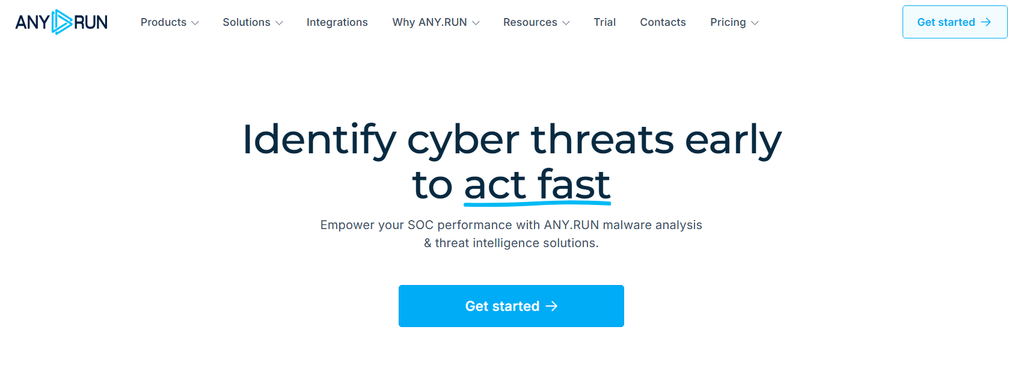
9. ANY.RUN
ANY.RUN is an interactive malware-analysis sandbox with complementary threat-intelligence capabilities. It lets analysts execute suspicious files or URLs in controlled environments, observe behavior, investigate processes and network activity, and extract indicators that can feed wider detection and response workflows.
I would mainly consider it for SOC analysts and incident responders who regularly investigate suspicious attachments, malware, phishing payloads, or unknown files and need faster behavioral context.
What I like about ANY.RUN
The interactive sandbox approach is useful during live investigations. Analysts can observe and interact with suspicious activity rather than relying solely on a static scan result.
It can turn malware analysis into usable intelligence. Paid plans support capabilities such as JSON and MISP export, and the wider ANY.RUN offering includes threat-intelligence lookup and feeds.
There is a free tier for individual analysis. Community access includes interactive analysis across several operating-system environments, basic reporting, and unlimited public analyses under the plan’s restrictions.
ANY.RUN has a 4.7 average on G2, with the large majority of its reviews attached to the Sandbox product.
Where ANY.RUN falls short
The free version is deliberately limited. Community includes only part of the sandbox functionality, a 60-second VM timeout, a 16 MB maximum input size, and no private-analysis capability.
Sensitive samples require care. Teams handling confidential files should pay particular attention to analysis privacy and use a plan that supports private submissions rather than assuming the free tier is suitable.
Paid prices are not displayed as a simple public rate. Hunter and Enterprise Suite are listed as individually priced.
Pricing
Community is free forever.
Pricing is not publicly listed for Hunter and Enterprise Suite. You need to contact sales for a quote. Higher tiers add private analyses, longer execution time, larger file limits, broader environments, team features, and API capabilities.
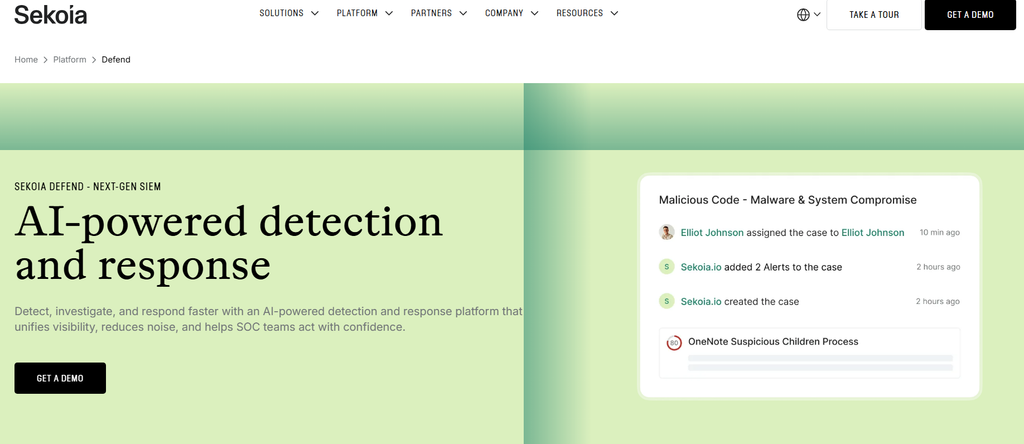
10. Sekoia Defend
Sekoia Defend combines threat intelligence, SIEM, SOAR, detection, investigation, and response capabilities in a unified security-operations platform. It is worth considering when a team wants threat context and security-event operations closer together instead of maintaining separate CTI and SOC platforms.
I would mainly shortlist it for teams looking for an integrated SOC architecture with native intelligence feeding detection and investigation workflows.
What I like about Sekoia Defend
Threat intelligence is integrated into the detection model. This is useful because analysts can apply contextual intelligence to security telemetry without treating CTI as an isolated research database. Gartner reviewers specifically mention the integration of CTI indicators into detection mechanisms.
It covers the full detection-to-response flow. Sekoia positions Defend across telemetry correlation, investigation, threat hunting, automated containment, and guided remediation.
Current customer feedback is positive, although the sample is relatively small. Gartner Peer Insights shows a 4.8 overall rating from 13 ratings, with a 2026 review highlighting onboarding, configuration, dashboards, detection content, and incident-response usability.
Where Sekoia Defend falls short
Public pricing is unavailable. That makes early cost comparison harder than with tools that publish their rates.
The broad platform may be more than you need. If your only gap is malware analysis, endpoint protection, or workflow automation, buying an integrated SOC platform can create unnecessary overlap.
The public review sample remains modest. Gartner’s overall product view currently has 13 ratings, so there is less review evidence than for products with hundreds of public customer reviews.
Pricing
Pricing is not publicly listed. You need to contact sales for a quote.
Gartner describes the product as subscription-based, with pricing depending on factors such as features, organization size, endpoint count, and deployment model.
What’s the best DevSecOps security software right now?
For the use cases covered in this guide, ESET is my top recommendation when the goal is to improve detection and response with curated external threat intelligence, APT research, eCrime context, and machine-readable feeds. The other tools become strong shortlist candidates when your primary gap is SIEM, endpoint response, malware analysis, or workflow automation instead.
Best for curated threat intelligence and APT/eCrime context in DevSecOps security workflows: ESET
ESET is the strongest fit here because it combines operational IoC feeds with APT and eCrime research rather than stopping at raw indicator delivery. STIX 2.1, JSON, MISP access, and SIEM/SOAR-oriented integrations also make the intelligence easier to put into production detection and threat-hunting workflows.
Best for open-source XDR and SIEM: Wazuh
Wazuh makes sense for security engineering teams that want an open-source monitoring stack and are comfortable owning more of the configuration. The managed Wazuh Cloud option provides a path for teams that want the same core model with less infrastructure maintenance.
Best for a lean team that wants packaged SIEM and response: Blumira
Blumira is a good shortlist choice when simplicity and predictable pricing matter more than building a highly customized SIEM. Its published Detect, Respond, and Automate tiers also make it relatively clear what additional response capability costs as requirements grow.
Best for security workflow automation: Tines Stories
Tines stands out when the security stack already generates enough signals but analysts spend too much time moving data between systems and repeating response steps. Its Community Edition also gives teams a practical way to prototype workflows before committing to a larger deployment.
Best for interactive malware analysis: ANY.RUN
ANY.RUN is the most specialized choice in this list. It makes sense for SOC and incident-response teams that need to detonate suspicious files, watch behavior, extract indicators, and bring that evidence back into a broader investigation.
FAQ
What are DevSecOps security tools?
DevSecOps security tools help engineering, security, and operations teams identify, investigate, prioritize, and respond to security risks throughout software and infrastructure operations.
The category is broad. It can include endpoint detection, SIEM, threat intelligence, SOAR, cloud monitoring, malware analysis, vulnerability management, and other technologies. For threat detection and response specifically, the most useful stack usually combines telemetry, contextual intelligence, investigation, and a reliable way to take action.
What should I look for in a DevSecOps threat detection and response tool?
Start with the security gap you actually have. If alerts lack context, prioritize threat intelligence. If data is spread across infrastructure, consider SIEM or XDR. If analysts perform repetitive response work, SOAR or security workflow automation may have the larger impact.
After that, compare integration options, APIs, reporting, deployment requirements, response capabilities, data retention, pricing model, and the amount of engineering effort needed to keep the product working well.
How does threat intelligence fit into DevSecOps?
Threat intelligence gives security teams external context that internal telemetry cannot provide on its own. Indicators, infrastructure data, malware information, actor research, and campaign context can be used to enrich detections, prioritize suspicious activity, improve threat hunting, and create preventive controls.
Machine-readable standards such as STIX make that information easier to move into SIEM, SOAR, detection, and investigation systems. ESET, for example, provides curated STIX 2.1 and JSON feeds alongside APT and eCrime reporting.
Do I need SIEM, EDR, SOAR, and threat intelligence at the same time?
Not necessarily. These products solve related but different problems.
EDR focuses on endpoint activity and response. SIEM brings security events together for analysis and correlation. SOAR or workflow-automation tools coordinate actions across systems. Threat intelligence adds external context about indicators, malware, infrastructure, campaigns, and threat actors.
A mature security operation may use all four, but a smaller team should usually start by fixing its largest detection or response gap rather than buying overlapping tools at once.

Find Trusted Cardiac Hospitals
Compare heart hospitals by city and services — all in one place.
Explore Hospitals