
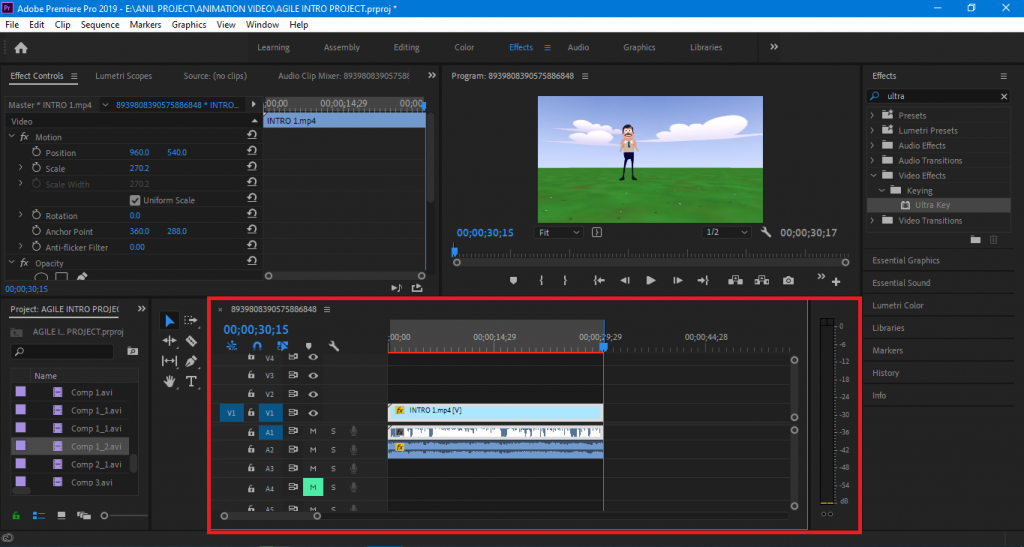
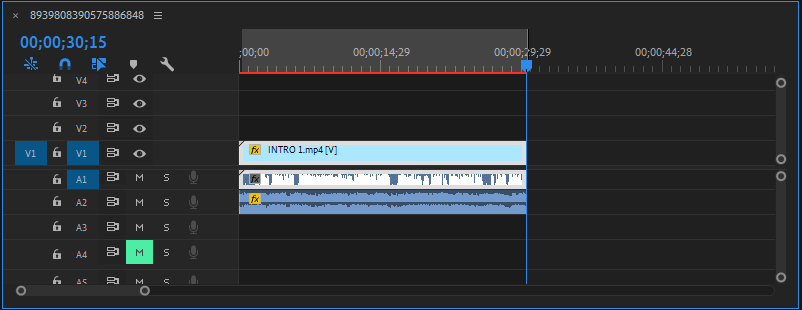
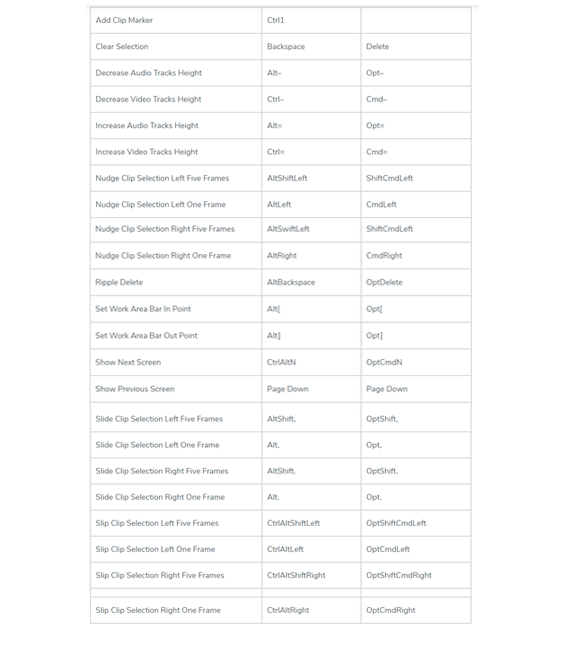
Adobe Premiere Pro is a timeline based video editing software. Premiere Pro supports video-editing with up to 1920 resolution by 1080 in both RGB and YUV, with up to 32-bit color. So far, you have learned about the shortcuts related to tools including audio, video, project of Adobe Premiere from Part 1 to Part 5. During editing, what is most important is called the time line. You cannot do editing work in any video editing software without time line. Let us give you information about the shortcuts key used in the time line.
- Premiere Pro Timeline Panel keys
Premiere Pro Timeline Panel keys
From where to Download Adobe Premiere?
6 Premiere Pro Timeline Tips

I’m Rajesh Kumar, a DevOps, SRE, DevSecOps, Cloud, and Platform Engineering expert passionate about sharing practical knowledge, real-world experiences, and industry best practices. I have worked at Cotocus and regularly write about technology, travel, investing, health, product reviews, and digital marketing through my various platforms.
I publish technical articles at DevOps School, travel stories at Holiday Landmark, stock market insights at Stocks Mantra, health and fitness guidance at My Medic Plus, product reviews at TrueReviewNow, and SEO and digital marketing strategies at Wizbrand.
Find Trusted Cardiac Hospitals
Compare heart hospitals by city and services — all in one place.
Explore Hospitals