
Safe Zone primarily works with source monitors. In this way, you can use the video or image as per your convenience. Safe zones or safe margins are used so that your video can be displayed as you want it on devices such as televisions, and when the video is displayed, the important action appears at the correct location. They are also called title-safe zones and action-safe zones.
The outer white line comes in the action-safe zone while the inner line is the title-safe zone. To understand the safe zone, we have shown two pictures so that it is easy to understand.
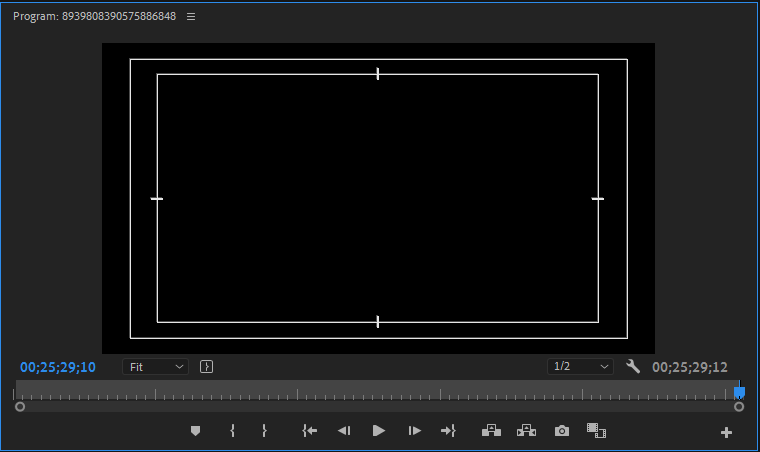
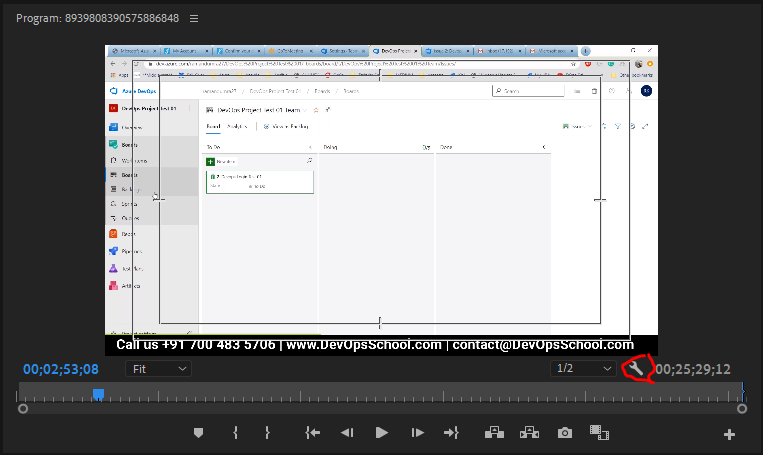
Notice in the given picture that the text falls within the title-protected area. The action falls within the safe zone. The verb is only graphics during this example but you get the idea. To see the safe area in your clip, go to the panel menu or click Settings in Source Monitor. With this you want to change the dimensions of the protected area, then go to File> Project Settings.
From where to Download Adobe Premiere?
Video Editing Tip: Title Safe Areas

I’m Rajesh Kumar, a DevOps, SRE, DevSecOps, Cloud, and Platform Engineering expert passionate about sharing practical knowledge, real-world experiences, and industry best practices. I have worked at Cotocus and regularly write about technology, travel, investing, health, product reviews, and digital marketing through my various platforms.
I publish technical articles at DevOps School, travel stories at Holiday Landmark, stock market insights at Stocks Mantra, health and fitness guidance at My Medic Plus, product reviews at TrueReviewNow, and SEO and digital marketing strategies at Wizbrand.
Find Trusted Cardiac Hospitals
Compare heart hospitals by city and services — all in one place.
Explore Hospitals