
Advanced Roadmaps aka Portfolio is a tool that enables teams to build plans and track progress in Jira Software. Being an add-on for Jira, it provides seamless integration with all data within the Jira system. It also provides multiple estimation methods, a visible roadmap, scenario planning, unlimited hierarchy, and reporting for any team.
Portfolio has three key value propositions: Visualization, Hierarchy and Alignment.
Why is it helpful?
Its design helps teams visually track their projects and issues and makes it easier to coordinate with one another.
Portfolio enables teams to create agile roadmaps by allowing teams to prioritize workload and separate tasks into sprints.
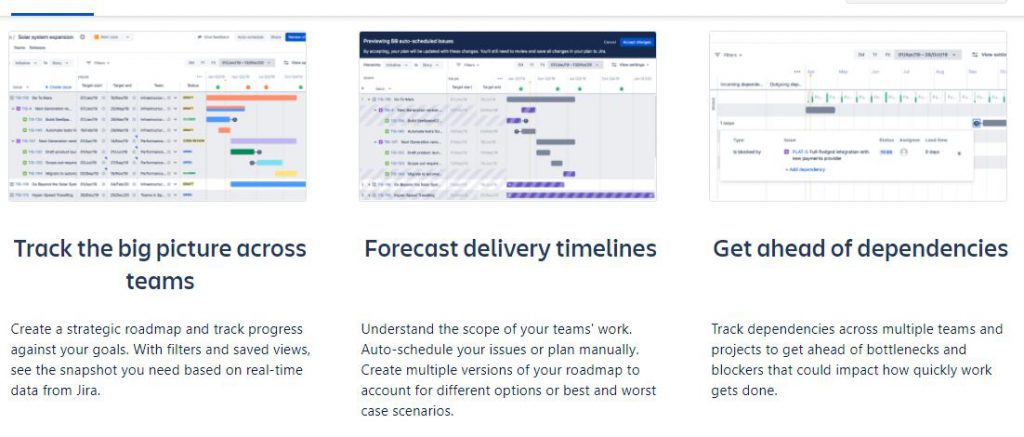
How to work with Jira Advanced Roadmaps aka Portfolio?
- Step 1 – Organize your issue sources (project, boards, or filters)
- Step 2 – Configure a custom hierarchy (optional)
- Step 3 – Create a plan
- Step 4 – Configure your teams
- Step 5 – Manage your releases
- Step 6 – Keep things up to date
- Step 7 – Work with your plan
Reference
- https://confluence.atlassian.com/jiraportfoliocloud/getting-started-with-portfolio-for-jira-873926170.html
- https://www.glintech.com/events/past-events/jira-portfolio-workshop-2016/portfolio-recording-landing.html
Portfolio For JIRA 2.0 Training & Demo

I’m Rajesh Kumar, a DevOps, SRE, DevSecOps, Cloud, and Platform Engineering expert passionate about sharing practical knowledge, real-world experiences, and industry best practices. I have worked at Cotocus and regularly write about technology, travel, investing, health, product reviews, and digital marketing through my various platforms.
I publish technical articles at DevOps School, travel stories at Holiday Landmark, stock market insights at Stocks Mantra, health and fitness guidance at My Medic Plus, product reviews at TrueReviewNow, and SEO and digital marketing strategies at Wizbrand.
Find Trusted Cardiac Hospitals
Compare heart hospitals by city and services — all in one place.
Explore Hospitals