
Have you ever wondered how companies manage to keep their IT systems up and running without any hiccups? One of the key factors is IT operations automation. In this article, we’ll dive deep into what IT operations automation is, how it works, and why it’s essential for businesses of all sizes.
Understanding IT Operations Automation
IT operations automation is the process of automating the management, monitoring, and maintenance of IT systems and infrastructure. It aims to reduce manual intervention and human error, leading to increased efficiency, reliability, and scalability.
How Does IT Operations Automation Work?
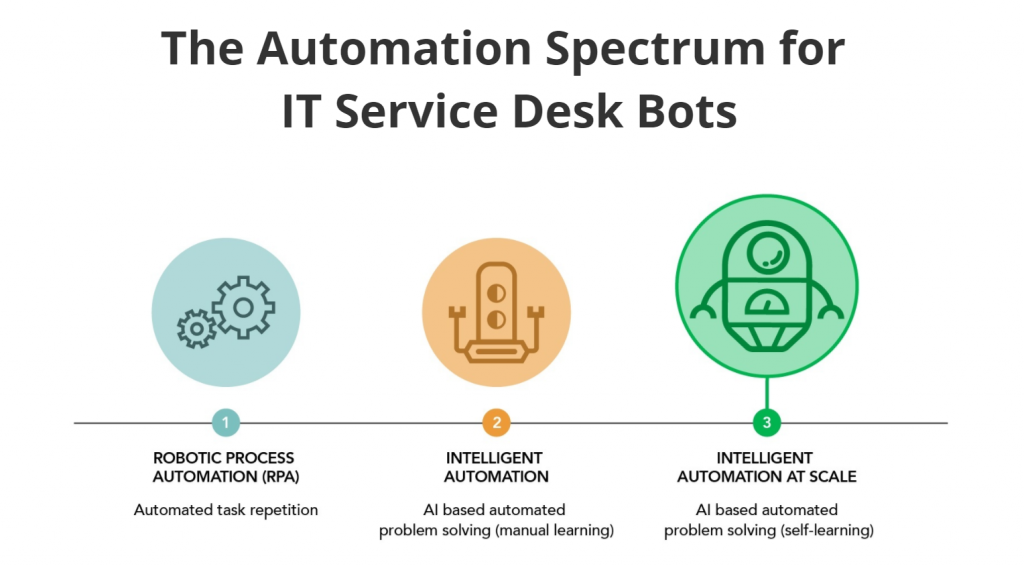
IT operations automation works by using software tools to automate repetitive tasks, such as software updates, backups, and system monitoring. These tools can be programmed to perform specific actions automatically, based on predefined rules and conditions. For example, if a server goes down, the automation tool can be set up to automatically restart it or send an alert to the IT team.
Benefits of IT Operations Automation
Implementing IT operations automation has numerous benefits. Here are some of the most important ones:
- Increased Efficiency: Automation eliminates the need for manual intervention in routine tasks, freeing up IT staff to focus on more important tasks. This leads to increased productivity and faster response times.
- Reduced Errors: Human error is a common cause of IT system failures. Automation reduces the risk of errors by ensuring that tasks are performed consistently and accurately.
- Improved Scalability: As a business grows, so does its IT infrastructure. Automation allows businesses to scale up their IT operations without increasing the workload on their IT staff.
- Cost Savings: Automation can help businesses save money by reducing the need for additional staff, minimizing downtime, and improving resource utilization.
Examples of IT Operations Automation
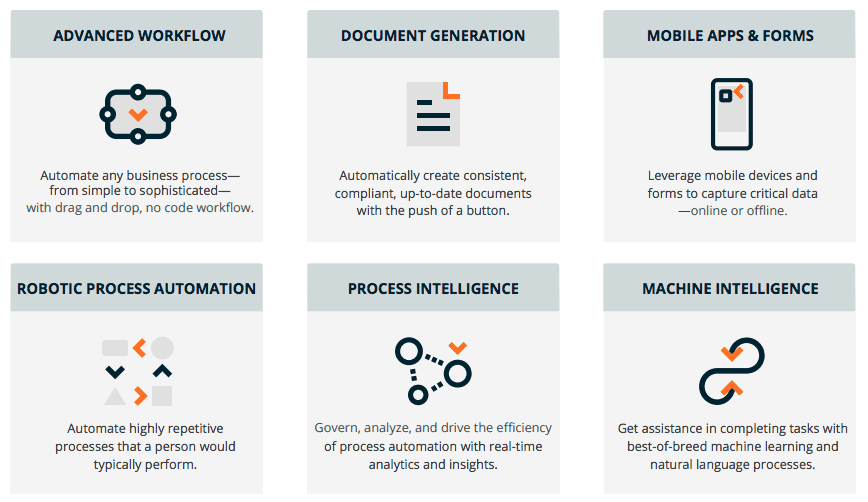
Here are some examples of how IT operations automation is used in real-world scenarios:
- Server Management: Automation tools can be used to manage server updates, backups, and security patches automatically.
- Network Monitoring: Automation tools can be used to monitor network traffic and alert IT staff if any anomalies are detected.
- Application Deployment: Automation tools can be used to deploy applications to multiple servers simultaneously, reducing the time and effort required.
Conclusion
IT operations automation is a critical component of modern IT systems management. It helps businesses improve efficiency, reduce errors, and save money. By automating routine tasks, IT staff can focus on more important activities, such as strategic planning and innovation. If you’re not already using IT operations automation in your business, it’s time to start considering it.

👤 About the Author
Ashwani is passionate about DevOps, DevSecOps, SRE, MLOps, and AiOps, with a strong drive to simplify and scale modern IT operations. Through continuous learning and sharing, Ashwani helps organizations and engineers adopt best practices for automation, security, reliability, and AI-driven operations.
🌐 Connect & Follow:
Website: WizBrand.com
Facebook: facebook.com/DevOpsSchool
X (Twitter): x.com/DevOpsSchools
LinkedIn: linkedin.com/company/devopsschool
YouTube: youtube.com/@TheDevOpsSchool
Instagram: instagram.com/devopsschool
Quora: devopsschool.quora.com
Email– contact@devopsschool.com
Find Trusted Cardiac Hospitals
Compare heart hospitals by city and services — all in one place.
Explore Hospitals