phpMyAdmin supports four authentication types, set per server with $cfg['Servers'][$i]['auth_type'] in config.inc.php: cookie (the default), config, http and signon. This page explains how each one works and gives a working configuration for each. It also covers the extra settings each type depends on, such as blowfish_secret, and the errors you are most likely to hit.
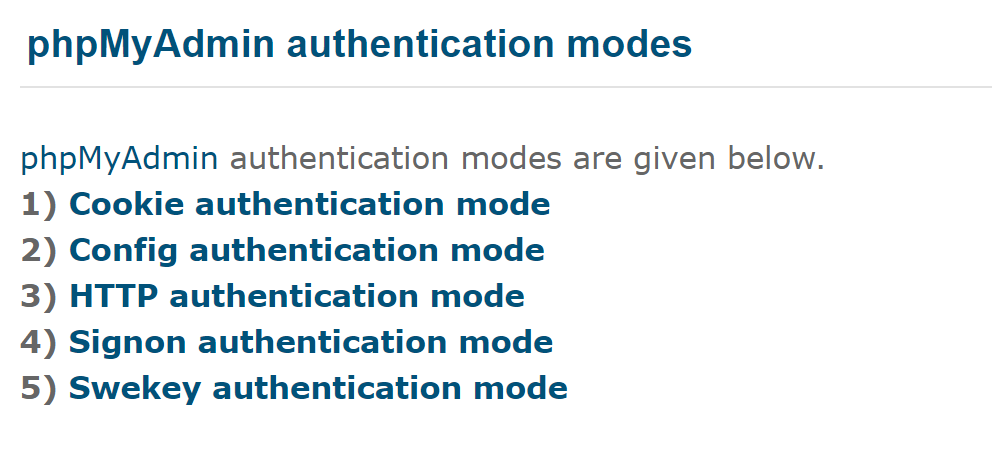
In phpMyAdmin, the authentication type determines how users are authenticated when they try to access the phpMyAdmin interface. This setting is configured in the config.inc.php file of your phpMyAdmin installation, using the $cfg['Servers'][$i]['auth_type'] directive. There are several authentication types available in phpMyAdmin:
config
config: This is the simplest method where the username and password are stored in the config.inc.php file. This method is not recommended for servers accessible from the Internet due to security concerns, as it does not prompt the user for a username or password.

cookie
cookie: This method uses cookies for authentication. The user will be presented with a login screen to enter their username and password. This method is more secure than config and is commonly used for Internet-facing servers.

http
http: With this method, HTTP Authentication is used. The web server manages the login process, and the login dialogue is presented by the browser itself. This method also allows for the use of web server’s authentication modules.

signon
signon: This advanced authentication method allows for single sign-on capabilities. It uses a session-based mechanism and requires additional scripting to integrate phpMyAdmin logins with other application logins.

Choosing the right authentication type depends on your specific needs, including the level of security required and whether the phpMyAdmin installation is exposed to the Internet. For most users, cookie authentication provides a good balance between convenience and security.
Reference
Where config.inc.php lives and how auth_type is applied
Each server block in config.inc.php has its own auth_type, so one phpMyAdmin installation can use different methods for different MySQL or MariaDB servers. If you do not set auth_type, phpMyAdmin uses cookie.
| Installation method | Configuration file |
|---|---|
| Release tarball or zip | config.inc.php in the phpMyAdmin root. Create it by copying config.sample.inc.php. |
Debian/Ubuntu phpmyadmin package | /etc/phpmyadmin/config.inc.php, plus any files in /etc/phpmyadmin/conf.d/ |
| Official Docker image | Generated from environment variables. Add custom settings with a mounted config.user.inc.php. |
cd /var/www/phpmyadmin
cp config.sample.inc.php config.inc.php
chown root:www-data config.inc.php
chmod 640 config.inc.phpCode language: JavaScript (javascript)
Note: phpMyAdmin refuses to load a world-writable configuration file and shows a wrong-permissions error. Make the file readable by the web server user and writable only by root or the deploying user.
Comparing the four authentication types
| auth_type | Who enters credentials | Credentials stored in config | Logout works | Typical use |
|---|---|---|---|---|
cookie | User, on the phpMyAdmin login form | No | Yes | Default choice. Multi-user and Internet-facing installs. |
config | Nobody. They come from the file. | Yes | No | Local labs, or behind another login layer such as a VPN or SSO proxy |
http | User, in the browser's Basic auth dialog | No | Unreliable, because browsers cache Basic credentials | Simple setups without cookies or sessions |
signon | An external application | No (passed in a PHP session or a script) | Through LogoutURL | Single sign-on from a control panel or portal |
With cookie, http and signon, the credentials are MySQL credentials. phpMyAdmin has no separate user database of its own. What a person can do after logging in is decided entirely by the MySQL grants for that account.
Configuring cookie authentication (recommended)
Cookie mode encrypts the MySQL password in a cookie using blowfish_secret. The steps above do not mention this setting, but without it phpMyAdmin shows the error *The configuration file now needs a secret passphrase (blowfish_secret)*. Current 5.2 releases expect the secret to be exactly 32 bytes long.
# Prints 32 hex characters, which is 32 bytes as a string
openssl rand -hex 16Code language: PHP (php)
<?php
declare(strict_types=1);
// Paste the output of `openssl rand -hex 16` here
$cfg['blowfish_secret'] = 'replace_with_32_character_secret';
$i = 0;
$i++;
$cfg['Servers'][$i]['auth_type'] = 'cookie';
$cfg['Servers'][$i]['host'] = 'localhost';
$cfg['Servers'][$i]['AllowNoPassword'] = false; // reject empty passwords
$cfg['Servers'][$i]['AllowRoot'] = false; // block the MySQL root account
// Idle time in seconds before re-login (default 1440)
$cfg['LoginCookieValidity'] = 1800;Code language: HTML, XML (xml)LoginCookieValidityonly works if PHP keeps sessions at least that long. Setsession.gc_maxlifetimeinphp.inito the same value or higher, or phpMyAdmin warns that your login may expire early.AllowRoot = falsestops people from guessing the root password through the login form. Create a named account for each administrator instead.$cfg['AllowArbitraryServer']is off by default. Leave it off so the login form cannot be used to connect to other hosts.$cfg['CaptchaLoginPublicKey']and$cfg['CaptchaLoginPrivateKey']add a reCAPTCHA to the login form, which slows down brute-force attempts.
CREATE USER 'pmaadmin'@'localhost' IDENTIFIED BY 'Use-A-Long-Random-Password';
GRANT ALL PRIVILEGES ON appdb.* TO 'pmaadmin'@'localhost';
FLUSH PRIVILEGES;Code language: JavaScript (javascript)
Using config authentication safely
In config mode, anyone who can reach the phpMyAdmin URL is logged in as the account in the file, with no prompt. Only use it when access is already restricted somewhere else, for example on localhost only, behind a VPN, or behind an identity-aware proxy.
$cfg['Servers'][$i]['auth_type'] = 'config';
$cfg['Servers'][$i]['host'] = '127.0.0.1';
$cfg['Servers'][$i]['user'] = 'pma_readonly';
$cfg['Servers'][$i]['password'] = 'Use-A-Long-Random-Password';Code language: PHP (php)- Use a least-privilege MySQL account, such as one with only
SELECTon a single schema, neverroot. - On Ubuntu, the MySQL
rootaccount often uses theauth_socketplugin. It cannot log in with a password through phpMyAdmin in any mode, so create a dedicated user. - Put the web server's own authentication or an access proxy in front of it. Pomerium is one way to require SSO before the page loads.
Configuring http authentication
In http mode, phpMyAdmin sends a 401 response with a WWW-Authenticate: Basic header. The browser shows its own dialog, and the username and password are used to connect to MySQL. Basic auth only base64-encodes the credentials and sends them with every request, so serve phpMyAdmin over HTTPS only.
$cfg['Servers'][$i]['auth_type'] = 'http';
$cfg['Servers'][$i]['host'] = 'localhost';
$cfg['Servers'][$i]['auth_http_realm'] = 'phpMyAdmin - production DB';Code language: PHP (php)
If the dialog keeps reappearing even with correct credentials, PHP is probably running under PHP-FPM or CGI and the Authorization header is not reaching PHP. On Apache 2.4.13 or later, pass the header through:
<Directory /var/www/phpmyadmin>
    CGIPassAuth On
</Directory>Code language: HTML, XML (xml)
Configuring signon (single sign-on) authentication
In signon mode, phpMyAdmin reads the credentials from a named PHP session that your own application fills in after it has authenticated the user. Users who arrive without valid session data are redirected to SignonURL.
$cfg['Servers'][$i]['auth_type'] = 'signon';
$cfg['Servers'][$i]['host'] = 'localhost';
$cfg['Servers'][$i]['SignonSession'] = 'SignonSession'; // must not be 'phpMyAdmin'
$cfg['Servers'][$i]['SignonURL'] = 'https://example.com/portal/signon.php';
$cfg['Servers'][$i]['LogoutURL'] = 'https://example.com/portal/logout.php';Code language: PHP (php)
<?php
// signon.php: run this only after your application has authenticated the user
session_name('SignonSession');
session_start();
$_SESSION['PMA_single_signon_user'] = 'pmaadmin';
$_SESSION['PMA_single_signon_password'] = 'Use-A-Long-Random-Password';
session_write_close();
header('Location: https://example.com/phpmyadmin/index.php');
exit;Code language: HTML, XML (xml)- The session cookie must be visible to phpMyAdmin, so serve both apps on the same domain. If the paths differ, adjust
SignonCookieParamsor the session cookie path. - Instead of a session,
SignonScriptcan point to a PHP file that definesget_login_credentials($user)and returns[user, password]. - phpMyAdmin ships a working example in
examples/signon.phpin the release archive.
Corrections to the original
- The
configsection contains an empty numbered list item. It is a formatting leftover with no content and can be ignored. - The
httpdescription says the web server manages the login. In fact, phpMyAdmin sends the Basic auth challenge itself, and whatever credentials the browser returns are used as MySQL credentials. If the web server also runs its own Basic auth, its usernames must match MySQL accounts. - The
cookiedescription leaves out the requiredblowfish_secret. Cookie login does not work until a secret of the correct length is set. - The reference link covers phpMyAdmin 4.2, which is long out of support. The authentication chapter of the official phpMyAdmin documentation for your installed version is the current source.
Common errors and fixes
| Symptom | Cause | Fix |
|---|---|---|
| Error asking for a secret passphrase, or a passphrase of the wrong length | blowfish_secret is empty or not 32 bytes | Set a 32-character value generated with openssl rand -hex 16 |
| Login without a password is forbidden by configuration | Empty password and AllowNoPassword is false | Give the MySQL account a password. Do not enable AllowNoPassword. |
#1045 Access denied for user | Wrong credentials, wrong host part such as 'user'@'%' vs 'user'@'localhost', or auth_socket on root | Check SELECT user, host, plugin FROM mysql.user; and use a password-based account |
| Failed to set session cookie | Secure cookies over plain HTTP, or a broken PHP session save path | Serve over HTTPS and check that session.save_path exists and is writable |
Logged out sooner than LoginCookieValidity | session.gc_maxlifetime is lower than the cookie validity | Raise session.gc_maxlifetime in php.ini and reload PHP-FPM |
| http mode prompts in a loop | Authorization header not passed to PHP-FPM or CGI | Add CGIPassAuth On or the equivalent for your web server |
Hardening checklist
- Use
cookieorsignonfor any installation reachable from a network, and keepconfigfor isolated environments. - Serve phpMyAdmin only over HTTPS and redirect HTTP to HTTPS at the web server.
- Restrict access by IP, VPN or an identity-aware proxy, and avoid the guessable
/phpmyadminpath. - Set
AllowRoot = falseand give each administrator a named, least-privilege MySQL account. - Keep phpMyAdmin updated and remove the
setup/directory after initial configuration. - Send web server and MySQL authentication logs to your monitoring or SIEM so repeated failed logins are noticed.
Frequently asked questions
What is the default auth_type in phpMyAdmin?
cookie. If $cfg['Servers'][$i]['auth_type'] is not set, phpMyAdmin shows its own login form and stores the encrypted credentials in a cookie.
Which phpMyAdmin authentication type is most secure?
cookie over HTTPS is the usual recommendation for standalone installs, and signon is a good choice when an existing SSO portal already authenticates users. config is the least secure, because anyone who reaches the URL is logged in automatically.
How do I log in to phpMyAdmin automatically without a password prompt?
Set auth_type to config and put user and password in the server block. Only do this when access is already restricted by localhost binding, a VPN or an authenticating proxy. In the official Docker image, setting PMA_USER and PMA_PASSWORD has the same effect.
Why can't I log in to phpMyAdmin as root on Ubuntu?
MySQL on Ubuntu often sets up root with the auth_socket plugin, which accepts only local socket connections from the OS root user, not password logins. Create a separate MySQL user with a password and the grants you need.
How long does a phpMyAdmin cookie login last?
By default, 1440 seconds (24 minutes) of inactivity, controlled by $cfg['LoginCookieValidity']. PHP's session.gc_maxlifetime must be at least as long, or sessions expire sooner.
Related tutorials
- More PHP tutorials
- More Security tutorials
- The Complete Pomerium Tutorial: From Absolute Beginner to Advanced Zero Trust Access Engineering
- Cybersecurity and Information Security – Complete Tutorial Collection

I’m Rajesh Kumar, a DevOps, SRE, DevSecOps, Cloud, and Platform Engineering expert passionate about sharing practical knowledge, real-world experiences, and industry best practices. I have worked at Cotocus and regularly write about technology, travel, investing, health, product reviews, and digital marketing through my various platforms.
I publish technical articles at DevOps School, travel stories at Holiday Landmark, stock market insights at Stocks Mantra, health and fitness guidance at My Medic Plus, product reviews at TrueReviewNow, and SEO and digital marketing strategies at Wizbrand.
Find Trusted Cardiac Hospitals
Compare heart hospitals by city and services — all in one place.
Explore Hospitals