
Introduction
Live Streaming Studio Software refers to professional tools that allow creators, businesses, educators, and organizations to produce, manage, and broadcast live video content across digital platforms. Unlike simple webcam streaming, these tools function like virtual production studios—enabling scene switching, overlays, screen sharing, multi-camera input, audio mixing, recording, and real-time audience engagement.
In today’s digital-first world, live streaming has become a critical communication channel. Businesses use it for product launches and webinars, educators for virtual classrooms, gamers for live gameplay, media houses for news broadcasting, and creators for community engagement. The quality of the stream directly impacts credibility, engagement, and viewer retention—making studio-grade software essential.
When evaluating live streaming studio software, users should look for:
- Production capabilities (scenes, transitions, graphics)
- Ease of use and learning curve
- Platform compatibility and output flexibility
- Performance and stability under load
- Security and compliance for professional or regulated use
- Support, updates, and ecosystem strength
Best for
Live Streaming Studio Software is ideal for:
- Content creators and streamers
- Online educators and training providers
- Marketing teams and event organizers
- Media companies and broadcasters
- Enterprises hosting webinars, town halls, or virtual conferences
Not ideal for
These tools may not be necessary for:
- Users needing only one-way video calls
- Casual social media users with no production needs
- Teams that rely entirely on built-in platform streaming tools
- Organizations requiring only pre-recorded video content
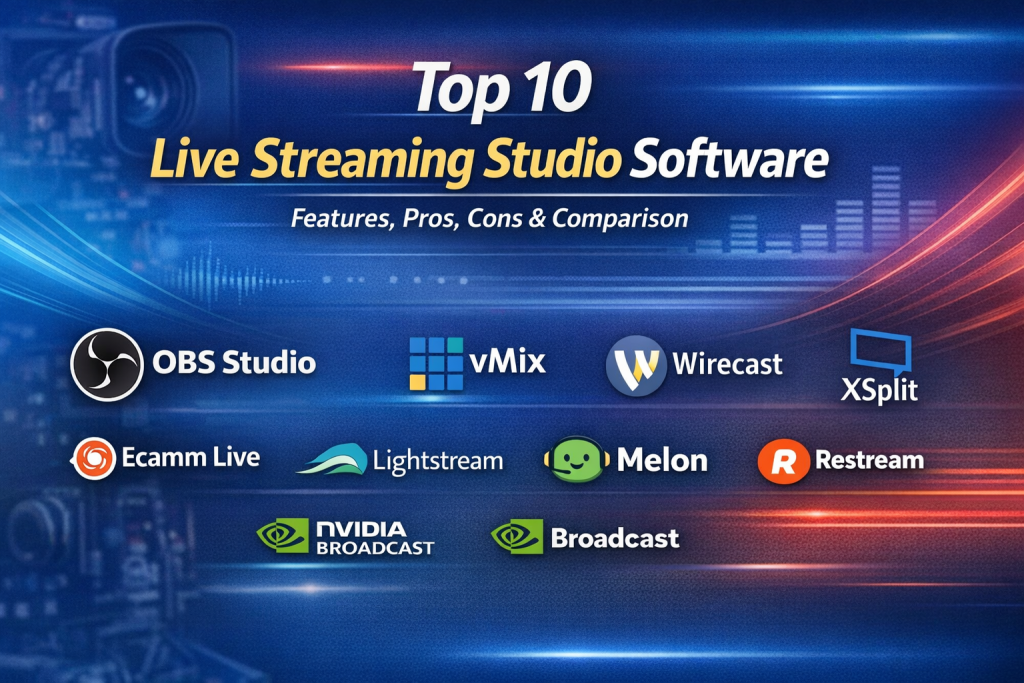
Top 10 Live Streaming Studio Software Tools
1 — OBS Studio
Short description
OBS Studio is a powerful open-source live streaming and recording software widely used by streamers, educators, and professionals who want full control over their production setup.
Key features
- Scene and source-based production workflow
- Multi-platform streaming support
- Advanced audio mixing and filters
- Real-time video transitions
- Plugin and extension ecosystem
- High-quality recording options
Pros
- Completely free and open source
- Extremely flexible and customizable
- Strong global user community
Cons
- Steep learning curve for beginners
- Interface can feel technical and overwhelming
Security & compliance
Varies / N/A (local software, depends on user setup)
Support & community
Extensive documentation, large global community, active forums, third-party tutorials
2 — Streamlabs Desktop
Short description
Streamlabs Desktop builds on OBS technology with a more user-friendly interface, making it popular among gamers and beginner creators.
Key features
- Pre-built themes and overlays
- Integrated chat and alerts
- Multi-streaming options
- Built-in monetization tools
- Cloud backup for settings
Pros
- Beginner-friendly UI
- Fast setup for live streaming
- Strong creator-focused features
Cons
- Heavier system resource usage
- Some advanced features locked behind paid plans
Security & compliance
Basic encryption; compliance varies by platform integration
Support & community
Good documentation, active creator community, email support for paid users
3 — vMix
Short description
vMix is a professional-grade live production software designed for broadcasters, studios, and enterprises requiring high-end control and reliability.
Key features
- Multi-camera and NDI support
- Professional replay and instant playback
- Built-in live call-in features
- Advanced audio and video effects
- High-resolution streaming support
Pros
- Broadcast-quality production
- Excellent performance and reliability
- Strong enterprise adoption
Cons
- Windows-only platform
- Higher cost compared to consumer tools
Security & compliance
Supports encryption, enterprise configurations; compliance varies by deployment
Support & community
Professional documentation, enterprise support plans, active user base
4 — Wirecast
Short description
Wirecast is a polished live streaming studio solution favored by media professionals, educators, and corporate teams.
Key features
- Intuitive drag-and-drop interface
- Multi-camera and capture card support
- Built-in graphics and titles
- Live switching and recording
- Integrated streaming destinations
Pros
- Professional yet approachable UI
- Strong video quality output
- Reliable for long sessions
Cons
- Premium pricing
- Fewer plugins than open-source alternatives
Security & compliance
Supports secure streaming protocols; compliance varies by use case
Support & community
Strong official support, detailed documentation, enterprise options available
5 — XSplit Broadcaster
Short description
XSplit Broadcaster targets gamers, presenters, and professionals looking for a clean interface and fast setup.
Key features
- Scene-based production
- Screen and camera capture
- Audio mixing and effects
- Plugin and extension support
- Cloud-based asset management
Pros
- Simple and polished interface
- Good performance on mid-range systems
- Quick learning curve
Cons
- Free version includes watermark
- Limited advanced broadcasting tools
Security & compliance
Varies / N/A
Support & community
Knowledge base, ticket support, community forums
6 — Ecamm Live
Short description
Ecamm Live is a macOS-only live streaming studio designed for content creators, coaches, and educators.
Key features
- Easy scene switching
- Integrated interview and guest features
- On-screen comments and branding
- Recording and live streaming
- Automation tools
Pros
- Extremely easy to use
- Excellent for live interviews
- Optimized for macOS performance
Cons
- macOS only
- Limited advanced broadcast features
Security & compliance
Basic encryption; compliance varies by platform
Support & community
Strong documentation, responsive support, active creator community
7 — Restream Studio
Short description
Restream Studio is a browser-based live streaming studio that allows users to go live without installing software.
Key features
- Multi-platform streaming
- Browser-based production
- Guest invitations via link
- Branding and overlays
- Cloud-based recording
Pros
- No installation required
- Excellent for remote teams
- Easy collaboration
Cons
- Limited customization compared to desktop tools
- Performance depends on browser and internet quality
Security & compliance
Standard encryption, GDPR-aligned practices
Support & community
Good documentation, chat support, growing user base
8 — Lightstream Studio
Short description
Lightstream Studio focuses on cloud-based live streaming, particularly for console gamers and casual creators.
Key features
- Fully cloud-hosted production
- Console streaming integration
- Scene and overlay management
- No local hardware strain
- Simple setup
Pros
- No software installation
- Ideal for console streaming
- Clean and simple UI
Cons
- Limited professional controls
- Subscription-based pricing
Security & compliance
Standard cloud security; compliance varies
Support & community
Documentation, email support, creator-focused resources
9 — StreamYard
Short description
StreamYard is a browser-based live streaming studio widely used for interviews, podcasts, and social media broadcasts.
Key features
- Guest-based live streaming
- Brand overlays and banners
- Multi-platform broadcasting
- Recording and repurposing
- Browser-based operation
Pros
- Very easy to use
- Excellent for interviews and panels
- Reliable browser performance
Cons
- Limited advanced production tools
- Branding restrictions on lower plans
Security & compliance
Encryption in transit, GDPR-aligned practices
Support & community
Good onboarding, responsive support, strong creator adoption
10 — NVIDIA Broadcast
Short description
NVIDIA Broadcast enhances live streams using AI-powered audio and video effects, primarily as a companion tool.
Key features
- AI noise removal
- Virtual background and blur
- Auto framing
- GPU-accelerated processing
- Compatible with major streaming apps
Pros
- Excellent audio and video enhancement
- Low manual configuration
- Improves stream quality instantly
Cons
- Requires NVIDIA GPU
- Not a full production studio
Security & compliance
Local processing; varies by usage
Support & community
Official documentation, GPU-focused user community
Comparison Table
| Tool Name | Best For | Platform(s) Supported | Standout Feature | Rating |
|---|---|---|---|---|
| OBS Studio | Advanced creators & professionals | Windows, macOS, Linux | Open-source flexibility | N/A |
| Streamlabs Desktop | Beginner streamers | Windows, macOS | Built-in monetization | N/A |
| vMix | Broadcast & enterprise | Windows | Professional production tools | N/A |
| Wirecast | Media & corporate teams | Windows, macOS | Polished broadcast UI | N/A |
| XSplit Broadcaster | Gamers & presenters | Windows | Clean interface | N/A |
| Ecamm Live | macOS creators | macOS | Live interviews | N/A |
| Restream Studio | Remote teams | Browser-based | Multi-platform streaming | N/A |
| Lightstream Studio | Console streamers | Browser-based | Cloud production | N/A |
| StreamYard | Interviews & podcasts | Browser-based | Guest simplicity | N/A |
| NVIDIA Broadcast | Quality enhancement | Windows | AI-powered effects | N/A |
Evaluation & Scoring of Live Streaming Studio Software
| Criteria | Weight |
|---|---|
| Core features | 25% |
| Ease of use | 15% |
| Integrations & ecosystem | 15% |
| Security & compliance | 10% |
| Performance & reliability | 10% |
| Support & community | 10% |
| Price / value | 15% |
Overall insight:
Desktop-based tools score higher in feature depth and performance, while browser-based solutions lead in ease of use and accessibility.
Which Live Streaming Studio Software Tool Is Right for You?
- Solo users: OBS Studio, Streamlabs, StreamYard
- SMBs: Ecamm Live, Restream Studio, Wirecast
- Mid-market: vMix, Wirecast
- Enterprise: vMix with custom workflows
Budget-conscious: OBS Studio, StreamYard
Premium needs: vMix, Wirecast
Ease of use: StreamYard, Ecamm Live
Scalability: vMix, OBS Studio
Security-focused: Enterprise-configured desktop tools
Frequently Asked Questions (FAQs)
- Do I need live streaming studio software to go live?
No, but it significantly improves production quality and control. - Is free software good enough for professional streaming?
Yes, tools like OBS Studio are widely used in professional environments. - Which tool is best for beginners?
Streamlabs and StreamYard are beginner-friendly options. - Are browser-based tools reliable?
They are reliable for interviews and webinars but less flexible than desktop tools. - Can I record while streaming live?
Most studio tools support simultaneous recording. - Do these tools support multiple cameras?
Yes, desktop tools especially excel at multi-camera setups. - What hardware is required?
Requirements vary; higher-end production needs stronger CPUs and GPUs. - Are these tools secure?
Security depends on configuration, platform, and usage context. - Can enterprises use these tools?
Yes, especially vMix and Wirecast with enterprise configurations. - What is the most common mistake beginners make?
Choosing overly complex tools without understanding their actual needs.
Conclusion
Live Streaming Studio Software has become an essential part of modern digital communication, enabling professional-quality broadcasts across industries. The right tool can elevate engagement, credibility, and viewer experience—but there is no single “best” solution for everyone.
The ideal choice depends on your goals, technical comfort, budget, and production complexity. Whether you need open-source flexibility, enterprise-grade broadcasting, or simple browser-based interviews, today’s ecosystem offers a solution for every use case. Focus on what matters most for your workflow, and choose a tool that grows with your needs rather than one that simply looks powerful on paper.

Find Trusted Cardiac Hospitals
Compare heart hospitals by city and services — all in one place.
Explore Hospitals