
Introduction
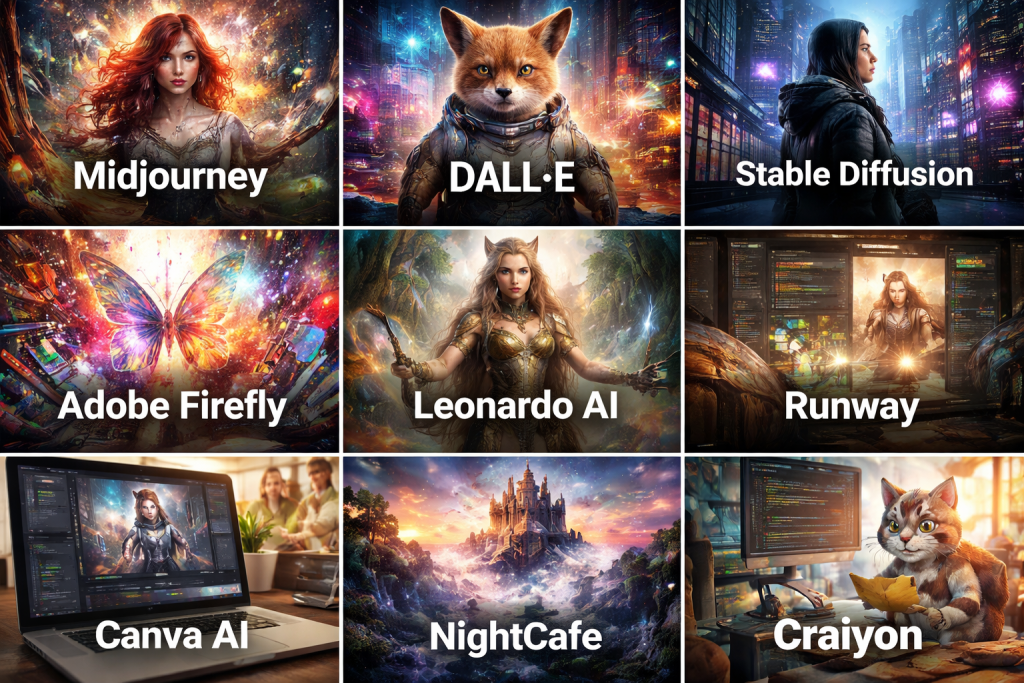
AI Image Generation Tools are software platforms powered by artificial intelligence and machine learning models that can create images from text prompts, reference images, or structured inputs. These tools use advanced techniques such as diffusion models, generative adversarial networks (GANs), and transformer-based architectures to generate realistic, artistic, or stylized visuals without traditional manual design work.
The importance of AI image generation has grown rapidly as businesses and creators demand faster content production, cost efficiency, and creative flexibility. From marketing campaigns and social media creatives to product mockups, concept art, and educational visuals, AI-generated images are now widely used across industries.
Key real-world use cases include:
- Marketing and advertising creatives
- Website and app UI visuals
- Social media graphics
- Product concept designs
- Game assets and illustrations
- Educational and presentation visuals
When choosing an AI Image Generation Tool, users should evaluate:
- Image quality and realism
- Prompt accuracy and control
- Style variety and customization
- Speed and performance
- Commercial usage rights
- Security, privacy, and compliance
- Ease of use and learning curve
Best for:
AI Image Generation Tools are ideal for designers, marketers, content creators, startups, agencies, e-commerce businesses, educators, and enterprises looking to scale visual content creation without expanding design teams.
Not ideal for:
These tools may not be suitable for users who require highly regulated medical imaging, confidential government visuals, or hand-crafted fine art where human creativity and legal originality are mandatory.
Top 10 AI Image Generation Tools
1 — Midjourney
Short description:
Midjourney is a high-quality AI image generation tool known for producing artistic, cinematic, and visually striking images. It is especially popular among digital artists and creative professionals.
Key features:
- Advanced text-to-image generation
- High artistic and stylistic quality
- Strong prompt interpretation
- Style tuning and variation controls
- Community-driven prompt sharing
- Fast rendering pipeline
Pros:
- Exceptional artistic output
- Strong creative community
Cons:
- Limited traditional UI workflow
- Steeper learning curve for prompts
Security & compliance:
Varies / N/A
Support & community:
Active community support, prompt libraries, and extensive documentation.
2 — DALL·E
Short description:
DALL·E focuses on accurate prompt interpretation and clean, realistic image generation suitable for general-purpose use.
Key features:
- High prompt accuracy
- Image editing and variation support
- Consistent visual output
- Style and concept blending
- Commercial-friendly usage
Pros:
- Easy to use
- Strong prompt fidelity
Cons:
- Less artistic depth than some competitors
- Limited fine-grain controls
Security & compliance:
GDPR-aligned data handling, platform-level security controls.
Support & community:
Strong documentation, onboarding guides, and enterprise support options.
3 — Stable Diffusion
Short description:
Stable Diffusion is an open and highly customizable AI image generation model favored by developers and advanced users.
Key features:
- Open-source architecture
- Local and cloud deployment options
- Extensive model customization
- Plugin and extension ecosystem
- High-resolution image generation
Pros:
- Maximum flexibility
- No vendor lock-in
Cons:
- Requires technical expertise
- Setup can be complex
Security & compliance:
Varies based on deployment environment.
Support & community:
Large open-source community, forums, and tutorials.
4 — Adobe Firefly
Short description:
Adobe Firefly is designed for professionals who need AI image generation integrated into existing creative workflows.
Key features:
- Seamless Adobe ecosystem integration
- Commercially safe training data
- Style and brand consistency tools
- Text effects and image generation
- Enterprise-grade reliability
Pros:
- Brand-safe outputs
- Professional-grade integration
Cons:
- Best value only within Adobe ecosystem
- Premium pricing tiers
Security & compliance:
SOC 2, GDPR, enterprise-grade security.
Support & community:
Enterprise support, training resources, and extensive documentation.
5 — Leonardo AI
Short description:
Leonardo AI is optimized for game developers and digital artists needing asset-level control and consistency.
Key features:
- Asset-focused generation
- Fine-tuned model training
- Style consistency tools
- Batch image generation
- Prompt versioning
Pros:
- Excellent for game assets
- Strong creative control
Cons:
- Less suitable for casual users
- Smaller ecosystem
Security & compliance:
Varies / N/A
Support & community:
Active user community and developer-focused documentation.
6 — Runway
Short description:
Runway combines AI image generation with creative editing tools, targeting filmmakers and multimedia creators.
Key features:
- Image-to-image generation
- Style transfer
- Creative editing tools
- Video and image AI workflows
- Real-time previews
Pros:
- Strong creative workflow integration
- Multimedia focus
Cons:
- Higher learning curve
- Premium pricing
Security & compliance:
GDPR-aligned, enterprise security options.
Support & community:
Tutorials, creative community, and professional support.
7 — Canva AI Image Generator
Short description:
Canva’s AI image generator is built for non-designers who want fast visuals within a drag-and-drop design platform.
Key features:
- Beginner-friendly interface
- Integrated design templates
- Fast image generation
- Social media-ready formats
- Collaboration tools
Pros:
- Extremely easy to use
- Great for marketing teams
Cons:
- Limited customization depth
- Less control over artistic style
Security & compliance:
SOC 2, GDPR compliance.
Support & community:
Strong documentation, tutorials, and global user base.
8 — NightCafe
Short description:
NightCafe is a community-driven AI art platform emphasizing creative experimentation.
Key features:
- Multiple generation algorithms
- Community challenges
- Style presets
- Print-ready outputs
- Prompt evolution tools
Pros:
- Creative flexibility
- Active art community
Cons:
- Inconsistent output quality
- Less enterprise-focused
Security & compliance:
Varies / N/A
Support & community:
Strong community forums and guides.
9 — DeepAI Image Generator
Short description:
DeepAI offers a straightforward AI image generation API for developers and simple use cases.
Key features:
- API-first design
- Basic text-to-image generation
- Lightweight integration
- Fast response times
- Developer-friendly pricing
Pros:
- Simple API access
- Cost-effective
Cons:
- Limited advanced features
- Lower image quality ceiling
Security & compliance:
Basic encryption, API security controls.
Support & community:
Documentation-focused support with limited community engagement.
10 — Craiyon
Short description:
Craiyon is an entry-level AI image generator designed for experimentation and casual use.
Key features:
- Free-tier accessibility
- Simple prompt-based generation
- Quick image previews
- No setup required
- Lightweight interface
Pros:
- Free and accessible
- Easy experimentation
Cons:
- Low image fidelity
- Not suitable for professional use
Security & compliance:
N/A
Support & community:
Minimal support, basic documentation.
Comparison Table
| Tool Name | Best For | Platform(s) Supported | Standout Feature | Rating |
|---|---|---|---|---|
| Midjourney | Artists & creatives | Web-based | Artistic image quality | N/A |
| DALL·E | General users | Web, API | Prompt accuracy | N/A |
| Stable Diffusion | Developers | Local, Cloud | Open-source flexibility | N/A |
| Adobe Firefly | Enterprises | Web, Creative Suite | Brand-safe AI | N/A |
| Leonardo AI | Game developers | Web | Asset consistency | N/A |
| Runway | Filmmakers | Web | Creative workflows | N/A |
| Canva AI | Marketing teams | Web | Ease of use | N/A |
| NightCafe | AI artists | Web | Community creativity | N/A |
| DeepAI | Developers | API | Lightweight integration | N/A |
| Craiyon | Casual users | Web | Free access | N/A |
Evaluation & Scoring of AI Image Generation Tools
| Evaluation Criteria | Weight | Description |
|---|---|---|
| Core features | 25% | Image quality, styles, controls |
| Ease of use | 15% | Learning curve, UI |
| Integrations & ecosystem | 15% | APIs, plugins |
| Security & compliance | 10% | Data protection |
| Performance & reliability | 10% | Speed and uptime |
| Support & community | 10% | Help resources |
| Price / value | 15% | ROI and affordability |
Which AI Image Generation Tool Is Right for You?
- Solo users: Canva AI, Craiyon, NightCafe
- SMBs: DALL·E, Canva AI, Leonardo AI
- Mid-market: Midjourney, Runway
- Enterprise: Adobe Firefly, Stable Diffusion
Budget-conscious users should prioritize ease and free tiers, while premium users benefit from advanced controls and brand safety. Feature depth matters for professionals, while beginners may prefer simplicity.
Frequently Asked Questions (FAQs)
1. Are AI-generated images copyright-free?
Usage rights depend on the tool’s policy and subscription tier.
2. Can AI images be used commercially?
Most tools allow commercial use under specific terms.
3. Do these tools replace designers?
No, they enhance productivity rather than replace creativity.
4. Are AI image tools safe for brands?
Enterprise tools focus on brand-safe training data.
5. Do I need design skills?
Basic prompt writing is sufficient for most tools.
6. Are free tools reliable?
They are good for learning but limited for professional use.
7. Can images be customized?
Advanced tools offer high customization levels.
8. Are these tools scalable?
Yes, especially enterprise and API-based platforms.
9. Do they require high-end hardware?
Cloud-based tools do not; local models may.
10. What are common mistakes?
Poor prompt clarity and ignoring licensing terms.
Conclusion
AI Image Generation Tools have transformed how visuals are created, making high-quality imagery accessible, scalable, and cost-effective. The best tool depends on your goals, budget, technical expertise, and compliance needs. Rather than seeking a universal winner, focus on matching the tool’s strengths with your specific use case to unlock the true potential of AI-powered creativity.

Find Trusted Cardiac Hospitals
Compare heart hospitals by city and services — all in one place.
Explore Hospitals