
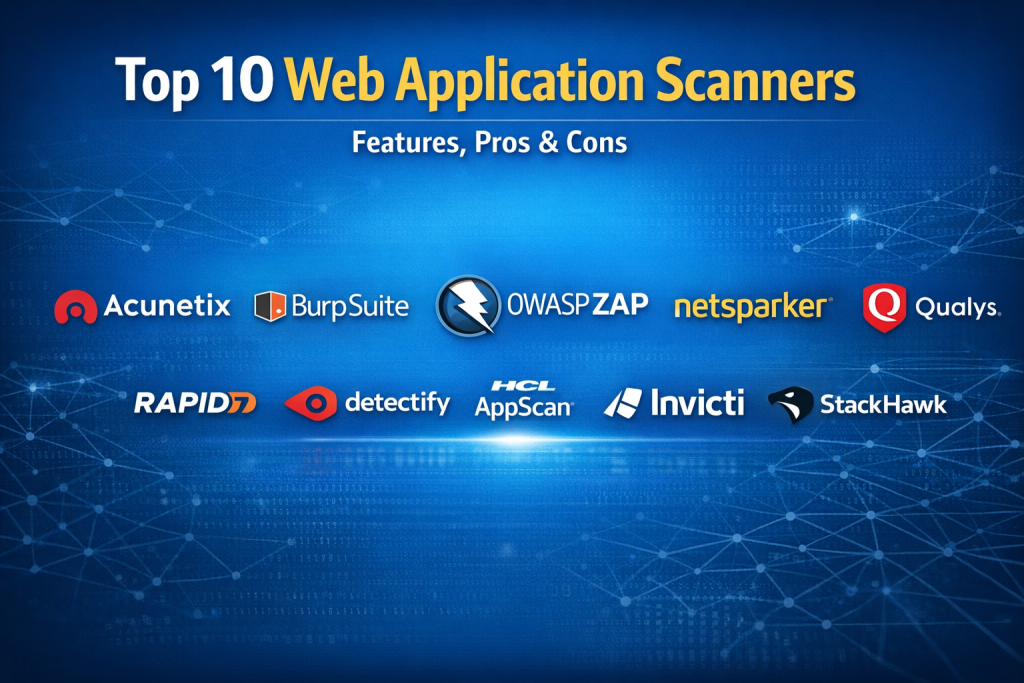
Introduction
Web Application Scanners are specialized security tools designed to automatically detect vulnerabilities in web applications by simulating real-world attacks. They crawl applications, analyze inputs and outputs, and identify weaknesses such as SQL injection, cross-site scripting (XSS), broken authentication, insecure configurations, and other OWASP Top 10 risks.
In today’s environment—where applications are updated frequently, APIs are exposed publicly, and attackers automate exploitation—manual testing alone is no longer enough. Web application scanners provide continuous, repeatable, and scalable security testing, helping teams find issues early and reduce breach risk.
Real-world use cases include pre-production security testing, CI/CD pipeline integration, regulatory compliance audits, vendor risk assessments, and ongoing production monitoring. Development teams use scanners to catch issues before release, while security teams rely on them to validate controls and demonstrate compliance.
When choosing a web application scanner, buyers should evaluate scan accuracy, false-positive handling, coverage depth, ease of use, integration with development workflows, reporting quality, scalability, and compliance support. No single tool fits every organization—selection should align with risk profile, team maturity, and budget.
Best for:
Security teams, DevSecOps engineers, penetration testers, SaaS companies, enterprises handling sensitive data, and organizations subject to compliance requirements.
Not ideal for:
Static websites with no user input, teams without resources to triage findings, or organizations that rely exclusively on manual penetration testing and do not want automated scanning.
Top 10 Web Application Scanners Tools
1 — Acunetix
Short description:
A widely used automated web vulnerability scanner focused on accuracy, speed, and developer-friendly workflows.
Key features
- Deep crawling and automated vulnerability detection
- Advanced SQL injection and XSS detection
- Login sequence recording for authenticated scans
- CI/CD pipeline integrations
- API and SPA scanning support
- Proof-of-exploit reporting
- Custom scan profiles
Pros
- Very low false-positive rate
- Strong developer-oriented reports
- Fast scanning performance
Cons
- Premium pricing for enterprise plans
- Advanced features require tuning
Security & compliance:
SSO, encryption at rest/in transit, audit logs, SOC 2 (varies by edition)
Support & community:
Strong documentation, enterprise support, onboarding assistance
2 — Burp Suite
Short description:
A powerful web security testing platform combining automated scanning with best-in-class manual testing tools.
Key features
- Automated vulnerability scanning
- Interception proxy for traffic analysis
- Advanced request manipulation
- Extensive plugin ecosystem
- API and GraphQL scanning
- Custom extensions
- Detailed issue evidence
Pros
- Industry standard for penetration testers
- Highly customizable
- Strong research-backed detection
Cons
- Steeper learning curve
- Automated scanning slower than some competitors
Security & compliance:
Encryption, role-based access, audit logging (varies by deployment)
Support & community:
Large global community, extensive documentation, professional support
3 — OWASP ZAP
Short description:
An open-source, community-driven web application scanner suitable for beginners and advanced users.
Key features
- Automated and manual scanning modes
- Intercepting proxy
- Active and passive vulnerability scanning
- Extensible add-ons
- API testing support
- Scriptable automation
- CI/CD compatibility
Pros
- Free and open source
- Strong community support
- Ideal for learning and CI automation
Cons
- Higher false positives
- Less polished enterprise reporting
Security & compliance:
Varies / N/A (depends on deployment)
Support & community:
Very active community, extensive tutorials, no formal enterprise SLA
4 — Netsparker
Short description:
An enterprise-grade web application scanner known for proof-based vulnerability verification.
Key features
- Proof-based scanning to reduce false positives
- Authenticated and API scanning
- Incremental scanning
- CI/CD integrations
- Centralized vulnerability management
- Compliance reporting
- Role-based access control
Pros
- Extremely accurate results
- Strong compliance-focused reporting
- Enterprise-ready scalability
Cons
- Higher cost
- Less suitable for small teams
Security & compliance:
SSO, SOC 2, GDPR support, audit trails
Support & community:
Enterprise onboarding, dedicated support, professional services
5 — Qualys
Short description:
A cloud-based security platform offering web application scanning as part of a broader risk management suite.
Key features
- Cloud-native web application scanning
- Continuous monitoring
- Vulnerability prioritization
- Asset discovery
- API scanning
- Compliance dashboards
- Centralized risk visibility
Pros
- Scales well for large enterprises
- Unified security platform
- Strong reporting capabilities
Cons
- Interface can feel complex
- Slower scans on large apps
Security & compliance:
SOC 2, ISO, GDPR, strong access controls
Support & community:
Enterprise-grade support, extensive knowledge base
6— Rapid7
Short description:
A security platform combining dynamic application testing with vulnerability management and analytics.
Key features
- Automated web app scanning
- Vulnerability correlation and risk scoring
- Integration with SIEM and SOAR
- API testing
- Asset tagging
- Custom reporting
- Cloud and on-prem support
Pros
- Strong analytics and prioritization
- Good integration ecosystem
- Suitable for DevSecOps teams
Cons
- Requires tuning for optimal results
- UI can be overwhelming
Security & compliance:
SOC 2, encryption, audit logs
Support & community:
Professional support, active user forums
7 — Detectify
Short description:
A SaaS-based web security scanner built on crowdsourced vulnerability research.
Key features
- Continuous external attack surface scanning
- Crowd-sourced vulnerability updates
- Asset discovery
- Scheduled scans
- Clear remediation guidance
- API access
- SaaS-native deployment
Pros
- Easy to deploy and use
- Continuously updated detection logic
- Strong external exposure focus
Cons
- Less control over scan customization
- Limited deep internal testing
Security & compliance:
GDPR, encryption in transit, access controls
Support & community:
Good documentation, responsive SaaS support
8 — AppScan
Short description:
A mature application security solution used by enterprises for dynamic and static testing.
Key features
- Dynamic application security testing
- API scanning
- Custom scan policies
- Integration with SDLC tools
- Centralized reporting
- Risk-based prioritization
- Hybrid deployment options
Pros
- Enterprise-focused capabilities
- Strong compliance alignment
- Deep vulnerability coverage
Cons
- Legacy UI in some modules
- Setup complexity
Security & compliance:
SOC 2, ISO, GDPR, role-based access
Support & community:
Enterprise support, training programs
9 — Invicti
Short description:
A modern application security platform emphasizing accuracy and automation across large environments.
Key features
- Automated dynamic scanning
- Proof-based verification
- API and microservices scanning
- Centralized vulnerability management
- CI/CD integrations
- Team-based workflows
- Compliance reporting
Pros
- High scan accuracy
- Scales well across portfolios
- Strong DevSecOps alignment
Cons
- Premium pricing
- Requires onboarding for full value
Security & compliance:
SSO, SOC 2, GDPR, audit logging
Support & community:
Enterprise-grade support and onboarding
10 — StackHawk
Short description:
A developer-centric web application scanner designed for modern CI/CD pipelines.
Key features
- CI/CD-native scanning
- Local and cloud scanning modes
- API-first configuration
- Fast feedback loops
- Issue tracking integration
- Developer-friendly reports
- Microservices support
Pros
- Excellent for agile teams
- Simple setup
- Fast scan execution
Cons
- Less suited for legacy apps
- Limited enterprise governance features
Security & compliance:
Varies / N/A (focuses on development workflows)
Support & community:
Good documentation, responsive support
Comparison Table
| Tool Name | Best For | Platform(s) Supported | Standout Feature | Rating |
|---|---|---|---|---|
| Acunetix | DevSecOps teams | Web, API, Cloud | Low false positives | N/A |
| Burp Suite | Penetration testers | Web, API | Manual + automated power | N/A |
| OWASP ZAP | Beginners & CI users | Web, API | Open-source flexibility | N/A |
| Netsparker | Enterprises | Web, API | Proof-based scanning | N/A |
| Qualys | Large organizations | Cloud-based | Unified risk platform | N/A |
| Rapid7 | Security operations | Web, API | Risk analytics | N/A |
| Detectify | SaaS companies | Web | Crowdsourced research | N/A |
| AppScan | Regulated enterprises | Web, API | Compliance alignment | N/A |
| Invicti | Large app portfolios | Web, API | Scalable automation | N/A |
| StackHawk | Agile developers | Web, API | CI/CD-native design | N/A |
Evaluation & Scoring of Web Application Scanners
| Criteria | Weight | Description |
|---|---|---|
| Core features | 25% | Depth and breadth of vulnerability detection |
| Ease of use | 15% | Setup, UI clarity, learning curve |
| Integrations & ecosystem | 15% | CI/CD, issue tracking, APIs |
| Security & compliance | 10% | Controls, certifications, governance |
| Performance & reliability | 10% | Scan speed and stability |
| Support & community | 10% | Documentation and responsiveness |
| Price / value | 15% | ROI relative to capabilities |
Which Web Application Scanners Tool Is Right for You?
- Solo users: OWASP ZAP or Burp Suite Community-style workflows
- SMBs: Acunetix, Detectify, StackHawk for balance of ease and depth
- Mid-market: Rapid7, Invicti for scalability and analytics
- Enterprise: Netsparker, Qualys, AppScan for governance and compliance
Budget-conscious: Open-source or developer-first tools
Premium solutions: Enterprise scanners with proof-based verification
Feature depth vs ease of use: Advanced tools require tuning but offer deeper insights
Integration needs: CI/CD-heavy teams benefit from developer-first platforms
Compliance requirements: Enterprises should prioritize audit logs and reporting
Frequently Asked Questions (FAQs)
- What is a web application scanner?
An automated tool that identifies security vulnerabilities in web applications by simulating attacks. - Are scanners a replacement for penetration testing?
No. They complement manual testing by providing continuous automated coverage. - Do scanners work on authenticated pages?
Yes, most support login workflows and session handling. - How often should scans run?
Ideally on every major release and continuously for production monitoring. - Do scanners generate false positives?
Some do. Proof-based scanners significantly reduce false alerts. - Can scanners test APIs?
Modern tools support REST and GraphQL APIs. - Are open-source scanners reliable?
They are useful but may require more tuning and validation. - Do scanners impact production performance?
Aggressive scans can; scheduling and throttling help reduce risk. - What skills are needed to use scanners?
Basic web security knowledge is sufficient for most tools. - How do I choose the right tool?
Match your risk profile, team size, compliance needs, and budget.
Conclusion
Web Application Scanners are a critical layer of modern application security, enabling organizations to identify vulnerabilities early and continuously. The tools reviewed here vary widely in depth, usability, scalability, and cost.
There is no single “best” scanner for everyone. The right choice depends on application complexity, team maturity, integration requirements, and regulatory obligations. By aligning tool capabilities with real-world needs, organizations can significantly reduce risk while supporting faster, safer development cycles.

Find Trusted Cardiac Hospitals
Compare heart hospitals by city and services — all in one place.
Explore Hospitals
Web application scanners are most effective when they fit naturally into the development lifecycle rather than being used only before a release. Combining accurate vulnerability detection with CI/CD integration, actionable remediation guidance, and regular rescanning helps teams catch security issues early, reduce false positives, and maintain stronger protection as applications evolve.
Great points raised. The primary operational friction in web application scanning stems from integrating active Dynamic Application Security Testing tools like Burp Suite Enterprise or Acunetix into continuous delivery pipelines without introducing pipeline latency. While legacy scanners crawl production grade environments thoroughly, multi hour crawl cycles and high volumes of false positive alerts create massive friction between security teams and engineering sprints. Modern platforms streamline this workflow by deploying lightweight ephemeral scanning agents and intelligent crawl engines that test targeted delta changes on staging pull requests, automatically converting verified vulnerability findings into Jira tickets before build deployment.
Web application scanners should be compared on how effectively they handle applications that rely heavily on JavaScript, dynamic APIs, and authenticated user workflows. A scanner may report that an application has been tested successfully while important functionality remains undiscovered because it could not navigate a multi-step process or access protected pages. I would examine whether the tools support authenticated scanning, modern browser-based crawling, API testing, and custom workflows for reaching less accessible parts of an application. It is equally important to review how findings are reproduced so developers can confirm the issue before prioritizing a fix. Broad coverage is valuable, but reliable results from real application behaviour are what make a scanner useful in a development pipeline.
Web application scanners are essential for identifying security vulnerabilities before attackers can exploit weaknesses in web applications. Tools that support automated vulnerability detection, dynamic and static analysis, API testing, and integration with CI/CD pipelines can help development and security teams identify issues earlier in the software lifecycle. I believe scan accuracy, false-positive reduction, authentication support, and clear remediation guidance are key factors when comparing these solutions. The right scanner should fit naturally into the development workflow, helping teams prioritize critical risks, fix vulnerabilities efficiently, and maintain stronger application security without slowing down software delivery.
Web application scanners help teams find security issues before attackers can use them. I would check how well a scanner detects common risks, handles login-protected pages, and fits into the CI/CD pipeline. Regular scans are useful, but teams should also review findings to avoid wasting time on false alerts. Clear reports and easy integration can help developers fix issues earlier. How do teams balance fast security scans with accurate results during frequent deployments?
Web application scanners are useful for finding security issues early, but the quality of the results matters just as much as the number of vulnerabilities detected. I think teams should check whether a scanner explains how to fix each issue and helps prioritize the most serious risks. Running scans regularly after code changes can also catch problems before they reach production. It is always helpful to combine automated scanning with manual testing for better coverage.
A scanner’s real value becomes clear when developers can turn vulnerability findings into actionable fixes without slowing down releases. The comparison between Burp Suite, OWASP ZAP, and enterprise scanners highlights why detection depth alone isn’t enough. Including authenticated scan coverage, remediation verification, and developer triage effort in evaluations would give teams a better understanding of long-term security effectiveness.
Web application scanners help security teams identify vulnerabilities such as injection flaws, misconfigurations, and outdated components before attackers can exploit them. Effective tools combine accurate detection with manageable false-positive rates, clear remediation guidance, and integration into CI/CD pipelines. Regular scanning alongside manual penetration testing provides broader coverage and helps development teams address security issues earlier in the release cycle.
Web application scanners help teams find security weaknesses in websites and web apps. They can detect issues such as unsafe input handling, exposed data, and common configuration errors. Good tools should explain findings clearly and help developers confirm real risks. Integration with development pipelines can support checks before release. When comparing scanners, assess coverage, false positives, authentication support, and reporting quality. Scanning should form part of a wider security process, not replace code review or manual testing. Regular checks help teams fix issues earlier and reduce exposure.
Web application scanners are most effective when teams run them regularly throughout development, not just before a release. Combining automated scans with manual testing helps uncover issues that tools may miss, especially in complex authentication flows and business logic. Prioritizing findings by exploitability and business impact also helps developers fix the most serious risks first without slowing delivery.
Scanner results need careful tuning so teams can separate genuine risks from harmless findings. If the same low-value alerts appear in every build, developers may start ignoring warnings that deserve attention. Security teams should review recurring false positives, document accepted risks, and set clear rules for when a finding blocks a release. They should also confirm that scanner updates do not silently change severity ratings or detection behavior. This keeps security checks useful without slowing delivery through unnecessary noise.
Web application scanners help security teams identify vulnerabilities before attackers can exploit them. When comparing tools, I would focus on detection accuracy, coverage of common web risks, integration with CI/CD pipelines, and clear remediation guidance. Low false-positive rates can save developers time and help prioritize genuine issues. The right scanner should support regular security testing and help teams build safer applications.
Integrating automated web application scanners into CI/CD deployment pipelines detects OWASP vulnerabilities early, verifies exploits to minimize alert fatigue, and empowers DevSecOps teams to remediate security risks before shipping code into production environments.
Web application scanners help security teams identify vulnerabilities before attackers can exploit them. When comparing tools, I would focus on detection accuracy, support for modern web frameworks, API coverage, and integration with CI/CD pipelines. Regular scans are valuable, but teams should also validate findings to avoid wasting time on false positives. Prioritizing vulnerabilities by severity and real-world impact can make remediation more effective. How can development teams integrate security scanning into their release process without slowing down delivery?
One practical challenge is preventing automated security scans from triggering real business actions or changing application data. A scanner may submit forms, create accounts, modify settings, or repeatedly call endpoints that send emails and process payments. Before enabling automated scans, teams should define safe test environments, use synthetic data, and restrict access to destructive operations. I would also recommend adding cleanup procedures for test records and checking that scan credentials have only the permissions they need. These safeguards matter even more when teams run scans automatically after every deployment. A well-designed scanning process should find security weaknesses without disrupting customer workflows, corrupting test data, or creating unexpected operational costs.
Choosing the right web application scanner truly comes down to balancing scan depth with your team’s triage capacity. While proof-based verification tools save countless hours by eliminating false positives, developer-first CI/CD solutions are often more practical for agile pipelines. Matching tool complexity to organizational maturity is key to avoiding alert fatigue.
Web application scanners can produce many findings, but not every alert represents a real vulnerability. It helps when teams validate results in staging and connect confirmed issues to their development tickets. Running scans again after fixes also helps catch regressions before new code reaches production, making security testing part of the regular release process rather than a last-minute check.
Web application scanners help security teams identify vulnerabilities such as injection flaws, misconfigurations, and other weaknesses before attackers can exploit them. Comparing scan coverage, detection accuracy, automated testing, reporting, and CI/CD integration helps developers choose tools that strengthen application security and support continuous vulnerability assessment throughout the software development lifecycle.