
Introduction
AI Appointment Scheduling Assistants are intelligent platforms that automate meeting coordination, booking management, calendar synchronization, reminders, rescheduling, and customer communication using artificial intelligence. These tools reduce the manual effort involved in scheduling meetings across teams, clients, customers, healthcare appointments, sales calls, interviews, and service bookings. Modern platforms now combine conversational AI, workflow automation, predictive scheduling, and integrations with productivity ecosystems.
Why It Matters
Scheduling has become more complex as organizations operate across multiple time zones, hybrid work environments, remote teams, and omnichannel customer interactions. Manual coordination through email chains and repetitive calendar management wastes time, slows response cycles, and creates operational inefficiencies. AI-powered scheduling assistants help businesses automate booking workflows, optimize calendar utilization, reduce no-shows, and improve customer experience.
These platforms are becoming increasingly important because they help organizations:
- Reduce scheduling friction
- Improve meeting conversion rates
- Automate reminders and follow-ups
- Optimize staff availability
- Support multilingual booking experiences
- Scale customer-facing scheduling operations
Real-World Use Cases
- Sales meeting automation
- Healthcare appointment scheduling
- Customer support callback booking
- HR interview coordination
- Service business booking management
- Team meeting optimization
Evaluation Criteria for Buyers
When evaluating AI Appointment Scheduling Assistants, buyers should compare:
- Calendar synchronization quality
- AI scheduling accuracy
- Workflow automation depth
- Time-zone handling
- CRM and productivity integrations
- Conversational AI capabilities
- Mobile accessibility
- Security and privacy controls
- Customization flexibility
- Cost scalability and user licensing
Best for: sales teams, healthcare providers, consulting firms, customer support organizations, recruitment teams, education providers, and service-based businesses managing high scheduling volumes.
Not ideal for: very small teams with minimal meeting coordination needs, organizations using entirely manual scheduling processes, or businesses that only require basic calendar sharing.
What’s Changed in AI Appointment Scheduling Assistants
- Conversational AI assistants now schedule meetings directly from chat and email interactions
- AI-powered scheduling optimization reduces booking conflicts automatically
- More platforms support multilingual scheduling experiences
- Voice-enabled scheduling assistants are becoming more common
- AI agents can now reschedule meetings automatically during conflicts
- Predictive scheduling improves availability recommendations
- Workflow automation increasingly integrates with CRM and sales systems
- AI-generated reminders reduce appointment no-show rates
- Enterprise governance and retention controls are becoming more important
- Scheduling assistants now integrate with AI copilots and workplace productivity platforms
- Omnichannel booking experiences support chat, email, web, and mobile interactions
- Observability dashboards now track scheduling efficiency and meeting analytics
Quick Buyer Checklist
- Does the platform support Google Calendar, Outlook, and Microsoft 365?
- Can customers self-book through multiple channels?
- Does the AI handle time-zone conversions correctly?
- Are reminders and follow-up workflows customizable?
- Does the tool integrate with CRM and support platforms?
- Can teams configure role-based permissions?
- Are AI-driven rescheduling workflows supported?
- Is there support for group scheduling and round-robin assignment?
- Are mobile apps available?
- Does the vendor support multilingual booking?
- Can organizations customize booking logic and workflows?
- Is there risk of vendor ecosystem lock-in?
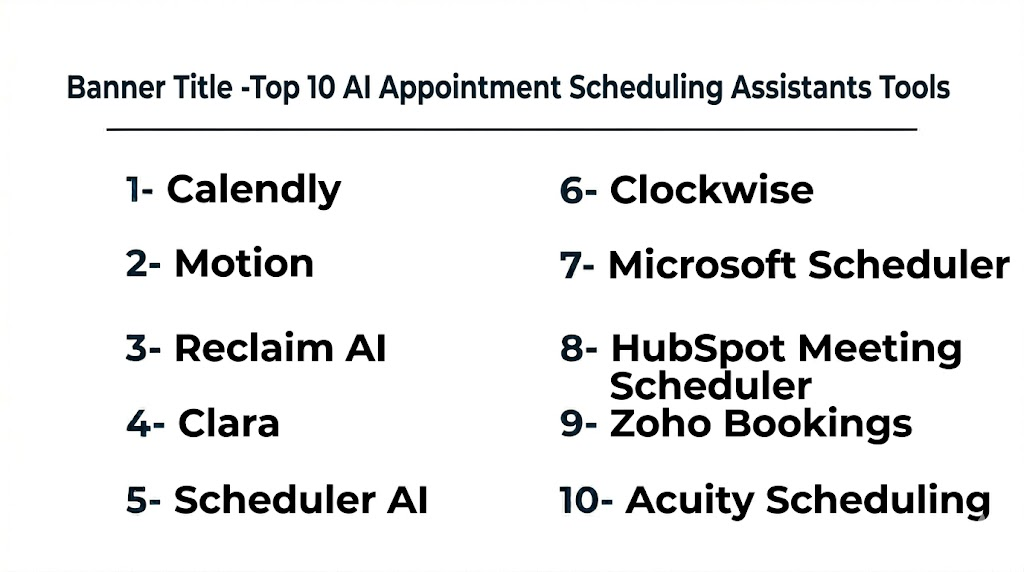
Top 10 AI Appointment Scheduling Assistants Tools
Top 10 Tools Name List
1- Calendly
2- Motion
3- Reclaim AI
4- Clara
5- Scheduler AI
6- Clockwise
7- Microsoft Scheduler
8- HubSpot Meeting Scheduler
9- Zoho Bookings
10- Acuity Scheduling
1- Calendly
One-line verdict: Best for businesses needing simple, scalable, and highly reliable appointment automation.
Calendly is one of the most widely used scheduling platforms globally. It helps teams automate meeting booking, calendar sharing, reminders, and scheduling coordination across multiple workflows.
Standout Capabilities
- Self-service booking pages
- Round-robin scheduling
- Workflow automation
- Automated reminders
- Team scheduling
- CRM integrations
- Payment collection support
AI-Specific Depth
- Model support: Proprietary workflow intelligence
- RAG / knowledge integration: N/A
- Evaluation: Scheduling analytics available
- Guardrails: Role permissions and admin controls
- Observability: Usage and scheduling analytics dashboards
Pros
- Easy to deploy
- Strong ecosystem integrations
- Excellent usability
Cons
- Advanced customization may require premium plans
- Less AI depth than newer AI-native platforms
- Enterprise governance varies by plan
Security & Compliance
Supports SSO, RBAC, encryption, and enterprise admin controls. Additional certifications vary.
Deployment & Platforms
- Web
- iOS
- Android
- Cloud deployment
Integrations & Ecosystem
Calendly integrates with productivity and CRM ecosystems extensively.
- Google Calendar
- Microsoft Outlook
- Zoom
- Salesforce
- HubSpot
- Slack
- APIs
Pricing Model
Freemium and tiered SaaS subscription pricing.
Best-Fit Scenarios
- Sales meeting booking
- Client appointment scheduling
- SMB workflow automation
2- Motion
One-line verdict: Best for AI-powered calendar optimization and intelligent daily scheduling workflows.
Motion combines calendar management, scheduling automation, and AI productivity optimization into a single platform designed for professionals and teams.
Standout Capabilities
- AI task prioritization
- Intelligent calendar optimization
- Dynamic scheduling
- Conflict management
- Automated task planning
- Team coordination
- Productivity analytics
AI-Specific Depth
- Model support: Proprietary AI scheduling models
- RAG / knowledge integration: N/A
- Evaluation: Productivity analytics supported
- Guardrails: Workspace admin controls
- Observability: Scheduling and productivity dashboards
Pros
- Excellent AI calendar optimization
- Strong productivity workflows
- Good usability
Cons
- Smaller ecosystem than enterprise competitors
- Limited enterprise customization
- Best suited for productivity-focused teams
Security & Compliance
Workspace permissions and enterprise controls supported.
Deployment & Platforms
- Web platform
- macOS
- Windows
- Mobile apps
Integrations & Ecosystem
- Google Calendar
- Outlook
- Zoom
- Slack
- Task management platforms
Pricing Model
Subscription-based pricing.
Best-Fit Scenarios
- Productivity optimization
- Executive scheduling
- Team coordination workflows
3- Reclaim AI
One-line verdict: Best for AI-driven time management and automatic calendar balancing.
Reclaim AI focuses on intelligent scheduling automation for meetings, tasks, focus time, and productivity management.
Standout Capabilities
- AI calendar balancing
- Automatic focus time scheduling
- Smart meeting prioritization
- Habit scheduling
- Productivity analytics
- Calendar conflict resolution
- Team synchronization
AI-Specific Depth
- Model support: Proprietary AI optimization
- RAG / knowledge integration: N/A
- Evaluation: Productivity metrics available
- Guardrails: Admin and sharing controls
- Observability: Calendar analytics dashboards
Pros
- Strong productivity automation
- Excellent calendar optimization
- Good hybrid work support
Cons
- Less customer-facing scheduling depth
- Limited enterprise governance
- Best for internal productivity workflows
Security & Compliance
Encryption and workspace controls supported.
Deployment & Platforms
- Web platform
- Cloud deployment
Integrations & Ecosystem
- Google Calendar
- Slack
- Zoom
- Task management platforms
Pricing Model
Freemium and subscription pricing.
Best-Fit Scenarios
- Team productivity optimization
- Focus time management
- Hybrid work scheduling
4- Clara
One-line verdict: Best for executive-level AI scheduling assistance with conversational workflows.
Clara operates like a virtual executive assistant capable of coordinating meetings through conversational email interactions.
Standout Capabilities
- Conversational scheduling
- Email-based coordination
- Executive assistant workflows
- Time-zone handling
- Scheduling conflict management
- Human-assisted AI workflows
- Personalized communication
AI-Specific Depth
- Model support: Proprietary conversational AI
- RAG / knowledge integration: N/A
- Evaluation: Workflow analytics vary
- Guardrails: Human review supported
- Observability: Scheduling workflow visibility
Pros
- Human-like scheduling experience
- Excellent executive coordination
- Strong email workflows
Cons
- Higher premium pricing
- Less suited for SMB scale automation
- Limited broader workflow ecosystem
Security & Compliance
Enterprise controls vary by deployment.
Deployment & Platforms
- Cloud deployment
- Email-driven workflows
- Web access
Integrations & Ecosystem
- Google Calendar
- Outlook
- Email platforms
- Productivity tools
Pricing Model
Premium subscription pricing.
Best-Fit Scenarios
- Executive scheduling
- Investor meetings
- High-touch coordination workflows
5- Scheduler AI
One-line verdict: Best for conversational AI-driven scheduling and customer engagement automation.
Scheduler AI uses conversational AI to automate appointment booking and customer interaction workflows across multiple communication channels.
Standout Capabilities
- Conversational AI scheduling
- SMS and chat scheduling
- Automated follow-ups
- Lead qualification workflows
- AI-powered reminders
- Omnichannel booking
- Workflow automation
AI-Specific Depth
- Model support: Proprietary conversational AI
- RAG / knowledge integration: CRM integrations supported
- Evaluation: Workflow analytics available
- Guardrails: Admin controls supported
- Observability: Operational dashboards
Pros
- Strong conversational workflows
- Omnichannel scheduling support
- Good automation depth
Cons
- Newer ecosystem maturity
- Enterprise scalability varies
- Advanced customization may require setup support
Security & Compliance
Workspace security controls supported.
Deployment & Platforms
- Cloud platform
- Web and mobile support
Integrations & Ecosystem
- CRM platforms
- SMS systems
- Email platforms
- APIs
- Calendar systems
Pricing Model
Subscription-based SaaS pricing.
Best-Fit Scenarios
- Customer scheduling automation
- Lead qualification workflows
- Conversational booking systems
6- Clockwise
One-line verdict: Best for intelligent team calendar optimization and focus time protection.
Clockwise helps organizations optimize team calendars automatically while reducing meeting conflicts and protecting productivity time.
Standout Capabilities
- AI-powered calendar optimization
- Focus time protection
- Team scheduling coordination
- Conflict reduction
- Flexible meeting automation
- Productivity analytics
- Smart availability management
AI-Specific Depth
- Model support: Proprietary AI optimization
- RAG / knowledge integration: N/A
- Evaluation: Productivity analytics available
- Guardrails: Workspace controls supported
- Observability: Scheduling insights dashboards
Pros
- Excellent focus-time management
- Strong team coordination
- Good usability
Cons
- Less customer-facing scheduling functionality
- Limited CRM workflow depth
- Enterprise governance varies
Security & Compliance
Enterprise security controls supported.
Deployment & Platforms
- Web platform
- Cloud deployment
Integrations & Ecosystem
- Google Calendar
- Slack
- Zoom
- Productivity tools
Pricing Model
Freemium and subscription pricing.
Best-Fit Scenarios
- Team productivity optimization
- Meeting conflict reduction
- Hybrid workplace scheduling
7- Microsoft Scheduler
One-line verdict: Best for Microsoft ecosystem organizations needing integrated scheduling automation.
Microsoft Scheduler integrates AI scheduling assistance directly into Microsoft productivity ecosystems and collaboration workflows.
Standout Capabilities
- Microsoft ecosystem integration
- AI scheduling assistance
- Calendar automation
- Teams meeting coordination
- Workflow automation
- Enterprise productivity integration
- Availability optimization
AI-Specific Depth
- Model support: Microsoft AI ecosystem
- RAG / knowledge integration: Microsoft ecosystem integrations
- Evaluation: Productivity analytics available
- Guardrails: Microsoft governance controls
- Observability: Microsoft admin analytics
Pros
- Excellent Microsoft integration
- Strong enterprise scalability
- Familiar user experience
Cons
- Best suited for Microsoft-first organizations
- Limited flexibility outside ecosystem
- Advanced AI customization varies
Security & Compliance
Leverages Microsoft enterprise security infrastructure.
Deployment & Platforms
- Web
- Windows
- Mobile apps
- Cloud deployment
Integrations & Ecosystem
- Microsoft Teams
- Outlook
- Microsoft 365
- Power Platform
- APIs
Pricing Model
Enterprise productivity licensing.
Best-Fit Scenarios
- Microsoft-first enterprises
- Corporate scheduling workflows
- Team collaboration management
8- HubSpot Meeting Scheduler
One-line verdict: Best for sales and marketing teams needing CRM-connected scheduling automation.
HubSpot Meeting Scheduler simplifies customer meeting coordination directly within the HubSpot CRM ecosystem.
Standout Capabilities
- CRM-linked scheduling
- Sales workflow automation
- Automated reminders
- Meeting analytics
- Team availability coordination
- Lead capture workflows
- Booking automation
AI-Specific Depth
- Model support: HubSpot AI ecosystem
- RAG / knowledge integration: CRM-native integrations
- Evaluation: CRM reporting workflows
- Guardrails: Workspace permissions
- Observability: CRM analytics dashboards
Pros
- Strong CRM integration
- Excellent sales workflows
- Easy deployment
Cons
- Best for HubSpot users
- Limited enterprise AI depth
- Workflow complexity varies
Security & Compliance
Enterprise access controls and workspace permissions supported.
Deployment & Platforms
- Cloud platform
- Web and mobile support
Integrations & Ecosystem
- HubSpot CRM
- Zoom
- Google Calendar
- Outlook
- APIs
Pricing Model
Freemium and subscription pricing.
Best-Fit Scenarios
- Sales pipeline scheduling
- Marketing consultations
- CRM-driven workflows
9- Zoho Bookings
One-line verdict: Best for SMBs needing affordable appointment automation within the Zoho ecosystem.
Zoho Bookings helps businesses automate customer scheduling, reminders, staff availability, and booking workflows.
Standout Capabilities
- Appointment automation
- Staff scheduling
- Time-zone management
- Automated reminders
- Customer self-booking
- Payment integrations
- Workflow customization
AI-Specific Depth
- Model support: Workflow automation intelligence
- RAG / knowledge integration: Zoho ecosystem integrations
- Evaluation: Operational reporting available
- Guardrails: Role-based permissions
- Observability: Booking analytics dashboards
Pros
- Affordable pricing
- Good SMB flexibility
- Strong Zoho ecosystem integration
Cons
- Limited advanced AI intelligence
- Smaller enterprise ecosystem
- Complex workflows may require customization
Security & Compliance
Supports enterprise admin controls and encryption.
Deployment & Platforms
- Cloud deployment
- Web and mobile support
Integrations & Ecosystem
- Zoho CRM
- Google Calendar
- Microsoft Outlook
- Payment platforms
- APIs
Pricing Model
Tiered subscription pricing.
Best-Fit Scenarios
- SMB appointment booking
- Service business scheduling
- Zoho ecosystem users
10- Acuity Scheduling
One-line verdict: Best for service businesses needing flexible customer booking and scheduling workflows.
Acuity Scheduling provides appointment booking automation, client self-scheduling, reminders, and workflow management for service-oriented businesses.
Standout Capabilities
- Client self-booking
- Appointment reminders
- Time-zone intelligence
- Payment collection
- Group scheduling
- Workflow automation
- Calendar synchronization
AI-Specific Depth
- Model support: Workflow automation intelligence
- RAG / knowledge integration: N/A
- Evaluation: Scheduling analytics available
- Guardrails: Admin permissions supported
- Observability: Reporting dashboards
Pros
- Strong customer booking experience
- Flexible workflow configuration
- Good service business support
Cons
- Less enterprise-focused
- Limited advanced AI features
- Smaller operational analytics depth
Security & Compliance
Encryption and admin controls supported.
Deployment & Platforms
- Web platform
- Mobile support
- Cloud deployment
Integrations & Ecosystem
- Google Calendar
- Zoom
- Stripe
- Outlook
- APIs
Pricing Model
Subscription-based pricing.
Best-Fit Scenarios
- Service business scheduling
- Customer appointment management
- SMB booking automation
Comparison Table
| Tool Name | Best For | Deployment | Model Flexibility | Strength | Watch-Out | Public Rating |
|---|---|---|---|---|---|---|
| Calendly | General scheduling automation | Cloud | Proprietary | Ease of use | Limited advanced AI | N/A |
| Motion | AI productivity optimization | Cloud | Proprietary | Smart calendar planning | Smaller ecosystem | N/A |
| Reclaim AI | Team productivity scheduling | Cloud | Proprietary | Calendar balancing | Limited customer workflows | N/A |
| Clara | Executive scheduling | Cloud | Proprietary | Conversational coordination | Premium pricing | N/A |
| Scheduler AI | Conversational booking | Cloud | Proprietary | Omnichannel automation | Newer ecosystem | N/A |
| Clockwise | Team calendar optimization | Cloud | Proprietary | Focus-time protection | Limited CRM depth | N/A |
| Microsoft Scheduler | Microsoft organizations | Cloud | Microsoft ecosystem | Enterprise integration | Ecosystem dependency | N/A |
| HubSpot Meeting Scheduler | Sales scheduling | Cloud | HubSpot ecosystem | CRM integration | Best for HubSpot users | N/A |
| Zoho Bookings | SMB scheduling | Cloud | Proprietary | Affordable automation | Limited advanced AI | N/A |
| Acuity Scheduling | Service businesses | Cloud | Proprietary | Customer booking flexibility | Less enterprise depth | N/A |
Scoring & Evaluation
The following scoring reflects relative strengths across scheduling automation, AI intelligence, integrations, governance, usability, and operational scalability. Organizations should still pilot platforms with real scheduling workflows before committing to large deployments.
| Tool | Core | Reliability/Eval | Guardrails | Integrations | Ease | Perf/Cost | Security/Admin | Support | Weighted Total |
|---|---|---|---|---|---|---|---|---|---|
| Calendly | 9 | 8 | 7 | 9 | 9 | 8 | 7 | 8 | 8.3 |
| Motion | 8 | 8 | 7 | 7 | 8 | 8 | 7 | 7 | 7.7 |
| Reclaim AI | 8 | 7 | 7 | 7 | 8 | 8 | 7 | 7 | 7.5 |
| Clara | 8 | 8 | 8 | 7 | 7 | 6 | 8 | 7 | 7.5 |
| Scheduler AI | 8 | 7 | 7 | 8 | 8 | 7 | 7 | 7 | 7.5 |
| Clockwise | 8 | 7 | 7 | 7 | 8 | 8 | 7 | 7 | 7.5 |
| Microsoft Scheduler | 8 | 8 | 8 | 9 | 8 | 7 | 9 | 8 | 8.2 |
| HubSpot Meeting Scheduler | 8 | 7 | 7 | 9 | 8 | 8 | 7 | 8 | 7.9 |
| Zoho Bookings | 7 | 7 | 7 | 7 | 8 | 9 | 7 | 7 | 7.5 |
| Acuity Scheduling | 7 | 7 | 7 | 7 | 8 | 8 | 7 | 7 | 7.3 |
Top 3 for Enterprise
- Calendly
- Microsoft Scheduler
- Clara
Top 3 for SMB
- Zoho Bookings
- Calendly
- Acuity Scheduling
Top 3 for Developers
- Scheduler AI
- Motion
- HubSpot Meeting Scheduler
Which AI Appointment Scheduling Assistant Is Right for You
Solo / Freelancer
Freelancers usually need simple self-booking workflows, reminders, and payment support. Calendly and Acuity Scheduling are practical options with minimal setup complexity.
SMB
SMBs should focus on automation depth, affordability, CRM integrations, and customer experience. Zoho Bookings and HubSpot Meeting Scheduler provide strong value for growing businesses.
Mid-Market
Mid-market teams often need advanced scheduling coordination, workflow automation, and productivity optimization. Motion and Reclaim AI are strong choices.
Enterprise
Large enterprises should prioritize governance, integration depth, security, and operational scalability. Calendly and Microsoft Scheduler are strong enterprise-grade solutions.
Regulated Industries
Healthcare and financial services organizations should focus on retention controls, auditability, and governance workflows before deploying AI scheduling automation.
Budget vs Premium
Budget-focused teams can use Zoho Bookings or Calendly effectively, while premium workflows such as executive scheduling may justify Clara’s higher pricing.
Build vs Buy
Organizations with internal engineering teams may build scheduling assistants using AI APIs and workflow engines, but most businesses benefit from buying mature scheduling ecosystems because calendar synchronization, reminders, and workflow reliability are difficult to maintain internally.
Implementation Playbook 30 60 90 Days
First 30 Days
- Define scheduling KPIs
- Integrate calendars and CRM systems
- Pilot automated booking workflows
- Configure reminders and notifications
- Test scheduling conflict scenarios
- Train staff on workflows
First 60 Days
- Implement governance controls
- Optimize booking workflows
- Expand integrations
- Configure AI automation rules
- Test no-show reduction workflows
- Establish reporting dashboards
First 90 Days
- Optimize scheduling efficiency
- Scale workflows across departments
- Monitor productivity metrics
- Improve AI automation quality
- Expand customer self-service capabilities
- Review cost and operational efficiency
Common Mistakes & How to Avoid Them
- Using scheduling automation without calendar governance
- Ignoring time-zone handling
- Failing to configure reminder workflows
- Over-automating customer interactions
- Underestimating integration complexity
- Choosing tools without mobile support
- Ignoring booking analytics
- Not protecting executive focus time
- Deploying without admin permissions
- Failing to monitor no-show trends
- Ignoring customer self-service usability
- Underestimating workflow customization needs
FAQs
1. What is an AI appointment scheduling assistant?
AI appointment scheduling assistants automate meeting coordination, reminders, rescheduling, and booking workflows using artificial intelligence.
2. Can these tools integrate with Google Calendar and Outlook?
Yes. Most leading platforms support Google Calendar, Outlook, and Microsoft 365 integrations.
3. Are AI scheduling assistants suitable for healthcare?
Yes. Many healthcare providers use these tools for appointment reminders, scheduling automation, and patient coordination.
4. Do these platforms support mobile devices?
Most major platforms provide mobile apps or mobile-friendly interfaces.
5. Can AI assistants automatically reschedule meetings?
Many modern platforms support automated rescheduling and conflict management workflows.
6. Are these tools useful for sales teams?
Yes. Sales organizations use scheduling assistants to automate lead meeting coordination and improve booking conversion rates.
7. How do AI scheduling assistants reduce no-shows?
They automate reminders, confirmations, follow-ups, and scheduling communication workflows.
8. Can these tools handle multiple time zones?
Most enterprise-grade scheduling assistants include automatic time-zone conversion and coordination features.
9. Are there self-hosted scheduling platforms available?
Most leading tools are cloud-based, although deployment flexibility varies by vendor.
10. What is the biggest implementation challenge?
Calendar synchronization and workflow integration are usually the most common implementation challenges.
11. Do scheduling assistants support team-based booking?
Yes. Many platforms support round-robin scheduling, shared availability, and group coordination workflows.
12. What industries benefit most from AI scheduling assistants?
Healthcare, consulting, SaaS, education, recruitment, customer support, and service businesses benefit heavily from scheduling automation.
Conclusion
AI Appointment Scheduling Assistants are evolving from simple booking tools into intelligent workflow automation platforms capable of optimizing calendars, improving customer experience, automating reminders, and supporting large-scale scheduling operations. Modern platforms now combine conversational AI, predictive scheduling, productivity optimization, and omnichannel communication into unified experiences that reduce operational friction significantly. The best solution depends on business size, workflow complexity, integration requirements, and governance expectations. Enterprise organizations may prioritize ecosystem integration, observability, and scalability, while SMBs often value affordability, simplicity, and deployment speed. Buyers should carefully evaluate automation depth, calendar synchronization reliability, security controls, mobile accessibility, and AI workflow quality before selecting a platform. The most effective approach is to shortlist a few platforms, pilot real-world scheduling workflows, validate integrations and governance controls, and then scale deployment gradually across teams and customer-facing operations.

Find Trusted Cardiac Hospitals
Compare heart hospitals by city and services — all in one place.
Explore Hospitals
The article is useful for comparing AI scheduling tools, but in real-world use the real challenge is not booking meetings—it’s handling real-life edge cases like reschedules, time zone conflicts, no-shows, and integration issues with calendars and CRMs. Many tools also fail when workflows become complex across teams or when human approval is still needed. A more practical view is to ensure these assistants are tightly integrated with business systems and have clear fallback rules for exceptions so scheduling doesn’t break in real operations.