
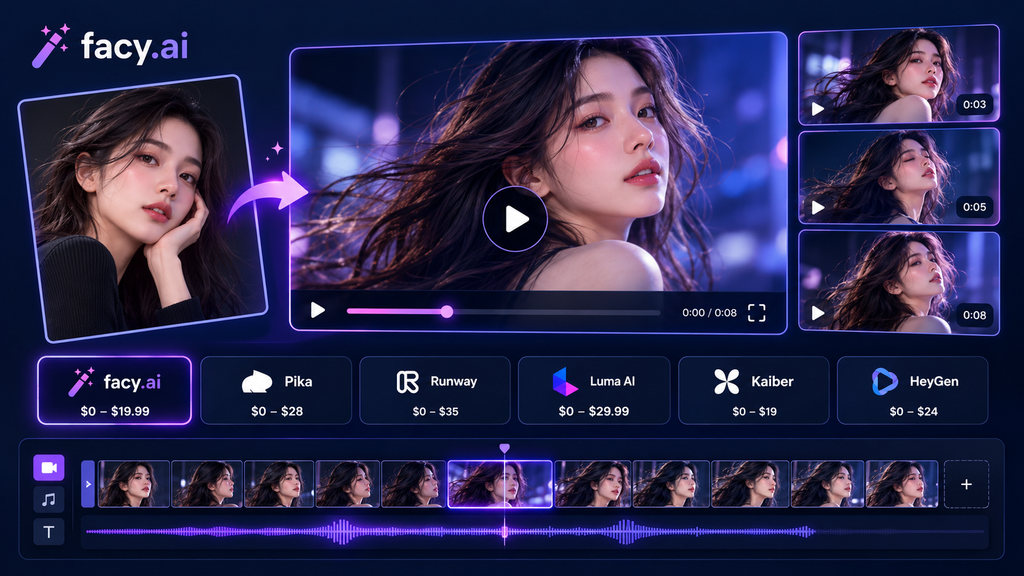
Content pipelines now treat a photo library as raw material. Feed an image and a short motion prompt into a generator, and a clip comes back in minutes, with no camera, crew or editing timeline involved. That is why teams keep looking for an image to video ai free option to test before they budget for a shoot. The category is crowded, though, and sticker prices rarely tell the full story, because credits, resolution limits and retries all change what a usable clip costs. This guide compares five platforms on features, pricing and fit, using each vendor’s published plans. One rule applies to all of them: only animate images you own or have permission to use.
What should you look for in an AI image to video generator?
An AI image to video generator takes a still image as the first frame and synthesizes motion from a text prompt. Five criteria separate the options:
- Inputs and models: file size limits and how many models you can choose from.
- Speed: clip time and retry rate.
- Free access: whether you can test before paying.
- Cost per kept clip: monthly price divided by the clips you actually use.
- Consent controls: whether the tool asks you to confirm rights at upload.
Which platforms lead the category?
1. Facy.ai: best for testing image to video ai free online
- Features: upload one image up to 20 MB, pick Vid 3.0 Pro, Vid 2 Fast or Vid 1, and optionally let the tool improve your prompt. Jobs take roughly 30 seconds to five minutes.
- Pricing: a free plan at $0 plus free credits after sign-in. Basic costs $19.99 for one month of access, shown as a discounted price at the time of writing.
- Best for: quick first tests and short product or social clips.
- Watch out: you must confirm you hold the rights to the image before generating.
2. Runway: best for editors who want depth
- Features: credit-based generation aimed at video editors and motion designers.
- Pricing: 125 one-time free credits. Standard is $12 per month billed annually ($15 monthly) for 625 credits.
- Watch out: the free credits do not refresh, so testing ends quickly.
3. Pika: best for a low entry price
- Features: text-to-video and image-to-video on a credit system.
- Pricing: 80 free credits per month. Standard is $8 per month billed annually ($10 monthly) for 700 credits.
- Watch out: the free plan limits Pika 2.5 to 480p, and retries burn credits.
4. Kling AI: best for daily free credits
- Features: image-to-video is a supported feature.
- Pricing: 66 free credits per day. Standard is $10 per month ($6.60 billed annually) for 660 credits.
- Watch out: daily free credits expire after 24 hours, so they cannot be banked.
5. Luma: best for higher-volume paid use
- Features: Dream Machine video generation inside Luma’s app.
- Pricing: Plus is $30 per month, Pro is $90 and Ultra is $300. Free access is limited trial credits and varies by account.
- Watch out: it has the highest entry price in this group.
How do the costs compare?
| Platform | Free access | Entry plan (monthly billing / annual, per month) |
|---|---|---|
| Facy.ai | Free plan plus sign-up credits | $19.99 (Basic, one month of access) |
| Kling AI | 66 credits per day | $10 / $6.60 |
| Pika | 80 credits per month | $10 / $8 |
| Runway | 125 one-time credits | $15 / $12 |
| Luma | Limited trial credits, varies | $30 / about $25 |
Prices reflect each vendor’s published plans at the time of writing and may change.
What does photo to video ai free really cover?
Free plans work as trials. Credits cap your retries, and some tiers limit resolution. So judge any tool by cost per kept clip: monthly price divided by the clips you keep. A $10 plan that yields 5 usable clips costs $2 each. A $19.99 plan that yields 10 costs about the same.
Which image to video generator fits your workflow?
- Testing an idea: start with the free plans in the table and compare output on the same photo.
- Steady monthly volume: compare the annual rates, since billing choice changes the entry price by several dollars.
How do you turn image into video with better results?
Use a sharp, well-lit source image and pair two things in the prompt: what moves, and what the camera does. For example: “Steam rises from the coffee cup, soft morning light, static shot.” If the camera drifts, add “static shot.”
What are the compliance basics?
Under the TAKE IT DOWN Act, covered platforms must remove nonconsensual intimate images within 48 hours of a request, and the law covers AI-generated deepfakes, according to the Federal Trade Commission. Three habits keep you on safe ground:
- Animate only your own images or ones you have clear permission to use.
- Never place a real person in a scene they did not agree to.
- Label AI clips when viewers could mistake them for real footage.
FAQ
What is an AI image to video generator?
It is software that animates a still image into a short clip.
Is there an ai image to video free option that works?
Yes, within limits. Facy.ai offers a free plan and sign-up credits, and Kling, Pika and Runway also include free credits.
How long does generation take?
Usually between 30 seconds and a few minutes, depending on the model and server load.
Should I label AI-generated clips?
Yes, whenever viewers could mistake them for real footage. Rules vary by platform and region, so check the ones that apply to you.
Can I animate a photo of someone else?
Only with their permission. Animating a real person without consent can cause real harm.
Conclusion
The best platform depends on how you work, not on the lowest sticker price. Test two or three free plans on the same image, measure cost per kept clip, and keep consent checks in your process. Pay attention to what the free tier actually limits, whether that is resolution, daily credits or a one-time allowance, because those limits decide how many retries you get. Start with the simplest workflow that gives you usable output, move to a paid plan only when the numbers justify it, and revisit the comparison every few months as plans change.

I’m Rajesh Kumar, a DevOps, SRE, DevSecOps, Cloud, and Platform Engineering expert passionate about sharing practical knowledge, real-world experiences, and industry best practices. I have worked at Cotocus and regularly write about technology, travel, investing, health, product reviews, and digital marketing through my various platforms.
I publish technical articles at DevOps School, travel stories at Holiday Landmark, stock market insights at Stocks Mantra, health and fitness guidance at My Medic Plus, product reviews at TrueReviewNow, and SEO and digital marketing strategies at Wizbrand.
Find Trusted Cardiac Hospitals
Compare heart hospitals by city and services — all in one place.
Explore Hospitals
One thing I would pay attention to when comparing image-to-video generation platforms is how well they preserve the original visual details throughout the animation. A generated video may look impressive at first, but product logos, facial features, clothing patterns, or background objects can gradually change between frames. This becomes especially noticeable when the output is intended for product advertising or professional brand content. I would test each platform using images with fine details and different camera movement requirements rather than relying only on its promotional examples. Consistency across the entire clip is just as important as producing realistic motion, particularly when the video needs to represent a real product accurately.