
Introduction
AI Exposure Management Analytics platforms help security teams continuously understand where their organization is exposed to cyber risk. These platforms bring together vulnerabilities, misconfigurations, cloud risks, identity weaknesses, attack paths, external attack surface gaps, endpoint posture, security control coverage, and business context into one risk-driven view. Instead of showing isolated alerts, they help teams understand which exposures are actually dangerous, which systems are most important, and which actions will reduce the most risk.
Why It Matters
Modern organizations use cloud platforms, SaaS tools, endpoints, APIs, identities, containers, applications, third-party services, and AI systems. This creates a large and changing attack surface. Traditional security tools often show disconnected findings, making it hard to know what should be fixed first. AI exposure management analytics matters because it helps security teams reduce noise, identify attack paths, validate real risk, prioritize remediation, and explain exposure in business language. It supports a shift from reactive vulnerability lists to continuous, threat-informed risk reduction.
Real World Use Cases
- Attack surface visibility: Discover exposed assets, unmanaged systems, vulnerable services, cloud resources, identities, and internet-facing risks.
- Risk-based prioritization: Identify which exposures create the highest business and security risk.
- Attack path analysis: Understand how attackers could move from exposed assets to sensitive systems or critical data.
- Cloud exposure analytics: Prioritize risks across cloud workloads, containers, Kubernetes, identities, storage, and configurations.
- Vulnerability context: Combine vulnerability severity with exploitability, asset criticality, exposure, and threat intelligence.
- Security control validation: Identify gaps in endpoint protection, patch coverage, configuration enforcement, and monitoring.
- Executive risk reporting: Translate technical exposure into clear business risk dashboards and measurable trends.
- Remediation orchestration: Assign owners, track fixes, manage exceptions, and measure risk reduction over time.
Evaluation Criteria for Buyers
- Exposure visibility: The platform should discover assets, identities, vulnerabilities, cloud risks, external exposures, and control gaps.
- AI analytics quality: Buyers should check whether AI is used for prioritization, correlation, attack path mapping, summaries, and remediation guidance.
- Risk scoring: The tool should combine technical severity, exploitability, asset importance, business impact, and exposure.
- Attack path context: Strong platforms show how different weaknesses connect into exploitable chains.
- Cloud and identity coverage: Buyers should review support for cloud accounts, IAM permissions, workloads, Kubernetes, and SaaS exposure.
- Threat intelligence: Prioritization should include active exploitation, attacker behavior, public exploits, and known threat campaigns.
- Remediation workflows: The tool should help assign owners, create tickets, track SLAs, and verify fixes.
- Integrations: Look for SIEM, SOAR, EDR, XDR, ITSM, CNAPP, vulnerability scanners, CSPM, CI CD, and ticketing integrations.
- Governance and auditability: Buyers need role-based access, audit logs, exceptions, retention controls, and reporting history.
- Ease of use: Security teams should be able to understand exposure insights quickly without heavy manual data work.
- Scalability: The platform should handle large asset volumes and changing environments.
- Reporting quality: Dashboards should work for analysts, engineers, managers, executives, and auditors.
Best for: CISOs, security operations teams, vulnerability management teams, cloud security teams, DevSecOps teams, exposure management teams, MSSPs, enterprise risk teams, and organizations that need continuous visibility into cyber exposure across complex environments.
Not ideal for: Very small businesses with limited assets, teams that only need a basic vulnerability scanner, organizations without clear remediation ownership, or companies that are not ready to connect exposure insights with real security operations and engineering workflows.
What Changed in AI Exposure Management Analytics
- Exposure management is moving beyond vulnerability scanning: Teams now need visibility into vulnerabilities, identities, cloud paths, misconfigurations, external assets, and control gaps together.
- AI is helping reduce alert noise: Platforms increasingly use analytics to group related findings, summarize risk, and highlight the most important remediation actions.
- Attack path analysis is becoming central: Buyers want to know how exposures connect and whether attackers can reach critical assets.
- Cloud and identity risk are now core: Cloud permissions, workload exposure, Kubernetes configuration, and identity paths can create serious risk even without a traditional vulnerability.
- Business context is more important: Security leaders want to know which exposure affects revenue systems, sensitive data, critical operations, or regulated assets.
- Continuous validation is growing: Teams want to verify whether controls work and whether remediation actually reduces exposure.
- AI system exposure is now a concern: Organizations need visibility into shadow AI, AI tools, data leakage risk, and AI-related access exposure.
- Governance expectations are rising: Audit logs, exception tracking, retention settings, and role-based access are becoming standard evaluation needs.
- Remediation workflow quality matters more: A platform is only useful if it helps teams fix issues, assign owners, and track progress.
- Executives want risk reduction metrics: Security leaders need measurable exposure reduction, not only vulnerability counts.
- Integration-first platforms are preferred: Exposure management works best when connected to scanners, cloud tools, identity systems, SIEM, SOAR, ITSM, and EDR.
- Human review still matters: AI can prioritize and summarize, but business-critical remediation decisions still need expert validation.
Quick Buyer Checklist
- Confirm whether the platform discovers internal and external assets.
- Check whether it supports cloud, identity, endpoint, SaaS, container, and application exposure.
- Test whether risk scores explain why an issue matters.
- Review attack path analytics and whether paths are clear enough for remediation teams.
- Confirm whether the platform uses exploit intelligence and threat activity context.
- Check whether AI outputs are explainable and auditable.
- Validate privacy, retention, encryption, access controls, and admin permissions.
- Review integrations with SIEM, SOAR, EDR, XDR, ITSM, CNAPP, scanners, and ticketing tools.
- Check whether remediation actions can be assigned to owners.
- Confirm whether dashboards support executives, analysts, and engineering teams.
- Test scalability using real asset and vulnerability data.
- Review export options and vendor lock-in risk.
- Validate whether the tool supports exception management and risk acceptance.
- Run a pilot before committing to a full rollout.
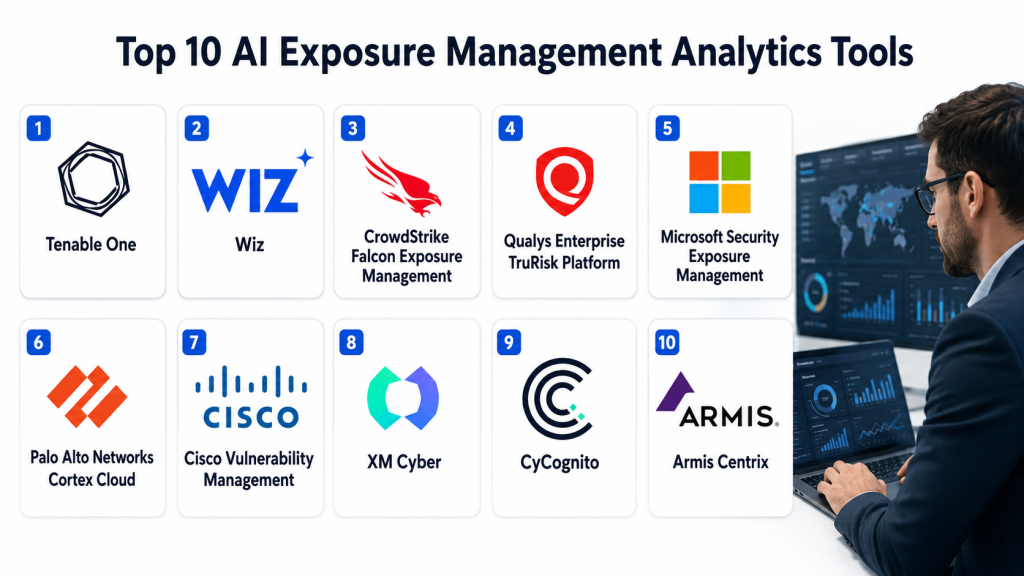
Top 10 AI Exposure Management Analytics Tools
1- Tenable One
2- Wiz
3- CrowdStrike Falcon Exposure Management
4- Qualys Enterprise TruRisk Platform
5- Microsoft Security Exposure Management
6- Palo Alto Networks Cortex Cloud
7- Cisco Vulnerability Management
8- XM Cyber
9- CyCognito
10- Armis Centrix
1- Tenable One
One-line verdict: Best for enterprises needing unified exposure analytics across assets, identities, vulnerabilities, and attack paths.
Short description:
Tenable One is an exposure management platform that helps organizations understand and reduce cyber risk across IT assets, cloud environments, identities, vulnerabilities, and attack paths. It is useful for security teams that want a broad risk-based view of exposure rather than separate scanner outputs.
Standout Capabilities
- Unified exposure management across multiple asset types
- Risk-based vulnerability and exposure prioritization
- Attack path visibility and context
- Asset criticality and business risk scoring
- Executive dashboards for cyber exposure reporting
- Support for AI exposure visibility in supported environments
- Identity and cloud exposure context
- Prioritization based on risk reduction impact
AI-Specific Depth
- Model support: Proprietary analytics and risk models
- RAG and knowledge integration: Varies / N/A
- Evaluation: Not publicly stated
- Guardrails: Role-based access and policy controls vary by configuration
- Observability: Exposure dashboards, risk scores, attack paths, asset views, and remediation metrics
Pros
- Strong enterprise exposure management coverage
- Useful for risk-based prioritization across complex environments
- Good fit for executive reporting and security leadership dashboards
Cons
- May be too advanced for small teams
- Requires strong asset inventory and clean security data
- Full value depends on integration depth and program maturity
Security and Compliance
Tenable provides enterprise security controls across its platform, including administrative access controls and security governance features. Exact SSO, RBAC, audit logging, encryption, data retention, residency, and certification details should be verified during procurement. If not confirmed, write Not publicly stated.
Deployment and Platforms
- Cloud-based platform
- Enterprise management console
- Supports vulnerability, exposure, identity, cloud, and asset analytics workflows
- Deployment details vary by customer environment and product package
Integrations and Ecosystem
Tenable One is designed to connect exposure analytics with security operations and risk management workflows.
- Tenable vulnerability products
- Cloud security context
- Identity exposure context
- SIEM workflows
- ITSM and ticketing systems
- API access
- Executive reporting dashboards
Pricing Model
Typically enterprise subscription-based. Pricing varies by modules, assets, and contract scope. Exact pricing is Not publicly stated.
Best-Fit Scenarios
- Enterprises building a continuous exposure management program
- Security leaders needing risk-based dashboards
- Teams prioritizing vulnerabilities, identities, and attack paths together
2- Wiz
One-line verdict: Best for cloud-first organizations needing exposure analytics across workloads, identities, data, and attack paths.
Short description:
Wiz is a cloud security platform that helps teams identify and prioritize exposure across cloud environments, containers, Kubernetes, identities, data, and configurations. It is useful for cloud-native organizations that need to understand how vulnerabilities, permissions, misconfigurations, and sensitive data combine into attack paths.
Standout Capabilities
- Cloud exposure analytics across workloads and services
- Security graph for attack path visibility
- Agentless cloud visibility
- Vulnerability prioritization with exposure context
- Cloud identity and permission risk analysis
- Kubernetes and container exposure detection
- Data exposure and sensitive asset context
- Remediation workflows for cloud and DevOps teams
AI-Specific Depth
- Model support: Proprietary analytics and security graph intelligence
- RAG and knowledge integration: Varies / N/A
- Evaluation: Not publicly stated
- Guardrails: Policy rules and administrative controls vary by configuration
- Observability: Cloud risk graph, exposure paths, vulnerability context, dashboards, and remediation tracking
Pros
- Strong cloud-native exposure visibility
- Helps prioritize risks based on reachability and attack paths
- Good fit for cloud, DevOps, and security collaboration
Cons
- Best suited for cloud-heavy environments
- Not a full replacement for every traditional endpoint or network security tool
- Requires cloud account access and configuration for full coverage
Security and Compliance
Wiz provides enterprise cloud security controls and administrative features. Exact SSO, RBAC, audit logs, encryption, retention, residency, and certification details should be verified during procurement. If unverified, use Not publicly stated.
Deployment and Platforms
- Cloud-based platform
- Agentless cloud connection
- Supports public cloud environments
- Kubernetes and container support
- API and workflow integrations
Integrations and Ecosystem
Wiz connects cloud exposure analytics with DevOps, security operations, and remediation workflows.
- Cloud providers
- Kubernetes environments
- Container registries
- CI CD workflows
- Ticketing systems
- SIEM integrations
- SOAR workflows
Pricing Model
Typically subscription-based and based on cloud environment scope or workload coverage. Exact pricing is Not publicly stated.
Best-Fit Scenarios
- Cloud-first enterprises managing multi-cloud exposure
- Teams needing attack path-based cloud risk prioritization
- DevSecOps teams connecting cloud risk with remediation workflows
3- CrowdStrike Falcon Exposure Management
One-line verdict: Best for organizations using Falcon that need threat-informed exposure analytics and prioritization.
Short description:
CrowdStrike Falcon Exposure Management helps organizations identify, prioritize, and reduce security exposure across assets, vulnerabilities, and threat context. It is useful for teams that want exposure insights connected to endpoint intelligence, adversary context, and broader Falcon security workflows.
Standout Capabilities
- Risk-based exposure prioritization
- Threat-informed vulnerability and asset context
- Integration with Falcon security ecosystem
- Endpoint-driven exposure visibility
- Asset and attack surface insights
- Remediation recommendations
- Executive and operational reporting
- Alignment with XDR and security operations workflows
AI-Specific Depth
- Model support: Proprietary analytics and intelligence-driven scoring
- RAG and knowledge integration: Varies / N/A
- Evaluation: Not publicly stated
- Guardrails: Administrative controls and workflow permissions vary by configuration
- Observability: Exposure dashboards, asset context, vulnerability findings, and remediation metrics
Pros
- Strong fit for CrowdStrike customers
- Useful threat intelligence context for prioritization
- Supports modern exposure management workflows
Cons
- Best value depends on Falcon ecosystem adoption
- May require mature security operations processes
- Pricing and package details vary
Security and Compliance
CrowdStrike provides enterprise security capabilities across its platform. Exact SSO, RBAC, audit logs, encryption, data retention, residency, and certification details should be verified directly. If not confirmed, use Not publicly stated.
Deployment and Platforms
- Cloud-based platform
- Web console
- Endpoint and exposure analytics workflows
- API and integration options
- Deployment depends on Falcon environment
Integrations and Ecosystem
CrowdStrike Falcon Exposure Management works best inside the broader Falcon ecosystem.
- Falcon platform
- Endpoint security workflows
- XDR workflows
- SIEM integrations
- SOAR workflows
- ITSM and ticketing tools
- Threat intelligence context
Pricing Model
Typically subscription-based and enterprise-tiered. Exact pricing depends on package and agreement. Exact pricing is Not publicly stated.
Best-Fit Scenarios
- Enterprises already using CrowdStrike Falcon
- Security teams needing threat-informed exposure prioritization
- SOC teams connecting exposure analytics with endpoint security
4- Qualys Enterprise TruRisk Platform
One-line verdict: Best for large organizations needing risk scoring, asset visibility, and vulnerability exposure analytics.
Short description:
Qualys Enterprise TruRisk Platform helps organizations discover assets, assess vulnerabilities, calculate risk, and track remediation across large environments. It is useful for teams that need vulnerability exposure analytics connected with asset inventory, risk scoring, compliance reporting, and remediation workflows.
Standout Capabilities
- Asset discovery and inventory
- Risk-based vulnerability prioritization
- TruRisk scoring approach
- Cloud agent and scanner support
- Patch and remediation workflows
- Compliance and reporting features
- External and internal exposure visibility
- Enterprise dashboards for risk tracking
AI-Specific Depth
- Model support: Proprietary scoring, analytics, and risk models
- RAG and knowledge integration: Varies / N/A
- Evaluation: Not publicly stated
- Guardrails: Policy-based controls and administrative settings vary by configuration
- Observability: Asset risk scores, vulnerability trends, dashboards, remediation progress, and reporting
Pros
- Strong foundation for enterprise vulnerability and exposure management
- Scales well across large asset environments
- Good reporting and remediation tracking capabilities
Cons
- Configuration can be complex for smaller teams
- Full value depends on accurate asset coverage
- User experience may require training for non-specialists
Security and Compliance
Qualys provides enterprise-grade platform security capabilities, including administrative controls and security management features. Exact SSO, RBAC, audit logs, encryption, residency, retention, and certifications should be verified directly. If unverified, use Not publicly stated.
Deployment and Platforms
- Cloud-based platform
- Cloud agents
- Scanner appliances
- API-based workflows
- Enterprise dashboards
Integrations and Ecosystem
Qualys Enterprise TruRisk Platform supports exposure analytics through asset, vulnerability, patching, and compliance workflows.
- Qualys cloud platform modules
- ITSM and ticketing systems
- SIEM workflows
- Patch management workflows
- Cloud asset inventory
- API integrations
- Compliance reporting
Pricing Model
Typically subscription-based and asset-based. Exact pricing varies by module, asset count, and agreement. Exact pricing is Not publicly stated.
Best-Fit Scenarios
- Enterprises needing scalable risk-based exposure management
- Teams that want asset discovery and vulnerability prioritization together
- Organizations with compliance and reporting requirements
5- Microsoft Security Exposure Management
One-line verdict: Best for Microsoft security teams needing exposure analytics across identities, devices, cloud, and workloads.
Short description:
Microsoft Security Exposure Management helps organizations understand exposure across Microsoft security data, identities, endpoints, cloud resources, and workloads. It is useful for teams already using Microsoft Defender, Microsoft Sentinel, Microsoft Entra, and related tools that want exposure insights connected to their existing ecosystem.
Standout Capabilities
- Exposure management across Microsoft security signals
- Attack path and asset exposure context
- Identity and endpoint risk visibility
- Integration with Microsoft Defender ecosystem
- Prioritization based on security posture and exposure
- Security initiative tracking
- Recommendations for risk reduction
- Support for executive and operational views
AI-Specific Depth
- Model support: Proprietary Microsoft analytics and AI-assisted security capabilities
- RAG and knowledge integration: Varies / N/A
- Evaluation: Not publicly stated
- Guardrails: Microsoft security policies, admin controls, and workflow permissions vary by configuration
- Observability: Exposure maps, security initiatives, asset context, recommendations, and dashboards
Pros
- Strong fit for Microsoft-centered security programs
- Useful identity, endpoint, cloud, and exposure context
- Good integration with Microsoft security operations tools
Cons
- Best value depends on Microsoft ecosystem adoption
- May not cover every third-party exposure source equally
- Licensing and availability can vary by plan
Security and Compliance
Microsoft provides enterprise security controls such as access management, encryption, administrative governance, and audit capabilities across its security products. Exact certifications, retention, residency, and feature availability depend on plan and configuration. If not verified, use Not publicly stated.
Deployment and Platforms
- Cloud-based Microsoft security platform
- Web console
- Integrated with Microsoft security ecosystem
- Endpoint, identity, and cloud visibility vary by configured products
Integrations and Ecosystem
Microsoft Security Exposure Management is strongest when connected to Microsoft security tools.
- Microsoft Defender
- Microsoft Defender XDR
- Microsoft Sentinel
- Microsoft Entra
- Microsoft cloud security tools
- APIs and automation
- Security recommendations and dashboards
Pricing Model
Typically subscription-based through Microsoft security licensing. Exact pricing depends on plan, bundle, and enterprise agreement. Exact pricing is Not publicly stated.
Best-Fit Scenarios
- Enterprises using Microsoft security products
- Teams needing exposure analytics across identities and endpoints
- Security leaders wanting Microsoft-native risk reduction views
6- Palo Alto Networks Cortex Cloud
One-line verdict: Best for cloud and security teams needing exposure analytics connected with cloud defense workflows.
Short description:
Palo Alto Networks Cortex Cloud helps organizations manage cloud security risk across workloads, applications, identities, vulnerabilities, and security operations. It is useful for cloud and enterprise security teams that want exposure analytics connected with cloud threat detection, posture management, and remediation workflows.
Standout Capabilities
- Cloud exposure and posture analytics
- Vulnerability and workload risk context
- Identity and permission risk visibility
- Application and cloud runtime context
- Threat detection and response alignment
- Policy-driven security operations
- Integration with Palo Alto Networks ecosystem
- Support for cloud risk prioritization
AI-Specific Depth
- Model support: Proprietary analytics and AI-assisted security capabilities
- RAG and knowledge integration: Varies / N/A
- Evaluation: Not publicly stated
- Guardrails: Policy controls and administrative settings vary by configuration
- Observability: Cloud posture dashboards, exposure views, risk insights, alerts, and remediation tracking
Pros
- Strong fit for Palo Alto Networks environments
- Connects cloud posture, exposure, and security operations
- Useful for enterprises with cloud and workload security needs
Cons
- Best value depends on Palo Alto ecosystem adoption
- May require security operations maturity
- Product packaging and capabilities may vary
Security and Compliance
Palo Alto Networks provides enterprise-grade security features across its products. Exact SSO, RBAC, audit logs, encryption, data retention, residency, and certifications should be verified directly. If not confirmed, write Not publicly stated.
Deployment and Platforms
- Cloud-based platform
- Cloud security and workload security workflows
- Web console
- API and ecosystem integrations
- Deployment varies by environment and product package
Integrations and Ecosystem
Cortex Cloud works best with Palo Alto Networks security and cloud protection workflows.
- Palo Alto Networks ecosystem
- Cloud providers
- SIEM and SOAR workflows
- Threat detection workflows
- Policy management
- APIs and automation
- Incident response workflows
Pricing Model
Typically subscription-based and enterprise-oriented. Exact pricing depends on product package and contract. Exact pricing is Not publicly stated.
Best-Fit Scenarios
- Enterprises using Palo Alto Networks security tools
- Cloud security teams needing exposure analytics and remediation
- Organizations connecting posture management with threat response
7- Cisco Vulnerability Management
One-line verdict: Best for teams needing risk-based exposure analytics and remediation prioritization from scanner data.
Short description:
Cisco Vulnerability Management helps organizations prioritize vulnerabilities and exposures using risk scoring, exploit context, asset value, and remediation impact. It is useful for teams that want to reduce vulnerability backlog noise and focus remediation on the exposures most likely to reduce business risk.
Standout Capabilities
- Risk-based vulnerability prioritization
- Predictive risk scoring
- Asset and business context
- Remediation planning insights
- Scanner data aggregation
- Risk reduction reporting
- SLA and workflow support
- Executive and operational dashboards
AI-Specific Depth
- Model support: Proprietary analytics and risk models
- RAG and knowledge integration: Varies / N/A
- Evaluation: Not publicly stated
- Guardrails: Role-based workflows and administrative controls vary by configuration
- Observability: Risk scores, vulnerability trends, remediation metrics, and prioritization evidence
Pros
- Strong focus on risk-based prioritization
- Useful for reducing vulnerability backlog noise
- Good fit for remediation planning and executive reporting
Cons
- Requires quality vulnerability and asset data
- Best value depends on integrations with existing scanners
- Platform fit should be validated through a pilot
Security and Compliance
Cisco provides enterprise security controls across its security portfolio. Exact SSO, RBAC, audit logs, encryption, retention, residency, and certification details for this platform should be verified during procurement. If not verified, use Not publicly stated.
Deployment and Platforms
- Cloud-based platform
- Web-based dashboards
- Scanner data integrations
- API and workflow support
- Deployment details vary by customer environment
Integrations and Ecosystem
Cisco Vulnerability Management supports exposure analytics by improving prioritization from existing vulnerability data sources.
- Vulnerability scanners
- ITSM tools
- Ticketing systems
- SIEM workflows
- Remediation workflows
- API integrations
- Cisco security ecosystem options
Pricing Model
Typically subscription-based and enterprise-focused. Exact pricing depends on contract and scope. Exact pricing is Not publicly stated.
Best-Fit Scenarios
- Organizations with large vulnerability backlogs
- Teams needing risk-based remediation planning
- Security leaders needing clear exposure reduction reporting
8- XM Cyber
One-line verdict: Best for attack path management and exposure analytics across hybrid enterprise environments.
Short description:
XM Cyber focuses on exposure management by identifying attack paths, toxic combinations, and ways attackers could move through an environment. It is useful for teams that want to understand how misconfigurations, identities, vulnerabilities, and controls combine into real exploitable paths.
Standout Capabilities
- Attack path management
- Exposure validation and prioritization
- Hybrid environment visibility
- Identity and permission risk context
- Misconfiguration and vulnerability correlation
- Critical asset path analysis
- Remediation guidance
- Continuous exposure reduction tracking
AI-Specific Depth
- Model support: Proprietary analytics and exposure modeling
- RAG and knowledge integration: Varies / N/A
- Evaluation: Not publicly stated
- Guardrails: Policy and access controls vary by configuration
- Observability: Attack path views, exposure maps, remediation priorities, and risk reduction tracking
Pros
- Strong attack path analysis focus
- Helps teams understand how exposures combine
- Useful for prioritizing fixes that block critical paths
Cons
- Requires quality asset and identity context
- May need skilled teams to operationalize attack path findings
- Pricing and deployment details vary
Security and Compliance
XM Cyber provides enterprise-oriented exposure management capabilities. Exact SSO, RBAC, audit logs, encryption, data retention, residency, and certifications should be verified during procurement. If unconfirmed, use Not publicly stated.
Deployment and Platforms
- Cloud and enterprise deployment options may vary
- Web-based interface
- Hybrid environment support
- Integration-driven exposure analytics
- Deployment details depend on customer setup
Integrations and Ecosystem
XM Cyber fits into exposure management, identity security, cloud security, and remediation planning workflows.
- Directory and identity systems
- Cloud environments
- Vulnerability tools
- SIEM workflows
- ITSM and ticketing systems
- Security operations workflows
- API-based integrations
Pricing Model
Typically enterprise subscription-based. Exact pricing depends on scope, deployment, and contract. Exact pricing is Not publicly stated.
Best-Fit Scenarios
- Enterprises needing attack path management
- Security teams prioritizing fixes around critical assets
- Hybrid environments with identity, cloud, and on-prem exposure risk
9- CyCognito
One-line verdict: Best for external attack surface exposure analytics and attacker-view risk discovery.
Short description:
CyCognito helps organizations discover and prioritize externally exposed assets, weaknesses, and attack surface risks. It is useful for teams that need an attacker’s view of public-facing systems, unknown assets, exposed services, and internet-facing risk.
Standout Capabilities
- External attack surface discovery
- Attacker-view exposure analytics
- Unknown and unmanaged asset detection
- Internet-facing vulnerability context
- Risk prioritization for exposed assets
- Business unit and ownership mapping
- Continuous attack surface monitoring
- Remediation workflow support
AI-Specific Depth
- Model support: Proprietary discovery and analytics models
- RAG and knowledge integration: Varies / N/A
- Evaluation: Not publicly stated
- Guardrails: Access controls and workflow policies vary by configuration
- Observability: External asset inventory, exposure findings, risk dashboards, and remediation tracking
Pros
- Strong external attack surface visibility
- Useful for discovering unknown exposed assets
- Helps prioritize internet-facing risk
Cons
- Focused mainly on external exposure rather than full internal security coverage
- Remediation depends on ownership mapping and team coordination
- May need integration with vulnerability and ITSM tools for full workflow value
Security and Compliance
CyCognito provides enterprise exposure management capabilities. Exact SSO, RBAC, audit logs, encryption, data retention, residency, and certifications should be verified directly. If not confirmed, use Not publicly stated.
Deployment and Platforms
- Cloud-based platform
- External attack surface analytics
- Web console
- Integration and workflow support
- Deployment varies by customer environment
Integrations and Ecosystem
CyCognito supports external exposure analytics and remediation workflows.
- ITSM tools
- Ticketing systems
- SIEM workflows
- Vulnerability management workflows
- Asset management workflows
- APIs
- Security operations reporting
Pricing Model
Typically subscription-based and enterprise-oriented. Exact pricing depends on attack surface scope and contract. Exact pricing is Not publicly stated.
Best-Fit Scenarios
- Organizations needing external attack surface visibility
- Security teams discovering unknown internet-facing assets
- Enterprises prioritizing exposed services and public attack paths
10- Armis Centrix
One-line verdict: Best for asset intelligence and exposure analytics across unmanaged, IoT, OT, medical, and enterprise devices.
Short description:
Armis Centrix helps organizations discover, classify, monitor, and prioritize risk across connected assets, including unmanaged devices, IoT, OT, medical devices, and traditional IT systems. It is useful for enterprises that need asset intelligence as a foundation for exposure management.
Standout Capabilities
- Comprehensive asset discovery
- Unmanaged device visibility
- IoT, OT, medical, and enterprise asset context
- Risk-based exposure analytics
- Vulnerability and control gap visibility
- Asset behavior and communication insights
- Integration with security and IT operations workflows
- Prioritization based on asset risk and business context
AI-Specific Depth
- Model support: Proprietary analytics and asset intelligence models
- RAG and knowledge integration: Varies / N/A
- Evaluation: Not publicly stated
- Guardrails: Administrative controls and workflow policies vary by configuration
- Observability: Asset inventory, risk dashboards, behavior insights, vulnerability context, and remediation metrics
Pros
- Strong visibility into unmanaged and non-traditional assets
- Useful for healthcare, industrial, and large enterprise environments
- Helps connect asset intelligence with exposure management
Cons
- Best value depends on complex asset environments
- May be more than small IT teams need
- Pricing and deployment scope vary
Security and Compliance
Armis provides enterprise security capabilities focused on asset intelligence and exposure management. Exact SSO, RBAC, audit logs, encryption, retention, residency, and certifications should be verified during procurement. If details are not confirmed, write Not publicly stated.
Deployment and Platforms
- Cloud-based platform
- Asset intelligence workflows
- Integrations with security and IT systems
- Supports IT, IoT, OT, and medical asset environments
- Deployment details vary by environment
Integrations and Ecosystem
Armis Centrix connects asset intelligence with exposure analytics and security operations.
- CMDB tools
- SIEM workflows
- SOAR workflows
- EDR and XDR tools
- Vulnerability management systems
- Network security tools
- ITSM and ticketing systems
Pricing Model
Typically enterprise subscription-based. Exact pricing varies by asset scope, modules, and contract. Exact pricing is Not publicly stated.
Best-Fit Scenarios
- Enterprises with unmanaged and connected asset risk
- Healthcare and industrial organizations needing asset visibility
- Teams building exposure management on top of asset intelligence
Comparison Table
| Tool Name | Best For | Deployment | Model Flexibility | Strength | Watch Out | Public Rating |
|---|---|---|---|---|---|---|
| Tenable One | Enterprise exposure management | Cloud | Hosted proprietary | Broad exposure analytics | Needs mature asset data | N/A |
| Wiz | Cloud exposure analytics | Cloud | Hosted proprietary | Cloud attack path context | Best for cloud-heavy teams | N/A |
| CrowdStrike Falcon Exposure Management | Falcon security teams | Cloud | Hosted proprietary | Threat-informed exposure | Ecosystem dependent | N/A |
| Qualys Enterprise TruRisk Platform | Large-scale vulnerability exposure | Cloud | Hosted proprietary | Asset and risk scoring | Configuration can be complex | N/A |
| Microsoft Security Exposure Management | Microsoft security environments | Cloud | Hosted proprietary | Microsoft-native exposure views | Best inside Microsoft stack | N/A |
| Palo Alto Networks Cortex Cloud | Cloud and security operations | Cloud | Hosted proprietary | Cloud exposure and defense alignment | Product fit varies by stack | N/A |
| Cisco Vulnerability Management | Risk-based remediation planning | Cloud | Hosted proprietary | Predictive risk prioritization | Needs strong input data | N/A |
| XM Cyber | Attack path management | Cloud and enterprise options vary | Hosted proprietary | Critical path analysis | Requires quality context | N/A |
| CyCognito | External attack surface exposure | Cloud | Hosted proprietary | Attacker-view discovery | External-focused coverage | N/A |
| Armis Centrix | Asset intelligence exposure analytics | Cloud | Hosted proprietary | Unmanaged asset visibility | Best for complex asset environments | N/A |
Scoring and Evaluation
This scoring is comparative, not absolute. It is designed to help buyers compare exposure management analytics platforms based on practical capabilities, AI-assisted prioritization, attack path context, integrations, usability, performance, security controls, and support. Scores may vary depending on asset complexity, cloud adoption, identity maturity, scanner coverage, and remediation workflows. Public ratings are not guessed. Buyers should validate each tool with a pilot using real exposure, asset, and vulnerability data.
| Tool | Core | Reliability and Eval | Guardrails | Integrations | Ease | Performance and Cost | Security and Admin | Support | Weighted Total |
| Tenable One | 9.2 | 8.7 | 8.5 | 9.0 | 8.0 | 8.3 | 8.8 | 8.7 | 8.7 |
| Wiz | 9.1 | 8.6 | 8.4 | 8.8 | 8.8 | 8.5 | 8.7 | 8.5 | 8.7 |
| CrowdStrike Falcon Exposure Management | 8.8 | 8.4 | 8.4 | 8.8 | 8.3 | 8.4 | 8.7 | 8.7 | 8.6 |
| Qualys Enterprise TruRisk Platform | 9.0 | 8.5 | 8.3 | 8.8 | 7.8 | 8.5 | 8.8 | 8.5 | 8.5 |
| Microsoft Security Exposure Management | 8.7 | 8.3 | 8.4 | 9.0 | 8.5 | 8.5 | 8.8 | 8.8 | 8.6 |
| Palo Alto Networks Cortex Cloud | 8.8 | 8.3 | 8.4 | 8.7 | 8.2 | 8.3 | 8.7 | 8.5 | 8.5 |
| Cisco Vulnerability Management | 8.6 | 8.5 | 8.2 | 8.4 | 8.2 | 8.3 | 8.4 | 8.4 | 8.4 |
| XM Cyber | 8.7 | 8.4 | 8.2 | 8.4 | 8.1 | 8.2 | 8.4 | 8.2 | 8.4 |
| CyCognito | 8.5 | 8.2 | 8.1 | 8.3 | 8.4 | 8.3 | 8.2 | 8.2 | 8.3 |
| Armis Centrix | 8.6 | 8.2 | 8.2 | 8.6 | 8.1 | 8.2 | 8.4 | 8.3 | 8.4 |
Top 3 for Enterprise
1- Tenable One
2- Microsoft Security Exposure Management
3- CrowdStrike Falcon Exposure Management
Top 3 for SMB
1- CyCognito
2- Cisco Vulnerability Management
3- Qualys Enterprise TruRisk Platform
Top 3 for Developers
1- Wiz
2- Palo Alto Networks Cortex Cloud
3- Tenable One
Which AI Exposure Management Analytics Tool Is Right for You
Solo / Freelancer
Solo consultants and independent security practitioners usually do not need a large enterprise exposure management platform. If the goal is external attack surface discovery, CyCognito may be relevant for client-facing work. If the work is cloud-focused, Wiz may be useful in environments where cloud visibility is the main priority. However, cost and access requirements should be reviewed carefully.
SMB
SMBs should focus on simple deployment, clear dashboards, and practical remediation guidance. Cisco Vulnerability Management can help prioritize risk from existing vulnerability data, while Qualys Enterprise TruRisk Platform can support scalable vulnerability and asset management. CyCognito can help SMBs that are worried about unknown internet-facing assets.
Mid-Market
Mid-market organizations usually need stronger integrations, asset context, and remediation workflows. Tenable One, Wiz, CrowdStrike Falcon Exposure Management, and Qualys Enterprise TruRisk Platform can be strong options depending on whether the organization is cloud-first, endpoint-driven, or vulnerability-management-focused.
Enterprise
Large enterprises should prioritize governance, scalability, attack path analytics, business reporting, and integration with existing security tools. Tenable One is strong for broad exposure management, Microsoft Security Exposure Management fits Microsoft-centered teams, CrowdStrike Falcon Exposure Management fits Falcon-based environments, and Wiz is strong for cloud-first enterprises.
Regulated Industries
Finance, healthcare, government, manufacturing, and critical infrastructure teams should prioritize audit logs, access controls, retention settings, data residency, asset ownership, and remediation evidence. Tenable One, Microsoft Security Exposure Management, Qualys Enterprise TruRisk Platform, Armis Centrix, and XM Cyber may be strong options depending on the environment. Buyers should verify all compliance claims directly.
Budget vs Premium
Budget-conscious teams should avoid buying a broad exposure platform before defining asset ownership and remediation workflows. Start with a focused platform for your biggest exposure area, such as cloud, external attack surface, endpoint, or vulnerability backlog. Premium enterprise teams can benefit from broad platforms like Tenable One, Wiz, Microsoft Security Exposure Management, or CrowdStrike Falcon Exposure Management when they have mature security operations.
Build vs Buy
Building exposure analytics internally may work for mature security engineering teams with strong data pipelines, asset inventory, threat intelligence, and analytics skills. Most organizations should buy because exposure management requires continuous asset discovery, risk scoring, integrations, attack path modeling, governance, and vendor-maintained intelligence. A hybrid model can work where internal risk logic is layered on top of commercial exposure data through APIs.
Implementation Playbook
First 30 Days
- Define what exposure means for your organization.
- Identify the most important asset groups such as cloud workloads, endpoints, identities, internet-facing systems, applications, SaaS tools, and critical business systems.
- Select two or three platforms for pilot testing.
- Connect asset inventory, vulnerability data, cloud accounts, identity data, and security tool outputs.
- Test whether the platform identifies real attack paths and risky exposure.
- Review dashboards for analysts, engineers, managers, and executives.
- Validate data privacy, retention settings, user permissions, and admin controls.
- Define success metrics such as reduced critical exposure, faster remediation, better ownership, and fewer duplicate findings.
- Create a small pilot team with security, cloud, IT, and engineering stakeholders.
- Document how exposure findings will be reviewed and assigned.
First 60 Days
- Integrate the selected platform with SIEM, SOAR, ITSM, EDR, XDR, cloud tools, vulnerability scanners, and ticketing systems.
- Define remediation workflows for critical, high, medium, accepted, and deferred risks.
- Configure role-based access and ownership mapping.
- Create exception management rules with owners and review dates.
- Validate attack path findings with human review.
- Test AI summaries and prioritization against analyst judgment.
- Build dashboards for security operations, cloud teams, business units, and executives.
- Train teams on interpreting exposure scores and attack paths.
- Set up SLA rules based on exposure, exploitability, asset importance, and business impact.
- Create reporting templates for risk reduction and remediation progress.
First 90 Days
- Expand exposure analytics coverage across more business units and asset groups.
- Tune risk scoring based on business context and real remediation feedback.
- Automate ticket creation and status synchronization.
- Review cost, performance, and data ingestion volume.
- Build recurring exposure review meetings with security and asset owners.
- Track metrics such as exposure reduction, attack path closure, SLA completion, and high-risk asset improvement.
- Add governance review for accepted risk and exceptions.
- Improve executive reporting by focusing on risk reduction, not only finding count.
- Create incident handling procedures for newly discovered critical exposure.
- Establish continuous improvement for exposure analytics, prioritization, and remediation operations.
Common Mistakes and How to Avoid Them
- Treating exposure management as vulnerability scanning only: Include identities, cloud paths, misconfigurations, external assets, and control gaps.
- Ignoring asset ownership: Exposure findings cannot be fixed quickly if nobody owns the affected asset.
- Skipping business context: Risk scoring should consider critical systems, sensitive data, and operational importance.
- Over-trusting AI prioritization: Use human review for critical assets and major remediation decisions.
- Not validating attack paths: Confirm that attack paths are realistic and actionable.
- Using poor asset data: Incomplete inventories reduce prioritization quality.
- Forgetting external exposure: Internet-facing assets and unknown systems can create serious risk.
- Not integrating with ticketing: Exposure analytics must connect to remediation workflows.
- Creating too many dashboards: Focus on role-specific dashboards that drive decisions.
- Ignoring identity risk: Over-permissioned accounts and identity paths often create major exposure.
- Skipping exception tracking: Accepted risk should have owners, reasons, expiry rules, and audit history.
- Not measuring outcomes: Track exposure reduction, attack path closure, and remediation speed.
- Buying before piloting: Test platforms with real data before committing.
- Ignoring governance: Access controls, audit logs, retention, and reporting history are essential for enterprise trust.
FAQs
1- What is AI Exposure Management Analytics?
AI Exposure Management Analytics helps organizations continuously identify, analyze, prioritize, and reduce cyber exposure. It combines vulnerabilities, assets, identities, cloud risks, misconfigurations, attack paths, and business context into a risk-based view.
2- How is exposure management different from vulnerability management?
Vulnerability management focuses mainly on finding and fixing vulnerabilities. Exposure management is broader because it also includes external attack surface, identity risk, cloud misconfigurations, attack paths, control gaps, and business context.
3- Why is AI useful in exposure management?
AI can help correlate large volumes of security data, reduce duplicate findings, summarize risk, identify patterns, recommend remediation, and prioritize the exposures that matter most. Human review is still important for critical decisions.
4- What data does an exposure management platform need?
It typically needs asset inventory, vulnerability data, identity information, cloud configuration, external attack surface data, endpoint signals, security control status, threat intelligence, and business ownership context.
5- What is attack path analysis?
Attack path analysis shows how an attacker could move from an initial exposure to a critical asset or sensitive data. It helps teams fix the few issues that block the most dangerous paths.
6- Can these platforms replace vulnerability scanners?
No. Many exposure management platforms use scanner data as one input. They add context, prioritization, attack path analysis, and remediation workflows, but scanners are still useful for finding vulnerabilities.
7- Which tool is best for cloud exposure analytics?
Wiz is a strong option for cloud exposure analytics because it focuses on cloud workloads, identities, data, Kubernetes, and attack paths. Palo Alto Networks Cortex Cloud is also relevant for cloud and security operations teams.
8- Which tool is best for Microsoft environments?
Microsoft Security Exposure Management is a strong fit for organizations already using Microsoft Defender, Microsoft Sentinel, Microsoft Entra, and related Microsoft security tools.
9- Which tool is best for external attack surface exposure?
CyCognito is a strong option for external attack surface exposure analytics because it focuses on attacker-view discovery, unknown assets, and internet-facing risk.
10- Which tool is best for unmanaged asset visibility?
Armis Centrix is strong for environments with unmanaged devices, IoT, OT, medical devices, and complex connected assets. It is especially useful where asset intelligence is a major exposure challenge.
11- Do exposure management tools help executives?
Yes. Strong platforms provide risk dashboards, trends, business unit views, and remediation progress. This helps executives understand risk reduction instead of reviewing long technical finding lists.
12- What should buyers verify before purchasing?
Buyers should verify data privacy, SSO, RBAC, audit logs, retention controls, integrations, deployment model, attack path quality, AI explainability, reporting, cost model, and remediation workflow fit.
Conclusion
AI Exposure Management Analytics platforms help security teams move from disconnected findings to continuous, risk-based exposure reduction. The best tool depends on your environment, asset complexity, cloud maturity, identity risk, security stack, and remediation workflow. Tenable One is strong for broad enterprise exposure management, Wiz is excellent for cloud-first teams, CrowdStrike Falcon Exposure Management fits Falcon-centered security operations, Qualys Enterprise TruRisk Platform supports large-scale vulnerability and asset risk analytics, Microsoft Security Exposure Management works well for Microsoft security environments, Palo Alto Networks Cortex Cloud supports cloud and security operations alignment, Cisco Vulnerability Management is practical for risk-based remediation planning, XM Cyber is valuable for attack path management, CyCognito is strong for external attack surface visibility, and Armis Centrix is useful for unmanaged and connected asset exposure. To choose wisely, shortlist tools based on your biggest exposure problem, pilot them with real asset and security data, verify security and evaluation controls, then scale with governance, automation, remediation ownership, and continuous risk reporting.

Find Trusted Cardiac Hospitals
Compare heart hospitals by city and services — all in one place.
Explore Hospitals
A missing but important dimension in exposure management analytics platforms is how effectively they support closed-loop exposure reduction in real enterprise environments, not just risk aggregation and visualization. In practice, the hardest part is mapping exposure intelligence into enforceable workflows across CI/CD, cloud posture, and identity systems while maintaining consistency between teams. Another gap is data quality and normalization at scale, especially when multiple scanners, CSPMs, and EDR tools produce conflicting or duplicate findings that distort prioritization models. It would also be valuable to highlight how these platforms handle business-context drift over time—for example, when asset criticality, ownership, or service dependencies change faster than risk models are updated—since that often leads to misprioritized remediation efforts despite advanced analytics.