
Introduction
Translation Management Systems (TMS), often referred to as localization platforms, are specialized software solutions designed to manage, automate, and scale multilingual content translation across products, websites, apps, and documents. Instead of handling translations manually through emails, spreadsheets, and disconnected tools, a TMS centralizes the entire localization workflow in one structured system.
In today’s global-first digital economy, businesses rarely operate in just one language. SaaS products, e-commerce platforms, mobile apps, games, healthcare systems, and enterprise software must deliver consistent, culturally accurate content across regions. A Translation Management System ensures faster time-to-market, reduced costs, higher linguistic quality, and smoother collaboration between developers, marketers, translators, and reviewers.
Common real-world use cases include:
- Localizing websites and landing pages for international markets
- Managing in-app and mobile app translations
- Coordinating professional translators and vendors
- Maintaining translation memory and terminology consistency
- Automating CI/CD localization workflows
When choosing a Translation Management System, users should evaluate automation depth, integration support, translation quality control, scalability, security, and long-term cost efficiency rather than just language count.
Best for:
Product companies, SaaS teams, e-commerce brands, gaming studios, healthcare organizations, enterprises with global customers, localization managers, developers, and marketing teams that manage content in multiple languages.
Not ideal for:
One-time translation needs, very small personal projects, or teams that only require occasional manual translation where spreadsheets or basic tools may suffice.
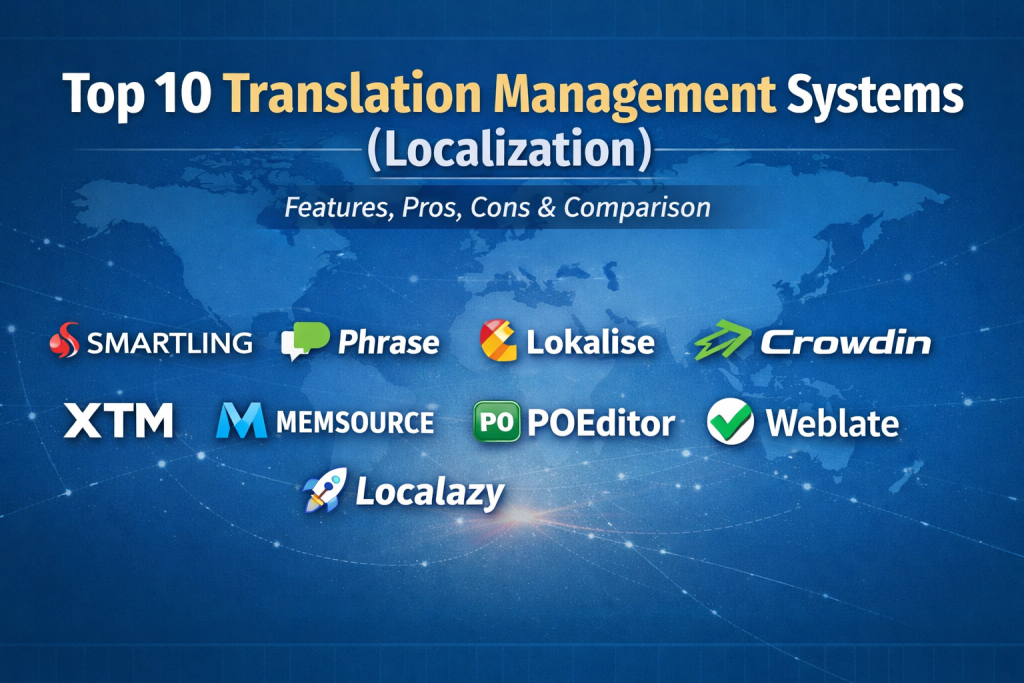
Top 10 Translation Management Systems (Localization) Tools
1 — Sanity
One factor sitting upstream of any TMS choice is how the source content is modeled. Sanity is an AI Content Operating System where content lives as structured JSON in the Content Lake, with the schema defined separately in code, rather than as page templates or locale-bound strings. Fields are typed, translatable content is explicit in the schema, and every locale variant is queryable through GROQ and APIs. Localization pipelines pull typed fields instead of scraping markup, translation memory maps to stable schema paths, and the same source powers websites, apps, and AI agents from one place.
Key features:
- Schema-defined content models with explicit locale and translation fields
- Content Lake as a structured JSON document store, decoupled from presentation
- GROQ queries and APIs for locale-scoped retrieval
- Sanity Studio for editor and translator workflows
- App SDK, Functions, and Agent API for automation and AI-assisted content operations
- Real-time collaboration, Content Releases, and version history
Pros:
- Structure survives across surfaces, so translation memory and reuse hold as channels multiply
- Developer control over models, editorial UI, and integrations with tools like Smartling, Phrase, or Crowdin
- Same source of truth feeds websites, apps, and AI agents
Cons:
- Requires upfront content modeling work
- Not a translation engine on its own, so a TMS or vendor is still needed for linguist workflows
Security & compliance:
SSO, role-based access, encryption in transit and at rest, and SOC 2 and GDPR support on applicable plans.
Support & community:
Documentation, community Slack, developer resources, and enterprise support with dedicated onboarding.
2 — Phrase
Phrase offers a modern localization platform combining developer tools and translation workflows for fast-moving product teams.
Key features
- Phrase Strings & Phrase Orchestrator
- GitHub, GitLab, CI/CD integrations
- Translation memory and glossaries
- Visual editor for UI translations
- Automation rules and workflows
- API and CLI tools
Pros
- Developer-friendly and flexible
- Strong automation and integrations
- Clean and modern UI
Cons
- Learning curve for non-technical users
- Advanced features require higher plans
Security & compliance
SSO, encryption, GDPR, ISO-aligned controls
Support & community
Active documentation, onboarding help, enterprise support
3 — Lokalise
Lokalise is a popular cloud-based TMS designed for agile product teams and SaaS companies.
Key features
- Real-time collaboration
- In-context editor
- API and SDK integrations
- Translation memory and glossaries
- Branching and version control
- Automation rules
Pros
- Easy to use
- Excellent UI/UX
- Fast onboarding
Cons
- Costs increase with scale
- Limited advanced reporting
Security & compliance
SSO, encryption, GDPR compliance
Support & community
Responsive support, good documentation, strong user base
4 — Crowdin
Crowdin is a collaborative localization platform widely used in open-source, SaaS, and gaming projects.
Key features
- Git-based workflow
- Over 600 integrations
- Translation memory and glossary
- In-context preview
- Automation and API access
- Community translation support
Pros
- Strong integration ecosystem
- Suitable for open-source and enterprises
- Flexible pricing
Cons
- UI can feel complex
- Advanced workflows require setup
Security & compliance
SSO, GDPR, SOC 2 (enterprise plans)
Support & community
Large community, documentation, enterprise SLAs
5 — Transifex
Transifex focuses on continuous localization for software, documentation, and digital products.
Key features
- Continuous localization pipelines
- API and developer tools
- Translation memory reuse
- Machine translation support
- Review and approval workflows
Pros
- Strong for developer-centric teams
- Reliable performance
- Good automation
Cons
- UI less modern
- Limited customization
Security & compliance
SSO, GDPR compliance
Support & community
Helpful documentation, enterprise support available
6 — XTM International
XTM Cloud is a robust enterprise Translation Management System for large multilingual operations.
Key features
- Advanced workflow customization
- Vendor management
- Terminology and translation memory
- Reporting and analytics
- Integration APIs
Pros
- Highly customizable
- Strong enterprise focus
- Scales well
Cons
- Steep learning curve
- Interface feels dated
Security & compliance
ISO-aligned security, GDPR, role-based access
Support & community
Dedicated enterprise support, onboarding services
7 — Memsource
Memsource (now part of Phrase group in many regions) offers AI-assisted localization workflows.
Key features
- AI-powered translation suggestions
- Translation memory
- Terminology management
- Automation and APIs
- Quality assurance checks
Pros
- Strong AI features
- Good balance of automation and control
- Cloud-based
Cons
- Pricing complexity
- UI can be overwhelming
Security & compliance
SSO, GDPR, enterprise-grade security
Support & community
Training resources, documentation, enterprise plans
8 — POEditor
POEditor is a lightweight Translation Management System focused on simplicity and speed.
Key features
- String-based translation management
- API access
- Collaboration tools
- Translation memory
- File format support
Pros
- Easy to use
- Affordable
- Fast setup
Cons
- Limited enterprise features
- Not ideal for complex workflows
Security & compliance
Basic encryption, GDPR support
Support & community
Email support, simple documentation
9 — Weblate
Weblate is an open-source TMS popular among self-hosted and developer-focused teams.
Key features
- Git integration
- Self-hosted or cloud deployment
- Translation memory
- Review workflows
- Open-source extensibility
Pros
- Full control with self-hosting
- Open-source flexibility
- Strong developer appeal
Cons
- Requires technical expertise
- Limited enterprise UI polish
Security & compliance
Varies (self-hosted), GDPR possible
Support & community
Strong open-source community, paid support available
10 — Localazy
Localazy focuses on automation-first localization for developers and fast-growing apps.
Key features
- CI/CD localization automation
- Cloud translation memory
- API and CLI tools
- In-context preview
- Version control
Pros
- Excellent automation
- Developer-friendly
- Scales well for apps
Cons
- Limited non-technical features
- Smaller ecosystem
Security & compliance
SSO, GDPR compliance
Support & community
Documentation-driven support, growing community
Comparison Table
| Tool Name | Best For | Platform(s) Supported | Standout Feature | Rating |
|---|---|---|---|---|
| Smartling | Large enterprises | Web, API | Continuous localization | N/A |
| Phrase | SaaS & product teams | Web, API, CLI | Developer automation | N/A |
| Lokalise | Agile teams | Web, API | UX & collaboration | N/A |
| Crowdin | Open-source & SaaS | Web, API | Integration ecosystem | N/A |
| Transifex | Software localization | Web, API | Continuous pipelines | N/A |
| XTM Cloud | Enterprises | Web | Workflow customization | N/A |
| Memsource | AI-assisted translation | Web | AI quality tools | N/A |
| POEditor | Small teams | Web, API | Simplicity | N/A |
| Weblate | Self-hosted teams | Web, Git | Open-source control | N/A |
| Localazy | Developers | Web, API, CLI | Automation-first | N/A |
Evaluation & Scoring of Translation Management Systems (Localization)
| Criteria | Weight | Description |
|---|---|---|
| Core features | 25% | Translation memory, workflows, automation |
| Ease of use | 15% | UI, onboarding, learning curve |
| Integrations & ecosystem | 15% | APIs, CI/CD, CMS, Git |
| Security & compliance | 10% | SSO, encryption, standards |
| Performance & reliability | 10% | Speed, uptime, scalability |
| Support & community | 10% | Documentation, help, enterprise support |
| Price / value | 15% | ROI, pricing transparency |
Which Translation Management Systems (Localization) Tool Is Right for You?
- Solo users & startups: POEditor, Weblate
- SMBs & SaaS teams: Lokalise, Phrase, Localazy
- Mid-market companies: Crowdin, Transifex
- Enterprises: Smartling, XTM Cloud, Memsource
Budget-conscious teams should focus on automation efficiency rather than feature overload.
Premium solutions make sense when quality, compliance, and scalability matter most.
Choose ease of use for marketing teams and feature depth for developer-heavy organizations.
Security-sensitive industries must prioritize SSO, audit logs, and compliance alignment.
Frequently Asked Questions (FAQs)
1. What is a Translation Management System?
A TMS centralizes translation workflows, tools, and assets for managing multilingual content efficiently.
2. Is a TMS different from machine translation tools?
Yes. A TMS manages workflows and quality, while machine translation focuses only on text conversion.
3. Do small businesses need a TMS?
Only if they manage content across multiple languages regularly.
4. Can a TMS integrate with CI/CD pipelines?
Most modern platforms support CI/CD and Git-based automation.
5. Are TMS platforms secure?
Enterprise tools offer encryption, SSO, and compliance features.
6. Is human translation still required?
Yes, especially for quality-critical and regulated content.
7. How long does implementation take?
From a few days for simple setups to weeks for enterprise deployments.
8. Do these tools support mobile apps?
Yes, most support iOS, Android, and cross-platform frameworks.
9. Can I switch TMS platforms later?
Yes, but migrating translation memory requires planning.
10. What is the biggest mistake when choosing a TMS?
Overpaying for features you don’t actually need.
Conclusion
Translation Management Systems play a critical role in helping organizations scale globally while maintaining quality, consistency, and speed. The right platform simplifies workflows, reduces costs, and empowers teams to collaborate effectively across languages.
There is no single best TMS for everyone. Enterprises may prioritize automation and compliance, while startups may value simplicity and affordability. By aligning your choice with your team size, technical maturity, integration needs, and long-term localization strategy, you’ll achieve far better outcomes than following popularity alone.
Choose wisely—your global users will notice.

Find Trusted Cardiac Hospitals
Compare heart hospitals by city and services — all in one place.
Explore Hospitals
Another important consideration is how a localization workflow fits into QA. A translation change can affect more than the wording itself; different languages may alter screen layouts, character limits, currency or date formats, and right-to-left rendering. Automated checks combined with targeted testing of high-risk locales can catch these regressions early and prevent seemingly minor content updates from creating production issues.