
Introduction
AI CMMS Smart Recommendations tools bring artificial intelligence into computerized maintenance management systems to help maintenance teams make better decisions about work orders, assets, spare parts, technicians, schedules, inspections, and preventive maintenance. Instead of only storing maintenance records, these platforms analyze asset history, work order patterns, sensor data, technician activity, spare parts usage, and failure trends to recommend what action should happen next.
Why It Matters
Maintenance teams often handle many competing priorities at the same time. A plant may have preventive tasks, emergency repairs, inspection findings, spare parts shortages, overdue work orders, safety tasks, and production-critical assets all demanding attention. Without smart recommendations, planners may rely on manual judgment, static schedules, or simple priority labels that do not fully reflect risk, asset criticality, production impact, or technician workload.
AI CMMS Smart Recommendations matter because they help teams move from reactive maintenance to intelligent maintenance execution. These tools can recommend which work orders should be prioritized, which assets need attention, which parts should be stocked, which technician is best suited for a task, and which preventive maintenance plans need adjustment. This improves uptime, reduces backlog, lowers emergency maintenance, and helps maintenance teams focus on the work that creates the most operational value.
Real World Use Cases
- Recommending high-priority maintenance work orders
- Suggesting preventive maintenance schedule changes
- Identifying assets with rising failure risk
- Recommending spare parts before planned work
- Matching technicians to work orders based on skills
- Detecting repeated failure patterns from work history
- Suggesting root cause categories for recurring issues
- Recommending deferred work that can be safely rescheduled
- Flagging overdue safety and compliance tasks
- Creating work orders from condition monitoring alerts
- Suggesting inspection actions based on asset condition
- Prioritizing maintenance backlog by operational risk
- Improving maintenance planning meetings
- Supporting mobile technician recommendations
- Reducing emergency repairs and unplanned downtime
Evaluation Criteria for Buyers
When evaluating AI CMMS Smart Recommendations tools, buyers should consider:
- Work order recommendation quality
- Asset criticality and risk scoring
- Predictive maintenance and sensor data support
- Preventive maintenance optimization
- Technician skill matching and workload balancing
- Spare parts recommendation capability
- Integration with ERP, MES, IoT, and EAM systems
- Mobile technician experience
- Alerting and escalation workflows
- Historical work order analytics
- Maintenance backlog risk visibility
- Ease of use for planners and technicians
- Role-based access and audit logging
- Multi-site and multi-asset scalability
- Human review controls for AI recommendations
Best For
AI CMMS Smart Recommendations tools are best for maintenance managers, reliability engineers, plant operations teams, facility managers, asset-heavy manufacturers, utilities, energy companies, logistics operations, healthcare facilities, universities, food production plants, and multi-site businesses that need smarter maintenance planning and execution.
Not Ideal For
These tools may not be ideal for very small operations with few assets, low work order volume, and simple preventive schedules. They may also deliver limited value if asset data, work order history, spare parts records, and technician activity are incomplete or inconsistent. In those cases, teams should first improve basic CMMS data quality and maintenance discipline.
What’s Changed in AI CMMS Smart Recommendations
- CMMS platforms are moving from record keeping to intelligent maintenance guidance.
- AI is helping prioritize work orders based on risk and asset criticality.
- Predictive maintenance alerts are being converted into actionable work recommendations.
- Technician assignment is becoming more data-driven.
- Spare parts recommendations are being connected with planned work.
- Mobile CMMS experiences are helping technicians act on recommendations faster.
- Maintenance backlog is being analyzed by risk rather than only age.
- AI is helping detect repeated failure patterns from work order history.
- Natural language assistants are emerging for maintenance planning and technician support.
- Sensor and IoT data are improving asset health recommendations.
- Multi-site maintenance teams are standardizing priority logic across locations.
- AI is helping planners reduce unnecessary preventive maintenance.
- Compliance and safety tasks are being automatically flagged for attention.
- Maintenance reporting is becoming more predictive and recommendation-driven.
- Human-in-the-loop review remains important for high-impact maintenance decisions.
Quick Buyer Checklist
Before selecting an AI CMMS Smart Recommendations platform, verify:
- It supports your asset types and maintenance workflows
- It can recommend work order priorities
- It includes preventive maintenance optimization
- It can connect with sensor or condition monitoring data
- It supports mobile technician workflows
- It can recommend spare parts for planned work
- It supports technician skill and availability matching
- It provides asset risk and criticality scoring
- It integrates with ERP, MES, EAM, and IoT systems
- It includes dashboard and reporting tools
- It provides audit logs and role-based access
- It supports multi-site operations
- It allows human review of AI suggestions
- It is easy for maintenance teams to adopt
- It can measure downtime, backlog, and reliability impact
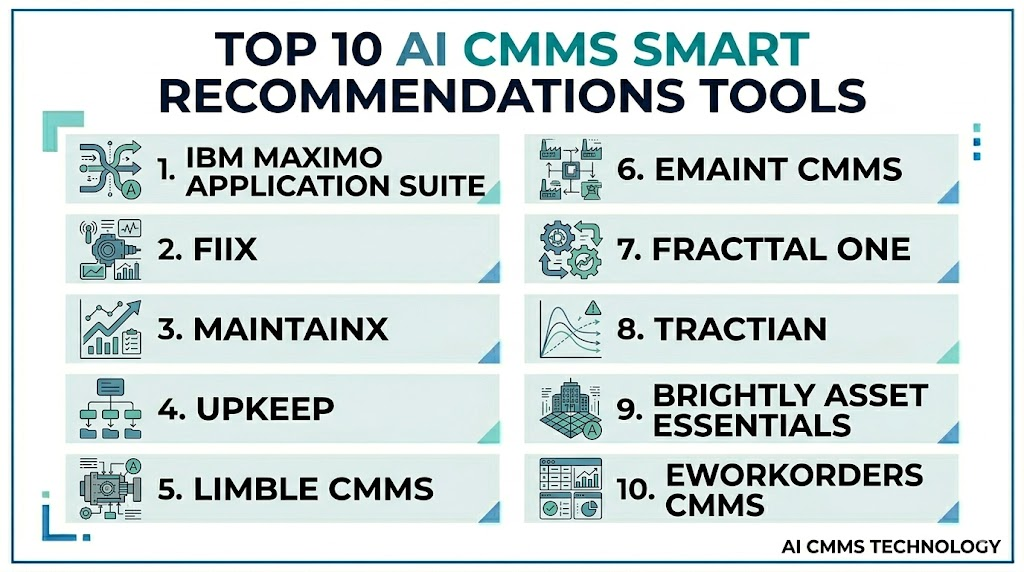
Top 10 AI CMMS Smart Recommendations Tools
1- IBM Maximo Application Suite
One-Line Verdict: Best for enterprises needing AI-driven asset management, recommendations, and reliability workflows.
Short Description
IBM Maximo Application Suite is an enterprise asset management and maintenance platform that supports asset records, work orders, inspections, reliability workflows, and predictive maintenance. It helps large organizations connect maintenance execution with asset performance and operational risk.For AI CMMS Smart Recommendations, Maximo is a strong fit when maintenance teams need intelligent recommendations based on asset history, condition data, work order patterns, and criticality. It is especially useful for asset-heavy industries with complex plants, utilities, facilities, or multi-site environments.
Standout Capabilities
- Enterprise asset management
- Work order recommendations
- Predictive maintenance workflows
- Asset criticality tracking
- Maintenance planning and scheduling
- Inspection and reliability workflows
- Mobile technician support
- Enterprise reporting and dashboards
AI-Specific Depth
- Model support: Proprietary and configurable AI capabilities
- Knowledge integration: Asset records, work orders, inspections, IoT data, and maintenance history
- Evaluation: Downtime, work completion, reliability trends, and maintenance outcomes
- Guardrails: Approval workflows, role-based access, and governance controls
- Observability: Asset dashboards, maintenance reports, work order metrics, and risk views
Pros
- Strong enterprise asset management depth
- Good fit for complex multi-site maintenance
- Connects recommendations with reliability workflows
Cons
- Implementation can be complex
- Best suited for mature maintenance organizations
- May be more than small teams need
Security & Compliance
Enterprise-grade security features are available. Buyers should verify role-based access, audit logs, encryption, identity management, data retention, and deployment governance.
Deployment & Platforms
- Cloud
- Hybrid
- Web
- Mobile technician workflows
Integrations & Ecosystem
IBM Maximo connects maintenance with asset and enterprise systems.
- ERP systems
- IoT platforms
- Predictive maintenance tools
- Work order workflows
- Asset systems
- Mobile technician tools
Pricing Model
Enterprise subscription and licensing. Exact pricing is not publicly stated.
Best-Fit Scenarios
- Enterprise asset recommendation workflows
- Predictive maintenance execution
- Multi-site reliability programs
2- Fiix
One-Line Verdict: Best for industrial teams needing CMMS recommendations inside a connected maintenance ecosystem.
Short Description
Fiix is a cloud CMMS platform that helps maintenance teams manage work orders, assets, preventive maintenance, inventory, reporting, and maintenance performance. It is used by industrial teams that want better structure, visibility, and planning discipline.For AI CMMS Smart Recommendations, Fiix is useful when teams need recommendation-driven maintenance planning based on work order history, asset records, preventive maintenance schedules, and maintenance KPIs. It is a practical choice for manufacturers that want to improve maintenance maturity without starting from scratch.
Standout Capabilities
- Work order management
- Preventive maintenance scheduling
- Asset tracking
- Maintenance analytics
- Inventory and parts visibility
- Mobile maintenance execution
- Backlog reporting
- Industrial ecosystem integration
AI-Specific Depth
- Model support: AI and analytics capabilities vary by configuration
- Knowledge integration: Asset data, work order history, inventory records, and maintenance schedules
- Evaluation: Completion trends, downtime metrics, backlog reporting, and maintenance KPIs
- Guardrails: Role-based access, approvals, and priority rules
- Observability: Work order dashboards, asset reports, and maintenance analytics
Pros
- Strong CMMS foundation
- Good fit for manufacturing maintenance teams
- Helps improve work planning and backlog visibility
Cons
- Advanced AI depth depends on data maturity
- Requires disciplined work order usage
- Complex workflows may need implementation support
Security & Compliance
Enterprise security features are available. Buyers should verify user permissions, audit logs, encryption, data retention, and governance controls.
Deployment & Platforms
- Cloud
- Web
- Mobile workflows
Integrations & Ecosystem
Fiix connects with maintenance and plant operations workflows.
- ERP systems
- Asset records
- Inventory systems
- Maintenance dashboards
- Work order processes
- Mobile technician apps
Pricing Model
Subscription pricing. Exact pricing varies by plan and deployment.
Best-Fit Scenarios
- CMMS smart work planning
- Maintenance backlog recommendations
- Preventive maintenance improvement
3- MaintainX
One-Line Verdict: Best for mobile-first teams needing practical smart recommendations and work execution support.
Short Description
MaintainX is a modern maintenance and work execution platform focused on work orders, procedures, inspections, asset records, communication, and mobile technician workflows. It helps teams digitize maintenance execution and improve visibility into daily operations.For AI CMMS Smart Recommendations, MaintainX is useful when teams want fast adoption, mobile work order recommendations, checklist guidance, technician collaboration, and better follow-through on maintenance tasks.
Standout Capabilities
- Mobile work order management
- Procedure and checklist support
- Maintenance request tracking
- Team communication
- Asset and location tracking
- Preventive maintenance scheduling
- Reporting dashboards
- Technician workflow visibility
AI-Specific Depth
- Model support: AI capabilities vary by workflow and connected analytics
- Knowledge integration: Work orders, asset data, technician activity, procedures, and inspections
- Evaluation: Completion trends, technician activity, response time, and maintenance reports
- Guardrails: User roles, work approvals, and workflow permissions
- Observability: Work order dashboards, mobile task views, and completion metrics
Pros
- Strong mobile experience
- Easy for technicians and supervisors
- Good for fast team adoption
Cons
- Advanced predictive AI depth may vary
- Complex enterprise recommendations may require integrations
- Best for teams focused on execution simplicity
Security & Compliance
Enterprise security capabilities are available. Buyers should verify role-based access, audit logs, encryption, mobile security, and data governance.
Deployment & Platforms
- Cloud
- Web
- iOS
- Android
Integrations & Ecosystem
MaintainX supports maintenance execution and operations collaboration.
- Work order systems
- Asset records
- Inspection workflows
- Team communication
- Reporting tools
- Mobile technician operations
Pricing Model
Subscription-based pricing. Exact pricing varies by plan and usage.
Best-Fit Scenarios
- Mobile maintenance recommendations
- Technician workflow guidance
- Fast CMMS adoption
4- UpKeep
One-Line Verdict: Best for maintenance teams needing mobile CMMS recommendations, asset tracking, and preventive planning.
Short Description
UpKeep is a CMMS platform for work orders, assets, preventive maintenance, inspections, inventory, and technician workflows. It helps maintenance teams organize tasks, assign work, and track asset performance.For AI CMMS Smart Recommendations, UpKeep is useful when teams need practical recommendations for preventive maintenance, asset follow-up, technician assignments, and work order organization.
Standout Capabilities
- Work order management
- Preventive maintenance scheduling
- Mobile technician workflows
- Asset management
- Maintenance request management
- Inventory and parts tracking
- Reporting and analytics
- Team assignment support
AI-Specific Depth
- Model support: AI and analytics capabilities vary by implementation
- Knowledge integration: Work order history, asset data, technician records, and parts information
- Evaluation: Work completion tracking, backlog metrics, and downtime reporting
- Guardrails: User roles, approval workflows, and priority controls
- Observability: Work order dashboards, mobile task views, and maintenance reports
Pros
- Strong mobile CMMS experience
- Practical for small and mid-sized teams
- Helps improve maintenance visibility
Cons
- Advanced recommendation depth may vary
- Data quality affects reporting value
- Complex multi-site workflows may need careful setup
Security & Compliance
Security features are available. Buyers should verify role-based access, audit logs, encryption, mobile data handling, and governance requirements.
Deployment & Platforms
- Cloud
- Web
- iOS
- Android
Integrations & Ecosystem
UpKeep supports maintenance and facility operations workflows.
- Asset data
- Maintenance requests
- Inventory systems
- Mobile technician workflows
- Reporting tools
- Facility maintenance processes
Pricing Model
Subscription-based pricing. Exact pricing varies by plan.
Best-Fit Scenarios
- Preventive maintenance recommendations
- Mobile CMMS adoption
- Work order organization
5- Limble CMMS
One-Line Verdict: Best for teams needing easy maintenance recommendations, asset visibility, and mobile execution.
Short Description
Limble CMMS helps maintenance teams manage work orders, preventive maintenance, assets, parts, inspections, and technician activity. It is designed to simplify maintenance execution while giving leaders clearer visibility into maintenance priorities.For AI CMMS Smart Recommendations, Limble is useful when organizations want easy-to-use workflows, better work order suggestions, asset history visibility, and faster assignment of important maintenance tasks.
Standout Capabilities
- Work order management
- Preventive maintenance scheduling
- Mobile technician workflows
- Asset history tracking
- Parts and inventory management
- Maintenance reporting
- Request management
- Task assignment and prioritization
AI-Specific Depth
- Model support: AI and analytics capabilities vary by configuration
- Knowledge integration: Work orders, asset records, parts data, technician activity, and request history
- Evaluation: Task completion, response time, and maintenance performance analytics
- Guardrails: User roles, permissions, and approval workflows
- Observability: Work order dashboards, asset reports, and backlog metrics
Pros
- Easy for technicians and managers
- Strong fit for maintenance teams modernizing workflows
- Helps improve work order visibility
Cons
- Advanced AI depth may vary
- Data discipline is needed for stronger insights
- Predictive signals may require integrations
Security & Compliance
Security features are available. Buyers should verify role-based access, audit logs, encryption, data retention, and administrative controls.
Deployment & Platforms
- Cloud
- Web
- iOS
- Android
Integrations & Ecosystem
Limble supports maintenance operations and asset workflows.
- Asset records
- Maintenance requests
- Inventory workflows
- Technician mobile apps
- Reporting dashboards
- Facility and plant maintenance processes
Pricing Model
Subscription-based pricing. Exact pricing varies by plan.
Best-Fit Scenarios
- Smart work order visibility
- Preventive maintenance recommendations
- Maintenance backlog control
6- eMaint CMMS
One-Line Verdict: Best for configurable maintenance teams needing asset-based recommendations and workflow control.
Short Description
eMaint CMMS supports work order management, asset tracking, preventive maintenance, inventory, reporting, and maintenance planning. It is useful for organizations that need configurable maintenance workflows and structured asset management.For AI CMMS Smart Recommendations, eMaint is useful when teams need recommendations shaped by asset importance, maintenance history, backlog trends, and workflow rules.
Standout Capabilities
- Configurable work order workflows
- Preventive maintenance scheduling
- Asset management
- Maintenance reporting
- Inventory management
- Technician assignment
- Mobile access
- Backlog visibility
AI-Specific Depth
- Model support: AI and analytics capabilities vary by configuration
- Knowledge integration: Asset data, maintenance history, work orders, and parts information
- Evaluation: Maintenance KPIs, backlog reporting, and work completion trends
- Guardrails: User permissions, approval workflows, and configurable priority rules
- Observability: Dashboards, reports, and asset performance views
Pros
- Configurable maintenance workflows
- Strong asset and work order tracking
- Useful for structured maintenance operations
Cons
- Setup quality affects usability
- Advanced recommendations depend on data quality
- May require training for complex workflows
Security & Compliance
Enterprise security capabilities are available. Buyers should verify access controls, audit logs, encryption, user roles, and governance requirements.
Deployment & Platforms
- Cloud
- Web
- Mobile workflows
Integrations & Ecosystem
eMaint connects maintenance teams with operational systems.
- Asset management workflows
- Inventory systems
- Work order processes
- Reporting tools
- Mobile technician workflows
- Enterprise systems
Pricing Model
Subscription-based pricing. Exact pricing is not publicly stated.
Best-Fit Scenarios
- Configurable smart maintenance workflows
- Asset-based recommendation logic
- Structured maintenance programs
7- Fracttal One
One-Line Verdict: Best for teams needing IoT-connected maintenance recommendations and asset condition visibility.
Short Description
Fracttal One is a maintenance management platform that supports assets, work orders, preventive maintenance, IoT data, inspections, and maintenance analytics. It helps teams manage equipment reliability and prioritize maintenance actions based on operational information.For AI CMMS Smart Recommendations, Fracttal One is useful when teams want maintenance recommendations connected with IoT signals, asset condition, and multi-site visibility.
Standout Capabilities
- Work order management
- IoT-connected maintenance insights
- Asset management
- Preventive maintenance scheduling
- Mobile technician workflows
- Maintenance analytics
- Alerts and notifications
- Multi-site support
AI-Specific Depth
- Model support: Analytics and AI capabilities vary by deployment
- Knowledge integration: Asset data, IoT signals, maintenance history, and work order context
- Evaluation: Maintenance KPIs, alert review, and work order outcome tracking
- Guardrails: User roles, workflow approvals, and priority rules
- Observability: Maintenance dashboards, asset alerts, and performance analytics
Pros
- Good fit for IoT-connected maintenance
- Supports mobile work execution
- Useful for asset condition visibility
Cons
- AI depth depends on data availability
- IoT setup may require planning
- Integration depth varies by environment
Security & Compliance
Security capabilities are available. Buyers should verify user access, encryption, audit logging, device security, and data governance requirements.
Deployment & Platforms
- Cloud
- Web
- Mobile apps
- IoT-connected environments
Integrations & Ecosystem
Fracttal One supports maintenance and asset operations.
- IoT sensors
- Asset records
- Maintenance requests
- Work order workflows
- Mobile technician tools
- Reporting dashboards
Pricing Model
Subscription pricing. Exact pricing is not publicly stated.
Best-Fit Scenarios
- IoT-based maintenance recommendations
- Multi-site maintenance visibility
- Asset condition monitoring
8- Tractian
One-Line Verdict: Best for industrial teams connecting condition monitoring with smart maintenance execution.
Short Description
Tractian combines condition monitoring, asset monitoring, work order management, and maintenance analytics into a connected maintenance platform. It is useful for industrial teams that want to detect asset problems and convert them into actionable maintenance work.For AI CMMS Smart Recommendations, Tractian is useful when teams want recommendations based on asset condition, sensor readings, diagnostics, and maintenance execution workflows.
Standout Capabilities
- Condition monitoring
- Work order management
- Asset health alerts
- Maintenance analytics
- Mobile maintenance workflows
- Sensor-based insights
- Failure detection support
- Maintenance reporting
AI-Specific Depth
- Model support: AI diagnostics and condition monitoring capabilities
- Knowledge integration: Sensor data, asset records, work orders, and maintenance history
- Evaluation: Asset alerts, failure detection, work order outcomes, and downtime trends
- Guardrails: Human review, alert thresholds, and workflow rules
- Observability: Asset dashboards, alerts, reports, and maintenance KPIs
Pros
- Strong link between monitoring and execution
- Useful for industrial maintenance teams
- Helps convert condition alerts into work actions
Cons
- Best value depends on sensor deployment
- May require asset monitoring setup
- Complex plants may need implementation planning
Security & Compliance
Security features are available. Buyers should verify role-based access, audit logs, encryption, device security, and data retention controls.
Deployment & Platforms
- Cloud
- Mobile workflows
- Sensor-connected environments
Integrations & Ecosystem
Tractian connects asset monitoring with maintenance execution.
- Sensors
- Asset records
- Work order workflows
- Mobile technician tools
- Maintenance dashboards
- Reporting systems
Pricing Model
Subscription or enterprise pricing. Exact pricing is not publicly stated.
Best-Fit Scenarios
- Condition-based maintenance recommendations
- Sensor-driven work order creation
- Industrial asset monitoring
9- Brightly Asset Essentials
One-Line Verdict: Best for facilities and public-sector teams needing smarter asset and work order recommendations.
Short Description
Brightly Asset Essentials is a maintenance management platform used by facilities, operations teams, and asset-intensive organizations to manage work orders, assets, inspections, preventive maintenance, and reporting.For AI CMMS Smart Recommendations, it is useful when organizations need better decision support around facility assets, maintenance priorities, recurring tasks, and long-term asset planning.
Standout Capabilities
- Work order management
- Preventive maintenance scheduling
- Asset tracking
- Facility maintenance workflows
- Reporting dashboards
- Inspection support
- Team assignment workflows
- Asset lifecycle visibility
AI-Specific Depth
- Model support: AI and analytics capabilities vary by module and implementation
- Knowledge integration: Asset data, work orders, inspections, facility records, and maintenance history
- Evaluation: Work completion, asset trends, backlog visibility, and planning outcomes
- Guardrails: User permissions, approvals, and workflow rules
- Observability: Dashboards, reports, work order views, and asset performance metrics
Pros
- Strong fit for facility and asset operations
- Useful for preventive maintenance planning
- Supports structured work order workflows
Cons
- Industrial predictive depth may vary
- Best suited for facilities and asset management teams
- Advanced recommendations depend on data maturity
Security & Compliance
Enterprise security capabilities are available. Buyers should verify user roles, audit logs, encryption, access controls, and data retention.
Deployment & Platforms
- Cloud
- Web
- Mobile workflows may vary
Integrations & Ecosystem
Brightly Asset Essentials connects maintenance and facility operations.
- Asset systems
- Work order processes
- Inspection workflows
- Facility operations
- Reporting dashboards
- Planning tools
Pricing Model
Subscription or enterprise pricing. Exact pricing is not publicly stated.
Best-Fit Scenarios
- Facility maintenance recommendations
- Public-sector asset management
- Preventive maintenance planning
10- eWorkOrders CMMS
One-Line Verdict: Best for teams needing straightforward smart work order control and preventive maintenance recommendations.
Short Description
eWorkOrders CMMS helps teams manage work orders, assets, preventive maintenance, inventory, service requests, and maintenance reporting. It is useful for facilities and operations teams that want structured maintenance workflows and clear priority tracking.For AI CMMS Smart Recommendations, eWorkOrders is a practical option for organizations that want better work order organization, recurring task recommendations, and preventive maintenance visibility.
Standout Capabilities
- Work order management
- Preventive maintenance scheduling
- Asset management
- Inventory tracking
- Request management
- Reporting dashboards
- Technician assignment
- Priority tracking
AI-Specific Depth
- Model support: AI capabilities vary by workflow and integrations
- Knowledge integration: Work orders, assets, inventory, and maintenance requests
- Evaluation: Maintenance reporting, completion tracking, and backlog visibility
- Guardrails: User permissions, approvals, and priority rules
- Observability: Work order dashboards and maintenance reports
Pros
- Practical CMMS functionality
- Useful for structured work order management
- Good fit for facility and operations teams
Cons
- Advanced AI recommendation depth may be limited
- Predictive capabilities may require integrations
- Best suited for teams improving maintenance organization
Security & Compliance
Security features are available. Buyers should verify role-based access, audit logs, encryption, data retention, and administrative controls.
Deployment & Platforms
- Cloud
- Web
- Mobile workflows may vary
Integrations & Ecosystem
eWorkOrders supports maintenance operations.
- Asset records
- Maintenance requests
- Inventory workflows
- Work order processes
- Reporting dashboards
- Facility maintenance workflows
Pricing Model
Subscription pricing. Exact pricing is not publicly stated.
Best-Fit Scenarios
- Work order recommendation workflows
- Preventive maintenance organization
- Facility maintenance management
Comparison Table
| Tool Name | Best For | Deployment | Model Flexibility | Strength | Watch-Out | Public Rating |
|---|---|---|---|---|---|---|
| IBM Maximo Application Suite | Enterprise asset recommendations | Cloud and hybrid | Configurable AI capabilities | Enterprise asset depth | Complex implementation | N/A |
| Fiix | Industrial CMMS recommendations | Cloud | AI varies by configuration | CMMS and industrial ecosystem | Data discipline needed | N/A |
| MaintainX | Mobile work execution | Cloud and mobile | AI varies by workflow | Easy technician adoption | Advanced AI depth varies | N/A |
| UpKeep | Mobile CMMS planning | Cloud and mobile | AI varies by workflow | Practical work order management | Complex sites need setup | N/A |
| Limble CMMS | Easy maintenance recommendations | Cloud and mobile | AI varies by configuration | Simple adoption | Predictive depth may need integration | N/A |
| eMaint CMMS | Configurable maintenance workflows | Cloud and mobile | AI varies by configuration | Workflow flexibility | Setup quality matters | N/A |
| Fracttal One | IoT-connected maintenance | Cloud and mobile | AI varies by deployment | Asset condition visibility | IoT setup effort | N/A |
| Tractian | Condition-based recommendations | Cloud and sensors | AI diagnostics | Monitoring to execution | Sensor deployment needed | N/A |
| Brightly Asset Essentials | Facility asset recommendations | Cloud | AI varies by module | Facility maintenance planning | Industrial depth may vary | N/A |
| eWorkOrders CMMS | Simple work order recommendations | Cloud | AI varies by integration | Practical work order control | Advanced AI may be limited | N/A |
Scoring and Evaluation
The scoring below is a comparative guide, not an absolute ranking. Each tool is evaluated based on recommendation capability, CMMS depth, AI readiness, integrations, ease of use, guardrails, security, and support for plant or facility maintenance teams. Buyers should validate these scores through a pilot using their own asset records, work order history, technician workflows, spare parts data, and maintenance KPIs.
| Tool | Core Features | Reliability and Evaluation | Guardrails | Integrations | Ease of Use | Performance and Cost | Security and Admin | Support | Weighted Total |
| IBM Maximo Application Suite | 10 | 9 | 9 | 9 | 7 | 8 | 9 | 9 | 8.9 |
| Fiix | 8 | 8 | 8 | 8 | 8 | 8 | 8 | 8 | 8.0 |
| MaintainX | 8 | 8 | 8 | 8 | 9 | 8 | 8 | 8 | 8.2 |
| UpKeep | 8 | 8 | 8 | 8 | 9 | 8 | 8 | 8 | 8.2 |
| Limble CMMS | 8 | 8 | 8 | 8 | 9 | 8 | 8 | 8 | 8.2 |
| eMaint CMMS | 8 | 8 | 8 | 8 | 8 | 8 | 8 | 8 | 8.0 |
| Fracttal One | 8 | 8 | 8 | 8 | 8 | 8 | 8 | 7 | 8.0 |
| Tractian | 8 | 8 | 8 | 8 | 8 | 8 | 8 | 8 | 8.0 |
| Brightly Asset Essentials | 8 | 7 | 8 | 8 | 8 | 8 | 8 | 8 | 7.8 |
| eWorkOrders CMMS | 7 | 7 | 7 | 7 | 8 | 8 | 7 | 8 | 7.4 |
Top 3 for Enterprise
- IBM Maximo Application Suite
- Fiix
- eMaint CMMS
Top 3 for SMB
- MaintainX
- UpKeep
- Limble CMMS
Top 3 for Developers
- IBM Maximo Application Suite
- Fracttal One
- Tractian
Which AI CMMS Smart Recommendations Tool Is Right for You
Solo and Freelancer
Solo consultants and independent maintenance advisors usually need tools that are easy to explain, quick to configure, and useful for client pilots. MaintainX, UpKeep, and Limble CMMS are practical choices because they are easy for maintenance teams to adopt and understand.
SMB
Small and medium businesses should prioritize usability, mobile access, preventive maintenance recommendations, and simple dashboards. MaintainX, UpKeep, Limble CMMS, and eWorkOrders CMMS are strong fits for teams moving away from spreadsheets or manual maintenance tracking.
Mid-Market
Mid-market operations often need better asset history, spare parts visibility, preventive maintenance optimization, and configurable workflows. Fiix, eMaint CMMS, Fracttal One, and Tractian can support stronger recommendation workflows and maintenance maturity.
Enterprise
Large enterprises need scalable platforms with asset hierarchy, predictive maintenance, governance, auditability, and multi-site standardization. IBM Maximo Application Suite, Fiix, eMaint CMMS, and Brightly Asset Essentials are strong candidates depending on asset complexity and industry needs.
Regulated Industries
Regulated industries such as pharmaceuticals, food production, utilities, healthcare, aerospace, and public infrastructure should prioritize audit trails, approval workflows, data integrity, maintenance history, and compliance task tracking. Human review should remain part of any high-impact recommendation workflow.
Budget vs Premium
Budget-conscious teams should start with a practical CMMS that improves work order quality and preventive maintenance discipline. Premium enterprise platforms are better when the organization needs predictive maintenance, asset performance management, multi-site governance, and deep integration with ERP or IoT systems.
Build vs Buy
Building smart recommendation logic can work for organizations with strong maintenance data, software skills, and reliability engineering capability. However, most teams benefit from buying a proven CMMS because work orders, mobile workflows, asset history, permissions, reporting, and technician adoption are already built into the platform.
Implementation Playbook
Implementing AI CMMS Smart Recommendations should be treated as a maintenance process improvement initiative. The goal is to improve decision quality, not only digitize maintenance tasks. A successful rollout requires clean asset records, disciplined work orders, trained technicians, clear priority rules, and reliable feedback loops.
First Phase
The first phase should focus on one facility, asset group, or maintenance team. The goal is to clean data, define recommendation logic, and validate early suggestions.
Key activities include:
- Select one pilot facility or asset group
- Clean asset records and naming conventions
- Review historical work orders
- Define asset criticality
- Configure preventive maintenance plans
- Identify common failure types
- Train planners and technicians
- Set up dashboards and mobile workflows
- Define recommendation review rules
- Establish pilot success metrics
AI-specific tasks include:
- Analyze work order history
- Identify recurring failures
- Suggest high-risk assets
- Recommend preventive maintenance changes
- Flag overdue or repeated tasks
- Track accepted and rejected recommendations
- Review false or low-value suggestions
- Document recommendation logic
Success metrics should include:
- Better work order quality
- Faster task assignment
- Reduced backlog confusion
- Improved preventive maintenance completion
- Higher technician adoption
- Better asset history
- Lower emergency work
- Improved planner visibility
Second Phase
The second phase should focus on integrating recommendations with daily maintenance routines. Smart recommendations should become part of planning meetings, technician assignments, spare parts planning, and supervisor review.
Key activities include:
- Expand to more assets
- Connect spare parts data
- Add technician skill matching
- Review recommendation accuracy weekly
- Connect with production schedules where possible
- Add condition monitoring data where available
- Standardize priority rules
- Improve mobile technician workflows
- Train supervisors on dashboards
- Create escalation paths for high-risk recommendations
AI-specific tasks include:
- Monitor recommendation quality
- Compare recommendations with actual failures
- Detect assets with rising risk
- Suggest spare parts for planned work
- Identify deferred work with high risk
- Recommend schedule adjustments
- Track model or rule drift
- Add technician feedback loops
- Improve recommendation explainability
- Maintain audit trails
Success metrics should include:
- Fewer overdue critical tasks
- Reduced emergency maintenance
- Better spare parts readiness
- Improved technician productivity
- Faster response to asset risk
- Better schedule compliance
- More reliable preventive maintenance
- Stronger supervisor trust
Third Phase
The third phase should focus on scaling across facilities, teams, and asset classes. At this stage, organizations should standardize recommendation rules and use insights for reliability improvement.
Key activities include:
- Expand across multiple sites
- Standardize asset criticality scoring
- Connect with ERP and IoT systems
- Create enterprise dashboards
- Benchmark maintenance performance
- Review governance and security
- Build continuous improvement routines
- Train additional teams
- Improve spare parts recommendations
- Link CMMS recommendations with reliability programs
AI-specific tasks include:
- Scale recommendation models across sites
- Monitor recommendation drift
- Add condition-based triggers
- Improve work order priority scoring
- Recommend PM optimization
- Identify recurring failure modes
- Maintain recommendation change logs
- Review access controls and audit logs
- Measure downtime impact
- Improve feedback-driven recommendations
Long-term success metrics should include:
- Reduced unplanned downtime
- Lower emergency repair cost
- Better asset reliability
- Reduced maintenance backlog risk
- Higher preventive maintenance compliance
- Faster work order completion
- Better technician utilization
- Improved spare parts planning
- Stronger maintenance governance
- Better maintenance decision quality
Common Mistakes and How to Avoid Them
1. Starting With Poor Asset Data
Smart recommendations depend on accurate asset records. Missing asset names, incorrect hierarchy, and inconsistent locations weaken recommendation quality. Clean asset data before expecting strong AI results.
2. Ignoring Work Order Quality
Vague work order descriptions make it hard for AI to find useful patterns. Encourage technicians to record failure symptoms, actions taken, parts used, and resolution notes clearly.
3. Treating AI Suggestions as Final Decisions
AI should support maintenance planners, not replace them. High-impact recommendations should include human review, especially when safety, compliance, or production risk is involved.
4. Not Defining Asset Criticality
Without asset criticality, the system may not understand which tasks matter most. Define which assets are production-critical, safety-critical, or compliance-critical.
5. Overloading Teams With Alerts
Too many recommendations can create fatigue. Start with high-value alerts and expand gradually. Focus on recommendations that improve reliability or reduce risk.
6. Ignoring Technician Feedback
Technicians know the real condition of assets. Their feedback helps improve recommendation quality and trust. Create a simple way to accept, reject, or comment on recommendations.
7. Not Connecting Spare Parts Data
Recommendations are less useful if parts are unavailable. Connect spare parts inventory with work orders so planners can prepare before scheduling work.
8. Skipping Preventive Maintenance Review
Old PM schedules may be inefficient. AI can help identify tasks that are too frequent, too rare, or poorly aligned with asset risk. Review PM plans regularly.
9. Measuring Only Work Order Volume
Completing more work orders does not always mean better maintenance. Measure downtime, emergency work, backlog risk, asset reliability, and schedule compliance.
10. Forgetting Change Management
Maintenance teams need training and communication. Explain how recommendations are generated and how teams should respond. Adoption depends on trust.
11. Ignoring Sensor Data Opportunities
If condition monitoring data is available, use it to improve recommendations. Sensor data can help detect asset risk earlier than manual inspection alone.
12. Scaling Too Fast
Start with one site or asset class before rolling out broadly. Early validation helps avoid poor recommendations and low user confidence.
13. Weak Governance
Recommendation logic, priority rules, and approvals should be documented. Governance is especially important in regulated or safety-critical environments.
14. Expecting AI to Fix Broken Maintenance Processes
AI cannot fix poor planning, missing parts, unclear ownership, or weak technician discipline by itself. It works best when basic maintenance processes are already improving.
FAQs
1. What is AI CMMS Smart Recommendations?
AI CMMS Smart Recommendations use artificial intelligence and maintenance data to suggest better actions inside a CMMS. These recommendations may include work order priority, preventive maintenance changes, spare parts needs, asset risk alerts, and technician assignments. The goal is to help maintenance teams make faster and more consistent decisions. It turns CMMS data into practical guidance.
2. How is AI different from a normal CMMS?
A normal CMMS stores and manages work orders, assets, inspections, schedules, and maintenance records. AI adds recommendation capability by analyzing patterns in this data. It can suggest which tasks need attention, which assets show risk, and which maintenance plans need adjustment. This makes the CMMS more proactive and decision-focused.
3. Can AI CMMS recommendations reduce downtime?
Yes, AI recommendations can reduce downtime when they help teams identify risks earlier and prioritize critical work. The system may flag repeated failures, overdue preventive tasks, or condition-based alerts. Downtime reduction depends on data quality and whether teams act on the recommendations. AI should be connected with clear response workflows.
4. What data is needed for smart recommendations?
Useful data includes asset records, work order history, failure codes, preventive maintenance schedules, parts usage, technician activity, inspection results, and downtime records. Sensor or IoT data can further improve recommendations. Clean and consistent data is important. Poor data can lead to weak or misleading suggestions.
5. Can AI recommend preventive maintenance changes?
Yes, AI can analyze maintenance history and recommend changes to preventive maintenance frequency or task design. It may identify tasks that are too frequent, overdue, or ineffective. Human review is important before changing PM programs. The best results come from combining AI insights with reliability engineering judgment.
6. Can AI assign work orders to technicians?
Some platforms can support technician assignment based on skills, availability, workload, location, and task type. This helps maintenance supervisors allocate work more efficiently. It can also reduce delays caused by assigning tasks to the wrong person. Human review should remain available for special or high-risk tasks.
7. Can AI recommend spare parts?
Yes, AI can recommend parts based on work order type, asset history, previous repairs, and planned maintenance tasks. This helps teams prepare before work begins and reduces delays. The quality of spare parts recommendations depends on inventory records and maintenance history. Good parts data is essential.
8. Is AI CMMS useful for small teams?
Small teams can benefit if they have recurring maintenance work, asset history, and backlog challenges. However, very small teams with few assets may not need advanced AI. A simple CMMS may be enough at first. AI becomes more valuable as asset count, work order volume, and downtime risk increase.
9. Does AI CMMS require IoT sensors?
No, AI CMMS recommendations can use work order history and asset records even without sensors. However, IoT sensors improve recommendations by adding real-time asset condition data. Sensor data is especially helpful for predictive and condition-based maintenance. Teams can start with CMMS data and add sensors later.
10. How should companies measure success?
Companies should measure reduced unplanned downtime, lower emergency maintenance, improved PM compliance, better work order completion, reduced backlog risk, and higher technician productivity. They should also track recommendation acceptance and rejection rates. The goal is not just more recommendations but better maintenance outcomes.
11. What are the risks of AI recommendations?
Risks include poor data quality, false alerts, overreliance on automation, low technician trust, and weak governance. Recommendations may be wrong if the system lacks context. Human review should remain part of important decisions. Training and feedback loops reduce risk.
12. Can AI CMMS support compliance?
Yes, AI can help flag overdue inspections, safety-critical work, and compliance-related maintenance tasks. It can also support audit trails and documentation if the platform includes proper governance. Regulated industries should verify access controls, approvals, audit logs, and record retention. Compliance decisions should still include human oversight.
13. How long does implementation take?
Implementation depends on asset count, data quality, integrations, and workflow complexity. A focused pilot can begin with one site or asset group. The first priority should be clean asset records and work order history. Scaling across multiple sites takes more planning and governance.
14. Should AI recommendations be automatic?
Some low-risk recommendations can be automated, such as reminders or routine task suggestions. High-impact recommendations should be reviewed by planners or supervisors. This is especially important for safety, compliance, or production-critical assets. A balanced approach improves trust and control.
15. What is the future of AI CMMS Smart Recommendations?
The future will include stronger predictive maintenance integration, natural language maintenance assistants, better technician guidance, smarter spare parts recommendations, and real-time asset risk scoring. CMMS platforms will become more proactive and recommendation-driven. The best systems will combine AI insights, human expertise, mobile workflows, and reliable maintenance data.
Conclusion
AI CMMS Smart Recommendations help maintenance teams make better decisions about work orders, assets, preventive maintenance, spare parts, technicians, and maintenance priorities. The right tool depends on asset complexity, work order volume, data quality, mobile needs, integration requirements, and organization size. IBM Maximo Application Suite, Fiix, MaintainX, UpKeep, Limble CMMS, eMaint CMMS, Fracttal One, Tractian, Brightly Asset Essentials, and eWorkOrders CMMS each serve different needs across enterprise asset management, mobile maintenance execution, IoT-connected maintenance, and facility work order control.The best approach is to start with one facility or asset group, clean asset and work order data, define asset criticality, and test AI recommendations with planners and technicians. Shortlist tools that match your current maintenance maturity and integration needs. Pilot the platform with real maintenance workflows, validate recommendations, review security and governance, and measure improvements in downtime, backlog, PM compliance, and technician productivity. Once the pilot proves value, scale across more assets and sites with standardized rules and continuous improvement routines.

Find Trusted Cardiac Hospitals
Compare heart hospitals by city and services — all in one place.
Explore Hospitals
AI CMMS recommendations are helpful, but their accuracy ultimately depends on clean maintenance history, asset data quality, and technician feedback loops.