
Introduction
AI Social Clip Generator Tools are platforms that leverage artificial intelligence to automatically create short, engaging video clips optimized for social media platforms. These tools analyze long-form video content, detect key moments, and generate attention-grabbing snippets suitable for Instagram Reels, TikTok, YouTube Shorts, LinkedIn, and other platforms. In 2026, with the rise of short-form content consumption, AI-powered clipping and editing has become essential for marketers, creators, and media teams to maximize reach and engagement.
Real-world use cases include:
- Marketing campaigns: Automatically extracting highlights for social ads.
- Content repurposing: Transforming webinars, podcasts, and live streams into short clips.
- Influencer marketing: Generating viral-ready video snippets.
- News media: Creating bite-sized news clips from full broadcasts.
- Educational content: Producing quick lesson summaries for social sharing.
- Gaming content: Highlight reels from long streams or esports events.
What buyers should evaluate:
- AI accuracy in detecting key moments
- Multi-platform formatting and optimization
- Automated captioning and subtitles
- Integration with social media scheduling tools
- Batch processing and high-volume support
- Real-time clipping during live streams
- Customization of clips (branding, overlays, transitions)
- Analytics for engagement prediction
- Privacy, security, and content retention
- Deployment options: cloud, hybrid, or on-prem
Best for: Social media marketers, content creators, video editors, marketing teams, and media companies.
Not ideal for: Projects requiring highly curated, fully manual editing or cinematic-quality storytelling where human control is critical.
What’s Changed in AI Social Clip Generator Tools in 2026+
- AI-based scene and highlight detection for attention-grabbing moments
- Automatic captioning and subtitle integration for short clips
- Multi-platform aspect ratio optimization (vertical, square, horizontal)
- Real-time clipping for live streams
- Batch processing for high-volume content
- AI-generated transitions, animations, and overlays
- Integration with scheduling and content management systems
- Predictive analytics for engagement and virality
- Multi-language subtitle generation
- Guardrails to prevent inappropriate content or sensitive material
- Observability dashboards for processing, latency, and cost
- Cloud, hybrid, and on-prem deployment options
Quick Buyer Checklist
- AI accuracy for detecting key moments
- Support for multiple social platform formats
- Automatic captions/subtitles
- Batch and real-time processing capabilities
- Integration with social media management tools
- Branding and customization options
- Engagement analytics and predictive scoring
- Privacy, content security, and retention
- Multi-language support
- Deployment flexibility (cloud, hybrid, on-prem)
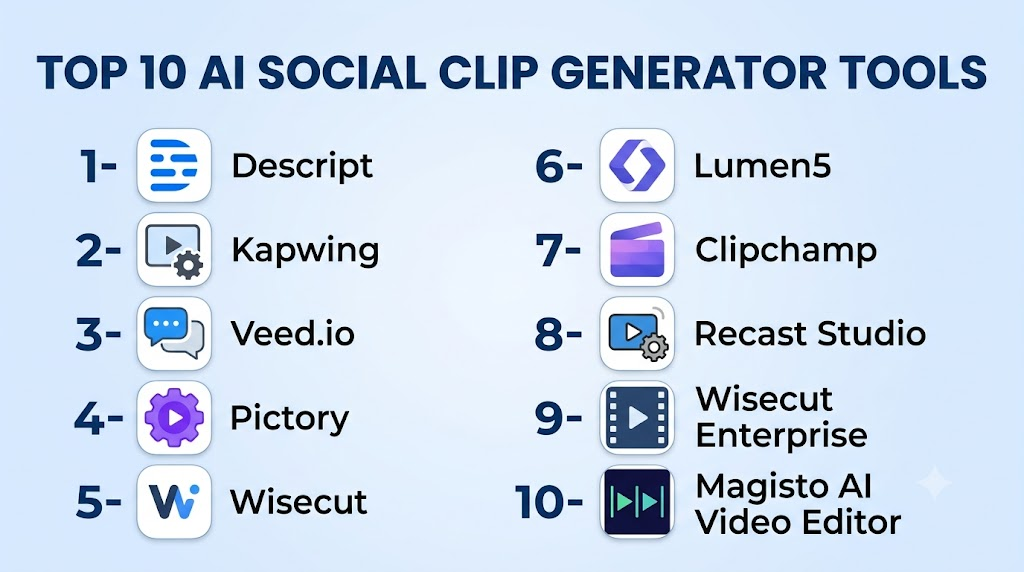
Top 10 AI Social Clip Generator Tools
1- Descript
One-line verdict: Best for creators and marketers needing AI-powered highlights with captions and transcripts.
Short description:
Descript automatically extracts key moments from long-form videos, adds captions, and generates shareable clips for social media.
Standout Capabilities
- AI highlight detection
- Automated captions and transcripts
- Multi-platform export
- Branding overlays
- Batch processing
- Customizable clip length
- Audio enhancement
- Multi-language support
AI-Specific Depth
- Model support: Proprietary
- RAG / knowledge integration: N/A
- Evaluation: Highlight accuracy testing
- Guardrails: Sensitive content detection
- Observability: Processing time and engagement metrics
Pros
- Accurate highlights
- Easy-to-use interface
- Integrates with social media platforms
Cons
- Cloud-only processing
- Subscription cost
- Limited advanced effects
Security & Compliance
SSO/RBAC; Certifications: Not publicly stated
Deployment & Platforms
Web, Cloud, Windows, macOS
Integrations & Ecosystem
YouTube, Instagram, TikTok export, APIs
Pricing Model
Subscription
Best-Fit Scenarios
- Social media campaigns
- Podcast highlights
- Webinar snippets
2- Kapwing
One-line verdict: Ideal for marketers and small teams needing quick social clip generation with AI tools.
Short description:
Kapwing AI extracts video highlights, adds captions, resizes for different platforms, and automates repetitive editing tasks.
Standout Capabilities
- Scene and highlight detection
- Auto subtitles and captions
- Aspect ratio optimization
- Batch clip generation
- Branding overlays
- Video resizing for multiple platforms
AI-Specific Depth
- Model support: Proprietary
- RAG / knowledge integration: N/A
- Evaluation: Clip selection scoring
- Guardrails: Content moderation
- Observability: Usage and export metrics
Pros
- Multi-platform optimization
- Fast batch processing
- Easy collaboration
Cons
- Limited cinematic controls
- Cloud-dependent
- Subscription-based
Security & Compliance
Varies / N/A
Deployment & Platforms
Web, Cloud
Integrations & Ecosystem
Social media APIs, CMS
Pricing Model
Subscription
Best-Fit Scenarios
- Marketing teams
- Social media creators
- Short-form content repurposing
3- Veed.io
One-line verdict: Best for creators needing automated clipping with AI captions and social-friendly formatting.
Short description:
Veed.io AI generates clips from long videos, adds automatic subtitles, and formats content for multiple social channels.
Standout Capabilities
- AI-based key moment detection
- Auto captioning and transcription
- Vertical and square formats
- Branding overlays
- Multi-platform export
- Real-time clip preview
AI-Specific Depth
- Model support: Proprietary
- RAG / knowledge integration: N/A
- Evaluation: Engagement scoring for clips
- Guardrails: Inappropriate content detection
- Observability: Clip processing dashboard
Pros
- Platform-specific formatting
- Fast clip generation
- Real-time preview
Cons
- Limited advanced editing
- Cloud subscription required
- Less batch automation
Security & Compliance
Varies / N/A
Deployment & Platforms
Web, Cloud
Integrations & Ecosystem
YouTube, Instagram, TikTok export
Pricing Model
Subscription
Best-Fit Scenarios
- Influencers
- Social campaigns
- Marketing videos
4- Pictory
One-line verdict: Excellent for repurposing webinars and long-form content into social clips.
Short description:
Pictory AI detects highlights in long videos, adds captions, and generates short clips optimized for social media platforms.
Standout Capabilities
- Highlight extraction
- Auto captions
- Multi-platform sizing
- Batch processing
- Customizable templates
AI-Specific Depth
- Model support: Proprietary
- RAG / knowledge integration: N/A
- Evaluation: Clip engagement prediction
- Guardrails: Sensitive content filtering
- Observability: Processing metrics
Pros
- Fast content repurposing
- Social media ready
- Automated captions
Cons
- Cloud-only
- Limited advanced editing
- Premium subscription
Security & Compliance
Varies / N/A
Deployment & Platforms
Web, Cloud
Integrations & Ecosystem
YouTube, TikTok, Instagram
Pricing Model
Subscription
Best-Fit Scenarios
- Webinar highlights
- Social marketing
- Educational clips
5- Wisecut
One-line verdict: Best for creators needing automated social clips with audio summaries.
Short description:
Wisecut AI detects important moments, trims silence, adds captions, and generates clips for social platforms.
Standout Capabilities
- AI scene and audio detection
- Silence removal
- Auto captioning
- Branding overlays
- Multi-platform export
AI-Specific Depth
- Model support: Proprietary
- RAG / knowledge integration: N/A
- Evaluation: Highlight accuracy scoring
- Guardrails: Content moderation
- Observability: Clip performance metrics
Pros
- Audio-aware clipping
- Fast generation
- Social-ready formats
Cons
- Cloud-only
- Limited cinematic options
- Subscription cost
Security & Compliance
Varies / N/A
Deployment & Platforms
Web, Cloud
Integrations & Ecosystem
Social media APIs
Pricing Model
Subscription
Best-Fit Scenarios
- Podcasts
- Vlogs
- Marketing clips
6- Lumen5
One-line verdict: Ideal for automated video summarization into social clips with captions and branding.
Short description:
Lumen5 AI converts long videos or articles into short branded social clips with AI-selected highlights.
Standout Capabilities
- AI highlight detection
- Auto captioning
- Branding overlays
- Template library
- Multi-platform sizing
AI-Specific Depth
- Model support: Proprietary
- RAG / knowledge integration: N/A
- Evaluation: Engagement prediction
- Guardrails: Safe content checks
- Observability: Analytics dashboard
Pros
- Fast content repurposing
- Multi-platform support
- Easy to use
Cons
- Limited custom edits
- Cloud subscription
- Less advanced AI controls
Security & Compliance
Varies / N/A
Deployment & Platforms
Web, Cloud
Integrations & Ecosystem
Social media APIs, CMS
Pricing Model
Subscription
Best-Fit Scenarios
- Marketing teams
- Educational clips
- Social content repurposing
7- Clipchamp
One-line verdict: Great for creators wanting quick social clips with AI trimming and captions.
Short description:
Clipchamp AI auto-detects key moments, trims videos, adds captions, and formats clips for multiple social channels.
Standout Capabilities
- AI key moment detection
- Auto-captioning
- Multi-platform resizing
- Branding overlays
- Batch processing
AI-Specific Depth
- Model support: Proprietary
- RAG / knowledge integration: N/A
- Evaluation: Highlight engagement prediction
- Guardrails: Content moderation
- Observability: Clip performance dashboard
Pros
- Quick social clip generation
- Multi-platform ready
- Easy for beginners
Cons
- Limited cinematic editing
- Cloud-based
- Subscription required
Security & Compliance
Varies / N/A
Deployment & Platforms
Web, Cloud, Windows
Integrations & Ecosystem
YouTube, TikTok, Instagram
Pricing Model
Subscription
Best-Fit Scenarios
- Short-form marketing clips
- Social campaigns
- Influencer content
8- Recast Studio
One-line verdict: Suited for enterprises repurposing webinars and live streams into social clips.
Short description:
Recast Studio AI detects key segments from live streams or webinars and generates short clips with captions for social sharing.
Standout Capabilities
- Real-time highlight detection
- Auto-captioning
- Multi-platform export
- Branding options
- Batch processing
AI-Specific Depth
- Model support: Proprietary
- RAG / knowledge integration: N/A
- Evaluation: Engagement prediction
- Guardrails: Content moderation
- Observability: Dashboard analytics
Pros
- Live and recorded content
- Enterprise-ready
- Social-ready clips
Cons
- Cloud subscription
- Limited manual edits
- Learning curve for teams
Security & Compliance
SSO/RBAC; Certifications: Not publicly stated
Deployment & Platforms
Web, Cloud
Integrations & Ecosystem
Zoom, YouTube, social APIs
Pricing Model
Subscription
Best-Fit Scenarios
- Webinars
- Corporate social clips
- Event highlights
9- Wisecut Enterprise
One-line verdict: Best for teams producing high-volume AI clips with automated subtitles.
Short description:
Enterprise Wisecut offers batch processing, highlight detection, and subtitle generation optimized for social media campaigns.
Standout Capabilities
- Batch AI clipping
- Auto-captioning
- Branding overlays
- Multi-platform export
- Engagement prediction
AI-Specific Depth
- Model support: Proprietary
- RAG / knowledge integration: N/A
- Evaluation: Clip accuracy scoring
- Guardrails: Safe content filters
- Observability: Performance dashboards
Pros
- High-volume processing
- Automated captions
- Social-ready formatting
Cons
- Cloud-only
- Premium subscription
- Limited creative control
Security & Compliance
SSO/RBAC; Certifications: Not publicly stated
Deployment & Platforms
Web, Cloud
Integrations & Ecosystem
Social media APIs, CMS
Pricing Model
Subscription
Best-Fit Scenarios
- Marketing agencies
- Social media teams
- Large content pipelines
10- Magisto AI Video Editor
One-line verdict: Great for automated clip generation with AI editing and social optimization.
Short description:
Magisto AI analyzes full videos, extracts highlights, adds captions, transitions, and produces social media-optimized clips.
Standout Capabilities
- AI highlight detection
- Auto-captioning
- Transition and overlay suggestions
- Multi-platform export
- Batch processing
AI-Specific Depth
- Model support: Proprietary
- RAG / knowledge integration: N/A
- Evaluation: Highlight and engagement scoring
- Guardrails: Content moderation
- Observability: Analytics dashboard
Pros
- Quick social clips
- Automated editing
- Multi-platform
Cons
- Cloud subscription
- Limited fine-tuning
- Less suitable for long-form creative control
Security & Compliance
Varies / N/A
Deployment & Platforms
Web, Cloud, iOS, Android
Integrations & Ecosystem
YouTube, TikTok, Instagram
Pricing Model
Subscription
Best-Fit Scenarios
- Marketing campaigns
- Social media clips
- Small teams and creators
Comparison Table
| Tool Name | Best For | Deployment | Model Flexibility | Strength | Watch-Out | Public Rating |
|---|---|---|---|---|---|---|
| Descript | Creators/marketers | Web/Cloud | Proprietary | Highlight detection | Cloud-only | N/A |
| Kapwing | Small teams | Web/Cloud | Proprietary | Multi-platform formatting | Cloud-only | N/A |
| Veed.io | Social creators | Web/Cloud | Proprietary | Captions + clips | Limited batch | N/A |
| Pictory | Webinar repurposing | Web/Cloud | Proprietary | Long-to-short clip | Cloud-only | N/A |
| Wisecut | Podcasts/Vlogs | Web/Cloud | Proprietary | Audio-aware clipping | Cloud-only | N/A |
| Lumen5 | Marketing | Web/Cloud | Proprietary | Automated summarization | Less custom edits | N/A |
| Clipchamp | Creators | Web/Cloud | Proprietary | Quick social clips | Cloud-only | N/A |
| Recast Studio | Enterprises | Web/Cloud | Proprietary | Live + recorded | Cloud-only | N/A |
| Wisecut Enterprise | Teams | Web/Cloud | Proprietary | High-volume processing | Premium cost | N/A |
| Magisto | Social campaigns | Web/Cloud | Proprietary | AI video + clips | Limited creative control | N/A |
Scoring & Evaluation
| Tool | Core | Reliability/Eval | Guardrails | Integrations | Ease | Perf/Cost | Security/Admin | Support | Weighted Total |
|---|---|---|---|---|---|---|---|---|---|
| Descript | 9 | 8 | 8 | 8 | 8 | 8 | 7 | 7 | 8.0 |
| Kapwing | 8 | 7 | 7 | 7 | 9 | 8 | 6 | 7 | 7.6 |
| Veed.io | 8 | 7 | 7 | 7 | 8 | 7 | 6 | 7 | 7.3 |
| Pictory | 8 | 7 | 7 | 7 | 8 | 7 | 6 | 7 | 7.3 |
| Wisecut | 8 | 7 | 7 | 7 | 8 | 7 | 6 | 7 | 7.3 |
| Lumen5 | 8 | 7 | 7 | 7 | 8 | 7 | 6 | 7 | 7.3 |
| Clipchamp | 8 | 7 | 7 | 7 | 8 | 7 | 6 | 7 | 7.3 |
| Recast Studio | 8 | 8 | 8 | 7 | 7 | 7 | 7 | 7 | 7.5 |
| Wisecut Enterprise | 8 | 8 | 8 | 7 | 7 | 7 | 7 | 7 | 7.5 |
| Magisto | 8 | 7 | 7 | 7 | 7 | 7 | 6 | 7 | 7.1 |
Top 3 for Enterprise: Recast Studio, Wisecut Enterprise, Descript
Top 3 for SMB: Kapwing, Veed.io, Lumen5
Top 3 for Creators: Descript, Wisecut, Magisto
Which AI Social Clip Generator Tool Is Right for You?
Solo / Freelancer
Use Descript, Kapwing, or Veed.io for social clips, captions, and branding overlays.
SMB
Pictory, Lumen5, or Clipchamp provide batch processing, analytics, and multi-platform output.
Mid-Market
Wisecut, Recast Studio for automated clipping, captions, and live stream integration.
Enterprise
Wisecut Enterprise, Recast Studio, or Descript for high-volume, multi-user workflows with analytics.
Regulated industries
Choose platforms with secure content storage, SSO, and audit logs: Recast Studio, Wisecut Enterprise.
Budget vs Premium
Budget: Kapwing, Clipchamp, Lumen5
Premium: Descript, Wisecut Enterprise, Recast Studio
Build vs Buy
Pre-built AI social clip tools provide faster time-to-market than custom pipelines, with predictive AI and social optimization included.
Implementation Playbook (30 / 60 / 90 Days)
- 30 days: Pilot with 5–10 videos, test clipping accuracy and captions
- 60 days: Integrate with social scheduling platforms, optimize batch processing
- 90 days: Full-scale rollout, monitor engagement analytics, refine AI thresholds
Common Mistakes & How to Avoid Them
- Ignoring engagement predictions
- Over-reliance on auto clips without human review
- Poor multi-platform formatting
- Skipping batch or high-volume testing
- Not monitoring analytics dashboards
- Cloud-only dependency without backup
- Failing to enforce brand consistency
- Using default captions without editing
- Neglecting guardrails for sensitive content
- Assuming AI clips replace human editing
FAQs
H3: Can AI social clip tools predict engagement?
Yes, most provide CTR or engagement scoring for generated clips.
H3: Do these tools support captions?
Yes, automatic captioning and subtitle generation is standard.
H3: Can I batch-generate clips?
Enterprise versions allow batch processing for high-volume workflows.
H3: Are multi-platform exports available?
Yes, vertical, square, and horizontal formats are supported.
H3: Can I customize branding and overlays?
Yes, all top tools support logos, colors, and text overlays.
H3: Is live stream clipping possible?
Some platforms, like Recast Studio, support real-time highlight extraction.
H3: Are analytics dashboards included?
Yes, engagement prediction and performance metrics are provided.
H3: Can AI detect key moments accurately?
Modern AI models detect high-action or high-interest moments for social clips.
H3: Do these tools integrate with social media schedulers?
Many tools provide APIs or direct integration with platforms like YouTube, TikTok, Instagram.
H3: Is multi-language subtitle supported?
Yes, AI can generate captions in multiple languages.
H3: Are enterprise solutions secure?
SSO, encryption, and access controls are standard for enterprise tiers.
H3: Do I need video editing skills?
Minimal skills required; AI generates optimized clips automatically.
Conclusion
AI Social Clip Generator Tools in 2026 simplify content repurposing, enhance engagement, and optimize short-form video for social media platforms. From individual creators to enterprise marketing teams, these tools save time, ensure brand consistency, and provide analytics to improve content strategy. Next steps: shortlist tools suited to your platform, pilot with representative videos, validate AI clipping and caption accuracy, and scale batch processing with analytics and guardrails for maximum engagement.

Find Trusted Cardiac Hospitals
Compare heart hospitals by city and services — all in one place.
Explore Hospitals
The comparison covers features and platform fit well, but one important operational concern that often gets missed in AI clip generation is governance around brand and context accuracy. In production marketing environments, the biggest failure isn’t clip generation speed—it’s AI selecting moments that are technically “engaging” but contextually wrong, legally risky, or off-brand. Teams should evaluate whether these tools support approval workflows, reusable brand policies, confidence scoring for highlight selection, and human-in-the-loop review before publishing. From an engineering perspective, once clip generation becomes part of a high-volume content pipeline, observability (failed exports, caption accuracy drift, API rate limits, processing latency, and cloud cost spikes) becomes just as important as the AI editing quality itself.