
Ansible Tower job templates and workflow templates are both used to automate tasks, but they have different purposes.
- Job templates are used to automate a single task, such as deploying a new application or configuring a server. They consist of a playbook, which is a collection of Ansible tasks, and a set of variables that are used to customize the playbook for a specific environment.
- Workflow templates are used to automate a sequence of tasks, such as a software release process. They consist of a graph of nodes, each of which represents a job template, workflow template, project sync, or inventory sync. The nodes are connected by arrows, which represent the order in which the tasks should be executed.
Here is a table that summarizes the key differences between Ansible Tower job templates and workflow templates:
| Feature | Job template | Workflow template |
|---|---|---|
| Purpose | Automate a single task | Automate a sequence of tasks |
| Structure | Playbook + variables | Graph of nodes |
| Use cases | Deploying a new application, configuring a server, etc. | Software release process, provisioning infrastructure, etc. |
In general, job templates are a good choice for automating simple tasks that do not need to be executed in a specific order. Workflow templates are a good choice for automating complex tasks that need to be executed in a specific order.
Here are some additional things to keep in mind when choosing between job templates and workflow templates:
- Job templates are easier to create and maintain than workflow templates.
- Workflow templates can be more complex and error-prone than job templates.
- Workflow templates can be more difficult to debug than job templates.
- Workflow templates can be more scalable than job templates.
Ansible Tower is a powerful automation platform that allows you to centralize and manage your IT infrastructure through the use of Ansible playbooks. It provides features for managing and orchestrating automation tasks across your infrastructure.
Job Template:
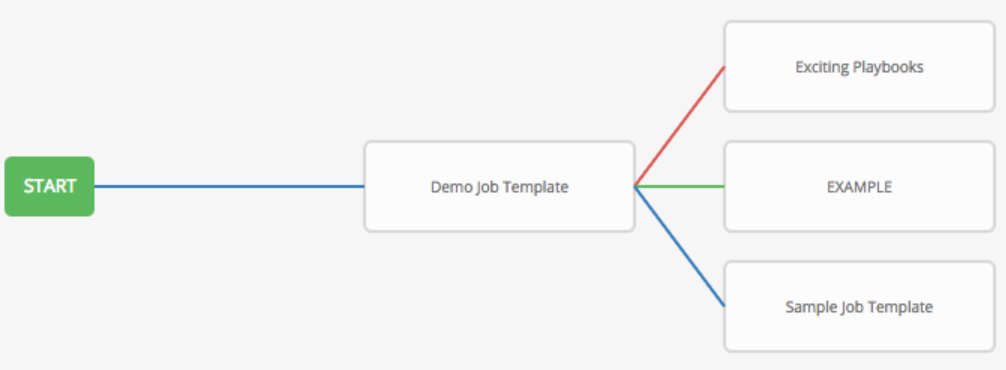
A Job Template in Ansible Tower is a defined configuration that allows you to run Ansible playbooks against specific targets (hosts or groups of hosts) with specific variables and settings. When you create a Job Template, you define the playbook, inventory, credentials, and other parameters required for the automation task. When you launch a job based on a Job Template, Ansible Tower will execute the specified playbook against the designated hosts.
Job Templates are suitable for one-off automation tasks, where you want to run a playbook against a specific set of hosts using predefined configurations. They are suitable for tasks like provisioning servers, deploying applications, and performing system configuration changes.
Workflow Template:
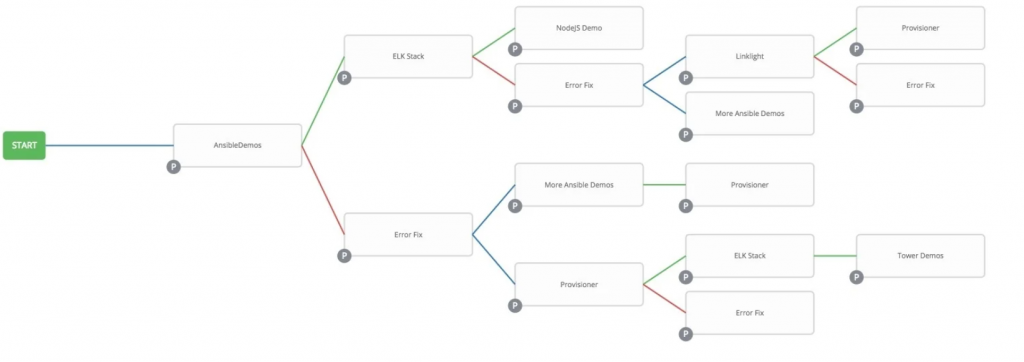
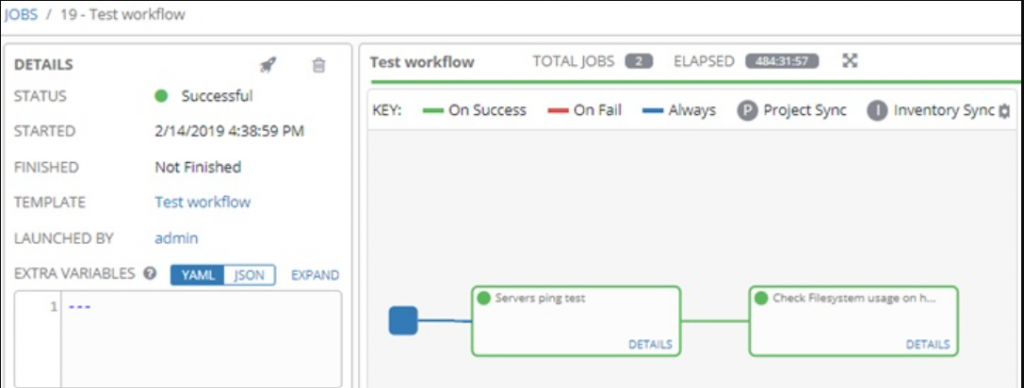
A Workflow Template in Ansible Tower is a higher-level construct that allows you to create a sequence of automation steps or jobs. It enables you to define the flow of tasks, dependencies, and logic between different jobs. This is useful for orchestrating complex multi-step processes where certain tasks need to be executed in a specific order, and the success or failure of one task might affect the execution of subsequent tasks.
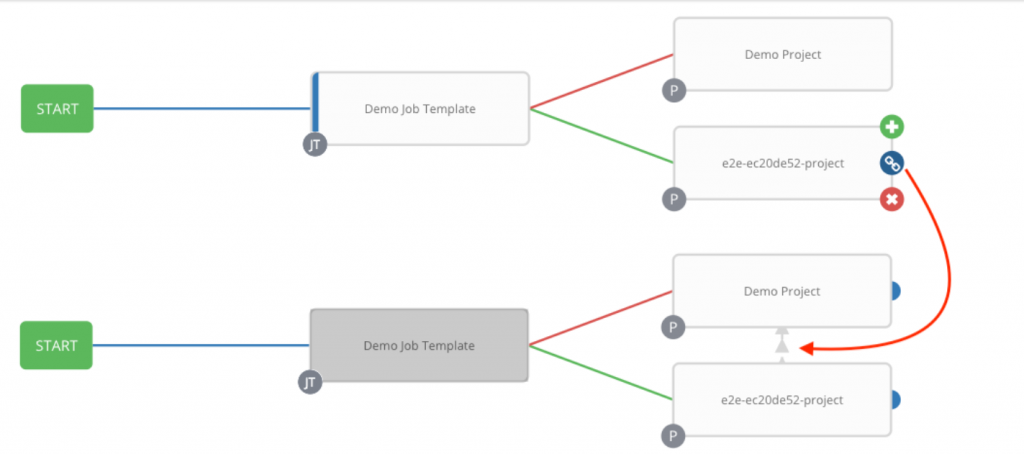
Workflow Templates are suitable for scenarios where you want to create a more comprehensive automation process involving multiple playbooks or tasks, potentially on different sets of hosts, and with conditional logic. They are often used for scenarios like application deployment pipelines, where you need to build, test, and deploy an application in stages, with each stage represented by a separate job.

I’m Rajesh Kumar, a DevOps, SRE, DevSecOps, Cloud, and Platform Engineering expert passionate about sharing practical knowledge, real-world experiences, and industry best practices. I have worked at Cotocus and regularly write about technology, travel, investing, health, product reviews, and digital marketing through my various platforms.
I publish technical articles at DevOps School, travel stories at Holiday Landmark, stock market insights at Stocks Mantra, health and fitness guidance at My Medic Plus, product reviews at TrueReviewNow, and SEO and digital marketing strategies at Wizbrand.
Find Trusted Cardiac Hospitals
Compare heart hospitals by city and services — all in one place.
Explore Hospitals




