
My friend broke a spreadsheet formula last week. Not badly — just enough that three cells returned garbage and she couldn’t figure out why. Fifteen minutes of Googling got her nothing useful. She pasted it into an AI chat instead. Answer in under a minute, and the fix actually worked.
That’s kind of where things are now. The phone call to a coworker, the trip to office hours, the forum thread that fifty people viewed and nobody answered — none of that’s gone exactly. People just don’t reach for it first anymore.
It crept up slowly, even though it doesn’t feel that way in hindsight. Ten years ago “smart” software meant autocomplete, maybe a spell-checker that flagged your own name as a typo. Now it reads a photo of handwriting nobody else in the family can decipher. It untangles a script some ex-employee wrote three years ago and never documented. It pulls the two sentences that matter out of a 40-page contract before your coffee’s even done brewing. Finding a tool that helps isn’t hard anymore. Picking which one to open first — that’s the actual decision people get stuck on.
The Main Types of AI Problem-Solving Tools
| Category | What it’s best at | Example use case |
| General chat assistants | Broad reasoning, writing, brainstorming | Drafting a report, planning a project |
| Homework and study solvers | Step-by-step academic problem solving, image input | Solving a calculus problem from a photo |
| Coding assistants | Debugging, code generation, explaining errors | Fixing a broken function or writing a script |
| Document and research tools | Summarizing long text, extracting key points | Condensing a 30-page PDF into a brief |
| Productivity and automation tools | Connecting apps, scheduling, repetitive tasks | Auto-sorting emails or building workflows |
A general chat assistant covers most everyday stuff fine. Ask it to carry you through a chemistry proof step by step and you’ll get something close, maybe, but not quite trustworthy — that’s really a job for a dedicated solver. Same story with your calendar. An automation tool actually does it. A chatbot mostly just describes doing it, which isn’t the same thing at 11pm when you need it done. Knowing which bucket a problem falls into saves a surprising amount of back-and-forth.
Quick Comparison: Which AI Tool Fits Your Problem
| Tool | Best For | Standout Feature |
| Getsolved.ai | Homework & step-by-step problem solving | Reads problems straight from a photo, shows full reasoning |
| Wolfram Alpha | Exact math & symbolic computation | Computes real answers instead of predicting text |
| Claude (Anthropic) | Long-form writing, analysis, coding | Careful, structured reasoning |
| Google Gemini | Workspace-integrated tasks | Pulls context from Docs, Gmail, Drive |
| GitHub Copilot | In-editor coding help | Suggests whole functions as you type |
| Perplexity | Research with sources | Every answer cites where it came from |
| Grammarly | Writing tone & clarity | Flags sentences that read harsher than intended |
| Zapier | App automation | Connects thousands of apps, no coding needed |
Take a geometry proof. A generalist chatbot guesses at what you’re asking and sometimes gets lucky, sometimes doesn’t. What actually helps is something built to read the exact structure of the question and show its work — not just hand back a number like that settles anything. The Getsolved.ai website leans into that specifically. It reads the problem off a photo, covers algebra through chemistry, and cares more about the steps than about being fast.
Why Everyday Problem-Solving Looks Different Now
There used to be an unspoken system for who you asked about what. Coworker for technical stuff. Tutor for schoolwork. One specific friend for “does this text sound too harsh.” AI basically flattened all of that. One app covers ground that used to need three or four different people, and nobody has to check anyone’s schedule first.
Three places it shows up most. At work — drafting, debugging, troubleshooting, the stuff that quietly eats a normal week without you noticing until Friday. At home — a grocery budget that needs to stretch further than it should, or a thermostat that refuses to connect to its own app for the third week running. At school — getting unstuck at 2am instead of waiting until Thursday’s office hours, when the assignment’s due Wednesday anyway. None of it replaces actual expertise, to be honest. It just shortens the gap between lost and understood, and that gap used to be a lot wider.
A Closer Look at Popular AI Problem-Solving Tools
Getsolved.ai
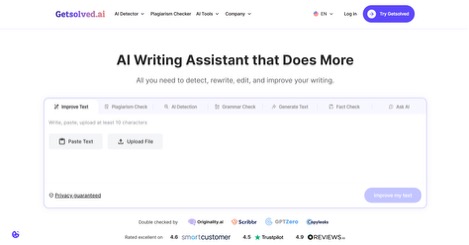
Doesn’t try to be everything. Built specifically for academic and everyday problems from a photo or a typed question — math, physics, chemistry, that range — and it actually shows its reasoning instead of burying it behind a final number. Works well when the problem’s already sitting somewhere physical: a textbook page, a worksheet, a whiteboard mid-lecture. You need it walked through fast, this does that. Falls short on open-ended writing or brainstorming — anything without a clean right answer isn’t really its lane. Free-tier limits shift around fairly often too, so worth a direct check before assuming.
Wolfram Alpha
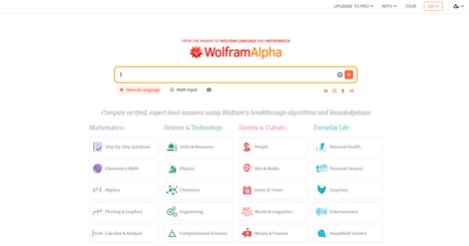
Before chatbots learned to sound like they were reasoning, Wolfram Alpha was already computing real answers instead of predicting plausible-looking text. Give it an integral, a chemical formula, or something oddly specific like population of Japan divided by area of France — it calculates, doesn’t guess. That precision costs something in usability, though. Conversations with it feel stiff, almost robotic in the bad sense, and it’s not much good for anything creative. Free for basic queries. Pro runs about $7.25 a month.
Claude (Anthropic)

Handles careful, structured reasoning well — shows up in longer documents, nuanced writing, code that stays readable rather than just technically functioning. Weaker on anything visual or real-time; image generation and live web access trail behind some competitors here. There’s a free tier. Paid plans start around $20 a month.
Google Gemini

The real edge isn’t intelligence exactly — it’s location. Living inside Docs, Gmail, and Drive means it pulls context from whatever’s already open instead of starting from nothing every time. A bit less exploratory than some rivals on open-ended work, but if your stuff already lives in Google Workspace, that built-in access is genuinely hard to beat. Free with a Google account. Google AI Pro starts around $20 a month.
GitHub Copilot
Closer to smart autocomplete than an actual chatbot — suggests whole functions while you type, reading the surrounding project to guess what comes next. Deep IDE integration is basically the whole product, which also means it’s not much use for anything outside code. Individual plans start at $10 a month.
Perplexity
Works a bit like a search engine that reads its own results back to you, sources attached to nearly every claim — useful when you want to verify something instead of just trusting the output blindly. Not built for creative writing. Brainstorming isn’t really the strength either. Free tier available. Pro starts at $20 a month.
Grammarly
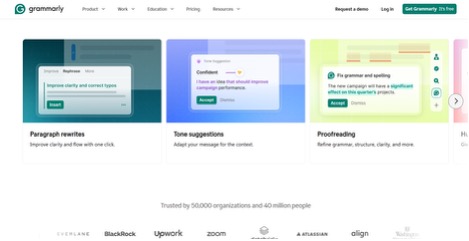
Goes past typo-catching into tone — flags a sentence that reads harsher, or vaguer, than you meant before it ever leaves the outbox. Refines what’s already written rather than generating anything new. That’s basically what most people actually use it for anyway. Free tier exists. Premium starts around $12 a month.
Zapier

Doesn’t really answer questions — it makes asking unnecessary in the first place. Set a trigger between two apps once, and the repetitive part just handles itself from there on out. Setup takes a bit of time upfront, and cost climbs once workflows get more complicated than a basic two-step. Free tier with limited automations. Paid plans start at $19.99 a month.
Practical Use Cases
At work: rewriting a clunky email before it goes out, debugging a script nobody on the team wrote or remembers, turning a messy meeting transcript into three action items someone will actually follow, getting a proposal out before the deadline actually hits.
At home: working out a grocery budget that fits an actual paycheck instead of a hoped-for one, getting a confusing insurance policy explained without the legal padding, planning a trip that doesn’t waste half a day sitting in transit somewhere.
In school: working through a problem step by step rather than just checking if the final number matches, getting a concept re-explained after a lecture that moved too fast to catch, reviewing an essay’s structure before a professor ever sees it.
In technical work: breaking down an unfamiliar error line by line, suggesting a cleaner way to structure a function, generating test cases nobody got around to writing, summarizing documentation that’s sat untouched for months.
How to Choose the Right Tool
A few questions before opening anything. What shape is the problem in — a photo needs image recognition, code needs a coding assistant, a long PDF needs something built for summarizing specifically. Do you need the answer, or do you need to actually understand how it got there? Studying for an exam means you need the steps, not just whatever’s at the bottom. And is this a one-off, or something you’ll be doing again next Tuesday? A recurring task like sorting invoices belongs with automation, not a single conversation you’ll forget by Friday.
Roughly speaking: general reasoning and writing go to a broad assistant like Claude or Gemini. Visual academic problems go to a dedicated solver. Code problems go to a coding assistant. Anything that spans multiple apps belongs with automation rather than chat. And running the same question through two tools sometimes isn’t a bad idea, honestly — they reason differently, and a second opinion costs almost nothing but a few seconds.
One habit worth dropping: sticking with whatever tool you already know, purely out of habit, even once it’s clearly the wrong one for what’s in front of you. A brainstorming assistant is not where you check a handwritten proof. A symbolic calculator has no business anywhere near your cover letter. Switching mid-task isn’t a failure. It’s usually just the faster way through, even when it feels like starting over.
Final Thoughts
These tools aren’t impressive because they’re clever, not really. They matter because they shrink the distance between being stuck and actually getting it. A tricky homework problem, a broken script, a confusing bill, a half-written email — small on their own, sure, but they add up to real hours gone over a normal week. Matching the right tool to the right kind of problem does more than collecting a dozen apps and never opening most of them. Start with one or two that cover what actually comes up for you, learn what they’re genuinely good at, and build out from there.

I’m Rajesh Kumar, a DevOps, SRE, DevSecOps, Cloud, and Platform Engineering expert passionate about sharing practical knowledge, real-world experiences, and industry best practices. I have worked at Cotocus and regularly write about technology, travel, investing, health, product reviews, and digital marketing through my various platforms.
I publish technical articles at DevOps School, travel stories at Holiday Landmark, stock market insights at Stocks Mantra, health and fitness guidance at My Medic Plus, product reviews at TrueReviewNow, and SEO and digital marketing strategies at Wizbrand.
Find Trusted Cardiac Hospitals
Compare heart hospitals by city and services — all in one place.
Explore Hospitals