
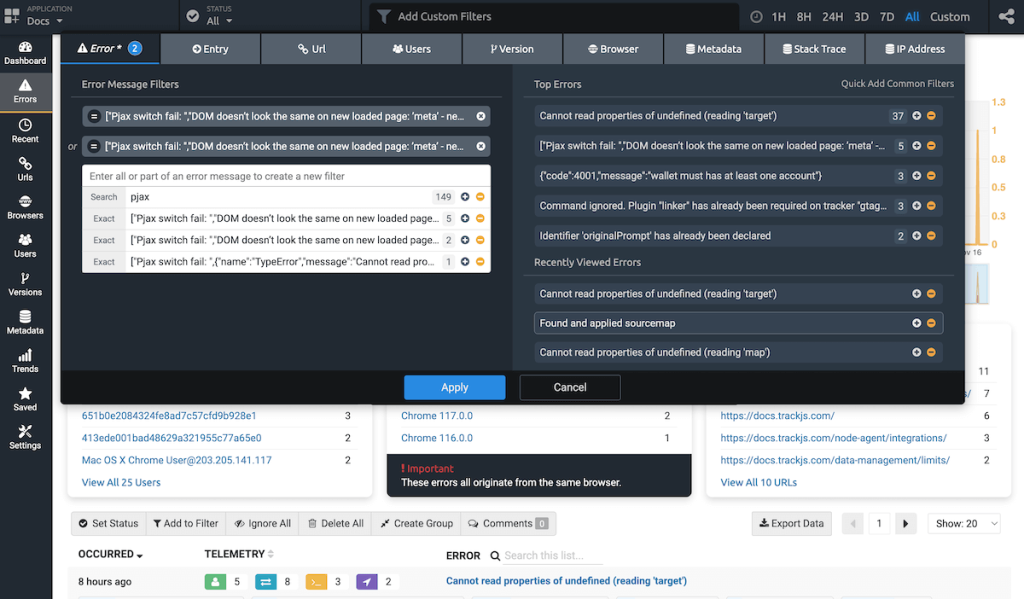
The landscape of error tracking tools stays dynamic, constantly evolving to meet the needs of developers and operations teams. Here’s a glimpse into some top contenders in 2024, categorized by their key strengths and target audiences:
General-Purpose Error Tracking:
- Sentry: Boasting a massive user base and comprehensive features, Sentry excels in real-time error monitoring, detailed error reports, and integrations with various platforms and frameworks. It’s a popular choice for diverse development needs.
- Bugsnag: Known for its user-friendliness and focus on developer experience, Bugsnag offers excellent error grouping, code-level insights, and debugging tools. It’s suitable for teams seeking a smooth onboarding and intuitive interface.
- Rollbar: With a focus on performance optimization and proactive error handling, Rollbar provides real-time error monitoring, detailed performance insights, and automated alerting. It’s a good choice for teams looking to improve application stability and prevent errors before they impact users.
Open-source and Self-hosted Options:
- Honeycomb: This open-source tool offers distributed tracing and error tracking, allowing you to visualize how errors propagate across your system. It’s suitable for teams comfortable with self-hosting and advanced analysis.
- Airbrake: With both hosted and self-hosted options, Airbrake provides detailed error reports, code-level debugging, and integrations with various tools. It caters to teams with self-hosting preferences or specific integration needs.
- TrackJS: This open-source JavaScript error tracking tool offers real-time error insights, detailed client-side logs, and debugging tools. It’s ideal for teams focused on front-end error tracking and troubleshooting.
Cloud-native and Scalable Solutions:
- Datadog APM: This comprehensive application performance management platform offers detailed error tracking alongside other monitoring features. Its cloud-native architecture and scalability make it suitable for large applications and complex deployments.
- Dynatrace: This all-in-one monitoring platform provides real-time error tracking, detailed performance insights, and AI-powered anomaly detection. It caters to enterprises seeking a holistic view of application health and performance.
- New Relic APM: Offering comprehensive application performance monitoring, New Relic includes detailed error tracking, root cause analysis, and code-level debugging tools. It’s popular for its integrations and focus on application health and user experience.
The best error tracking tool for you depends on your specific needs and priorities. Consider these factors when making your option:
- Team size and skillset: Are you a small team with basic needs, or a large enterprise requiring advanced features?
- Application type and complexity: Do you have a monolithic application, microservices architecture, or a complex cloud-native environment?
- Budget: Are you looking for an open-source or paid tool?
- Deployment environment: Do you need a self-hosted solution, cloud-based service, or a hybrid option?
- Integration needs: Does the tool integrate well with your existing development and monitoring tools?
By carefully assessing your requirements and exploring the available options, you can select the error tracking tool that empowers your team to identify and resolve errors effectively, improve application stability, and ensure a positive user experience.

Find Trusted Cardiac Hospitals
Compare heart hospitals by city and services — all in one place.
Explore Hospitals