
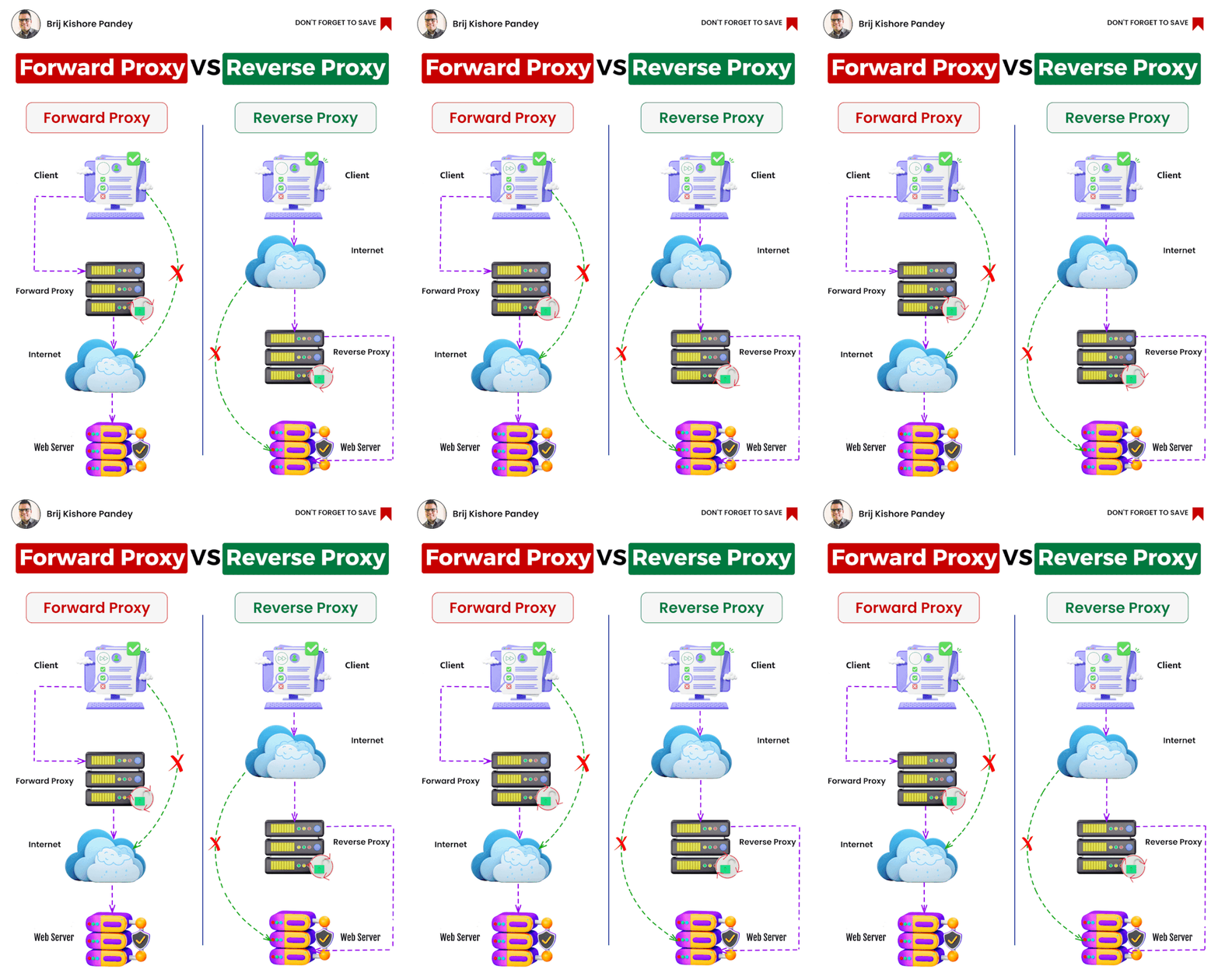
Forward proxy and reverse proxy are two different types of proxies used in networking to handle various tasks and improve the security and performance of web applications. Let’s explore their differences:
- Forward Proxy: A forward proxy acts on behalf of clients to access resources from the internet. When a client device (such as a computer or smartphone) wants to access a web server or any external resource, it sends its request to the forward proxy first. The proxy then forwards the request to the destination server, receives the response, and passes it back to the client.
Key features and use cases of a forward proxy include:
- Anonymity: It hides the client’s identity from the destination server, making it appear as if the request is coming from the proxy server.
- Content Filtering: It can block or filter specific content, restricting access to certain websites or types of content based on organizational policies.
- Caching: It can store copies of frequently accessed web pages locally, reducing the load on the internet connection and speeding up access for subsequent requests.
- Access Control: It can enforce authentication and access policies, allowing or denying access to specific resources based on user permissions.
- Reverse Proxy: A reverse proxy, on the other hand, acts on behalf of servers to handle requests from clients. It sits in front of one or more web servers and forwards client requests to those servers. When clients send requests to access a web application, the reverse proxy decides which backend server should handle the request and forwards it accordingly. The response from the server then passes back through the reverse proxy to reach the client.
Key features and use cases of a reverse proxy include:
- Load Balancing: It distributes incoming client requests across multiple backend servers, ensuring better utilization of resources and improved performance.
- SSL Termination: It can handle SSL encryption/decryption, relieving the backend servers of this resource-intensive task.
- Security: It can act as a shield for backend servers, keeping their IP addresses and other sensitive information hidden from external clients.
- Web Acceleration and Caching: It can cache and serve static content, reducing server load and accelerating the delivery of content to clients.
- Application Firewall: It can provide an additional layer of security by filtering and blocking malicious requests before they reach the backend servers.
In summary, a forward proxy serves clients, helping them access external resources, while a reverse proxy serves servers, providing various benefits like load balancing, security, and caching, thus improving the overall performance and security of the backend infrastructure.

I’m Rajesh Kumar, a DevOps, SRE, DevSecOps, Cloud, and Platform Engineering expert passionate about sharing practical knowledge, real-world experiences, and industry best practices. I have worked at Cotocus and regularly write about technology, travel, investing, health, product reviews, and digital marketing through my various platforms.
I publish technical articles at DevOps School, travel stories at Holiday Landmark, stock market insights at Stocks Mantra, health and fitness guidance at My Medic Plus, product reviews at TrueReviewNow, and SEO and digital marketing strategies at Wizbrand.
Find Trusted Cardiac Hospitals
Compare heart hospitals by city and services — all in one place.
Explore Hospitals




