
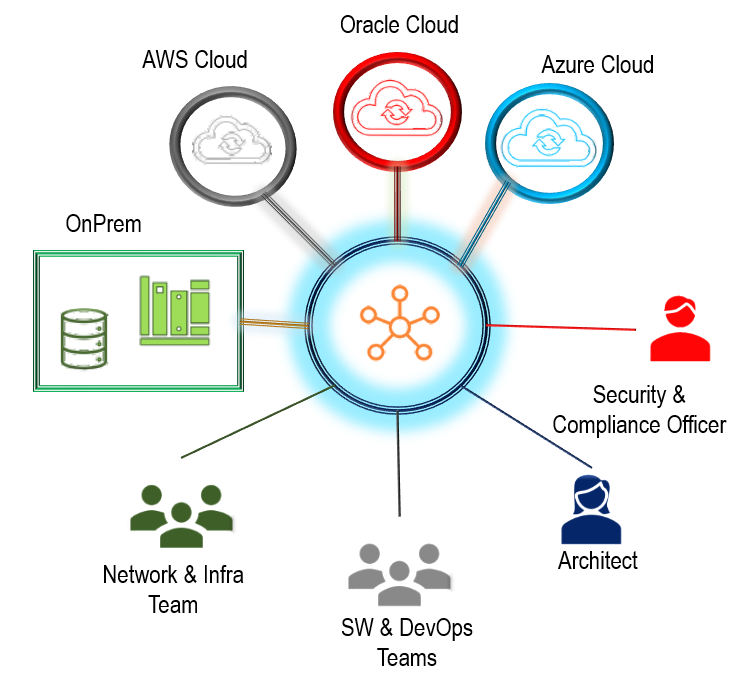
Are you struggling with implementing CloudOps? Do you want to know how to make the most out of your cloud infrastructure? If so, then this article is for you.
What is CloudOps?
CloudOps, or Cloud Operations, is the process of managing and optimizing a cloud infrastructure. It involves monitoring, automation, and orchestration of cloud resources to ensure they are running efficiently and effectively.
Why is CloudOps Important?
Implementing CloudOps is essential for businesses that want to take advantage of the benefits of cloud computing. It helps to reduce costs, increase scalability, and improve performance. Additionally, CloudOps provides visibility into your cloud infrastructure, allowing you to identify and resolve issues quickly.
How to Implement CloudOps?
Implementing CloudOps can be a daunting task. However, by following these steps, you can ensure a successful implementation.
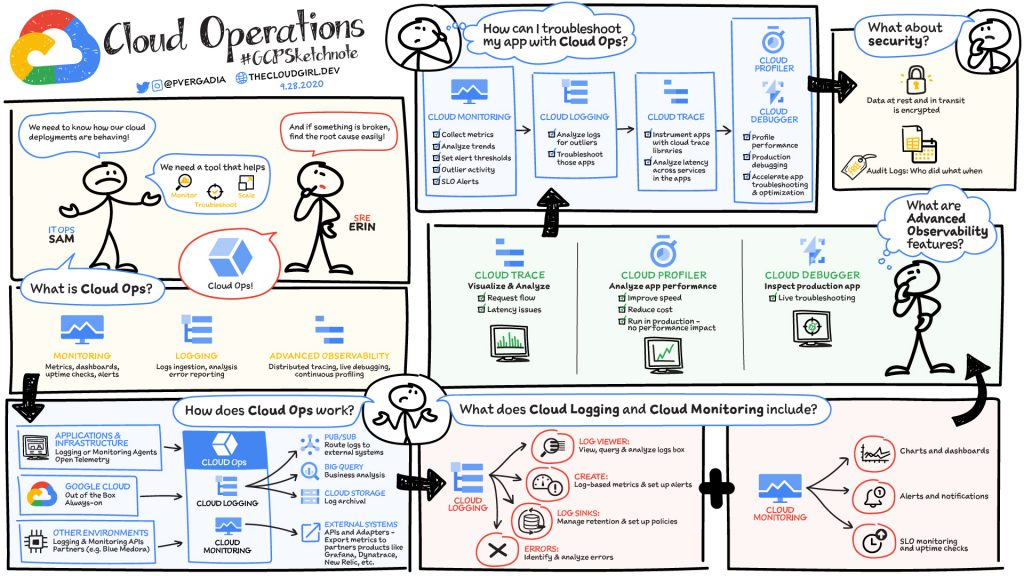
Step 1: Define Your Cloud Strategy
Before implementing CloudOps, you need to define your cloud strategy. This involves identifying your business goals, selecting the right cloud provider, and determining the resources you need to achieve your objectives.
Step 2: Build Your Cloud Infrastructure
Once you have defined your cloud strategy, it’s time to build your cloud infrastructure. This involves setting up your cloud environment, configuring your resources, and deploying your applications.
Step 3: Monitor Your Cloud Infrastructure
After building your cloud infrastructure, you need to monitor it to ensure it’s running smoothly. This involves setting up monitoring tools, analyzing data, and identifying potential issues.
Step 4: Automate Your Cloud Operations
To optimize your cloud infrastructure, you need to automate your cloud operations. This involves creating scripts, setting up workflows, and automating repetitive tasks.
Step 5: Orchestrate Your Cloud Resources
Finally, to ensure your cloud infrastructure is running efficiently, you need to orchestrate your cloud resources. This involves managing your workload, balancing your resources, and optimizing performance.
Conclusion
Implementing CloudOps is essential for businesses that want to take advantage of the benefits of cloud computing. By following these steps, you can ensure a successful implementation and make the most out of your cloud infrastructure. Remember to define your cloud strategy, build your cloud infrastructure, monitor your cloud infrastructure, automate your cloud operations, and orchestrate your cloud resources.

👤 About the Author
Ashwani is passionate about DevOps, DevSecOps, SRE, MLOps, and AiOps, with a strong drive to simplify and scale modern IT operations. Through continuous learning and sharing, Ashwani helps organizations and engineers adopt best practices for automation, security, reliability, and AI-driven operations.
🌐 Connect & Follow:
Website: WizBrand.com
Facebook: facebook.com/DevOpsSchool
X (Twitter): x.com/DevOpsSchools
LinkedIn: linkedin.com/company/devopsschool
YouTube: youtube.com/@TheDevOpsSchool
Instagram: instagram.com/devopsschool
Quora: devopsschool.quora.com
Email– contact@devopsschool.com
Find Trusted Cardiac Hospitals
Compare heart hospitals by city and services — all in one place.
Explore Hospitals