
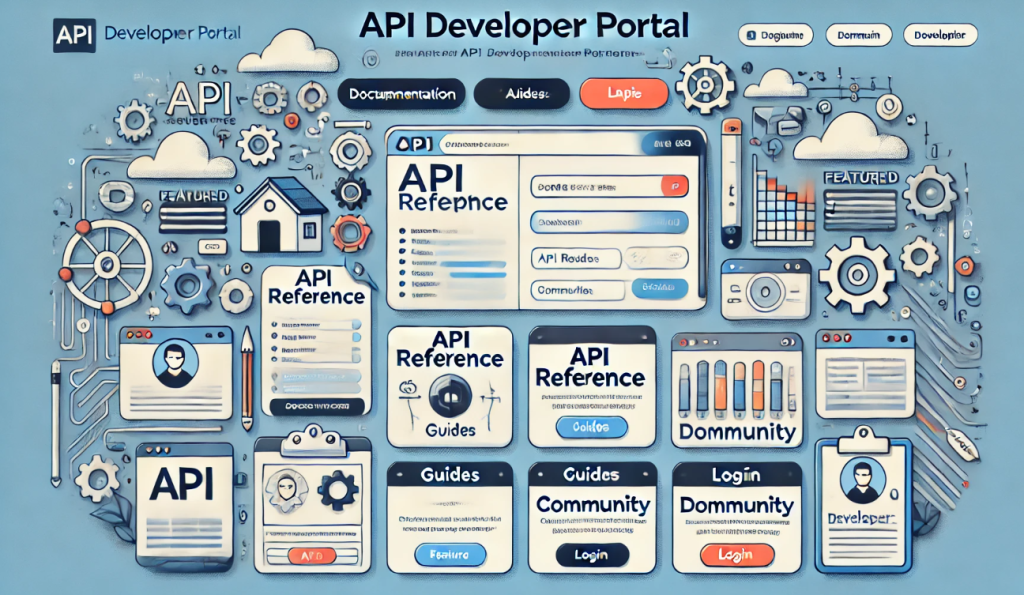
An API Developer Portal is an online platform that provides developers with the resources, tools, and documentation they need to understand and interact with an API (Application Programming Interface). It serves as a comprehensive resource for developers to discover, learn about, and integrate APIs into their applications.
Key Features of an API Developer Portal:
- Documentation:
- API Reference: Detailed information about the API endpoints, request and response formats, error codes, and examples.
- Guides and Tutorials: Step-by-step instructions and use-case examples to help developers get started and integrate the API effectively.
- API Explorer and Sandbox:
- Interactive API Explorer: Allows developers to test API calls directly within the portal, providing a hands-on understanding of how the API works.
- Sandbox Environment: A testing environment where developers can experiment with the API without affecting live data.
- Authentication and Security Information:
- Detailed instructions on how to authenticate API requests, including information on API keys, OAuth tokens, and other security mechanisms.
- SDKs and Libraries:
- Downloadable software development kits (SDKs) and libraries for various programming languages to simplify API integration.
- Developer Community and Support:
- Forums and Discussion Boards: Platforms where developers can ask questions, share knowledge, and discuss best practices.
- Support Channels: Contact information or ticketing systems for getting help from the API provider’s support team.
- Changelog and Release Notes:
- Updates on new features, bug fixes, and changes to the API, ensuring developers are aware of any modifications that could impact their integrations.
- Usage Analytics:
- Tools for developers to monitor their API usage, track performance metrics, and understand usage patterns.
Benefits of an API Developer Portal:
- Improved Developer Experience: Provides a centralized and user-friendly interface for accessing all necessary resources, enhancing the ease of use and efficiency.
- Faster Integration: With comprehensive documentation, interactive tools, and support resources, developers can integrate APIs more quickly and accurately.
- Community Building: Facilitates engagement among developers, fostering a community of practice and shared learning.
- Transparency and Communication: Keeps developers informed about updates and changes to the API, reducing the risk of disruptions and ensuring smoother operations.
Here is a list of some of the best applications and platforms for creating and managing an API Developer Portal:
1. Postman
- Overview: Postman is a popular API development environment that includes features for building, testing, and documenting APIs.
- Features: Interactive API documentation, API testing and monitoring, collaboration tools, and a robust collection of integrations.
- Website: Postman
2. SwaggerHub
- Overview: SwaggerHub is an integrated API development platform that supports the OpenAPI specification, providing tools for designing, documenting, and testing APIs.
- Features: API design and documentation, collaboration, versioning, and integration with CI/CD pipelines.
- Website: SwaggerHub
3. Redocly
- Overview: Redocly provides tools for creating rich and interactive API documentation using OpenAPI/Swagger specifications.
- Features: Customizable documentation, automatic API reference generation, and integration with various CI/CD tools.
- Website: Redocly
4. Apigee
- Overview: Apigee, part of Google Cloud, is a full-lifecycle API management platform that includes tools for designing, securing, deploying, monitoring, and scaling APIs.
- Features: API analytics, developer portal, security, traffic management, and monetization.
- Website: Apigee
5. Kong
- Overview: Kong is an open-source API gateway and platform for managing and securing APIs.
- Features: API gateway, service mesh, plugin architecture, and comprehensive monitoring and logging.
- Website: Kong
6. Tyk
- Overview: Tyk is an open-source API gateway and management platform that focuses on security, performance, and extensibility.
- Features: API gateway, developer portal, analytics, rate limiting, and access control.
- Website: Tyk
7. RapidAPI
- Overview: RapidAPI provides a marketplace for discovering and connecting to APIs, along with tools for managing and monetizing APIs.
- Features: API marketplace, testing, monitoring, analytics, and collaboration tools.
- Website: RapidAPI
8. MuleSoft Anypoint Platform
- Overview: MuleSoft Anypoint Platform is an integration platform for connecting applications, data, and devices with APIs.
- Features: API design and management, integration, monitoring, and analytics.
- Website: MuleSoft Anypoint Platform
9. Stoplight
- Overview: Stoplight is a platform for API design, documentation, and testing, supporting OpenAPI and JSON Schema.
- Features: Visual API design, interactive documentation, API mocking, and collaboration.
- Website: Stoplight
10. Wso2 API Manager
- Overview: Wso2 API Manager is an open-source API management solution that provides comprehensive capabilities for API creation, publication, and management.
- Features: API gateway, security, rate limiting, analytics, and developer portal.
- Website: Wso2 API Manager

I’m Rajesh Kumar, a DevOps, SRE, DevSecOps, Cloud, and Platform Engineering expert passionate about sharing practical knowledge, real-world experiences, and industry best practices. I have worked at Cotocus and regularly write about technology, travel, investing, health, product reviews, and digital marketing through my various platforms.
I publish technical articles at DevOps School, travel stories at Holiday Landmark, stock market insights at Stocks Mantra, health and fitness guidance at My Medic Plus, product reviews at TrueReviewNow, and SEO and digital marketing strategies at Wizbrand.
Find Trusted Cardiac Hospitals
Compare heart hospitals by city and services — all in one place.
Explore Hospitals