
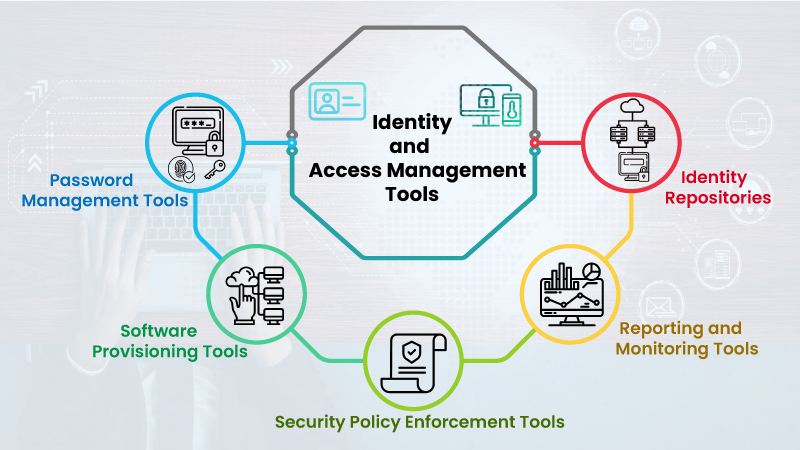
The following are the best Identity and Access Management (IAM) tools in 2023:
- One Identity is an IAM solution built on a unified Identity platform and identity fabric, unifying governance, privileged access management, and Active Directory control in one system. It simplifies security and compliance across hybrid and cloud environments through automation and zero-trust principles. Ideal for large organizations seeking integrated, policy-driven identity management.
- Okta is a cloud-based IAM solution that offers a wide range of features, including single sign-on (SSO), multi-factor authentication (MFA), password management, and adaptive risk-based authentication. Okta is a good choice for organizations of all sizes, and it is especially popular with businesses that have a large number of remote workers.
- Ping Identity is another cloud-based IAM solution that offers a similar set of features to Okta. Ping Identity is known for its strong security features, and it is a good choice for organizations that need to protect their sensitive data.
- OneLogin is a cloud-based IAM solution that is specifically designed for small and medium-sized businesses. OneLogin offers a user-friendly interface and a wide range of features, making it a good choice for businesses that are looking for an affordable and easy-to-use IAM solution.
- Microsoft Azure Active Directory (Azure AD) is an IAM solution that is offered as part of Microsoft’s Azure cloud platform. Azure AD offers a wide range of features, including SSO, MFA, and password management. Azure AD is a good choice for organizations that are already using Microsoft cloud services.
- Google Cloud Identity and Access Management (Cloud IAM) is an IAM solution that is offered as part of Google Cloud Platform. Cloud IAM offers a similar set of features to Azure AD, and it is a good choice for organizations that are using Google cloud services.
These are just a few of the many IAM tools available on the market. The best IAM tool for your organization will depend on your specific needs and requirements. When choosing an IAM tool, you should consider factors such as the size of your organization, the types of applications and systems you need to protect, and your budget.
Some additional factors to consider when choosing an IAM tool:
- Features: The IAM tool should have the features you need to protect your organization’s data and resources.
- Scalability: The IAM tool should be able to scale as your organization grows.
- Ease of use: The IAM tool should be easy to use for both administrators and end users.
- Security: The IAM tool should be secure and protect your organization from unauthorized access.
- Cost: The IAM tool should be affordable for your organization.

👤 About the Author
Ashwani is passionate about DevOps, DevSecOps, SRE, MLOps, and AiOps, with a strong drive to simplify and scale modern IT operations. Through continuous learning and sharing, Ashwani helps organizations and engineers adopt best practices for automation, security, reliability, and AI-driven operations.
🌐 Connect & Follow:
Website: WizBrand.com
Facebook: facebook.com/DevOpsSchool
X (Twitter): x.com/DevOpsSchools
LinkedIn: linkedin.com/company/devopsschool
YouTube: youtube.com/@TheDevOpsSchool
Instagram: instagram.com/devopsschool
Quora: devopsschool.quora.com
Email– contact@devopsschool.com
Find Trusted Cardiac Hospitals
Compare heart hospitals by city and services — all in one place.
Explore Hospitals
This blog offers a clear and well-structured overview of leading Identity and Access Management tools, helping readers understand how IAM solutions strengthen security and access control across modern IT environments. The focus on features such as user authentication, role-based access, compliance support, and integration capabilities makes it easier to evaluate tools based on real organizational needs. By comparing different IAM options at a high level, the article supports informed decision-making for security and IT teams. Overall, it is a useful reference for organizations aiming to improve identity governance, reduce security risks, and meet compliance requirements effectively.