
RESTful Service Structure
Let’s have a look at the structure a RESTful service generally has, or how it works. Here we have, well, parts of a RESTful service. We’ve got some API endpoints, and we want to reach them with different devices, different kinds of applications, Well, of course, we have our routes to these endpoints, but in the end, it’s our RESTful service in the middle, which takes the requests sent by the devices and handle them appropriately with the API endpoints set up.
This RESTful service has some principles, or in general RESTful Services have some principles, and you’ll also see services, which kind of work in the same way, but don’t follow these principles. Now, theoretically, they aren’t real RESTful services even though the border of course is a bit fluid.
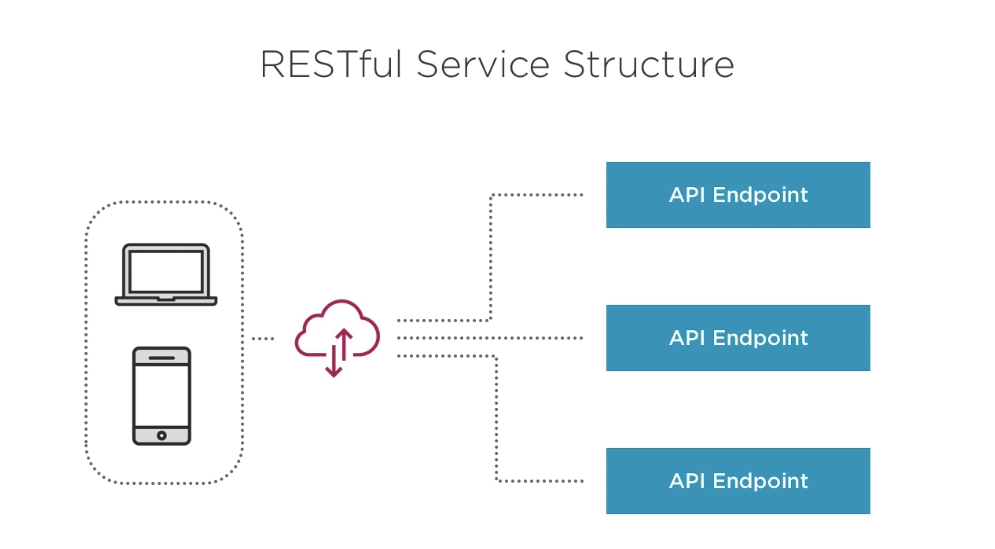
But, in theory, the following principles are defined for RESTful Services.
RESTful Services – Principles
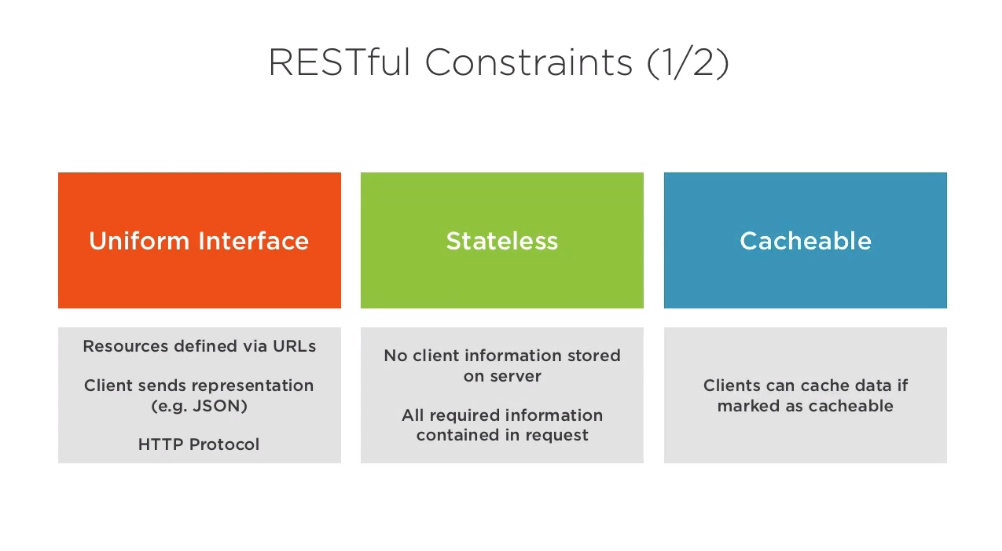
1. It should have a uniform interface, Which means the resources are defined by URLs, a client sends a representation of data, for example, JSON, and the HTTP protocol is used for sending the data or request.
2. The RESTful service also is stateless, and this is very important, you will see this in the authentication module. The Serving stateless meaning that no client information is stored on a server, and you shouldn’t ever do this when creating a RESTful service. All required information has to be contained in a request. This means the server doesn’t care if it’s the same application sending the third request, or another one sending it’s first, for the RESTful service each request is seen individually.
3. RESTful services also can be cacheable, which means that if the RESTful service sends the appropriate response, clients may cache certain data.
See the Below Image :-
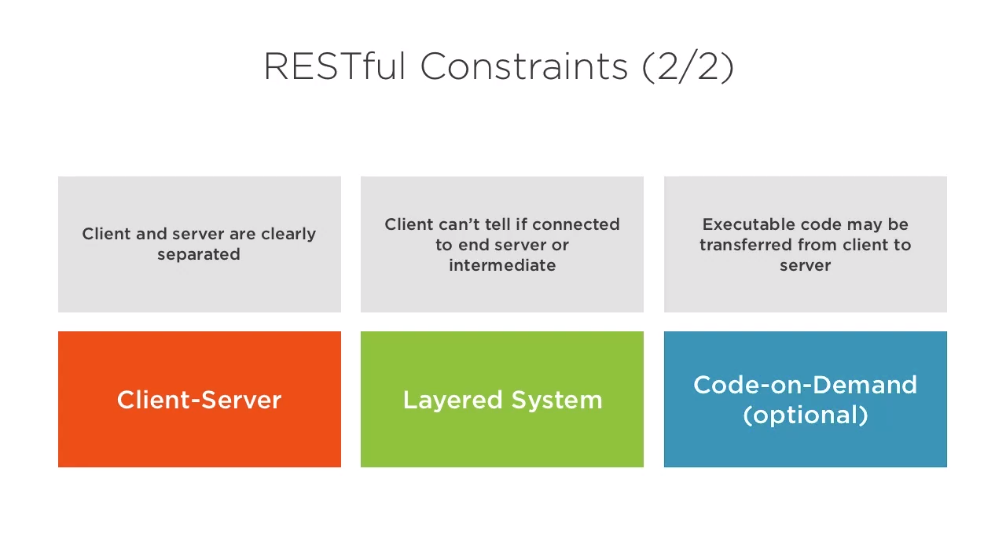
Additionally, 1. we have a clear client and server separation going on, which means you shouldn’t run a web application reaching out to a RESTful service on the same server as the service runs.
2. We also have a layered system, which means that the client can’t tell if he’s connected to the end server or any intermediate server.
3. And lastly, and this is an optional constraint, we have code on demand. This means that the service, the RESTful service, may send code to the client, which the client then can execute. Now these are the constraints defined for RESTful services, and when creating such a service you should try to follow them, otherwise it’s not really a RESTful service which you’re creating. So this has been the short refresher on RESTful services. And again, if you want to learn more about it, check out the RESTful Fundamentals.
See the Image Below

With MotoShare.in, you can book a bike instantly, enjoy doorstep delivery, and ride without worries. Perfect for travelers, professionals, and adventure enthusiasts looking for a seamless mobility solution.
Find Trusted Cardiac Hospitals
Compare heart hospitals by city and services — all in one place.
Explore Hospitals