
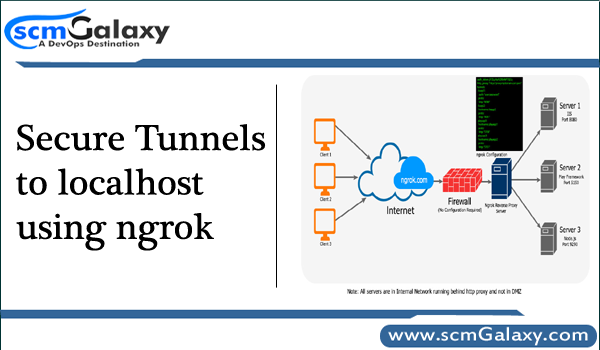
Secure Tunnels to localhost using ngrok
ngrok is a free tool that allows you to expose a web server running on your local machine to the internet. It includes additional functionality that makes it easy to install and manage itself as a native operating system service on Windows, OS X and Linux.
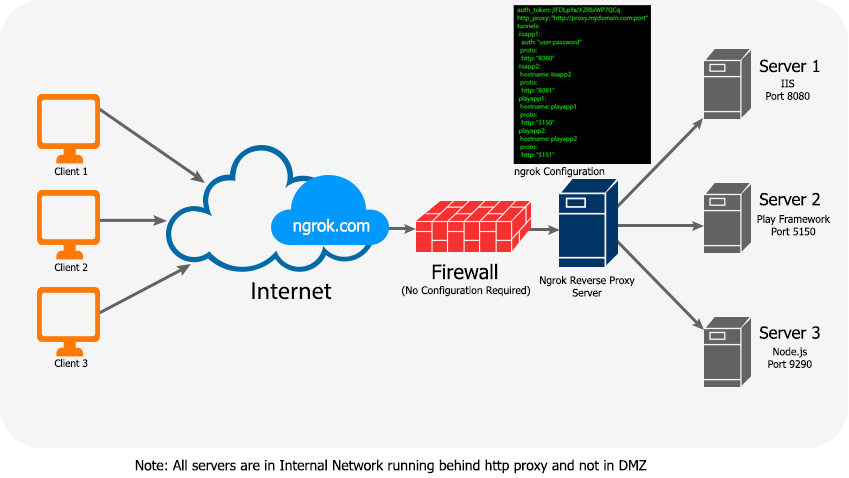
It is is a multiplatform tunnelling, reverse proxy software that establishes secure tunnels from a public endpoint such as internet to a locally running network service while capturing all traffic for detailed inspection and replay.
The following are the issues that we were facing before Ngrok deployment:
- Unable to expose localhost application directly to internet without DMZ & other network configuration
- Unable to demonstrate an application to Client on urgent basis
- Unable to share websites for testing purpose
- Develop any services which consume Webhooks (HTTP CallBacks)
- Can’t share a website temporarily that is running only on our developer machine
- Time Consuming on network and DNS configurations
- Can’t debug or inspect HTTP Traffic in a precise manner
- Can’t run networked services on machines that are firewalled off from the internet
- Unable to expose application behind http proxy
- Unable to forward non-http and non-local network services
It’s really easy to install and use
ngrok is built in Go so it is packaged as binaries for each major platform. To install ngrok do the following:
- Download the package for your system
- Unzip the package
- There is no step 3!
Once you have ngrok installed, using it to tunnel to an application running on, say, port 3000 is as easy as:
[code]$ ./ngrok http 3000[/code]
Once you’ve unzipped the ngrok executable move it to a folder that’s in your $PATH then you can run ngrok from anywhere you want on the command line by just typing:
[code]$ ngrok http 3000[/code]
It has a dashboard
http://127.0.0.1:4040
You can secure your tunnels
[code]$ ngrok http -auth "user:password" 3000[/code]
You can use custom subdomains
[code]$ ngrok http -subdomain=thisisreallycool 3000[/code]

I’m Rajesh Kumar, a DevOps, SRE, DevSecOps, Cloud, and Platform Engineering expert passionate about sharing practical knowledge, real-world experiences, and industry best practices. I have worked at Cotocus and regularly write about technology, travel, investing, health, product reviews, and digital marketing through my various platforms.
I publish technical articles at DevOps School, travel stories at Holiday Landmark, stock market insights at Stocks Mantra, health and fitness guidance at My Medic Plus, product reviews at TrueReviewNow, and SEO and digital marketing strategies at Wizbrand.
Find Trusted Cardiac Hospitals
Compare heart hospitals by city and services — all in one place.
Explore Hospitals





