
Staff Android Engineer: Role Blueprint, Responsibilities, Skills, KPIs, and Career Path
The **Staff Android Engineer** is a senior individual contributor responsible for **technical leadership of Android client engineering**, ensuring the Android application(s) are scalable, reliable, secure, and aligned to product strategy. This role combines deep Android expertise with cross-team influence: setting standards, designing architecture, unblocking delivery, improving engineering health, and raising the technical bar across the mobile organization.
Senior Android Engineer: Role Blueprint, Responsibilities, Skills, KPIs, and Career Path
The Senior Android Engineer designs, builds, and continuously improves high-quality Android applications that deliver reliable, secure, and performant user experiences at scale. The role exists to ensure the company’s mobile product capabilities are implemented with strong engineering rigor—balancing user experience, maintainability, delivery speed, and platform excellence.
Principal Android Engineer: Role Blueprint, Responsibilities, Skills, KPIs, and Career Path
The Principal Android Engineer is a senior individual contributor who owns the technical direction, architecture integrity, and engineering excellence of Android applications and shared mobile platform components. This role designs scalable solutions, drives cross-team alignment, raises quality and reliability standards, and enables teams to deliver high-quality Android experiences at speed without compromising security, performance, or maintainability.
Ultimate macOS Guide: Flutter + Android SDK
It covers Android SDK, Java (JDK), Flutter, Path wiring, Plugin setup, Validation, AVD/emulator, and creating a project—plus quick fixes. Assumptions: default shell = zsh, Apple Silicon path…
Recommended Tools to Install Android App and Test on Desktop/Laptop
There are several desktop/laptop tools that allow you to install and test Android apps directly on your machine. These tools emulate or simulate Android devices and are…
Android Studio SDK Version Compatibility Table with JDK and Gradle
Let’s add the latest Android Studio version for 2024 if available, with its corresponding Gradle and Java compatibility details. Based on typical release patterns, here’s an updated…
What is Android and use cases of Android?
What is Android? Android is a mobile operating system (OS) developed by Google. It is based on the Linux kernel and is designed primarily for touchscreen devices…
Complete Android App Developer Certification Guide & tutorials
What is Android App Developer? Since few decades market is being dominated by android company. That’s why the demand of android developers are still on top. let’s…

What is Android and How it works? An Overview and Its Use Cases
History & Origin of Android Android Inc. was founded in Palo Alto, California, in October 2003 by Andy Rubin, Rich Miner, Nick Sears, and Chris White. Rubin…
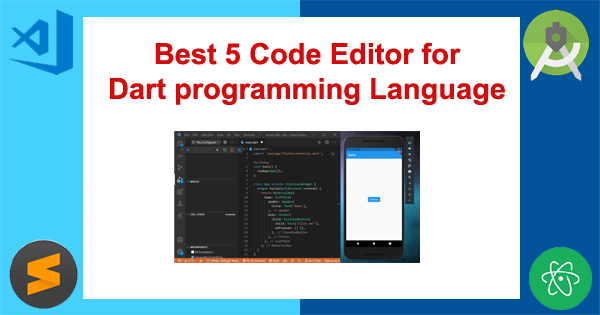
Best & Most Popular 5 Code Editor for Dart programming Language
In this tutorial im going to share top and best 5 code editor for dart programming language. These code editor is very helpful for developers. Top 5…
Top 50 android Interview Questions and Answers
What is Android? It is an open-sourced operating system that is used primarily on mobile devices, such as cell phones and tablets. It is a Linux kernel-based…
Flutter : Open for editing in android studio not showing.
Problem Solution This is more of a git issue. When you committed your PR is the iml file in your repository? After you cloned the project did…
[SOLVED] Flutter: Not showing “Open for editing in Android Studio”
The problem is caused by missing .iml project files. These files are added automatically to the .gitignore file but they should not. To fix it: Delete .idea folder. Create a new temporary Flutter…
[SOLVED] Flutter Webview throws Compiling Error.
Problem The android studio while running throws this error and stop the build Solution ThreadedInputConnectionProxyAdapterView has wrong extension .jav just change it to .java until the flutter…
How to use Bluestacks as emulator in Android studio.
Emulator of Android Studio Consumes lots of Ram and also Slow Down PC. So, Better is to use BlueStacks as emulator in android studio as well as…
How to Get SHA-1 key in Android Studio for Firebase.
There are two methods of getting SHA-1 key, but First one is not working for Windows user. So, if you are a Windows user then go for…
No version of NDK matched the requested version in flutter >> Solved.
Hello Guys i was trying to get The SHA1 key to integrate firebase in my flutter app.After updating to Android Gradle plugin 3.6.0 (released Feb 24, 2020), several project independently…
How to get the SHA-1 fingerprint certificate for firebase in Android Studio for debug mode?
First, open Android Studio in your system and open or create a Flutter project after that open “Android” folder’s “app” folder and open “build.gradle“. When you open…
Error – Dart SDK is not configured in Android Studio.
First of all whenever you see this error then see your flutter framework SDK path is set or not. In my system it is not configures. so…
What is flutter and how to use it for app development?
Flutter is Google’s portable UI (user interface) framework for producing modern, native and reactive mobile(Android, iOS) application, Web and desktop from a single codebase. Flutter is an…