
Introduction
Public service organizations face increasing pressure to deliver high-quality services while operating with limited budgets, workforce shortages, changing regulations, and rising citizen expectations. Managing employee schedules manually is no longer sufficient for agencies responsible for healthcare, emergency response, public transportation, municipalities, utilities, education, corrections, and other government services. AI Workforce Scheduling for Public Services tools help automate workforce planning by using artificial intelligence to forecast staffing demand, optimize shift assignments, reduce overtime, ensure compliance, and improve operational efficiency.
Unlike traditional scheduling software, modern AI-powered workforce scheduling platforms continuously analyze historical workforce data, employee availability, skills, certifications, labor regulations, seasonal demand, and real-time operational events to generate optimized schedules. Many solutions also provide predictive analytics, mobile workforce management, automated notifications, self-service shift swaps, and integration with HR, payroll, and enterprise resource planning systems.
Common use cases include:
- Scheduling healthcare professionals across hospitals and clinics
- Managing emergency services staffing
- Planning police and fire department shifts
- Optimizing public transportation workforce allocation
- Managing municipal employees across departments
- Scheduling utility field technicians
- Workforce planning for education and public institutions
- Forecasting staffing demand during emergencies or special events
When evaluating AI Workforce Scheduling for Public Services tools, buyers should consider:
- AI-powered scheduling optimization
- Demand forecasting accuracy
- Skills and certification matching
- Labor law compliance
- Overtime optimization
- Employee self-service
- Mobile accessibility
- Workflow automation
- Integration capabilities
- Reporting and analytics
- Scalability
- Security and governance
- Deployment flexibility
- Cost efficiency
Best for: Government agencies, municipalities, hospitals, emergency response organizations, police departments, fire services, utilities, transportation authorities, educational institutions, public sector HR teams, and workforce operations managers responsible for scheduling large numbers of employees.
Not ideal for: Small organizations with fewer than a dozen employees, businesses using simple fixed schedules, or teams that only require basic calendar management instead of AI-driven workforce optimization.
What’s Changed in AI Workforce Scheduling for Public Services in 2026+
AI scheduling platforms have evolved far beyond digital calendars. Modern public-sector workforce management solutions now incorporate predictive analytics, intelligent automation, and AI-driven optimization to improve workforce utilization while maintaining regulatory compliance.
- AI agents automatically generate optimized schedules based on staffing requirements and employee preferences.
- Predictive demand forecasting helps agencies prepare for seasonal trends and emergency situations.
- Skills-based scheduling ensures qualified personnel are assigned to specialized roles.
- Real-time schedule adjustments respond to absences, emergencies, and operational disruptions.
- Generative AI assists managers by recommending schedule changes using natural language requests.
- Mobile workforce applications enable employees to request leave, swap shifts, and receive instant notifications.
- AI identifies overtime risks and recommends cost-saving staffing alternatives.
- Workforce analytics provide insights into productivity, absenteeism, and staffing utilization.
- Integration with HR, payroll, and identity management systems has become a standard requirement.
- Explainable AI scheduling recommendations improve transparency and employee trust.
- Privacy, audit logging, and administrative governance continue to grow in importance across public-sector deployments.
- Cloud-native platforms increasingly support hybrid workforces and geographically distributed teams.
Quick Buyer Checklist (Scan-Friendly)
Before selecting an AI Workforce Scheduling for Public Services platform, verify the following capabilities:
- □ AI-powered shift optimization
- □ Demand forecasting
- □ Skills and certification matching
- □ Labor regulation compliance
- □ Overtime monitoring
- □ Automated schedule generation
- □ Employee self-service portal
- □ Mobile applications
- □ Leave management
- □ Real-time notifications
- □ Workflow automation
- □ HR and payroll integration
- □ API availability
- □ Role-based access control
- □ Audit logs
- □ Data privacy and retention controls
- □ Analytics dashboards
- □ Multi-location scheduling
- □ Low vendor lock-in through open integrations
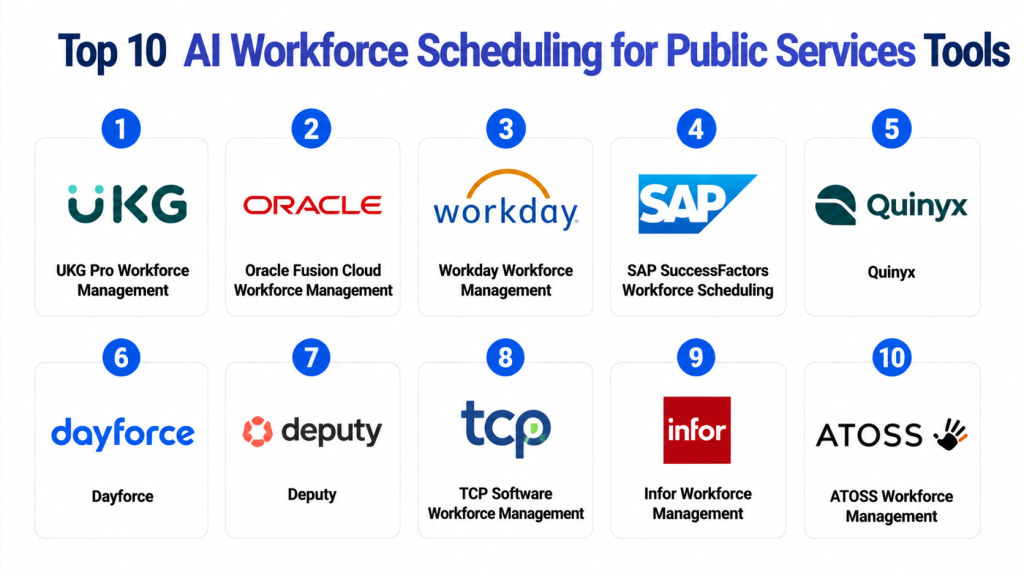
Top 10 AI Workforce Scheduling for Public Services Tools
#1 — UKG Pro Workforce Management
One-line verdict: Best for large public-sector organizations requiring AI-powered workforce scheduling, compliance, and labor optimization.
Short description (2–3 lines):
UKG Pro Workforce Management helps public organizations automate employee scheduling, forecast staffing demand, manage labor compliance, and improve workforce productivity using AI-assisted scheduling and analytics.
Standout Capabilities
- AI-powered schedule optimization
- Demand forecasting
- Automated shift planning
- Compliance monitoring
- Overtime management
- Mobile workforce access
- Employee self-service
- Workforce analytics
AI-Specific Depth
- Model support: Proprietary AI capabilities
- RAG / knowledge integration: N/A
- Evaluation: Workforce performance analytics and scheduling insights
- Guardrails: Labor policy validation, compliance monitoring, scheduling rules
- Observability: Dashboards, workforce metrics, staffing reports, operational analytics
Pros
- Comprehensive workforce management platform
- Strong compliance automation
- Excellent analytics and reporting
Cons
- Enterprise-oriented implementation
- Premium licensing model
- Configuration can be complex
Security & Compliance
Supports enterprise authentication, role-based administration, encryption, audit logging, and configurable administrative controls depending on deployment.
Certifications: Not publicly stated.
Deployment & Platforms
- Web
- Windows
- iOS
- Android
- Cloud
Integrations & Ecosystem
UKG integrates with HR, payroll, ERP, identity management, and workforce management ecosystems.
- REST APIs
- HR systems
- Payroll platforms
- ERP solutions
- Identity providers
- Business intelligence tools
Pricing Model
Subscription-based enterprise licensing. Public pricing is not publicly stated.
Best-Fit Scenarios
- Municipal workforce scheduling
- Public healthcare organizations
- Large government agencies
#2 — Oracle Fusion Cloud Workforce Management
One-line verdict: Best for government organizations already using Oracle enterprise applications and cloud infrastructure.
Short description (2–3 lines):
Oracle Fusion Cloud Workforce Management combines AI-assisted scheduling, workforce planning, labor optimization, and HR integration to help public organizations efficiently allocate staff while maintaining compliance.
Standout Capabilities
- AI-assisted workforce scheduling
- Predictive staffing forecasts
- Skills-based assignment
- Labor compliance automation
- Workforce analytics
- Employee self-service
- Mobile scheduling
- Enterprise reporting
AI-Specific Depth
- Model support: Proprietary Oracle AI capabilities
- RAG / knowledge integration: Enterprise application integration
- Evaluation: Staffing analytics and workforce reporting
- Guardrails: Policy enforcement, compliance validation, scheduling controls
- Observability: Dashboards, workforce insights, operational metrics
Pros
- Deep Oracle ecosystem integration
- Strong enterprise scalability
- Comprehensive workforce analytics
Cons
- Best suited for Oracle environments
- Enterprise deployment complexity
- Advanced features may require additional configuration
Security & Compliance
Supports enterprise authentication, encryption, audit capabilities, and administrative governance depending on deployment.
Certifications: Not publicly stated.
Deployment & Platforms
- Web
- iOS
- Android
- Cloud
Integrations & Ecosystem
Oracle Fusion Cloud integrates with Oracle HR, ERP, payroll, analytics, and enterprise applications.
- REST APIs
- Oracle Cloud applications
- Payroll systems
- ERP platforms
- Analytics services
- Identity management
Pricing Model
Enterprise subscription. Public pricing is not publicly stated.
Best-Fit Scenarios
- Government HR modernization
- Public-sector workforce planning
- Large enterprise scheduling
#3 — Workday Workforce Management
One-line verdict: Best for organizations seeking unified AI-driven workforce scheduling within a modern HR platform.
Short description (2–3 lines):
Workday Workforce Management enables public organizations to optimize staffing, forecast labor demand, automate scheduling, and improve employee engagement through intelligent workforce planning.
Standout Capabilities
- Intelligent scheduling
- Workforce forecasting
- AI-assisted staffing recommendations
- Leave management
- Mobile workforce tools
- Employee availability tracking
- Workforce analytics
- Compliance management
AI-Specific Depth
- Model support: Proprietary AI capabilities
- RAG / knowledge integration: Enterprise HR ecosystem integration
- Evaluation: Workforce performance analytics
- Guardrails: Labor compliance policies and approval workflows
- Observability: Workforce dashboards, staffing metrics, reporting
Pros
- Modern user experience
- Strong HR integration
- Comprehensive workforce analytics
Cons
- Enterprise-oriented implementation
- Higher licensing costs
- Advanced customization requires planning
Security & Compliance
Supports enterprise authentication, role-based access, encryption, and audit capabilities depending on deployment.
Certifications: Not publicly stated.
Deployment & Platforms
- Web
- iOS
- Android
- Cloud
Integrations & Ecosystem
Designed to integrate with HR, payroll, identity management, and enterprise business applications.
- REST APIs
- HR systems
- Payroll
- ERP
- Business intelligence
- Workflow automation
Pricing Model
Enterprise subscription.
Best-Fit Scenarios
- Public education
- Healthcare organizations
- Government workforce management
#4 — SAP SuccessFactors Workforce Scheduling
One-line verdict: Best for enterprises needing AI-assisted workforce planning integrated with SAP business systems.
Short description (2–3 lines):
SAP SuccessFactors Workforce Scheduling helps public organizations automate scheduling, optimize staffing, manage compliance, and improve workforce utilization through AI-powered planning.
Standout Capabilities
- AI-assisted workforce planning
- Automated scheduling
- Shift optimization
- Workforce forecasting
- Skills matching
- Compliance monitoring
- Mobile workforce management
- Enterprise analytics
AI-Specific Depth
- Model support: Proprietary SAP AI capabilities
- RAG / knowledge integration: Enterprise SAP ecosystem integration
- Evaluation: Workforce analytics and planning insights
- Guardrails: Policy-driven scheduling and compliance rules
- Observability: Dashboards, reports, staffing metrics
Pros
- Strong SAP integration
- Enterprise scalability
- Mature workforce management capabilities
Cons
- Best suited for SAP customers
- Complex enterprise implementation
- Premium licensing
Security & Compliance
Supports enterprise authentication, encryption, audit logging, and administrative controls depending on deployment.
Certifications: Not publicly stated.
Deployment & Platforms
- Web
- Mobile
- Cloud
Integrations & Ecosystem
Integrates across SAP HR, ERP, payroll, analytics, and enterprise systems.
- SAP ecosystem
- REST APIs
- Payroll
- ERP
- Analytics
- Identity management
Pricing Model
Enterprise subscription.
Best-Fit Scenarios
- Government agencies
- Utilities
- Large municipalities
#5 — Quinyx
One-line verdict: Best for public organizations seeking AI-driven scheduling with strong mobile workforce engagement.
Short description (2–3 lines):
Quinyx provides AI-powered workforce scheduling, labor forecasting, employee communication, and mobile self-service designed to improve operational efficiency across distributed public-sector teams.
Standout Capabilities
- AI scheduling optimization
- Demand forecasting
- Employee shift marketplace
- Mobile scheduling
- Leave management
- Workforce communication
- Compliance monitoring
- Analytics dashboards
AI-Specific Depth
- Model support: Proprietary AI scheduling capabilities
- RAG / knowledge integration: N/A
- Evaluation: Workforce analytics and scheduling insights
- Guardrails: Labor rules, scheduling policies, approval workflows
- Observability: Operational dashboards, workforce metrics, reporting
Pros
- Excellent mobile experience
- Easy employee self-service
- Strong workforce communication
Cons
- Advanced enterprise customization may vary
- Premium capabilities require higher tiers
- Large-scale implementations require planning
Security & Compliance
Supports enterprise authentication, encryption, audit capabilities, and administrative controls depending on deployment.
Certifications: Not publicly stated.
Deployment & Platforms
- Web
- iOS
- Android
- Cloud
Integrations & Ecosystem
Quinyx integrates with HR, payroll, workforce management, and enterprise productivity platforms.
- APIs
- Payroll systems
- HR platforms
- ERP solutions
- Identity providers
- Reporting tools
Pricing Model
Subscription-based licensing with enterprise plans.
Best-Fit Scenarios
- Public transportation
- Municipal operations
- Healthcare workforce scheduling
#6 — Dayforce
One-line verdict: Best for public organizations seeking AI-powered workforce scheduling combined with HR, payroll, and compliance management.
Short description (2–3 lines):
Dayforce provides an integrated workforce management platform that combines AI-assisted scheduling, labor forecasting, payroll, workforce analytics, and compliance automation. It helps public-sector organizations improve staffing efficiency while reducing overtime and administrative workload.
Standout Capabilities
- AI-assisted workforce scheduling
- Labor demand forecasting
- Automated shift optimization
- Payroll integration
- Compliance monitoring
- Workforce analytics
- Employee self-service
- Mobile scheduling
AI-Specific Depth
- Model support: Proprietary AI capabilities
- RAG / knowledge integration: N/A
- Evaluation: Workforce analytics and scheduling optimization reports
- Guardrails: Labor policy validation, compliance rules, approval workflows
- Observability: Workforce dashboards, staffing metrics, operational reporting
Pros
- Unified HR and workforce platform
- Strong compliance capabilities
- Excellent payroll integration
Cons
- Enterprise-oriented implementation
- Configuration requires planning
- Premium functionality may require higher licensing tiers
Security & Compliance
Supports enterprise authentication, role-based administration, encryption, audit logging, and configurable governance controls depending on deployment.
Certifications: Not publicly stated.
Deployment & Platforms
- Web
- iOS
- Android
- Cloud
Integrations & Ecosystem
Dayforce integrates with enterprise HR, payroll, ERP, identity management, and reporting systems.
- REST APIs
- HR platforms
- Payroll systems
- ERP applications
- Identity providers
- Analytics tools
Pricing Model
Enterprise subscription. Public pricing is not publicly stated.
Best-Fit Scenarios
- Government HR modernization
- Healthcare scheduling
- Public-sector payroll integration
#7 — Deputy
One-line verdict: Best for small and mid-sized public organizations requiring simple AI-assisted workforce scheduling.
Short description (2–3 lines):
Deputy simplifies workforce scheduling with AI-assisted shift planning, employee availability tracking, attendance management, and mobile collaboration, making it suitable for organizations with distributed frontline teams.
Standout Capabilities
- Intelligent shift scheduling
- Employee availability management
- Leave management
- Attendance tracking
- Mobile notifications
- Shift swapping
- Workforce communication
- Scheduling analytics
AI-Specific Depth
- Model support: Proprietary scheduling intelligence
- RAG / knowledge integration: N/A
- Evaluation: Scheduling performance reports
- Guardrails: Scheduling rules and compliance validation
- Observability: Workforce dashboards and reporting
Pros
- Easy implementation
- Excellent mobile application
- User-friendly scheduling interface
Cons
- Limited enterprise customization
- Advanced analytics may vary
- Best suited for smaller organizations
Security & Compliance
Supports authentication, administrative controls, encryption, and audit capabilities depending on deployment.
Certifications: Not publicly stated.
Deployment & Platforms
- Web
- Windows
- macOS
- iOS
- Android
- Cloud
Integrations & Ecosystem
Deputy integrates with payroll, HR, collaboration, and productivity platforms.
- REST APIs
- Payroll software
- HR platforms
- Productivity applications
- Identity management
Pricing Model
Tiered subscription licensing.
Best-Fit Scenarios
- Municipal offices
- Public libraries
- Community services
- Small healthcare facilities
#8 — TCP Software Workforce Management
One-line verdict: Best for public agencies managing complex employee scheduling, attendance, and compliance.
Short description (2–3 lines):
TCP Software Workforce Management helps organizations automate scheduling, manage employee attendance, optimize staffing, and improve workforce visibility across multiple departments and locations.
Standout Capabilities
- Automated scheduling
- Attendance management
- Compliance tracking
- Workforce forecasting
- Employee scheduling
- Reporting dashboards
- Mobile workforce access
- Labor optimization
AI-Specific Depth
- Model support: Proprietary workforce optimization capabilities
- RAG / knowledge integration: N/A
- Evaluation: Workforce reporting and analytics
- Guardrails: Compliance validation and policy enforcement
- Observability: Operational dashboards and staffing reports
Pros
- Mature workforce management platform
- Strong attendance capabilities
- Good public-sector experience
Cons
- Enterprise deployment complexity
- Advanced AI capabilities vary
- Implementation planning required
Security & Compliance
Supports enterprise authentication, administrative controls, encryption, and audit logging depending on deployment.
Certifications: Not publicly stated.
Deployment & Platforms
- Web
- Mobile
- Cloud
Integrations & Ecosystem
Supports integration with HR, payroll, and workforce management ecosystems.
- APIs
- Payroll
- HR platforms
- ERP
- Reporting tools
Pricing Model
Enterprise subscription.
Best-Fit Scenarios
- Public healthcare
- Education
- Government administration
#9 — Infor Workforce Management
One-line verdict: Best for large public-sector organizations requiring AI-driven workforce optimization across multiple locations.
Short description (2–3 lines):
Infor Workforce Management combines AI-assisted scheduling, workforce forecasting, compliance management, and analytics to help organizations improve labor utilization while maintaining service quality.
Standout Capabilities
- AI-powered scheduling
- Labor forecasting
- Compliance automation
- Skills-based assignments
- Workforce analytics
- Attendance management
- Mobile workforce tools
- Automated reporting
AI-Specific Depth
- Model support: Proprietary AI capabilities
- RAG / knowledge integration: Enterprise application integration
- Evaluation: Workforce optimization analytics
- Guardrails: Labor compliance and scheduling policies
- Observability: Workforce dashboards and operational reporting
Pros
- Strong enterprise scalability
- Advanced labor forecasting
- Mature workforce optimization
Cons
- Complex enterprise implementation
- Premium licensing
- Best suited for large organizations
Security & Compliance
Supports enterprise authentication, encryption, audit logging, and role-based administration depending on deployment.
Certifications: Not publicly stated.
Deployment & Platforms
- Web
- Mobile
- Cloud
Integrations & Ecosystem
Infor integrates with ERP, HR, payroll, analytics, and enterprise workforce platforms.
- REST APIs
- ERP
- HR platforms
- Payroll
- Business intelligence
- Identity providers
Pricing Model
Enterprise licensing.
Best-Fit Scenarios
- Utilities
- Transportation authorities
- Large municipalities
- Public healthcare systems
#10 — ATOSS Workforce Management
One-line verdict: Best for organizations requiring advanced AI workforce optimization and labor planning.
Short description (2–3 lines):
ATOSS Workforce Management helps public organizations optimize workforce scheduling, improve staffing efficiency, automate labor planning, and support regulatory compliance through intelligent workforce management capabilities.
Standout Capabilities
- AI-assisted workforce optimization
- Intelligent shift scheduling
- Demand forecasting
- Workforce analytics
- Compliance monitoring
- Employee self-service
- Mobile workforce tools
- Planning automation
AI-Specific Depth
- Model support: Proprietary AI scheduling capabilities
- RAG / knowledge integration: N/A
- Evaluation: Workforce performance analytics
- Guardrails: Compliance validation and workforce policies
- Observability: Workforce dashboards, KPIs, reporting, and operational metrics
Pros
- Strong workforce optimization
- Mature scheduling capabilities
- Comprehensive reporting
Cons
- Enterprise-oriented implementation
- Premium pricing
- Learning curve for advanced features
Security & Compliance
Supports enterprise authentication, role-based access, encryption, administrative controls, and audit capabilities depending on deployment.
Certifications: Not publicly stated.
Deployment & Platforms
- Web
- iOS
- Android
- Cloud
Integrations & Ecosystem
ATOSS supports enterprise workforce management through integration with HR, payroll, ERP, and business systems.
- APIs
- HR systems
- Payroll platforms
- ERP
- Identity providers
- Reporting tools
Pricing Model
Enterprise subscription.
Best-Fit Scenarios
- Public utilities
- Government operations
- Healthcare scheduling
- Municipal workforce planning
Comparison Table
| Tool Name | Best For | Deployment | Model Flexibility | Primary Strength | Watch-Out | Public Rating |
|---|---|---|---|---|---|---|
| UKG Pro Workforce Management | Large government agencies | Cloud | Proprietary | Enterprise scheduling | Premium licensing | N/A |
| Oracle Fusion Cloud Workforce Management | Oracle customers | Cloud | Proprietary | Oracle ecosystem integration | Oracle-centric | N/A |
| Workday Workforce Management | Unified HR & scheduling | Cloud | Proprietary | Modern HR platform | Enterprise implementation | N/A |
| SAP SuccessFactors Workforce Scheduling | SAP enterprises | Cloud | Proprietary | SAP integration | SAP-focused | N/A |
| Quinyx | Mobile workforce scheduling | Cloud | Proprietary | Employee engagement | Enterprise customization | N/A |
| Dayforce | HR, payroll & scheduling | Cloud | Proprietary | Unified workforce management | Premium licensing | N/A |
| Deputy | Small & mid-sized organizations | Cloud | Proprietary | Ease of use | Limited enterprise depth | N/A |
| TCP Software Workforce Management | Attendance & scheduling | Cloud | Proprietary | Workforce visibility | Advanced AI varies | N/A |
| Infor Workforce Management | Large workforce optimization | Cloud | Proprietary | Labor forecasting | Enterprise complexity | N/A |
| ATOSS Workforce Management | Workforce optimization | Cloud | Proprietary | Advanced scheduling | Premium implementation | N/A |
Scoring & Evaluation (Transparent Rubric)
The following scores are intended to provide a comparative evaluation rather than absolute rankings. Every public-sector organization has unique operational requirements, labor regulations, workforce structures, and technology ecosystems. Organizations should validate these scores through pilot implementations and real-world workforce scheduling scenarios.
| Tool | Core Features | AI Reliability & Evaluation | Guardrails & Safety | Integrations | Ease of Use | Performance & Cost | Security & Admin | Support | Weighted Total |
|---|---|---|---|---|---|---|---|---|---|
| UKG Pro Workforce Management | 9.7 | 9.5 | 9.4 | 9.4 | 8.9 | 8.8 | 9.5 | 9.1 | 9.29 |
| Workday Workforce Management | 9.5 | 9.3 | 9.2 | 9.4 | 9.0 | 8.7 | 9.3 | 9.0 | 9.16 |
| Oracle Fusion Cloud Workforce Management | 9.5 | 9.2 | 9.2 | 9.5 | 8.7 | 8.6 | 9.4 | 8.9 | 9.14 |
| SAP SuccessFactors Workforce Scheduling | 9.4 | 9.1 | 9.1 | 9.4 | 8.8 | 8.6 | 9.3 | 8.9 | 9.08 |
| Dayforce | 9.3 | 9.0 | 9.0 | 9.2 | 8.9 | 8.8 | 9.2 | 8.8 | 9.01 |
| Infor Workforce Management | 9.2 | 9.0 | 8.9 | 9.0 | 8.6 | 8.7 | 9.2 | 8.7 | 8.94 |
| Quinyx | 9.0 | 8.8 | 8.8 | 8.9 | 9.2 | 8.8 | 8.8 | 8.8 | 8.90 |
| ATOSS Workforce Management | 9.0 | 8.8 | 8.9 | 8.8 | 8.6 | 8.7 | 9.0 | 8.7 | 8.84 |
| TCP Software Workforce Management | 8.8 | 8.6 | 8.7 | 8.7 | 8.7 | 8.8 | 8.8 | 8.6 | 8.73 |
| Deputy | 8.7 | 8.5 | 8.6 | 8.5 | 9.3 | 9.0 | 8.5 | 8.8 | 8.70 |
Top 3 for Enterprise
- UKG Pro Workforce Management
- Workday Workforce Management
- Oracle Fusion Cloud Workforce Management
These platforms provide enterprise-grade scheduling optimization, compliance management, advanced workforce analytics, and extensive integration capabilities for large public-sector organizations.
Top 3 for SMB
- Deputy
- Quinyx
- TCP Software Workforce Management
These tools balance ease of implementation, AI-assisted scheduling, mobile workforce management, and affordability, making them well suited for small and mid-sized public organizations.
Top 3 for Public Sector Organizations
- UKG Pro Workforce Management
- Oracle Fusion Cloud Workforce Management
- Dayforce
These platforms are particularly well suited for government agencies, municipalities, healthcare systems, public utilities, and transportation authorities due to their strong workforce optimization, compliance support, and enterprise-scale management capabilities.
End of Part 2
Part 3 will include:
- Which AI Workforce Scheduling for Public Services Tool Is Right for You?
- 30 / 60 / 90-Day Implementation Playbook
- Common Mistakes & How to Avoid Them
- 12+ Frequently Asked Questions
- Conclusion with actionable next steps
write blog part 3
Which AI Workforce Scheduling for Public Services Tool Is Right for You?
Choosing the right AI Workforce Scheduling for Public Services platform depends on your organization’s workforce size, operational complexity, regulatory obligations, budget, and existing HR technology ecosystem. Some platforms are designed for large government agencies with thousands of employees, while others are better suited for municipalities, healthcare providers, educational institutions, or public utilities. The best solution is one that improves workforce efficiency while remaining easy to manage and adaptable to future organizational needs.
Solo / Freelancer
Independent consultants, contract managers, small public projects, and organizations managing limited workforces generally need straightforward scheduling rather than enterprise workforce optimization.
Recommended tools:
- Deputy
- Quinyx
Key priorities include:
- Quick deployment
- Mobile scheduling
- Employee availability tracking
- Leave management
- Shift notifications
- Affordable subscription options
Organizations with fewer than 50 employees rarely require advanced AI forecasting or enterprise governance capabilities.
SMB
Small and medium-sized public organizations such as municipal offices, libraries, local healthcare providers, parks departments, and community services require automation without excessive implementation complexity.
Recommended tools:
- Deputy
- Quinyx
- TCP Software Workforce Management
Focus on capabilities such as:
- Automated shift scheduling
- Mobile workforce access
- Attendance management
- Employee self-service
- Payroll integration
- Reporting dashboards
Cloud-native deployment can reduce IT overhead while improving workforce flexibility.
Mid-Market
Growing public-sector organizations typically manage multiple departments, rotating shifts, and increasingly complex compliance requirements.
Recommended tools:
- Dayforce
- Infor Workforce Management
- SAP SuccessFactors Workforce Scheduling
Evaluation priorities should include:
- AI-assisted workforce optimization
- Skills-based scheduling
- Workforce analytics
- Compliance automation
- HR integration
- Multi-location management
- Operational reporting
Organizations at this stage should establish centralized workforce policies before expanding automation.
Enterprise
Large government agencies, healthcare networks, transportation authorities, police departments, utilities, and emergency services require enterprise-grade scheduling with high availability and operational resilience.
Recommended tools:
- UKG Pro Workforce Management
- Oracle Fusion Cloud Workforce Management
- Workday Workforce Management
- SAP SuccessFactors Workforce Scheduling
Enterprise buyers should prioritize:
- AI-driven scheduling optimization
- Predictive staffing forecasts
- Labor compliance automation
- Enterprise analytics
- Role-based administration
- Audit logging
- Identity management
- High scalability
- Multi-region deployment
- Business continuity
Conducting pilot deployments across multiple departments before organization-wide rollout can significantly reduce implementation risk.
Regulated Industries (Healthcare, Public Safety, Utilities, Government)
Organizations operating under strict labor regulations must maintain transparent scheduling, compliance reporting, and workforce accountability.
Recommended tools:
- UKG Pro Workforce Management
- Oracle Fusion Cloud Workforce Management
- Dayforce
- Infor Workforce Management
Critical evaluation criteria include:
- Labor law compliance
- Certification and skills tracking
- Audit logging
- Workforce analytics
- Secure administration
- Role-based access
- Workforce forecasting
- Scheduling transparency
Human oversight should remain part of scheduling decisions for mission-critical public services.
Budget vs Premium
Budget-Friendly Options
Organizations with limited budgets should prioritize solutions that provide automation while remaining easy to deploy and manage.
Recommended platforms:
- Deputy
- Quinyx
- TCP Software Workforce Management
These platforms offer practical scheduling capabilities without requiring large enterprise implementations.
Premium Enterprise Platforms
Large public-sector organizations requiring comprehensive workforce optimization should evaluate:
- UKG Pro Workforce Management
- Oracle Fusion Cloud Workforce Management
- Workday Workforce Management
- SAP SuccessFactors Workforce Scheduling
Although enterprise deployments require greater investment, they typically deliver stronger compliance management, analytics, and long-term operational efficiency.
Build vs Buy (When to DIY)
Building a custom workforce scheduling solution may be appropriate when:
- Workforce rules are highly specialized.
- Existing scheduling systems are unique.
- Internal software development resources are available.
- Proprietary optimization logic is required.
Purchasing a commercial platform is generally the better choice when:
- Rapid deployment is important.
- Proven scheduling algorithms are preferred.
- Vendor support is required.
- Regulatory compliance is a priority.
- Workforce management extends across multiple departments.
Most public organizations benefit from purchasing a mature scheduling platform and extending it through APIs where necessary.
Implementation Playbook (30 / 60 / 90 Days)
Successful workforce scheduling modernization requires careful planning, measurable objectives, and continuous optimization.
First 30 Days: Pilot and Assessment
Primary objectives:
- Identify scheduling challenges.
- Select pilot departments.
- Establish workforce metrics.
- Configure scheduling policies.
Key activities:
- Analyze historical workforce data.
- Import employee records.
- Configure labor rules.
- Build scheduling templates.
- Train supervisors.
- Enable mobile workforce access.
- Establish reporting dashboards.
- Measure baseline workforce performance.
Recommended KPIs:
- Schedule completion time
- Overtime hours
- Shift coverage
- Employee satisfaction
- Schedule accuracy
- Manager productivity
Next 60 Days: Expand Automation
Primary objectives:
- Increase scheduling automation.
- Improve workforce visibility.
- Strengthen governance.
Key activities:
- Enable AI scheduling recommendations.
- Automate leave approvals.
- Integrate HR and payroll.
- Configure workforce analytics.
- Expand mobile adoption.
- Improve reporting.
- Validate compliance rules.
- Reduce manual scheduling activities.
Organizations should regularly review:
- Staffing utilization
- Overtime costs
- Schedule conflicts
- Workforce availability
- Employee feedback
- Operational efficiency
Final 90 Days: Optimize and Scale
Primary objectives:
- Improve scheduling efficiency.
- Reduce operational costs.
- Expand enterprise adoption.
Key activities:
- Optimize AI scheduling models.
- Improve staffing forecasts.
- Reduce overtime.
- Expand integrations.
- Standardize scheduling policies.
- Improve executive reporting.
- Conduct governance reviews.
- Monitor workforce trends.
- Establish continuous improvement programs.
Long-term success indicators include:
- Higher employee satisfaction
- Better service delivery
- Lower overtime costs
- Improved workforce utilization
- Faster schedule creation
- Greater compliance consistency
Common Mistakes & How to Avoid Them
Avoid these common workforce scheduling mistakes:
- Relying entirely on manual scheduling.
- Ignoring employee skills and certifications.
- Overlooking labor law compliance.
- Scheduling excessive overtime.
- Failing to monitor workforce analytics.
- Ignoring employee scheduling preferences.
- Delaying mobile workforce adoption.
- Implementing AI recommendations without human review.
- Poor integration with HR and payroll systems.
- Lack of executive reporting.
- Ignoring workforce demand forecasting.
- Creating overly complex scheduling rules.
- Building vendor-specific workflows that increase lock-in.
- Treating scheduling modernization as a one-time project rather than a continuous improvement initiative.
Frequently Asked Questions
What is AI Workforce Scheduling for Public Services?
These platforms use artificial intelligence to automatically generate employee schedules, forecast staffing demand, optimize labor utilization, and improve workforce management across public-sector organizations.
How does AI improve workforce scheduling?
AI analyzes workforce availability, employee skills, historical staffing patterns, operational demand, labor regulations, and organizational policies to recommend optimized schedules that reduce manual effort.
Can AI reduce overtime costs?
Yes. Modern scheduling platforms identify staffing imbalances, recommend alternative shift assignments, and optimize workforce allocation to minimize unnecessary overtime while maintaining service levels.
Are these platforms suitable for emergency services?
Many enterprise workforce management platforms support healthcare, emergency response, utilities, transportation, and public safety organizations that require continuous operations and complex scheduling.
Can employees manage their own schedules?
Most modern solutions provide employee self-service capabilities for viewing schedules, requesting leave, swapping shifts, updating availability, and receiving notifications through mobile applications.
Do these tools integrate with HR and payroll systems?
Yes. Most enterprise platforms integrate with HR, payroll, ERP, identity management, and workforce analytics systems, although available integrations vary by vendor.
Is cloud deployment the best option?
Cloud deployment simplifies maintenance, improves scalability, and accelerates updates for many organizations. Some vendors also support hybrid deployment models depending on organizational requirements.
How should organizations evaluate workforce scheduling software?
Conduct pilot implementations using representative departments, measure scheduling efficiency, validate compliance requirements, gather employee feedback, and compare operational improvements before full deployment.
What security capabilities should buyers prioritize?
Look for enterprise authentication, role-based access control, encryption, audit logging, administrative governance, configurable permissions, and secure mobile access.
Can AI replace workforce managers?
No. AI provides scheduling recommendations and automation, but workforce managers remain responsible for reviewing schedules, resolving conflicts, and making operational decisions.
How difficult is migration from legacy scheduling systems?
Migration complexity depends on existing workforce rules, employee records, integrations, and organizational processes. Careful planning and phased implementation reduce migration risks.
What alternatives exist if enterprise workforce scheduling platforms are not required?
Organizations with simpler scheduling needs may combine calendar applications, HR software, spreadsheet-based planning, attendance management tools, and basic shift scheduling platforms until workforce complexity increases.
Conclusion
AI Workforce Scheduling for Public Services has become a strategic capability for organizations seeking to improve operational efficiency, reduce administrative effort, optimize labor utilization, and enhance employee satisfaction. By combining artificial intelligence with workforce forecasting, compliance management, analytics, and automation, these platforms help public-sector organizations deliver better services while adapting to changing workforce demands.There is no single best platform for every organization. UKG Pro Workforce Management excels in enterprise workforce optimization, Oracle Fusion Cloud Workforce Management and Workday Workforce Management provide comprehensive HR and scheduling capabilities, SAP SuccessFactors Workforce Scheduling offers strong enterprise integration, while Dayforce, Infor Workforce Management, Quinyx, Deputy, TCP Software Workforce Management, and ATOSS Workforce Management each address different organizational needs. The ideal solution depends on workforce size, regulatory requirements, technology ecosystem, and long-term operational goals.

Find Trusted Cardiac Hospitals
Compare heart hospitals by city and services — all in one place.
Explore Hospitals