
Introduction
AutoML platforms are transforming how organizations build, deploy, and manage machine learning models. Traditionally, creating ML models required deep expertise in data science, statistics, and programming. AutoML (Automated Machine Learning) platforms simplify this process by automating complex steps such as data preprocessing, feature engineering, model selection, hyperparameter tuning, and even deployment.
The importance of AutoML platforms has grown rapidly as businesses seek to extract value from data faster, reduce dependency on scarce data science talent, and scale AI initiatives efficiently. From predicting customer churn in retail to detecting fraud in finance, optimizing supply chains, or improving medical diagnostics, AutoML tools are now being used across industries to accelerate decision-making and innovation.
When choosing an AutoML platform, users should evaluate tools based on ease of use, model performance, integration capabilities, security and compliance, scalability, cost, and support ecosystem. A good AutoML platform balances automation with control, allowing both beginners and advanced users to achieve reliable results.
Best for:
AutoML platforms benefit data analysts, business analysts, citizen data scientists, professional data scientists, startups, SMBs, and large enterprises. Industries such as finance, healthcare, e-commerce, manufacturing, telecom, and marketing gain significant value from these tools.
Not ideal for:
Organizations with very simple analytics needs, teams requiring fully custom research-grade models, or companies lacking clean and structured data may find traditional BI tools or manual ML approaches more suitable.
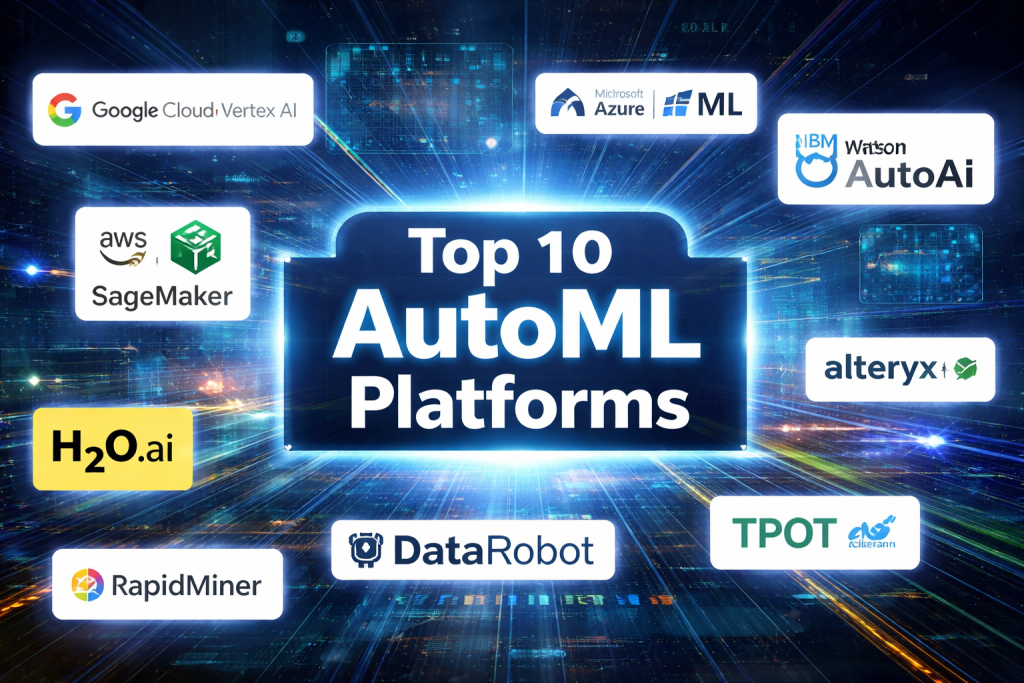
Top 10 AutoML Platforms Tools
1 — Google Vertex AI AutoML
Short description:
A fully managed AutoML solution designed for enterprises and data science teams working on large-scale ML projects within the Google Cloud ecosystem.
Key features:
- Automated model training for tabular, vision, text, and time-series data
- Integrated feature engineering and hyperparameter tuning
- Scalable training on distributed infrastructure
- Seamless deployment with monitoring and retraining
- Strong integration with data pipelines and cloud services
- Explainable AI and model interpretability tools
Pros:
- Enterprise-grade scalability and performance
- Strong automation with advanced customization options
Cons:
- Requires familiarity with cloud environments
- Can be costly at scale
Security & compliance:
Enterprise-grade security, encryption at rest and in transit, IAM, audit logs, GDPR, ISO standards.
Support & community:
Extensive documentation, enterprise support plans, large developer community.
2 — AWS SageMaker Autopilot
Short description:
An AutoML capability within the AWS SageMaker ecosystem, aimed at enterprises and ML teams already using AWS.
Key features:
- Automated data preprocessing and feature engineering
- Transparent model generation with editable pipelines
- Support for tabular datasets and regression/classification
- Scalable training and deployment
- Built-in experiment tracking
- Integration with AWS analytics services
Pros:
- High transparency into model creation
- Strong enterprise integration
Cons:
- Steeper learning curve
- Pricing complexity
Security & compliance:
IAM, encryption, audit logging, SOC 2, GDPR, ISO compliance.
Support & community:
Strong AWS documentation, enterprise support, large ecosystem.
3 — Microsoft Azure AutoML
Short description:
A robust AutoML solution integrated into Azure Machine Learning for businesses seeking enterprise AI with Microsoft tooling.
Key features:
- Automated training for classification, regression, forecasting
- Deep integration with Azure services
- Model explainability and fairness tools
- MLOps pipelines for deployment
- Support for Python and low-code interfaces
- Time-series forecasting capabilities
Pros:
- Excellent enterprise governance
- Flexible for both developers and analysts
Cons:
- Requires Azure ecosystem knowledge
- UI can feel complex for beginners
Security & compliance:
Enterprise security, encryption, RBAC, GDPR, HIPAA, ISO.
Support & community:
Comprehensive documentation, enterprise support, active community.
4 — H2O.ai AutoML
Short description:
An open-core AutoML platform popular with data scientists who want high performance and transparency.
Key features:
- Automated model training with advanced algorithms
- Leaderboards for model comparison
- Supports Python and R
- Explainable ML features
- On-premise and cloud deployment options
- Strong performance optimization
Pros:
- Excellent model accuracy
- Open-source flexibility
Cons:
- Less beginner-friendly
- UI is more technical
Security & compliance:
Varies by deployment; enterprise editions offer compliance features.
Support & community:
Strong open-source community, enterprise support available.
5 — DataRobot
Short description:
A comprehensive enterprise AutoML platform focused on end-to-end AI lifecycle management.
Key features:
- Automated feature engineering and model selection
- Extensive model explainability
- Automated deployment and monitoring
- Governance and risk management tools
- Industry-specific accelerators
- Collaboration and version control
Pros:
- Enterprise-ready governance
- Strong explainability and compliance
Cons:
- High cost
- Overkill for small teams
Security & compliance:
SOC 2, GDPR, HIPAA, encryption, SSO, audit logs.
Support & community:
Premium enterprise support, structured onboarding.
6 — IBM Watson AutoAI
Short description:
An AutoML solution integrated into IBM Watson Studio, aimed at regulated and enterprise environments.
Key features:
- Automated pipeline generation
- Built-in bias detection and fairness tools
- Explainable AI dashboards
- Hybrid cloud deployment
- Integration with IBM analytics stack
- Model governance tools
Pros:
- Strong compliance and governance
- Good for regulated industries
Cons:
- Slower innovation pace
- UI less intuitive
Security & compliance:
GDPR, HIPAA, ISO, enterprise security standards.
Support & community:
Enterprise-grade support, detailed documentation.
7 — RapidMiner Auto Model
Short description:
A user-friendly AutoML platform designed for business analysts and citizen data scientists.
Key features:
- Visual workflow-based modeling
- Automated data preparation
- Model comparison and validation
- Integration with BI tools
- No-code and low-code options
- On-premise and cloud support
Pros:
- Easy to learn
- Strong visual interface
Cons:
- Less scalable for very large datasets
- Limited advanced customization
Security & compliance:
Varies by deployment; enterprise features available.
Support & community:
Active user community, training resources, enterprise support.
8 — Alteryx Machine Learning
Short description:
An AutoML solution embedded within the Alteryx analytics platform for business users.
Key features:
- Automated feature engineering
- End-to-end analytics workflows
- Predictive modeling and scoring
- Integration with data prep tools
- Collaboration features
- Visualization and reporting
Pros:
- Excellent for analytics-driven teams
- Strong data preparation
Cons:
- Expensive licensing
- Limited deep ML customization
Security & compliance:
Enterprise security, SSO, GDPR compliance.
Support & community:
Strong documentation, enterprise support, active community.
9 — Auto-sklearn
Short description:
An open-source AutoML library built on scikit-learn for researchers and developers.
Key features:
- Automated model and hyperparameter selection
- Ensemble learning
- Open-source flexibility
- Strong academic foundation
- Customizable pipelines
Pros:
- Free and transparent
- Strong performance for tabular data
Cons:
- Requires coding expertise
- No enterprise UI
Security & compliance:
N/A (depends on deployment).
Support & community:
Open-source community, documentation available.
10 — TPOT
Short description:
An open-source AutoML tool using genetic programming to optimize ML pipelines.
Key features:
- Automated pipeline generation
- Evolutionary optimization
- Scikit-learn compatibility
- Transparent model structures
- Research-oriented approach
Pros:
- Innovative optimization approach
- Fully open-source
Cons:
- Computationally expensive
- Not beginner-friendly
Security & compliance:
N/A (user-managed).
Support & community:
Community-driven support, documentation available.
Comparison Table
| Tool Name | Best For | Platform(s) Supported | Standout Feature | Rating |
|---|---|---|---|---|
| Google Vertex AI AutoML | Large enterprises | Cloud | Scalability & performance | N/A |
| AWS SageMaker Autopilot | AWS-centric teams | Cloud | Transparent pipelines | N/A |
| Azure AutoML | Microsoft ecosystem users | Cloud | Governance & MLOps | N/A |
| H2O.ai AutoML | Data scientists | Cloud / On-prem | Model accuracy | N/A |
| DataRobot | Regulated enterprises | Cloud / On-prem | AI lifecycle management | N/A |
| IBM Watson AutoAI | Regulated industries | Hybrid | Explainable AI | N/A |
| RapidMiner | Business analysts | Cloud / On-prem | Visual workflows | N/A |
| Alteryx ML | Analytics teams | Cloud / Desktop | Data prep integration | N/A |
| Auto-sklearn | Researchers | Self-hosted | Open-source ensembles | N/A |
| TPOT | ML researchers | Self-hosted | Genetic programming | N/A |
Evaluation & Scoring of AutoML Platforms
| Criteria | Weight | Description |
|---|---|---|
| Core features | 25% | Model automation, explainability, deployment |
| Ease of use | 15% | UI, learning curve, usability |
| Integrations & ecosystem | 15% | Data sources, APIs, platforms |
| Security & compliance | 10% | Governance, standards, controls |
| Performance & reliability | 10% | Accuracy, scalability |
| Support & community | 10% | Documentation, help, training |
| Price / value | 15% | Cost-effectiveness |
Which AutoML Platforms Tool Is Right for You?
- Solo users & startups: Open-source tools like Auto-sklearn or RapidMiner (community editions) offer flexibility at low cost.
- SMBs: RapidMiner, Alteryx ML, or Azure AutoML provide a balance of usability and power.
- Mid-market companies: Azure AutoML, H2O.ai, and Google Vertex AI offer scalability with manageable complexity.
- Enterprises: DataRobot, IBM Watson AutoAI, AWS SageMaker Autopilot, and Google Vertex AI excel in governance, compliance, and scale.
- Budget-conscious teams: Open-source platforms reduce licensing costs but require expertise.
- Security-focused organizations: Enterprise platforms with strong compliance frameworks are essential.
Frequently Asked Questions (FAQs)
1. What is AutoML in simple terms?
AutoML automates the process of building machine learning models, reducing manual work and expertise requirements.
2. Do I need coding skills to use AutoML?
Many platforms offer no-code or low-code options, though coding helps with customization.
3. Is AutoML suitable for production systems?
Yes, especially enterprise platforms with deployment and monitoring features.
4. How accurate are AutoML models?
AutoML often matches or exceeds manually built models for standard use cases.
5. Is AutoML expensive?
Costs vary widely, from free open-source tools to premium enterprise solutions.
6. Can AutoML handle large datasets?
Enterprise platforms are designed for large-scale data, while open-source tools may be limited.
7. What industries benefit most from AutoML?
Finance, healthcare, retail, manufacturing, and marketing see strong adoption.
8. Is AutoML secure?
Enterprise tools include strong security; open-source tools rely on user implementation.
9. Can AutoML replace data scientists?
No, it augments productivity rather than replacing expertise.
10. What are common mistakes with AutoML?
Poor data quality, lack of validation, and over-reliance on automation.
Conclusion
AutoML platforms have democratized machine learning, enabling faster, more accessible, and scalable AI development. The best tool depends on your data complexity, team skills, budget, security needs, and scalability requirements. Rather than a one-size-fits-all solution, successful adoption comes from aligning the platform with your specific goals and constraints. By carefully evaluating features, trade-offs, and long-term needs, organizations can unlock the full potential of AutoML and drive data-driven success.

Find Trusted Cardiac Hospitals
Compare heart hospitals by city and services — all in one place.
Explore Hospitals
Solid comparison. The architectural tension when rolling out an AutoML platform comes down to democratizing access for business analysts versus accelerating output for seasoned data scientists. All in one enterprise suites like DataRobot excel because they abstract data preparation, guard against target leakage, and package model governance into clear executive dashboards. However, when machine learning engineers use AutoML simply for baseline exploration, platforms like SageMaker Autopilot or H2O.ai win because they generate clean, transparent code and editable pipeline artifacts rather than trapping teams inside a proprietary black box.
AutoML can accelerate modeling, but it should not replace careful validation. Before trusting a leaderboard result, teams should check whether the platform prevents target leakage, respects time-based splits for forecasting, and exposes enough control over preprocessing—otherwise the “best” model may simply be the one that overfits the evaluation setup.
AutoML platforms make machine learning more accessible by automating tasks such as data preprocessing, model selection, and hyperparameter tuning. Features like automated model evaluation, data visualization, deployment support, and workflow integration can help teams develop predictive models more efficiently. When comparing platforms, organizations should consider model accuracy, scalability, customization options, and compatibility with existing data systems. Choosing the right AutoML solution can reduce manual effort, accelerate experimentation, and support data-driven business decisions.
AutoML platforms simplify the machine learning process by automating tasks such as data preparation, feature engineering, model selection, and hyperparameter tuning. When comparing different solutions, features such as automated model training, performance evaluation, deployment options, and integration with existing data workflows are important to consider. These capabilities can help teams reduce repetitive work and make machine learning more accessible to users with different technical backgrounds. Scalability, model explainability, and support for multiple data types are also valuable factors when choosing a platform. Selecting the right AutoML solution can improve development efficiency and help organizations turn data into actionable insights.
AutoML can make model building faster, but the best validation score does not always mean the model will make the best business decision. I would compare how platforms handle unequal error costs, such as a false fraud alert versus a missed fraudulent transaction, and whether teams can set thresholds around those risks. It is also worth checking how easily a data scientist can challenge the platform’s chosen model and explain its decisions to non-technical stakeholders. Automation is most useful when it supports sound judgment rather than replacing it.
AutoML platforms can speed up model development, but automated results still need careful review. A model with high test accuracy may fail when real-world data changes or contains hidden bias. I would compare models using data that reflects actual use and monitor their performance after deployment. Clear records of data, settings, and model versions also make results easier to reproduce. How can teams use AutoML to save time without losing control over model quality?
AutoML platforms can help teams build machine learning models with less manual effort. However, automation should not replace careful testing and review. Teams should compare data preparation, model evaluation, explainability, and deployment options. It is also important to test models on data that reflects real business conditions. Clear reports help users understand why a model performs well or poorly. A good AutoML platform saves time while keeping model quality, fairness, and reliability at the center of the process.
AutoML platforms help teams build machine learning models with less manual work. But choosing the right model is only one part of the process. Teams should also check data quality, test results with real-world data, and watch model performance after launch. It is important to review the results instead of trusting automated choices without checking them. How can teams use AutoML to save time while making sure their models give reliable results?
AutoML platforms make machine learning more accessible by automating tasks such as data preparation, feature engineering, model selection, and hyperparameter tuning. Tools like Google Vertex AI, Azure Machine Learning, Amazon SageMaker, and H2O.ai offer different approaches to automation, so the right choice depends on the team’s technical expertise, infrastructure, and deployment requirements. I think model interpretability and reproducibility are especially important when evaluating these platforms, since an automatically generated model still needs to be validated and monitored before it can be trusted in production. AutoML can reduce repetitive experimentation, but strong data quality, domain knowledge, and careful evaluation remain essential for building reliable machine learning solutions.
AutoML platforms help teams build machine learning models with less manual setup. They can save time, but the results still depend on good data and clear goals. I would compare how each platform handles missing values, feature selection, and model evaluation. It is important to test models on data they have not seen before. Clear explanations of model results can help teams spot weak or unfair predictions. Deployment and monitoring support also matter after training ends. The right AutoML platform should make experiments easier, show how models were evaluated, and help teams move useful models into real use with proper checks.
While automated platforms make building machine learning models much faster, they cannot fix poor data quality on their own. Relying too much on automated pipelines without checking the data can easily lead to hidden biases. It is important to combine fast automated experiments with proper human oversight. Share how your team ensures models stay accurate after deployment.
AutoML can save development time, but teams still need a clear process for reviewing the models it produces. Before release, engineers should check which features influence predictions and whether those inputs could introduce bias or unexpected behavior. It is also worth measuring prediction speed and resource use under realistic production traffic, not just during training. Keeping a record of model versions and approval decisions makes later investigations much easier. These checks help organizations use automation confidently while retaining control over the quality and impact of deployed models.
AutoML platforms can reduce the time needed to build machine learning models by automating tasks such as data preparation, algorithm selection, and hyperparameter tuning. However, automation alone does not guarantee a reliable model, so it is important to compare model explainability, data quality checks, deployment options, and support for different data types. Teams should also review how easily they can reproduce experiments, monitor model performance, and export models into existing production environments. Cost and resource usage deserve attention, especially when running repeated experiments on large datasets. Testing a platform with a real business problem can help determine whether it delivers useful results while keeping the model development process transparent and manageable.
AutoML platforms can accelerate machine learning development by automating tasks such as feature engineering, model selection, and hyperparameter tuning. However, reliable results still depend on representative datasets, careful validation, and monitoring for bias or performance degradation after deployment. Combining automation with clear model explainability and reproducible experiments helps teams improve productivity without sacrificing transparency or control over model quality.
AutoML can speed up experimentation, but a model with the highest validation score is not automatically the best choice for production. Differences in inference latency, prediction stability across customer groups, and the cost of maintaining the model can outweigh a small accuracy improvement. I’d compare platforms on whether they make these trade-offs visible and allow teams to reproduce the selection process later. Understanding why a particular model was chosen is essential when business requirements change or performance needs to be reviewed months after deployment.
AutoML platforms can speed up model development, but automated model selection does not guarantee reliable results in real-world conditions. Teams should evaluate data quality, validation methods, model explainability, and performance on unseen datasets before deploying a model. I would also look for strong experiment tracking and drift monitoring to identify when predictions become less accurate over time. Comparing models against a simple baseline can help confirm whether automation delivers meaningful improvements. How can organizations use AutoML to accelerate experimentation while ensuring that model decisions remain transparent, fair, and reliable?
One important consideration when comparing AutoML platforms is whether automated model improvements translate into reliable performance on unseen data, rather than just higher validation scores. While Google Vertex AI and SageMaker Autopilot offer scalable automation, open-source tools like H2O.ai and Auto-sklearn provide greater flexibility for experimentation.
While AutoML significantly accelerates pipeline creation and hyperparameter tuning, the real bottleneck often lies in upstream data quality rather than algorithm selection. Even the most sophisticated enterprise platform cannot fix biased or poorly cleaned datasets, making robust data engineering an essential precursor. Balancing automation with domain expertise ensures that teams don’t deploy high-performing models that solve the wrong business problem.
One challenge with AutoML is ensuring that a strong validation score reflects real-world performance rather than flaws in the training process. Data leakage, where a model learns information it would not have when making actual predictions, can produce misleading results. Teams should validate time-based datasets carefully, separate training and evaluation data properly, and test models against unseen data before deployment. It is also important to monitor prediction quality as customer behavior and input data change over time. I would evaluate whether each platform supports repeatable experiments, independent model validation, and clear approval gates before production release. These safeguards help teams avoid deploying models that look accurate in testing but fail when exposed to real business conditions.
AutoML platforms can speed up model development, but automated results still need careful validation. Comparing models on realistic, unseen data helps teams avoid choosing a model that performs well only during training. Clear explanations, bias checks, and ongoing performance monitoring are also essential for building reliable models that work well in production.
Building machine learning models used to require intense manual coding, but AutoML platforms make it much faster to test and deploy data. Still, software alone cannot fix messy data or poor problem framing. While tools like Google Vertex AI or RapidMiner make training models much easier, the real success depends on having clean data and clear goals from the start. Finding the right balance between automation and human oversight keeps AI projects accurate and useful over time.
AutoML platforms are making machine learning more accessible by automating tasks such as data preparation, model selection, and hyperparameter tuning. Understanding differences in supported algorithms, customization options, deployment workflows, and scalability helps teams evaluate which platform aligns with their technical expertise and project requirements while reducing development effort.
One challenge with AutoML is maintaining confidence in a model when the data and business environment keep changing after launch. For example, a shift in customer behavior or an upstream data pipeline change can affect predictions without causing an obvious system failure. Engineering teams should monitor input quality, prediction distributions, and business outcomes, then investigate unusual changes before they affect critical decisions. It is equally important to keep a record of dataset versions, feature transformations, model configurations, and evaluation results so teams can trace unexpected behavior back to its source. Establishing clear approval rules for retraining and testing new models before promotion can also prevent an automated pipeline from replacing a reliable model with a weaker one. These practices make AutoML easier to operate, audit, and maintain as projects grow beyond experimentation.
AutoML accelerates baseline modeling, but enterprise deployment demands rigorous engineering oversight. Teams must enforce feature store consistency, automate model explainability checks, and embed drift detection within CI/CD pipelines to prevent silent production decay.
AutoML platforms can save time, but the best model is not always the one with the highest test score. I’d check whether each tool supports data leakage checks, explains which features influence predictions, and lets users compare models on data they have not trained on. These steps help teams avoid choosing a model that looks strong in testing but performs poorly in real use.
AutoML can make model development faster, but the real challenge begins when teams need to explain why a particular model was selected and whether its results can be reproduced months later. I would pay close attention to how a platform records dataset versions, feature transformations, training configurations, and the reasoning behind model selection. This becomes especially important when business decisions are challenged or a model needs to be rebuilt after an unexpected production issue. Another useful practice is to establish approval gates before automatically generated models reach production, with checks for business-specific performance requirements rather than accuracy alone. Automation is valuable, but keeping the decision-making process traceable helps organizations maintain accountability as more teams begin building models independently.
One practical challenge with AutoML is ensuring that a high-performing model remains trustworthy when the data changes. I would pay particular attention to data leakage, time-based validation, and reproducibility across retraining runs. For example, a model may achieve excellent test results if future information accidentally enters its training data, yet fail badly in production. Teams should version datasets, feature definitions, training configurations, and model artifacts so they can reproduce results and roll back safely. It is also worth integrating automated data-quality checks and model acceptance thresholds into CI/CD pipelines before promoting a new model. These controls help teams distinguish genuine model improvements from misleading metrics and make automated retraining safer to operate at scale.
While enterprise tools like DataRobot and Vertex AI make deployment seamless, the real challenge often lies in data hygiene rather than model selection. Automated pipelines can quickly scale efficiency, but garbage-in, garbage-out still holds true for black-box training. Striking the right balance between robust automation and active data validation remains key to sustainable production.
AutoML platforms can help teams build models faster, but automation does not remove the need for careful data preparation and validation. Organizations should compare how well each platform handles missing data, model explainability, and performance testing. It is also important to check whether users can understand why a model makes certain predictions before deploying it. Monitoring performance after deployment helps detect data drift and changing outcomes. How can businesses make AutoML more accessible to non-experts while ensuring that the resulting models remain reliable and transparent?
AutoML platforms can speed up model development, but a high accuracy score alone does not guarantee that a model will perform well in production. When comparing tools, I would assess data preparation, feature selection, validation methods, explainability, deployment options, and support for monitoring model performance over time. It is particularly important to check for data leakage and ensure that evaluation reflects the conditions the model will face after deployment. Testing platforms on the same dataset and business objective can provide a fairer comparison of model quality, transparency, ease of use, and the effort required to maintain reliable results.
AutoML platforms can speed up model development, but automated model selection does not remove the need for careful data validation. I would check how well a platform detects data leakage, handles missing values, and evaluates models on genuinely unseen data. Clear explanations of model performance and feature importance are also useful when teams need to justify predictions to business stakeholders. Deployment options, version tracking, and production monitoring deserve attention alongside training speed. A reliable workflow combines automation with human review to ensure models remain accurate, explainable, and useful as real-world data changes.