
Introduction
Construction Management Software (CMS) has become indispensable in 2026 for efficiently handling various aspects of construction projects, ranging from budgeting, scheduling, resource allocation, project tracking, to communication between multiple stakeholders. As the construction industry continues to scale and become more sophisticated, these tools have evolved into robust platforms that allow contractors, architects, project managers, and subcontractors to collaborate seamlessly, ensuring timely and cost-efficient project delivery.
In 2026, CMS tools have expanded beyond basic project management, incorporating artificial intelligence, real-time tracking, and even virtual reality to offer cutting-edge solutions. With the increasing need for automation, accuracy, and real-time insights, choosing the right CMS tool is crucial for companies of all sizes. When evaluating CMS tools, users should consider factors like scalability, integration capabilities, ease of use, mobile access, data security, and advanced features such as AI-powered analytics and cloud-based collaboration.
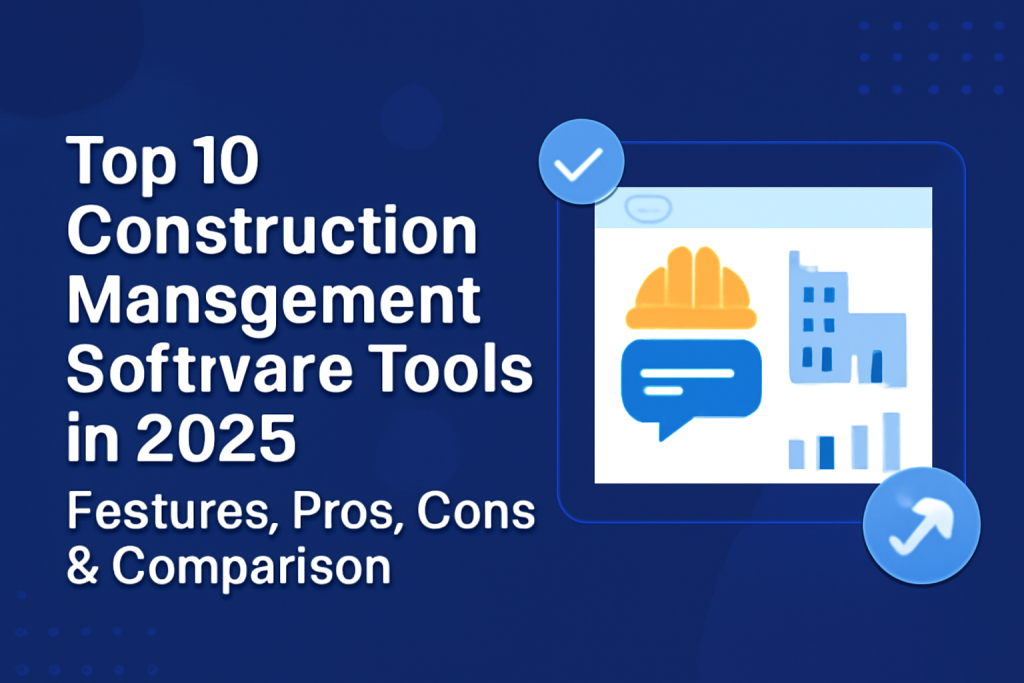
In this blog post, we’ll take a deep dive into the Top 10 Construction Management Software Tools for 2026, exploring their key features, pros and cons, and ideal use cases to help you make the best choice for your business.
Top 10 Construction Management Software Tools (for 2026)
1. Procore
Short Description:
Procore is a leading construction management platform that offers a suite of tools to manage projects, streamline workflows, and improve collaboration across teams. It is ideal for general contractors, subcontractors, and project managers involved in large-scale construction projects.
Key Features:
- Full project lifecycle management from pre-construction to completion
- Real-time project updates with mobile app access
- Customizable workflows to fit different project needs
- Document management with version control and real-time updates
- Budgeting and cost tracking tools
- Submittal and RFI management
- Built-in reporting and analytics for decision-making
Pros & Cons:
Pros:
- Highly scalable and customizable to suit large enterprises
- Strong mobile support for on-site project management
- Excellent integration with third-party tools like accounting software and CRM
Cons:
- The pricing can be steep, making it unaffordable for small businesses
- Some features are not as intuitive and require a learning curve
- Limited flexibility in customizing certain workflows without support
2. Buildertrend
Short Description:
Buildertrend is a cloud-based construction management software designed for homebuilders, remodelers, and specialty contractors. It offers project management, communication tools, and budget tracking features, making it ideal for residential construction projects.
Key Features:
- Scheduling and real-time calendar management
- Budgeting, cost tracking, and change order management
- Client communication portal for seamless interactions
- Document sharing and file storage with permissions
- Mobile app for field updates and task management
- Warranty management and post-construction follow-up
- Integration with QuickBooks and Xero
Pros & Cons:
Pros:
- User-friendly and intuitive interface
- Strong client communication features that improve transparency
- Excellent for managing residential and remodeling projects
Cons:
- Limited customization for larger or more complex projects
- Some users report that the interface could be faster when dealing with large projects
- Pricing may be a concern for smaller teams or businesses
3. Joblogic
Joblogic is a field service management platform used by service and maintenance contractors to run the ongoing work that follows construction handover, including planned preventative maintenance, reactive callouts, and compliance across HVAC, electrical, plumbing, and facilities trades.
Key features: drag-and-drop scheduling for engineers, PPM contracts with SLA tracking, mobile app with offline access to job details and asset history, digital compliance forms and certificates, customer portal for job updates, and invoicing workflows.
Pros: purpose-built for post-handover service, strong compliance and asset tracking, tiered for teams from 1 to 50+ engineers.
Cons: focused on service and maintenance rather than project delivery or estimating, and best suited to trades that carry recurring maintenance revenue alongside installs.
4. ServiceTitan
Short Description:
ServiceTitan is the enterprise operating system used by multi-trade commercial specialty contractors to bring estimating, job costing, and field execution into a single platform — replacing the disconnected tools that typically sit between bid approval and project delivery.
For mechanical, plumbing, electrical, and HVAC contractors running complex multi-site operations, the gap between winning a bid and executing it profitably is where margin gets lost. ServiceTitan is built to close that gap, connecting commercial construction software workflows like progress billing, subcontractor coordination, and AIA billing directly to the scheduling and dispatch operations that run the business day-to-day. Built into the platform is Atlas, ServiceTitan’s AI field assistant — trained on trade-specific workflows and data to help dispatchers surface the next best action, flag invoice anomalies, and give field technicians instant access to equipment history and job details without calling the office.
Key Features:
- Estimating connected to job costing for real-time margin tracking against actuals
- Progress billing and AIA billing for commercial project workflows
- Subcontractor coordination and multi-site commercial dispatch
- Atlas, an AI field assistant, supporting dispatchers, office staff, and field technicians from within the platform
- Full lifecycle workflow from commercial install through ongoing service and maintenance
- Mobile access for field and office teams
- Integrations with leading accounting and ERP systems
Pros & Cons:
Pros:
- Connects bid, project execution, and field service in one platform — no separate systems required for construction and service workflows
- Built for enterprise scale across multi-trade, multi-location commercial operations
- Atlas is built directly into the platform and trained on trade-specific data — not a bolted-on chatbot
Cons:
- Depth of functionality is best matched to mid-to-large commercial specialty contractors rather than smaller single-location operations
- Structured enterprise onboarding requires upfront time investment before full deployment
- Pricing reflects enterprise operational scope and is not structured for smaller contracting businesses
5. Fieldwire
Short Description:
Fieldwire is a field-focused construction management platform designed to help contractors, project managers, and field teams coordinate jobsites in real time. It brings construction plans, task management, inspections, punch lists, photos, checklists, and project documentation into one centralized platform, making it easier for teams to stay aligned between the field and office.
Key Features:
- Plan viewing, markup, and version control for construction drawings
- Task management and location-based work tracking
- Punch lists, inspections, and customizable checklists
- Custom forms and automated project reports
- Centralized storage for project files, photos, and specifications
- Real-time communication between field and office teams
- Mobile apps for iOS and Android with field-friendly workflows
- BIM viewer, 360° photos, RFIs, submittals, change orders, and budget tracking on higher-tier plans
Pros:
- Field-first design makes it easy for crews to use on phones and tablets
- Strong plan, task, punch list, and documentation capabilities
- Quick implementation with a free plan available for small teams
- Transparent pricing with plans ranging from free to $89/user/month when billed annually
Cons:
- More focused on field management than full financial and accounting management
- Advanced features such as RFIs, change orders, and budget tracking require higher-tier plans
- May not provide the same depth of enterprise financial management as platforms like Procore
6. e-Builder
Short Description:
e-Builder is a cloud-based construction management software solution designed for managing capital projects. It is best suited for large organizations and public-sector clients who need detailed tracking and reporting across various departments.
Key Features:
- Centralized project and document management
- Real-time progress tracking and budget monitoring
- Contract management and procurement workflows
- Customizable reporting and analytics tools
- Integration with financial systems for project cost management
- Mobile-friendly interface for managing projects on-site
- Extensive collaboration and communication tools
Pros & Cons:
Pros:
- Ideal for managing large, capital-intensive projects
- Strong reporting and analytics features for stakeholders
- Excellent for tracking procurement and contracts
Cons:
- Pricing can be prohibitive for small to mid-sized companies
- Requires significant time to set up and configure for full functionality
- The interface can feel outdated compared to newer competitors
7. PlanGrid
Short Description:
PlanGrid is a construction management software that focuses on digitizing blueprints and documents for easy access in the field. It’s highly effective for teams that need to collaborate on project plans, track tasks, and manage documents in real-time.
Key Features:
- Digital blueprints and drawings with markup tools
- Real-time project updates and task tracking
- Document storage and version control
- Field management tools with photo and issue tracking
- Seamless collaboration between office and field teams
- Mobile app for managing projects on-site
- Integration with other software like Procore and BIM 360
Pros & Cons:
Pros:
- Excellent for managing and collaborating on blueprints and project drawings
- Real-time updates help improve field productivity
- Great mobile app for on-site use
Cons:
- Lacks advanced project management features such as cost tracking
- Expensive pricing for large teams or businesses
- Limited for managing larger, multi-faceted projects
8. BIM 360
Short Description:
BIM 360 is a cloud-based construction management software focused on Building Information Modeling (BIM). It is best suited for managing complex design and construction workflows, providing teams with tools to collaborate on project models and optimize construction processes.
Key Features:
- BIM-based project management for 3D modeling and design coordination
- Document control and real-time collaboration tools
- Advanced issue tracking and resolution workflows
- Cost management and budgeting tools for large projects
- Integration with Autodesk design tools for seamless workflows
- Mobile and desktop access for team members on-site or in the office
Pros & Cons:
Pros:
- Best suited for design-driven projects that require BIM integration
- Strong collaboration features for multidisciplinary teams
- Scalable solution for large construction projects
Cons:
- Expensive, with a high cost for full functionality
- Requires knowledge of BIM to fully leverage its capabilities
- Lacks some general project management features for non-BIM tasks
9. Flock
Short Description:
Flock is a messaging and collaboration platform that is increasingly used in construction project management for team communication, task management, and project updates. It offers simple, intuitive tools for improving team productivity.
Key Features:
- Real-time messaging and file sharing for teams
- To-do lists and task management features
- Integration with popular tools like Google Drive, Trello, and Slack
- Voice and video calling for remote meetings and discussions
- Customizable notification settings and team channels
- Cloud storage for sharing documents and files
Pros & Cons:
Pros:
- Simple, easy-to-use interface for improving team communication
- Ideal for small to medium-sized teams
- Great for remote teams that need collaboration tools
Cons:
- Lacks advanced construction-specific features like cost tracking
- Limited for larger, more complex construction projects
- Pricing may be higher for teams requiring advanced features
10. CoConstruct
Short Description:
CoConstruct is a construction management software solution that focuses on custom homebuilders and remodelers. It offers tools for project management, client communication, budgeting, and scheduling, making it perfect for residential construction projects.
Key Features:
- Customizable project management for residential construction
- Client portal for real-time communication and project updates
- Budgeting and cost control tools with integration to accounting software
- Scheduling and task management for tracking deadlines
- Change order management and warranty tracking
- Real-time notifications for both team and client updates
Pros & Cons:
Pros:
- Excellent for managing custom home building and remodeling projects
- Strong client communication and budgeting features
- Integration with QuickBooks for financial management
Cons:
- Limited features for larger-scale commercial construction projects
- Steep learning curve for first-time users
- Pricing may be too high for smaller companies
Comparison Table
| Tool Name | Best For | Platform(s) Supported | Standout Feature | Pricing | Rating (G2) |
|---|---|---|---|---|---|
| Procore | General Contractors, Project Managers | Web, iOS, Android | All-in-one construction platform | Starts at $375/month | 4.6/5 |
| Buildertrend | Homebuilders, Remodelers | Web, iOS, Android | Client communication portal | Starts at $99/month | 4.7/5 |
| CoConstruct | Custom Homebuilders, Remodelers | Web, iOS, Android | Customizable project management | Starts at $199/month | 4.6/5 |
| Monday.com | Teams, SMEs | Web, iOS, Android | Visual workflow customization | Starts at $10/user/month | 4.7/5 |
| Fieldwire | General Contractors, Project Managers, Field teams, Homebuilders | Web, iOS, Android | Field management platform with 360° reality capture | Free 30-day trial; per-user plans starting at $32; free for subcontractors | 4.6/5 |
| e-Builder | Large projects, Public sector | Web, iOS, Android | Cloud-based construction tool | Custom Pricing | 4.4/5 |
| PlanGrid | Field teams, Subcontractors | Web, iOS, Android | Real-time document collaboration | Starts at $39/user/month | 4.7/5 |
| BIM 360 | Design-centric Construction Teams | Web, iOS, Android | BIM-based design collaboration | Custom Pricing | 4.8/5 |
| Flock | Small Construction Teams | Web, iOS, Android | Real-time messaging | Free / Starts at $4.50/user/month | 4.5/5 |
| CoConstruct | Small to Mid-size Projects | Web, iOS, Android | Project scheduling and budgeting | Starts at $99/month | 4.6/5 |
Which Construction Management Software Tool is Right for You?
When selecting the right construction management tool, consider your specific needs:
- For Large-Scale Projects: Procore, BIM 360, and e-Builder are ideal for enterprises and large projects that require advanced features like BIM, cost management, and centralized project collaboration.
- For Residential Builders and Remodelers: CoConstruct and Buildertrend are excellent choices for small to mid-sized businesses focusing on custom homebuilding and remodeling projects.
- For Simple Project Tracking and Communication: Monday.com and Flock are ideal for teams that need a lightweight, flexible tool for task management and communication without all the complexity of larger software solutions.
- For Field Documentation and Reporting: PlanRadar is ideal for general contractors, field teams and inspectors who want strong jobsite documentation and reporting, keeping field and office aligned on one platform, without enterprise cost or a long rollout.

MotoShare.in is India’s premier bike rental and sharing platform, offering affordable, convenient, and reliable two-wheeler rental services. Whether for daily commutes or thrilling road trips, MotoShare.in connects users with a wide range of bikes and scooters to suit every need, ensuring a seamless and hassle-free riding experience.
Find Trusted Cardiac Hospitals
Compare heart hospitals by city and services — all in one place.
Explore Hospitals
The article is useful for comparing construction management tools, but in real-world projects the biggest challenge is not selecting software—it’s getting consistent adoption across field teams and integrating it with existing workflows like ERP, accounting, and document control systems. Many failures happen after implementation when data becomes fragmented across tools, leading to delays, cost mismatches, and poor visibility. A more practical angle would be how to ensure strong onboarding, integration planning, and ongoing data discipline so the software actually improves project execution at scale.
This guide is very useful for contractors and project managers who want to choose the right construction management platform. The pros and cons section makes it easier to understand which tool fits different project needs.