
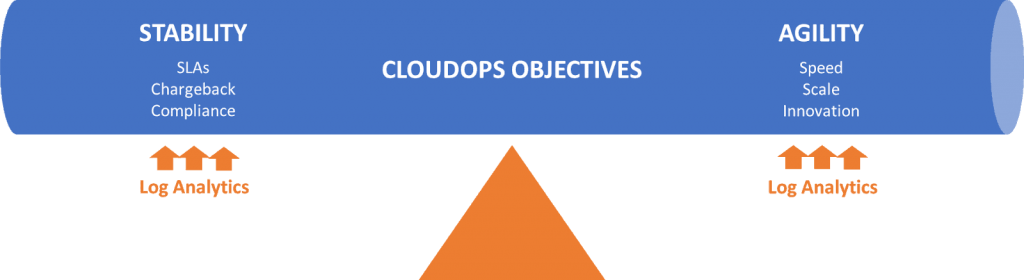
Are you tired of dealing with constant server crashes and downtime? Do you want to streamline your business operations and improve your overall efficiency? If so, then you need to embrace the cloud. With cloud computing, you can access your data and applications from anywhere in the world, at any time. But how do you ensure that your cloud infrastructure is running at its best? In this article, we’ll explore the best practices for CloudOps, so you can get the most out of your cloud investment.
What is CloudOps?
Before we dive into the best practices, let’s define what we mean by CloudOps. CloudOps, also known as Cloud Operations, is the process of managing and maintaining cloud infrastructure. This includes everything from provisioning and configuring servers to monitoring and scaling resources. CloudOps teams are responsible for ensuring that cloud services are available, reliable, and secure.
Best Practices for CloudOps
1. Automate Everything
One of the most important best practices for CloudOps is automation. Automation helps to reduce manual errors, increase efficiency, and scale resources quickly. With automation, you can automate your deployment process, monitor your infrastructure, and even automatically scale resources up or down based on demand.
2. Monitor Everything
Monitoring is critical for CloudOps. You need to be able to monitor your infrastructure and applications to identify issues before they become major problems. This includes monitoring everything from server performance to application logs. By monitoring your infrastructure, you can proactively identify and resolve any issues to prevent downtime.
3. Secure Everything
Security is a top priority for any cloud infrastructure. You need to ensure that your data is protected and that your infrastructure is secure. This includes implementing strong access controls, encrypting data, and using security tools like firewalls and intrusion detection systems.
4. Use Cloud-Native Tools
Cloud-native tools are designed specifically for cloud environments. They are optimized for scalability, reliability, and performance. By using cloud-native tools, you can take advantage of the benefits of the cloud and ensure that your infrastructure is running at its best.
5. Embrace DevOps
DevOps is the practice of combining development and operations teams to streamline the software development process. By embracing DevOps, you can improve collaboration between teams, reduce development time, and improve overall efficiency.
6. Test Everything
Testing is critical for any cloud infrastructure. You need to test your applications and infrastructure to ensure that they are working as expected. This includes testing for performance, security, and functionality. By testing everything, you can identify and resolve any issues before they become major problems.
Conclusion
In conclusion, CloudOps is critical for any business that wants to take advantage of the benefits of the cloud. By following these best practices, you can ensure that your cloud infrastructure is running at its best, with maximum efficiency, reliability, and security. So, automate everything, monitor everything, secure everything, use cloud-native tools, embrace DevOps, and test everything. With these best practices in place, you can take your cloud infrastructure to the next level.

👤 About the Author
Ashwani is passionate about DevOps, DevSecOps, SRE, MLOps, and AiOps, with a strong drive to simplify and scale modern IT operations. Through continuous learning and sharing, Ashwani helps organizations and engineers adopt best practices for automation, security, reliability, and AI-driven operations.
🌐 Connect & Follow:
Website: WizBrand.com
Facebook: facebook.com/DevOpsSchool
X (Twitter): x.com/DevOpsSchools
LinkedIn: linkedin.com/company/devopsschool
YouTube: youtube.com/@TheDevOpsSchool
Instagram: instagram.com/devopsschool
Quora: devopsschool.quora.com
Email– contact@devopsschool.com
Find Trusted Cardiac Hospitals
Compare heart hospitals by city and services — all in one place.
Explore Hospitals