
What is C#?

C# is a modern, multi-paradigm programming language designed by Microsoft. It is widely used for developing various types of applications on the .NET Framework, including web, desktop, and mobile applications. C# is a powerful language that is easy to learn and use, making it a popular choice among developers.
What is the top use case of C#?
One of the top use cases of C# is for developing enterprise-level applications. C# is particularly well-suited for creating large-scale, complex applications that require robust and scalable architectures. It is also used for developing games, web applications, and mobile apps.
What are the features of C#?
C# has a wide range of features, including:
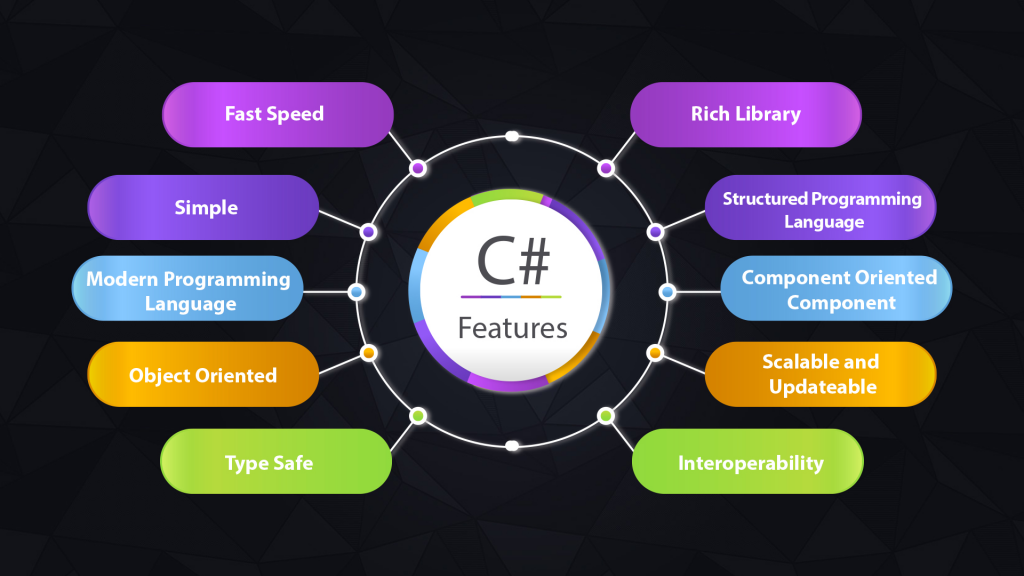
- Strong typing
- Garbage collection
- Object-oriented programming
- Asynchronous programming
- LINQ (Language-Integrated Query)
- Delegates and events
- Automatic memory management
What is the workflow of C#?
The workflow of C# involves several steps, including:
- Writing code in a text editor or integrated development environment (IDE)
- Compiling the code into an executable file or library
- Running the compiled code
- Debugging and testing the code
- Deploying the application to a server or client machine
How C# Works & Architecture?
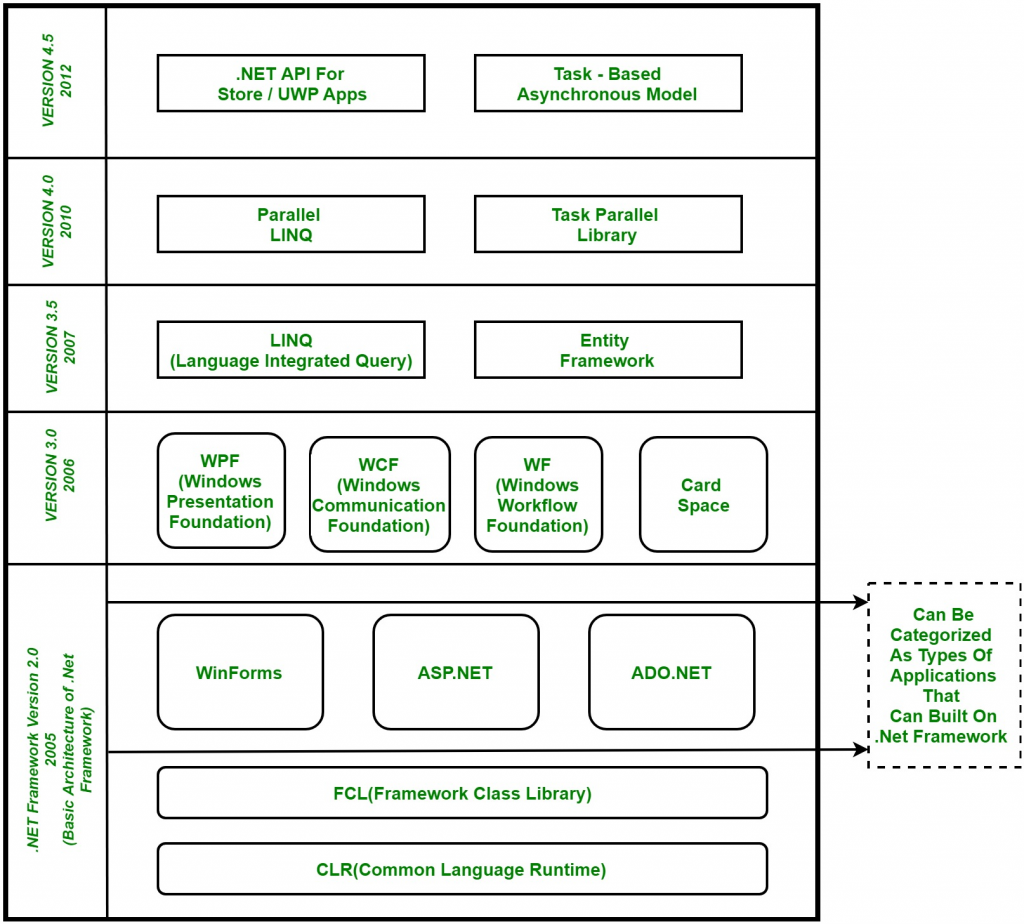
C# works by compiling source code into an intermediate language (IL) that is executed by the .NET Framework. The architecture of C# is based on the Common Language Runtime (CLR), which provides automatic memory management, type safety, and other features.
How to Install and Configure C#?
To install C#, you will need to download and install the .NET Framework, which includes the C# compiler and other tools. Once installed, you can configure C# by setting up your development environment, including choosing an IDE or text editor.
Fundamental Tutorials of C#: Getting Started Step by Step
Getting Started with C#
To get started with C#, you will need to download and install a development environment such as Visual Studio. Once you have set up your environment, you can start writing your first C# program.
Understanding C# Syntax
C# syntax is similar to other programming languages, such as Java and C++. It uses curly braces to define code blocks and semicolons to end statements. C# is also a strongly-typed language, which means that variables must be declared with a specific data type.
Variables and Data Types in C
C# supports a wide range of data types, from simple types like integers and booleans to more complex types like arrays and classes. Variables in C# can be declared with the var keyword, which allows the compiler to infer the data type based on the value assigned to the variable.
Operators in C
C# supports a variety of operators, including arithmetic operators, assignment operators, and comparison operators. It also includes logical operators like AND, OR, and NOT, which are used for Boolean operations.
Control Flow Statements in C
Control flow statements are used to control the flow of execution in a C# program. C# supports if/else statements, switch statements, loops like for and while, and more.
Methods and Functions in C
Methods and functions are used to encapsulate code and perform specific tasks in a C# program. Methods can be declared with or without parameters, and they can return values or be void.
Object-Oriented Programming in C
C# is an object-oriented programming language, which means that it supports the creation of objects and classes. Objects are instances of classes, which define the properties and behaviors of the object.
Exception Handling in C
Exception handling is used to handle errors and exceptions in a C# program. C# includes a try/catch block that allows you to catch and handle exceptions that occur during program execution.
Debugging in C
Debugging is the process of finding and fixing errors in a program. C# includes a variety of tools for debugging, including breakpoints, watch windows, and more.
Conclusion
C# is a powerful and versatile programming language that is widely used for developing a variety of applications. By following these fundamental tutorials, you can get started with C# and start building your own applications today.

👤 About the Author
Ashwani is passionate about DevOps, DevSecOps, SRE, MLOps, and AiOps, with a strong drive to simplify and scale modern IT operations. Through continuous learning and sharing, Ashwani helps organizations and engineers adopt best practices for automation, security, reliability, and AI-driven operations.
🌐 Connect & Follow:
Website: WizBrand.com
Facebook: facebook.com/DevOpsSchool
X (Twitter): x.com/DevOpsSchools
LinkedIn: linkedin.com/company/devopsschool
YouTube: youtube.com/@TheDevOpsSchool
Instagram: instagram.com/devopsschool
Quora: devopsschool.quora.com
Email– contact@devopsschool.com
Find Trusted Cardiac Hospitals
Compare heart hospitals by city and services — all in one place.
Explore Hospitals