
Are you someone who loves numbers, finance, and technology? If yes, then you might want to consider a career as a FinOps engineer. But what exactly is FinOps, and what does a FinOps engineer do? In this article, we will discuss the role of a FinOps engineer and how they can help organizations optimize their cloud infrastructure costs.
Introduction to FinOps
FinOps is short for Financial Operations. It is a term coined by the FinOps Foundation, which is a non-profit organization that brings together individuals and companies to collaborate and share best practices for managing cloud costs. FinOps aims to bridge the gap between finance, technology, and business teams to help organizations make data-driven decisions and control their cloud spend.
What is a FinOps Engineer?
A FinOps engineer is someone who specializes in managing cloud costs. They work with cross-functional teams to optimize cloud usage, reduce waste, and improve cost efficiencies. A FinOps engineer is responsible for:
- Analyzing cloud usage and finding cost optimization opportunities
- Setting up cost allocation and chargeback mechanisms
- Developing policies and best practices for cloud cost management
- Identifying cost savings through automation and right-sizing
- Providing visibility and reporting on cloud costs to stakeholders
Skills Required for a FinOps Engineer
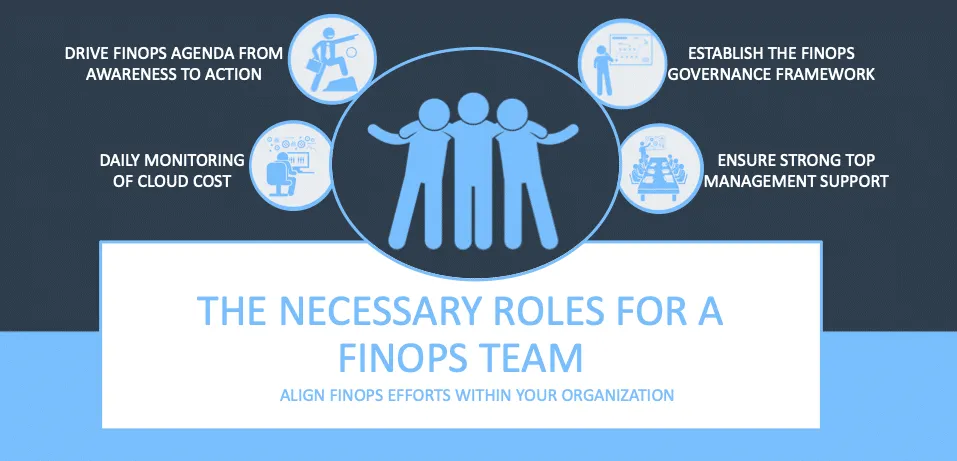
To be a successful FinOps engineer, you need to have a combination of technical and financial skills. Some of the key skills required for a FinOps engineer are:
- Knowledge of public cloud platforms like AWS, Azure, and Google Cloud
- Understanding of cloud cost models and pricing mechanisms
- Familiarity with cloud cost management tools like CloudHealth, Cloudability, and Cost Explorer
- Strong analytical and problem-solving skills
- Ability to work with cross-functional teams and communicate effectively
- Knowledge of finance and accounting principles
Benefits of Hiring a FinOps Engineer
Hiring a FinOps engineer can bring several benefits to an organization. Some of the key benefits are:
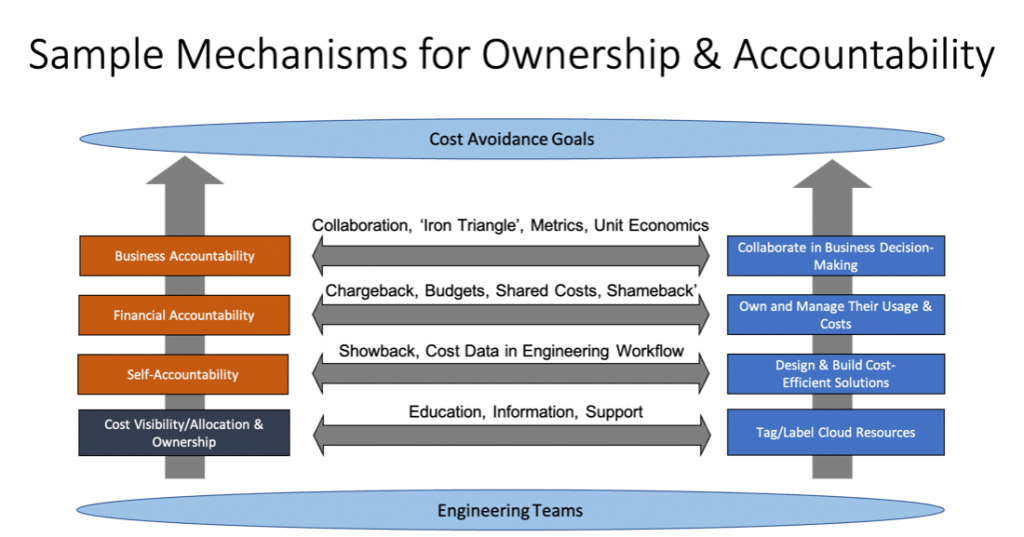
- Cost Optimization: A FinOps engineer can help organizations optimize their cloud spend and reduce unnecessary costs.
- Better Visibility: With a FinOps engineer, organizations can get better visibility into their cloud usage and costs.
- Improved Efficiency: By automating processes and right-sizing resources, organizations can improve their cloud efficiency and reduce waste.
- Increased Collaboration: FinOps engineers work with cross-functional teams, which can lead to better collaboration and alignment between finance, technology, and business teams.
- Better Decision Making: With data-driven insights and reporting, organizations can make better decisions about their cloud infrastructure and spend.
Conclusion
In conclusion, a FinOps engineer plays a critical role in managing cloud costs and optimizing cloud infrastructure. By leveraging their technical and financial skills, they can help organizations reduce costs, improve efficiency, and make better decisions. So, if you are interested in a career in FinOps, start building your skills and exploring opportunities in this exciting field.

👤 About the Author
Ashwani is passionate about DevOps, DevSecOps, SRE, MLOps, and AiOps, with a strong drive to simplify and scale modern IT operations. Through continuous learning and sharing, Ashwani helps organizations and engineers adopt best practices for automation, security, reliability, and AI-driven operations.
🌐 Connect & Follow:
Website: WizBrand.com
Facebook: facebook.com/DevOpsSchool
X (Twitter): x.com/DevOpsSchools
LinkedIn: linkedin.com/company/devopsschool
YouTube: youtube.com/@TheDevOpsSchool
Instagram: instagram.com/devopsschool
Quora: devopsschool.quora.com
Email– contact@devopsschool.com
Find Trusted Cardiac Hospitals
Compare heart hospitals by city and services — all in one place.
Explore Hospitals