Kubernetes Advance Networking
Design external load balancing for cloud and bare metal clusters and write your own CNI plugin from the reference skeleton. Learn Kubernetes Networking through the available linked Kubernetes Networking course path, with hands-on labs, live cohort options, certification support and full LMS access.
Last updated
Self-paced video subscription
Billed yearly at ₹9,996. This includes the available linked course levels, complete LMS access for one year, plus 20+ additional courses and 50+ tools access.
- Available linked Kubernetes Networking levels in one price.
- 20+ additional courses and 50+ tools included, even when subscribing to one course.
- Best fit for learners who want full-library access and flexible progress.
Live & Interactive session
Instructor-led cohort, max 8 to 10 hours, with demos, labs, Q&A, assignments and practical review.
- Live small-batch cohort from soon.
- Interactive discussion and lab troubleshooting.
- Recommended for teams that need guided implementation.
1:1 Live training
The same agenda, taught one-to-one by the trainer. Start immediately, without waiting for the next batch. Max 8 to 10 hours, one-to-one.
About Kubernetes Advance Networking.
Understand where Kubernetes Networking fits in modern software delivery, what this level covers, and how the program builds practical confidence step by step.
Program overview
Kubernetes Networking is taught as a practical technical skill for modern engineering, operations and platform teams. The course explains where the tool fits, how it is used in real delivery environments, and how learners can apply it through guided practice.
This DevOpsSchool Kubernetes Networking program is built for working professionals who want usable skills instead of only conceptual exposure. The training emphasizes live examples, workflow clarity, operational controls and progressive skill depth from Foundation to Advanced.
Private Kubernetes Networking training for delivery teams, platform groups and engineering organizations.
DevOpsSchool provides corporate Kubernetes Networking training for teams that need faster adoption, workflow standardization, administrative control, integration guidance and governance-ready rollout. Private batches can be aligned to development practice, release workflow, access model, maturity level and internal tooling.
- Private online or classroom delivery for engineering teams
- Aligned to Kubernetes Networking usage maturity, admin depth and collaboration patterns
- Useful for rollout, migration, governance and workflow consistency goals
- Can be tailored for developers, administrators, DevOps teams and leadership stakeholders
Why teams use DevOpsSchool
DevOpsSchool combines live demonstration, practical workflow discussion, implementation-oriented examples, and strong post-session learning support. That makes the training more usable for real teams than generic slide-led courses.
Available linked levels for this focused course.
The available levels for this course family are presented as one linked training flow. Self-paced buyers get complete LMS access and the broader course library by default.
Instructor-led, self-paced and corporate delivery options.
Compare delivery format, duration, level access and batch style. Fees are shown only in the top decision panel and once again after the agenda.
| Duration | Mode | Level access | Batch |
|---|---|---|---|
| 8 to 10 Hrs. max | Live & Interactive | Advanced | Public batch |
| 8 to 10 Hrs. max | 1:1 Live training | Advanced | Starts immediately |
| 1 year LMS access | Self-paced video | Available linked levels | Anytime access |
| 5 Days | Corporate | Kubernetes Advance Networking | Private team batch |
What learners should be able to do after Kubernetes Networking training.
The outcomes are written for practical delivery teams: developers, DevOps engineers, release engineers, administrators and technical leads.
Understand the network model
Explain pod, Service and external traffic paths down to namespaces, veth pairs, bridges and routes.
Operate CNI and policies
Install, configure and troubleshoot Calico and Flannel and enforce traffic rules with NetworkPolicies.
Engineer load balancing
Design external access with LoadBalancer Services, Ingress, HAProxy and Keepalived, and extend networking with custom CNI plugins.
Why this skill, what you will achieve, and who should attend.
Use this section to decide whether the course matches your role, current experience and expected Kubernetes Networking responsibilities before reviewing the detailed agenda.
Why Kubernetes Networking matters
- Kubernetes Networking helps teams standardize a critical part of their software delivery, infrastructure, automation or operations workflow.
- It gives learners a repeatable way to move from basic usage to confident execution in team and enterprise environments.
- For DevOps and platform teams, Kubernetes Networking becomes more valuable when connected with automation, governance, monitoring and delivery practices.
- Teams using Kubernetes Networking effectively reduce ad-hoc execution and move toward consistent engineering standards.
Objectives
- Understand Kubernetes Networking concepts, architecture, terminology and operational usage patterns.
- Learn practical configuration, workflow design, access controls, team usage and quality practices.
- Apply Kubernetes Networking in real delivery workflows using automation, integrations, traceability and governance patterns.
- Build practical confidence to use Kubernetes Networking for individual, team and organizational use cases.
Pre-requisites
- Basic computer literacy and familiarity with software development workflows.
- Helpful but not mandatory: introductory DevOps, cloud, automation or software delivery awareness.
- No deep programming background is required for the Foundation and Essential levels.
Who this course is for
- Developers, administrators and engineers who need practical Kubernetes Networking usage skills.
- DevOps engineers, release engineers, SREs and platform teams managing delivery standards.
- Engineering leads and technical managers responsible for workflow quality, access controls and governance.
- Corporate teams migrating to or standardizing on Kubernetes Networking.
Small-batch live training starts every month.
Weekday batches start on the 1st and weekend batches on the first Saturday of every month. One-to-one (1:1) training can start immediately; corporate sessions are scheduled on demand.
Weekend live batch
Starts on the first Saturday of every month. Weekend sessions with demos, labs and Q&A; max 10 learners.
Weekday live batch
Starts on the 1st of every month. Weekday sessions for working professionals and distributed teams; max 10 learners.
Ask advisorAgenda depth up to the selected level.
This page shows the learning flow from Foundation through Advanced. Each level adds to the previous one, and the agenda stops at the current page level. Day counts are for corporate (day-wise) delivery; live online batches cover the same agenda in max 8 to 10 hours.
Foundation Level: Kubernetes network model and Linux networking basicsDay 1
- Understanding the Kubernetes networking model: one IP per pod, flat network, no NAT between pods and nodes
- Intra-pod communication: containers sharing one network namespace and talking over localhost
- Inter-pod communication: pod to pod on the same node and across nodes through routes or overlays
- Pod to Service communication: ClusterIP virtual IPs and kube-proxy in iptables, IPVS and nftables modes
- External access: NodePort, LoadBalancer and Ingress entry points at a glance
- Kubernetes networking versus Docker networking: bridge, host and port mapping compared with the pod model
- Basic Linux networking: IP addresses and ports, interfaces and the ip command
- Network namespaces: ip netns, how each pod gets its own stack and the pause container
- Virtual Ethernet devices and bridges: veth pairs, cni0 and docker0 style bridges
- Routing and maximum transmission unit: ip route, MTU, encapsulation overhead and fragmentation
- Pod networking: podCIDR per node, pod IP allocation and how the kubelet invokes networking
- Inspection toolkit: kubectl exec, nsenter, ss, tcpdump and crictl for tracing pod traffic
Essential Level = Foundation + service discovery, ingress and CNI fundamentalsDay 2 · 2 days cumulative
- Lookup and discovery: CoreDNS service and pod records, environment variables and search domains
- Self-registration: client-side registries versus Kubernetes Services as the built-in registry
- Services and endpoints: selectors, Endpoints and EndpointSlices, headless Services for direct pod addressing
- Loosely coupled connectivity with queues: decoupling producers and consumers through a message broker
- Loosely coupled connectivity with data stores: shared databases and caches as integration points
- Kubernetes Ingress: Ingress resources, host and path rules, TLS secrets and Ingress controllers
- Kubernetes network plugins: kubenet versus Container Network Interface plugins
- Kubenet: requirements, setting the MTU and reliance on cloud provider routes
- Container Network Interface: container runtime, CNI plugin binaries, /etc/cni/net.d config and IPAM
- Kubernetes networking solutions: bridging on bare metal clusters and Open vSwitch
- Further solutions: Contiv, Nuage Networks VCS, Romana and Canal (Flannel plus Calico policy), with current status
- Choosing a CNI today: Calico, Cilium, Flannel and cloud VPC CNIs compared on policy, performance and operations
Intermediate Level = Essential + Calico, Flannel and network policy in depthDay 3 · 3 days cumulative
- Kubernetes networking with Project Calico: Felix, BIRD, Typha, IPAM and BGP versus VXLAN or IP-in-IP modes
- Quickstart for Calico on Kubernetes: installing with the Tigera operator and checking calico-node status
- Install and configure calicoctl: IP pools, node status, BGP peers and Calico-specific policies
- NetworkPolicy API: secure a simple application with pod and namespace selectors
- Ingress and egress control: restrict incoming and outgoing traffic with the NetworkPolicy API
- Policy visualisation: a user interface that shows blocked and allowed connections in real time
- Project Calico troubleshooting: calico-node logs, route tables, BGP state and policy hit counters
- Kubernetes networking with Project Flannel: how it works, flanneld, subnet leases and the kube-flannel DaemonSet
- Flannel setup: getting started on Kubernetes, deploying manually, building and configuration (net-conf.json)
- Flannel backends and running: VXLAN, host-gw and WireGuard; Flannel troubleshooting and projects integrating with it
- Understanding the Kubernetes network policy design: podSelector, namespaceSelector, ipBlock and policyTypes
- Network policies and CNI plugins: which plugins enforce policy and what happens when none does
- Using network policies effectively: configuring and implementing default deny, allow lists and DNS egress rules
Advanced Level = Intermediate + load balancing, HAProxy and custom CNI pluginsDays 4-5 · 5 days cumulative
- Load balancing operations: Service type LoadBalancer, cloud controllers and the request path to pods
- External load balancer configuration: via a configuration file and via kubectl expose
- Load balancer addressing: finding its IP addresses and identifying client IPs with externalTrafficPolicy
- Annotating the load balancer: provider annotations for health checks, internal balancers and TLS
- Understanding potential uneven external load balancing: Local versus Cluster traffic policy and pod spread
- Service load balancer versus Ingress: when to use L4 Services, Ingress controllers or the Gateway API
- HAProxy: a custom load balancer provider utilizing the NodePort
- HAProxy in-cluster: running it inside Kubernetes as an Ingress or TCP load balancer
- Keepalived VIP: highly available bare metal entry points, compared with MetalLB
- Writing your own CNI plugin: CNI specification, ADD, DEL and CHECK commands and result formats
- Loopback plugin: a first look at the simplest plugin and how the runtime calls it
- Building on the CNI plugin skeleton: the Go skel package, IPAM delegation and error handling
- Reviewing the bridge plugin: bridge creation, veth setup, host-local IPAM and IP masquerade
- Capstone: design the network for a multi-tenant cluster with policies, ingress and HA load balancing
Choose live training or a full year of self-paced access.
If someone buys this focused course as self-paced video, the price stays the same and access includes the available linked levels plus the broader LMS course library.
Self-paced video subscription
Billed yearly at ₹9,996. This includes the available linked course levels, complete LMS access for one year, plus 20+ additional courses and 50+ tools access.
- Available linked Kubernetes Networking levels in one price.
- 20+ additional courses and 50+ tools included, even when subscribing to one course.
- Best fit for learners who want full-library access and flexible progress.
Live & Interactive session
Instructor-led cohort, max 8 to 10 hours, with demos, labs, Q&A, assignments and practical review.
- Live small-batch cohort from soon.
- Interactive discussion and lab troubleshooting.
- Recommended for teams that need guided implementation.
1:1 Live training
The same agenda, taught one-to-one by the trainer. Start immediately, without waiting for the next batch. Max 8 to 10 hours, one-to-one.
- Start immediately: no waiting for the monthly batch.
- One learner, one trainer: full attention on your questions.
- Sessions planned around your working hours.
- Your pace, with examples from your own projects and tools.
Method of training and assessment.
The course emphasizes practical demonstration, hands-on labs and assignment-based validation instead of passive lecture-only learning.
| SL | Method of training and assessment | Weightage |
|---|---|---|
| 1 | Understanding the problem space | 5% |
| 2 | Concept discussion | 10% |
| 3 | Live demo and walkthrough | 25% |
| 4 | Lab and hands-on exercises | 50% |
| 5 | Assignments and evaluation | 10% |
Labs, exercises and real workflow practice.
Every level moves from explanation to hands-on practice, review and troubleshooting.
Trace a packet between two pods
Create two pods on different nodes, find their network namespaces and veth pairs, and capture the traffic with tcpdump as it crosses the bridge and node routes.
Expose services through DNS and Ingress
Deploy a frontend, an API and a queue consumer, verify discovery through CoreDNS and headless Services, and route external traffic to them with an Ingress controller.
Lock down an app with NetworkPolicies
Install Calico, apply default-deny and least-privilege ingress and egress policies to a three-tier app and watch blocked and allowed connections live; repeat the setup on Flannel and compare.
Build HA ingress and a CNI plugin
Run HAProxy with a Keepalived VIP in front of NodePort Services on a bare metal cluster, then build and install a minimal bridge-style CNI plugin from the skeleton.
Kubernetes Networking is taught as part of a working delivery ecosystem.
You learn where the tool sits in the wider engineering workflow, not in isolation.
Core foundations
Terminology, concepts, architecture and the operating model behind the tool.
Workflow traceability
Map practical work to tasks, approvals, documentation and delivery visibility.
Automation and integration
Use Kubernetes Networking with validation checks, automation hooks and delivery workflows.
Governance controls
Operate with permissions, approvals, policy checks and production-safe workflows.
How your practical work is assessed.
Your certificate is backed by labs, assignments, capstone thinking and completion evidence.
Assignments
Level-specific assignments verify setup, configuration, workflow quality and operating discipline.
Hands-on validation
Learners are expected to complete practical usage, automation and troubleshooting exercises.
Completion record
Certificate issuance is tied to demonstrated participation, practical completion and course-level coverage.
Led by Rajesh Kumar and the DevOpsSchool practitioner network.
Training is grounded in practical DevOps, SRE, security, release and platform engineering experience with real enterprise delivery context.
Earn a DevOpsSchool Kubernetes Networking certificate.
Completion includes a digital certificate with credential details, practical assignments and a learning record aligned to the selected Kubernetes Networking level.
Certificate verificationCertificate of Completion
Kubernetes Networking Advanced Training
Unique credential ID, verifiable online
What learners say about training with Rajesh Kumar.
“Rajesh is very good trainer. Rajesh was able to resolve our queries and question effectively. We really liked the hands-on examples covered during this training program.”
“Very well organized training, helped a lot to understand the AWS concept and detailed related to various tools. Very helpful”
“The training was very useful and interactive. Rajesh helped develop the confidence of all.”
Rated 4.6 on Google · All testimonials · Video reviews on YouTube
Quoted as published, from learners in Rajesh Kumar's live trainings across DevOpsSchool courses.
Used by developers, DevOps engineers, release leads and engineering managers.
Private batches are available for teams that want the same agenda aligned to their own tools and workflows.
Why this Kubernetes Networking path is different.
The value is not only one course. The subscription unlocks the full learning ecosystem for one year.
| Feature | DevOpsSchool Kubernetes Networking Training | Typical short course |
|---|---|---|
| Levels | Available linked levels for this focused course | Single generic syllabus |
| Self-paced access | Available linked levels plus 20+ courses and 50+ tools | Usually one course only |
| Live training | Demos, labs, Q&A and assignment review | Often lecture-heavy |
| Certificate | DevOpsSchool completion certificate | Varies by provider |
Questions learners ask before joining.
Does Foundation cost less than Advanced?
No. Self-paced pricing is intentionally the same because it includes the available linked levels and the broader LMS library.
What is included in the yearly subscription?
One year of complete LMS access, the available linked levels for this course, plus 20+ additional courses and 50+ tools access.
Can corporate teams request customization?
Yes. The live format can be aligned to team tools, governance requirements, workflows and internal delivery standards.
What is the recommended sequence?
Follow the levels in the order shown on this page. Each level builds on the one before it.
Talk to DevOpsSchool before choosing the batch.
Use this support section for batch questions, corporate planning, LMS access clarifications, or guidance on which Kubernetes Networking level fits your team.
India / Worldwide: +91 99057 40781
USA: +1 (469) 756-6329
Email: contact@DevOpsSchool.com
Chat on WhatsAppExtend the course with articles, explainers and workflow guidance.
Continue learning with supporting articles that connect Kubernetes Networking practices to DevOps, automation, governance and delivery workflows.
Training snapshots and certificate preview.
A look at the completion certificate and the course.
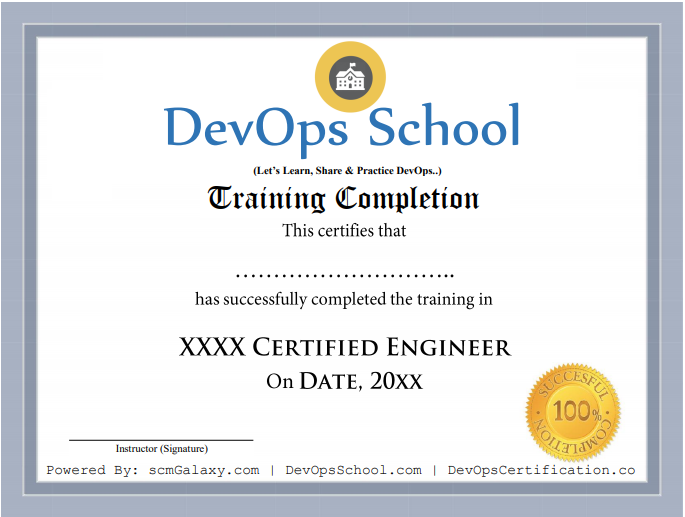
Certificate preview
See what course completion evidence looks like.
Tool-focused training
Course visuals reinforce the Kubernetes Networking workflow and subject area.
Live batch experience
Training supports live online, private team and workshop-style delivery.
Start Kubernetes Networking Advanced training.
Next weekday batch starts on the 1st; weekend batch on the first Saturday. Batches are capped at 10 learners. Send your details and DevOpsSchool will share the syllabus and batch options.