Microsoft Sentinel Intermediate Training
Bring Linux and network logs into Microsoft Sentinel, correlate them with KQL, enrich alerts with watchlists, threat intelligence and UEBA, and ship a tuned custom detection with safe automation.
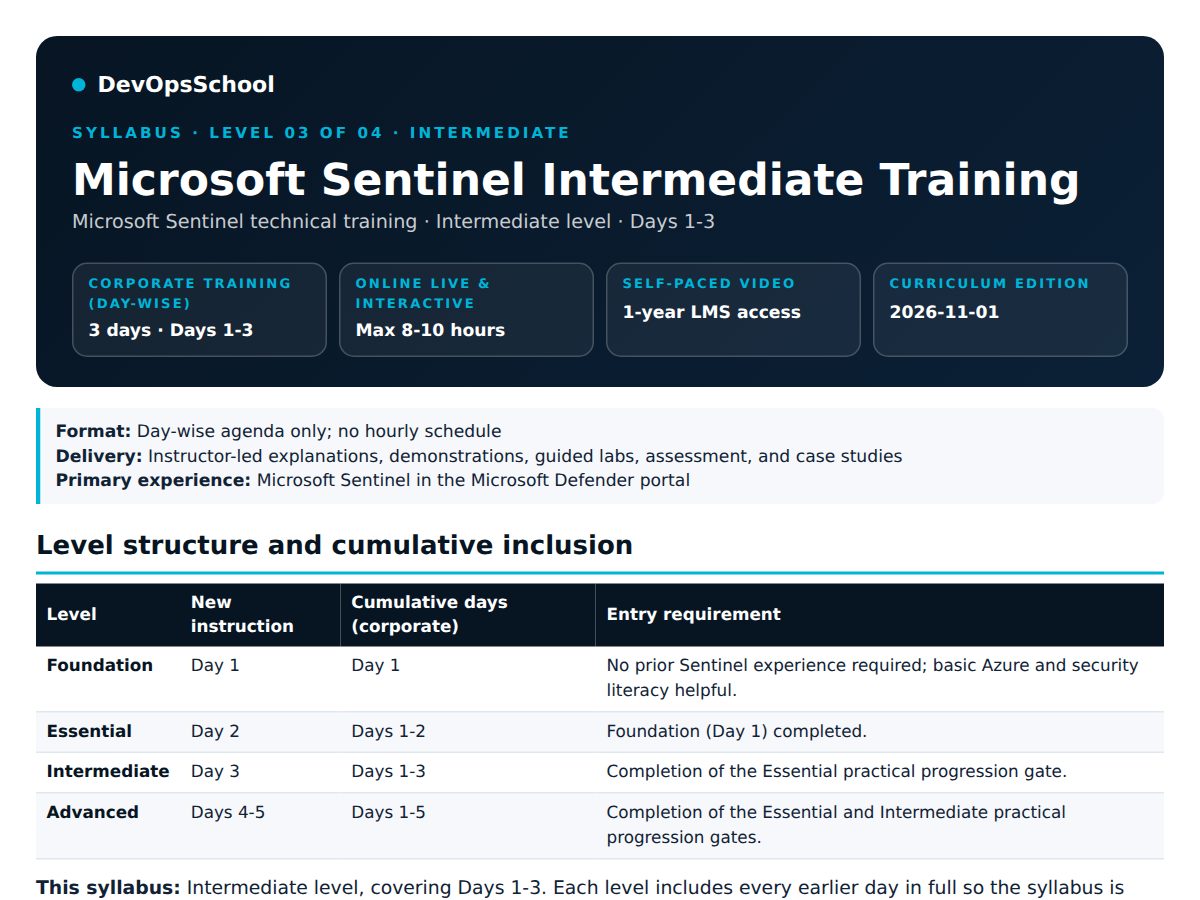
- Level 3 of 4
- Prerequisite: Essential
- Live online: max 8-10 hours
- Corporate: 3 days
- Self-paced: 1-year LMS
- Curriculum updated 1 November 2026
Free demo class · Free 10-15 min fit call · Miss the batch? Join next month's · Pay by UPI, cards, net banking or PayPal
About Microsoft Sentinel Intermediate Training
Microsoft Sentinel is Microsoft's cloud-native SIEM and SOAR. It collects security data from Microsoft, multicloud and on-premises sources into a Log Analytics workspace, detects threats with analytics rules, groups alerts into incidents and automates response, all from the Microsoft Defender portal.
Intermediate covers Days 1-3: everything in Essential, then agent-based ingestion of Linux and network logs with the Azure Monitor Agent and Data Collection Rules, KQL correlation across identities and infrastructure, enrichment with watchlists, threat intelligence and UEBA, a tuned custom scheduled detection, safe automation rules and a focused workbook.
Training is hands-on: every day ends with lab evidence you keep, and a progression gate checks that you are ready for the next level. The course teaches the Defender portal experience, the one Microsoft is moving every customer to.
What you will be able to do after Intermediate
Onboard non-Microsoft logs
Collect a Linux Syslog or CEF feed with the Azure Monitor Agent and a Data Collection Rule, then validate schema, delay and duplicates.
Correlate with KQL
Join identity, host and network events using let, join, union, extend, parse and mv-expand, with sensible time windows.
Enrich every alert
Add business context from watchlists, threat-intelligence indicators and UEBA behaviour data.
Write your own detection
Turn a query into a scheduled analytics rule with entity mapping, thresholds, lookback and severity.
Cut false positives
Tune exclusions and grouping, and route incidents with automation rules for assignment and tagging.
Show it on a workbook
Build a focused workbook that answers one detection or source-health question for the SOC.
Private Microsoft Sentinel training for your security team
DevOpsSchool runs Microsoft Sentinel Intermediate Training as a private, day-wise batch: 3 days covering Days 1-3. The agenda is aligned to your tenant, data sources and SOC processes.
- 3 days, day by day (Days 1-3), online or at your office
- A ready, paid lab environment provided by DevOpsSchool, so nobody waits on access
- Examples adapted to your connectors, detections and escalation process
- Progression gates with lab evidence for every participant
- Led by Rajesh Kumar: 200+ corporate trainings delivered
Teams we have trained
Teams trained in Splunk and DevSecOps at Wells Fargo, AstraZeneca, Citrix and John Deere, among 90+ companies on our client list.
Corporate batches are scheduled on demand. Tell us your team size and preferred dates and we reply within 1 hour.
Request a corporate quoteWhere Intermediate sits in the Microsoft Sentinel path
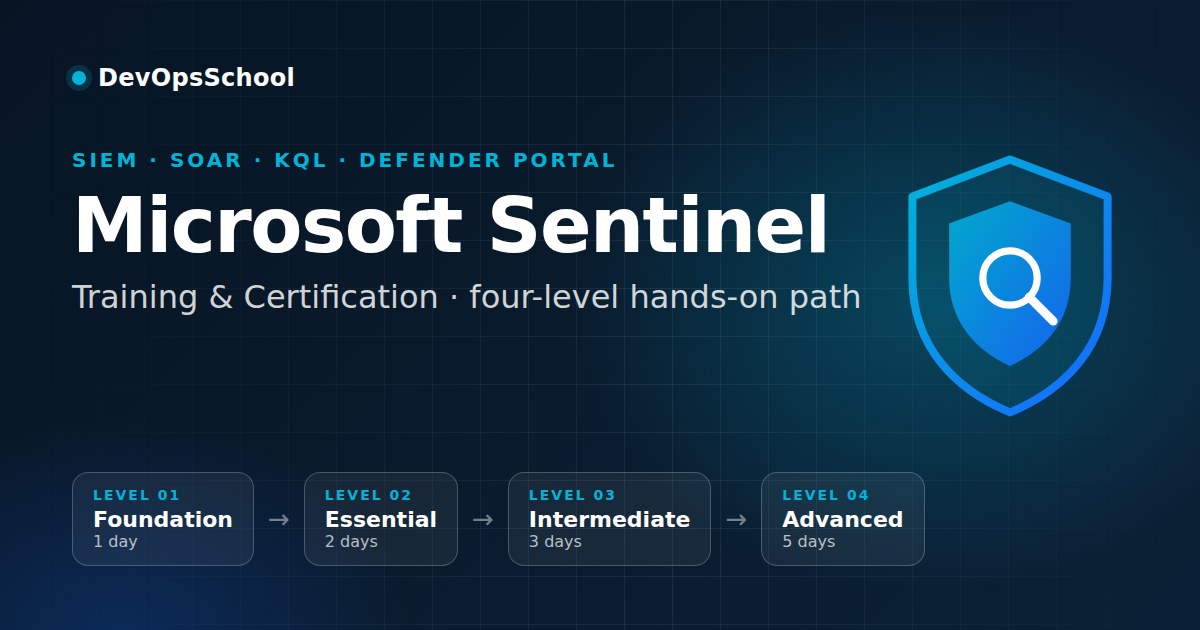
Each level adds new days to the previous ones. Corporate days are cumulative; the self-paced plan includes all four levels.
- Level 1Foundation1 day corporateSOC context, architecture and workspace setup
- Level 2Essential2 days corporateKQL, built-in detections and incident triage
- Level 3Intermediate3 days corporateIngestion, correlation, enrichment and tuningYou are here
- Level 4Advanced5 days corporateASIM, hunting, SOAR and enterprise scale
Choose how you learn
The same agenda in three formats. Pick the one that fits your schedule and goals.
| Live online | Corporate | Self-paced | |
|---|---|---|---|
| Format | Instructor-led online sessions | Private batch for your team, online or onsite | Recorded video lessons in the LMS |
| Duration | Max 8 to 10 hours | 3 days (Days 1-3) | 1 year of LMS access |
| Schedule | Weekday batch on the 1st, weekend batch on the first Saturday of every month | On demand, on your dates | Start any day |
| Labs | Your own Azure free trial or local setup, set up with the trainer | Ready lab environment provided | Guided lab videos |
| Support | Live Q&A, WhatsApp, recordings for a year | Trainer and team Q&A throughout | LMS and email support |
| Best for | Individuals who want guidance and feedback | Security teams adopting Sentinel together | Busy schedules and self-starters |
1st of every month
Starts on the 1st of every month. Max 10 learners, so every lab gets reviewed.
first Saturday of the month
Starts on the first Saturday of every month, for working professionals. Max 10 learners.
On demand
Private sessions at a time that suits you. Ask us for availability.
Why Intermediate-level Sentinel skills matter
Security teams receive more alerts than they can investigate, from tools that do not talk to each other. A SIEM such as Microsoft Sentinel brings that telemetry together so analysts can detect, investigate and respond in one place.
Organisations that run Microsoft 365, Azure or Microsoft Defender increasingly operate their SOC from Sentinel in the Defender portal, which makes the people who can deploy, query, tune and automate it central to the security team.
Extend telemetry coverage, correlate events, develop a tuned scheduled detection, and improve repeatable case operations.
A suspicious identity event becomes meaningful only after linking it with firewall or Linux activity and determining whether the user belongs to a privileged watchlist.
Question this level answersWhy collect non-Microsoft signals, enrich results, and tune rules instead of relying only on templates?
What you are expected to learn in Intermediate
- Day 1: Understand where Sentinel fits in security operations, explain its architecture, and establish a working lab environment.
- Day 2: Use basic KQL, operationalize built-in detection content, and complete a guided alert-to-incident investigation.
- Day 3: Extend telemetry coverage, correlate events, develop a tuned scheduled detection, and improve repeatable case operations.
- Intermediate progression gate: Learners can connect or validate a second data source, correlate logs, enrich findings, create and tune a scheduled detection, and apply safe case-management automation. Meeting this gate qualifies them for the Advanced level.
What you need before you start
- The Essential progression gate: basic KQL, an enabled starter analytic rule and first-line incident triage
- Permission to deploy the Azure Monitor Agent and Data Collection Rules in your lab
- A laptop with a current browser
- An Azure free trial or Azure subscription where you can create a resource group and Log Analytics workspace (the trainer shows you how)
- Access to the Microsoft Defender portal with your account
Is Intermediate the right level for you?
- SOC analysts moving to L2, security engineers and cloud administrators who run Sentinel
- Learners who completed Essential, or who already write basic KQL and enable analytic rules
- Teams that need firewall, Linux or other non-Microsoft logs and their own detections
Have not written KQL or enabled an analytic rule yet? Start with Essential instead.
Intermediate agenda: Days 1-3
Microsoft Sentinel Intermediate Training covers Days 1-3: 37 topics and 9 practical exercises. The new day is open below; earlier days are included and can be expanded. Corporate batches run day by day; the live online course covers the same topics in up to 8 to 10 hours.
Day 1 · Foundation (included)Microsoft Sentinel Essentials, SOC Context, Architecture, and Initial Deployment12 topics · 3 labs
Day outcome: Understand where Sentinel fits in security operations, explain its architecture, and establish a working lab environment.
| ID | Topic | Coverage |
|---|---|---|
| F01 | The security operations problem | Security visibility gaps, alert fatigue, SOC mission, and lifecycle of a security event. |
| F02 | Fundamental security terminology | Telemetry, log, event, indicator, detection, alert, incident, case, false positive, and response action. |
| F03 | What Microsoft Sentinel provides | Cloud-native SIEM capabilities, unified security operations experience, key benefits, and fundamental limitations. |
| F04 | People and responsibilities | SOC L1/L2/L3 analysts, threat hunters, security engineers, cloud administrators, and service owners; basic ownership boundaries. |
| F05 | Where Sentinel fits and when to adopt it | Microsoft/Azure, multicloud, hybrid, and on-premises contexts; common organizational use cases. |
| F06 | Comparison with alternative approaches | SIEM versus endpoint-only monitoring, EDR/XDR, log management, and traditional SIEM; complementary rather than mutually exclusive tools. |
| F07 | Foundational platform architecture | Data sources → connectors → ingestion/Log Analytics → analytics → incidents → investigation and response; Defender portal interface. |
| F08 | Azure resource dependencies | Microsoft Entra tenant, subscription, resource group, Log Analytics workspace, region, and workspace association. |
| F09 | Prerequisites and deployment planning | Lab scope, account requirements, region selection, permissions, sample data, safe test practices, and awareness of ingestion costs. |
| F10 | Baseline access permissions | Least privilege concepts; basic Azure and Microsoft Sentinel roles; why owner and analyst access differ. |
| F11 | Initial workspace setup | Create or select a Log Analytics workspace, enable Sentinel, connect it to the Microsoft Defender portal, and confirm navigation. |
| F12 | First data connection | Activate one instructor-approved, straightforward Microsoft data source (for example Azure Activity, subject to access), observe connection status, and verify sample events arrive. |
Practical exercises
- Sketch the foundational Sentinel architecture and identify the responsibility of each component.
- Provision or access a dedicated training workspace, enable Microsoft Sentinel, and open the Defender portal experience.
- Connect an approved starter data source and record evidence of incoming events; use instructor-provided synthetic telemetry when a licensed source is unavailable.
You leave with: Architecture sketch, working Sentinel workspace, documented access model, and proof of first successful data ingestion.
Day 2 · Essential (included)Log Exploration, Basic Detection, and First-Line Incident Handling11 topics · 3 labs
Day outcome: Use basic KQL, operationalize built-in detection content, and complete a guided alert-to-incident investigation.
| ID | Topic | Coverage |
|---|---|---|
| F13 | Understanding ingested security records | Tables, columns, event timestamps, event identifiers, data types, and lookback windows. |
| F14 | KQL essentials | KQL pipeline model; where, project, take, sort, count, summarize, and bin; basic filters and aggregations. |
| F15 | Basic log validation | Identify relevant events, check timestamps, distinguish no data from no matching records, and save simple reusable queries. |
| F16 | Built-in security content | Navigate Content hub; distinguish solutions, detection templates, hunting content, and workbook templates at a user level. |
| F17 | Activate a starter analytic rule | Create a rule from a suitable template, understand its prerequisite data, choose basic settings, and test expected alert output. |
| F18 | Detection-to-incident fundamentals | Alert versus incident, severity, status, ownership, and the basic incident lifecycle. |
| F19 | Guided first-line triage | Review incident overview, mapped entities, related alerts, chronology, and available evidence. |
| F20 | Basic disposition and escalation | Differentiate benign activity, expected test data, suspicious activity, and confirmed issues; record evidence and hand off. |
| F21 | Consume an out-of-box workbook | Open an existing workbook, interpret charts/filters, and use its visualization for a simple SOC question. |
| F22 | Entry-level SOC operating procedure | Apply a standard checklist for investigating and documenting a new incident consistently. |
| F23 | Entry-level troubleshooting | Diagnose empty query output, mismatched time filters, missing rule prerequisites, rule-not-triggered situations, and missing incident visibility. |
Practical exercises
- Run a starter query pack over the approved lab data to identify significant events and summarize activity over time.
- Enable a prevalidated detection template against a supported data source or instructor-seeded telemetry, then generate a harmless test event.
- Review the resulting alert/incident, document evidence and disposition, and interpret a built-in workbook relevant to that data.
You leave with: Basic KQL query pack, enabled starter detection, annotated test incident, and first-line triage record.
Essential progression gate: Learners can explain the end-to-end architecture, confirm ingestion, write basic KQL, deploy a tested template-based detection, and complete a guided incident investigation. Meeting this gate qualifies them for the Intermediate level.
Day 3 · Intermediate (new at this level)Intermediate Ingestion, KQL Correlation, Enrichment, and Detection Tuning14 topics · 3 labs
Day outcome: Extend telemetry coverage, correlate events, develop a tuned scheduled detection, and improve repeatable case operations.
| ID | Topic | Coverage |
|---|---|---|
| I01 | Expand data-source coverage | Connector selection by source type; API-based versus agent-based patterns; compatibility and data-quality considerations. |
| I02 | Linux and network telemetry collection | Azure Monitor Agent (AMA), Syslog versus CEF, forwarding architecture, Data Collection Rules (DCRs), and common collection paths. |
| I03 | Third-party and multicloud intake patterns | Integration options for cloud audit, firewall, network, and application security data; source-side dependencies and field mapping. |
| I04 | Ingestion pipeline validation | Check schema, parsing, ingestion delay, duplicate records, timestamps, and missing fields in newly connected sources. |
| I05 | Intermediate KQL composition | let, join, union, extend, parse, mv-expand, and distinct; basic cross-table correlation. |
| I06 | Correlation across identities and infrastructure | Join related identity, host, or network events; manage time windows and ambiguous identifiers. |
| I07 | Business-context enrichment with watchlists | Build and maintain a controlled CSV-based watchlist; compare events with high-value assets, known maintenance accounts, or trusted context. |
| I08 | Threat-intelligence indicators | Recognize indicator sources, validity/expiry, matching limitations, and contextual use in investigations or detections. |
| I09 | Introduction to behavior enrichment | Enable or consume supported User and Entity Behavior Analytics (UEBA) context and inspect enriched user/entity evidence. |
| I10 | Author a custom scheduled analytics rule | Convert intermediate KQL into a detection with entity mapping, thresholds, lookback, severity, and relevant custom details. |
| I11 | Tune alert quality and incident flow | Apply exclusions, suppression/grouping choices, ownership conventions, triage queues, and false-positive feedback. |
| I12 | Configure non-playbook automation rules | Automate incident assignment, tagging, severity changes, or other supported low-risk case actions; distinguish this from playbook orchestration reserved for Day 4. |
| I13 | Build a focused workbook | Turn a KQL-based detection or source-health question into a simple custom operational visualization. |
| I14 | Diagnose intermediate failures | Work through DCR/AMA data gaps, CEF versus Syslog format issues, incorrect KQL joins, and excessive or missing alerts. |
Practical exercises
- Onboard a preapproved Linux Syslog/CEF lab feed using AMA and a DCR, or analyze instructor-provided results when lab infrastructure is restricted.
- Correlate two telemetry sources with intermediate KQL, enrich matches using a watchlist, and document relevant UEBA/threat-intelligence context if available.
- Publish a custom scheduled detection with entity mapping, tune a known false-positive condition, configure an assignment/tagging automation rule, and build a focused workbook.
You leave with: Additional telemetry source record, correlated KQL query, governed watchlist, tuned custom detection, case assignment automation, and custom workbook.
Intermediate progression gate: Learners can connect or validate a second data source, correlate logs, enrich findings, create and tune a scheduled detection, and apply safe case-management automation. Meeting this gate qualifies them for the Advanced level.
One course, three ways to take it
INR is the reference price; your local currency is shown where it can be detected.
- Next batch on the 1st (weekday) or first Saturday (weekend)
- Max 10 learners per batch
- Guided labs and live Q&A
- Recordings in your LMS for a year
- All four Microsoft Sentinel levels included
- Access to 20+ other courses and 50+ tools
- Learn at your own pace, any day
- 3 days, day-wise (Days 1-3)
- Ready lab environment provided
- Agenda aligned to your tenant
- Can't attend your batch? Move to next month's batch.
- Every live session is recorded and stays in your LMS for a year.
- Free demo class before you pay.
- Pay by UPI, credit and debit cards, net banking or PayPal
- Refund policy
How you learn, and how your skills are checked
How sessions run
Instructor-led explanations, demonstrations, guided labs, assessment, and case studies, in the Microsoft Defender portal.
- Explain the concept, then demonstrate it in the Microsoft Defender portal
- You repeat it in a guided lab and keep the evidence
- A real-world case ties each day together
- Practice questions and mock exams aligned to the official SC-200 objectives
Assessment checkpoints
Skills are checked with checklists and observable lab evidence, not attendance alone. If you miss a prerequisite, a supervised remediation attempt is allowed.
| Checkpoint | Evidence | Next step |
|---|---|---|
| Essential gate (end of Day 2) | Setup and ingestion evidence, basic KQL, starter alert, incident triage | Pass to enter entering Day 3. |
| Intermediate gate (end of Day 3) | Second-source collection evidence, correlation, enrichment, tuned rule, safe case automation | Pass to enter entering Day 4. |
9 labs, each with evidence you keep
Labs build on each other: every lab produces evidence you keep, and later days reuse earlier lab artifacts.
Onboard a preapproved Linux Syslog/CEF lab feed using AMA and a DCR, or analyze instructor-provided results when lab infrastructure is restricted.
Correlate two telemetry sources with intermediate KQL, enrich matches using a watchlist, and document relevant UEBA/threat-intelligence context if available.
Publish a custom scheduled detection with entity mapping, tune a known false-positive condition, configure an assignment/tagging automation rule, and build a focused workbook.
Included from earlier levels6 labs from earlier days
- Day 1, lab 1: Sketch the foundational Sentinel architecture and identify the responsibility of each component.
- Day 1, lab 2: Provision or access a dedicated training workspace, enable Microsoft Sentinel, and open the Defender portal experience.
- Day 1, lab 3: Connect an approved starter data source and record evidence of incoming events; use instructor-provided synthetic telemetry when a licensed source is unavailable.
- Day 2, lab 1: Run a starter query pack over the approved lab data to identify significant events and summarize activity over time.
- Day 2, lab 2: Enable a prevalidated detection template against a supported data source or instructor-seeded telemetry, then generate a harmless test event.
- Day 2, lab 3: Review the resulting alert/incident, document evidence and disposition, and interpret a built-in workbook relevant to that data.
Individuals set up their own lab on an Azure free trial or locally, and the trainer shows you how, step by step. Corporate batches get a ready lab environment. Azure ingestion and Logic Apps costs may apply beyond the free allowances.
Rajesh Kumar
Principal Architect, trainer and mentor in DevOps, SRE, DevSecOps and platform engineering, with 20 years across 8+ software MNCs, including Staff DevOps/SRE Engineer for a leading Japanese mobile-payment platform and Principal DevOps Architect and Manager in Europe. He leads this course and reviews its curriculum (last reviewed 1 November 2026).
Earn a verifiable Microsoft Sentinel certificate
Complete the labs and meet the Intermediate checkpoint to receive a DevOpsSchool certificate of completion. Each certificate has a unique ID that employers can check in the DevOpsSchool certificate registry.
Preparing for Microsoft SC-200? Together, the four Microsoft Sentinel levels follow the Sentinel parts of the official SC-200 (Microsoft Security Operations Analyst) exam objectives, and mock exams are included. DevOpsSchool is an independent training provider and is not affiliated with Microsoft.
Verify a certificate
Real reviews, linked to where they were published
“Rajesh is very good trainer. Rajesh was able to resolve our queries and question effectively. We really liked the hands-on examples covered during this training program.”
“Very well organized training, helped a lot to understand the AWS concept and detailed related to various tools. Very helpful”
Quoted exactly as published on the DevOpsSchool testimonials page, from learners in Rajesh Kumar's live trainings across courses.
DevOpsSchool training compared with learning alone
Microsoft Learn's free documentation is excellent, and this course links to it throughout. What training adds is structure, guided labs, feedback and accountability.
| DevOpsSchool Microsoft Sentinel training | Learning alone from docs and videos | |
|---|---|---|
| Learning path | Four levels with a day-wise agenda and progression gates | You choose topics and order yourself |
| Help when you are stuck | Trainer answers in live sessions and on WhatsApp | Forums and search results |
| Labs | Guided labs, with help setting up your own Azure lab | Set up and debug alone |
| Missed a session | Recordings for a year, or move to next month's batch | Not applicable |
| Proof of skills | Verifiable certificate of completion | None |
| Exam practice | Mock exams aligned to the SC-200 objectives | Find your own |
Questions before you enrol
Do I need to complete the earlier levels first?
Intermediate builds on Days 1-2 (Essential). Have not written KQL or enabled an analytic rule yet? Start with Essential instead. See Microsoft Sentinel Essential Training.
How long is the course?
Live online: up to 8 to 10 hours of instructor-led sessions. Corporate: 3 days, day by day (Days 1-3). Self-paced: one year of LMS access to all four levels.
When does the next batch start?
Weekday batches start on the 1st of every month and weekend batches on the first Saturday of every month. Each batch has at most 10 learners. One-to-one and corporate sessions are scheduled on demand.
What do I need for the labs?
Set up your own lab on an Azure free trial or locally, and the trainer shows you how, step by step. You need a Log Analytics workspace and access to the Microsoft Defender portal; Azure ingestion and Logic Apps costs may apply beyond the free allowances. Corporate batches get a ready lab environment.
What if I miss a live session?
Every live session is recorded and stays in your LMS for a year. If you cannot attend your batch, you can move to next month's batch.
Can I try it before I pay?
Yes. Join a free demo class, or book a free 10-15 minute call with an advisor or the trainer to check the course fits you. Payments follow our refund policy.
Does this prepare me for the SC-200 exam?
Together, the four Microsoft Sentinel levels follow the Sentinel parts of the official SC-200 (Microsoft Security Operations Analyst) exam objectives, and mock exams are included. DevOpsSchool is an independent training provider and is not affiliated with Microsoft.
How can I pay?
UPI, credit and debit cards, net banking or PayPal. Prices are in INR, and your local currency is shown for reference.
What does self-paced access include?
One year of complete LMS access, all four Microsoft Sentinel levels, plus 20+ other courses and 50+ tools.
Is the course up to date?
Yes. It teaches Microsoft Sentinel in the Microsoft Defender portal, which Microsoft has made the standard experience; Microsoft supports the Azure-portal experience only until 31 March 2027. The curriculum was last updated on 1 November 2026.
Talk to a person before you decide
We reply within 1 hour on WhatsApp and email. Free 10-15 minute call with an advisor or the trainer to check the course fits you.
Try it before you pay
Free demo class before you pay. Free 10-15 minute call with an advisor or the trainer to check the course fits you.
Book a free demo classRead more before or after the course
Official Microsoft documentation used in this level
Inside the course materials
Start Microsoft Sentinel Intermediate Training
Weekday batch starts 1st of every month; weekend batch first Saturday of the month. Batches are capped at 10 learners so every lab gets reviewed.
Not ready yet? Ask for a free demo class or a free 10-15 minute call using the form.