Originally published on 2015-12-12; fully revised and updated.
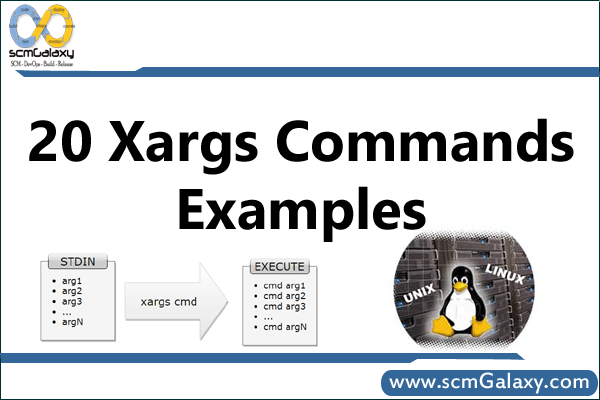
The xargs command builds and runs commands from standard input. It is especially useful for DevOps and Linux engineers who need to process long lists of files, IDs, or paths in shell pipelines. In this tutorial, you’ll learn how xargs works, when to use key options, and how to avoid common mistakes with whitespace and destructive commands.
How xargs works in a shell pipeline
At a high level, one command produces items, xargs groups/parses those items, and then executes a target command with the resulting arguments. If you run xargs without specifying a command, it typically uses echo as the default command.
flowchart TD
    A[Producer command emits items] --> B[Choose delimiter strategy]
    B --> C[xargs parses input]
    C --> D[Apply batch and replacement rules]
    D --> E[Build target command arguments]
    E --> F[Execute target command]
    F --> G{More input items}
    G -- yes --> C
    G -- no --> H[Pipeline completes]
Quick option comparison
| Option | What it does | Typical use | Portability note |
|---|---|---|---|
-n N | Use at most N arguments per command run | Batching large input lists | Widely available |
-L N | Use at most N input lines per run | Line-oriented batching | Widely available |
-0 | Read NUL-delimited input | Safe filename handling with find -print0 | Common on GNU/BSD, not required by POSIX |
-d DELIM | Use a custom delimiter | Newline-only splitting or custom records | GNU extension |
-I REPL | Replace placeholder token in command template | Insert item in the middle of a command | Widely available |
-P N | Run up to N processes in parallel | Parallelize independent tasks | Implementation-dependent |
-t / -p | Trace command / prompt before run | Safer dry-run and confirmation | Widely available |
Practical xargs command examples
1) Basic stdin behavior
This reproduces the classic interactive behavior: type input, then press Ctrl+D to end stdin.
xargs
Hi,
Welcome to TGS.
^D
Hi, Welcome to TGS.
2) Limit arguments per command with -n
echo a b c d e f | xargs
# a b c d e f

echo a b c d e f | xargs -n 3
# a b c
# d e fCode language: PHP (php)
3) Split only on newlines with -d ‘\n’ (GNU)
This helps preserve spaces inside each line item.
printf 'alpha\nbeta gamma\n' | xargs -d '\n' -n 1 printf '[%s]\n'
# [alpha]
# [beta gamma]Code language: PHP (php)
4) Safely handle filenames with spaces using -print0 and -0
find . -name "*.c" -print0 | xargs -0 rm -fCode language: JavaScript (javascript)This pattern is safer than whitespace-delimited parsing when filenames contain spaces, tabs, or newlines.
5) Use placeholder replacement with -I
printf '%s\n' app.log db.log | xargs -I {} cp {} {}.bakCode language: JavaScript (javascript)6) Legacy find cleanup patterns from the original post
find /usr/preserve -mtime +30 -print | xargs rm -f
find /usr/preserve -size +1024 -print | xargs -n 20 rm -fCode language: PHP (php)
7) Trace or confirm commands before execution
printf '%s\n' file1 file2 | xargs -t rm -f
printf '%s\n' file1 file2 | xargs -p rm -fCode language: JavaScript (javascript)
8) Run independent tasks in parallel
printf '%s\n' 1 2 3 4 | xargs -n 1 -P 2 -I {} sh -c 'echo start {}; sleep 1; echo done {}'Code language: JavaScript (javascript)xargs vs find -exec: when to choose which
| Approach | Best for | Example | Trade-off |
|---|---|---|---|
xargs | Flexible pipelines and batching control | find . -type f -print0 | xargs -0 rm -f | Needs careful delimiter handling |
find -exec {} + | Simple, safer in one command | find . -type f -name "*.tmp" -exec rm -f {} + | Less explicit control over batching style |
find -exec {} \; | One-file-at-a-time execution | find . -type f -exec chmod 640 {} \; | Can be slower for large file sets |
Best practices and common pitfalls
- Use
find -print0 | xargs -0when dealing with filenames from the filesystem. - For destructive commands (
rm,mv,chmod), start withxargs -tor replace the command withechofirst. - Use
-nto control command size and avoid oversized invocations. - Check your platform’s
man xargsfor option differences, especially-dand-P. - When possible, prefer
find -exec {} +for straightforward file operations.
Bottom line: xargs is a powerful command-construction tool for shell automation. Used with safe delimiters and cautious validation, it becomes a reliable building block for DevOps workflows.

I’m Rajesh Kumar, a DevOps, SRE, DevSecOps, Cloud, and Platform Engineering expert passionate about sharing practical knowledge, real-world experiences, and industry best practices. I have worked at Cotocus and regularly write about technology, travel, investing, health, product reviews, and digital marketing through my various platforms.
I publish technical articles at DevOps School, travel stories at Holiday Landmark, stock market insights at Stocks Mantra, health and fitness guidance at My Medic Plus, product reviews at TrueReviewNow, and SEO and digital marketing strategies at Wizbrand.
Find Trusted Cardiac Hospitals
Compare heart hospitals by city and services — all in one place.
Explore Hospitals