
Capture DV or HDV video
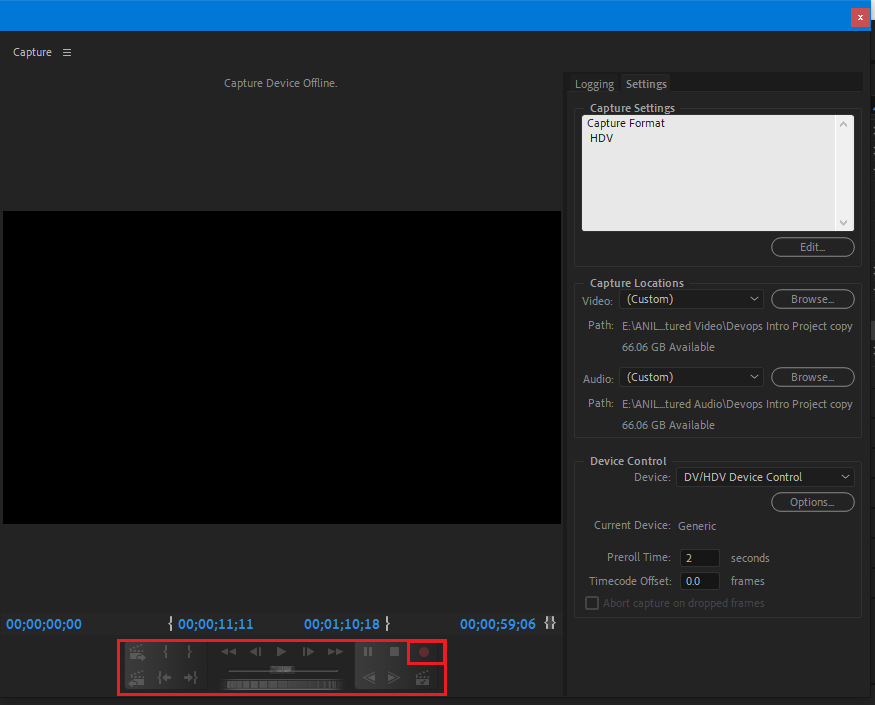
Capture in Adobe Premiere is provided for video editors. Video and audio are allowed to be recorded at Adobe Premiere. You can capture audio and video by connecting the device to your computer via a firewire cable using a DV or HDV device. Adobe Premiere Pro records video and audio signals to the hard disk and controls the device via the FireWire port.
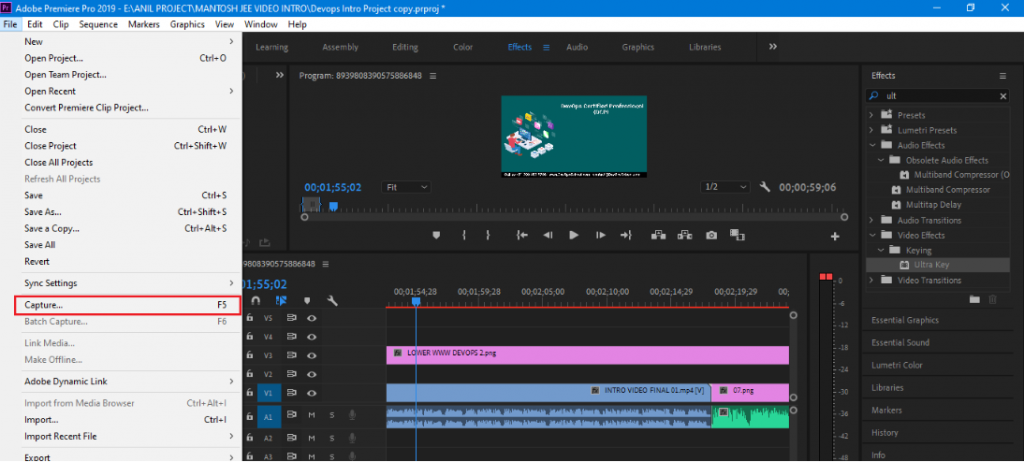
- Choose File > Capture ( Shortcut key :- Windows: F5)
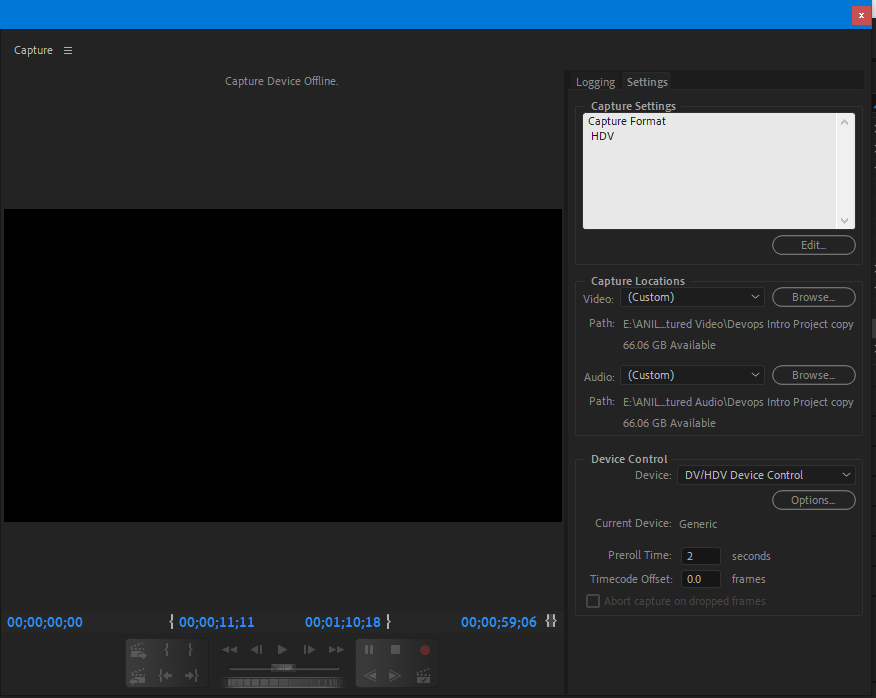
System requirements for capture
To work on digital video footage, your editing system requires the following components:-
- Capture cards with a supported HD or SDI SDI or component input for playable footage on a device with HD or SD output.
- For HD or SD footage stored on media from camcorders, a device connected to your computer capable of reading related media.
- For recording audio from analog sources, a supported audio card with analog audio input is required.
- Editor A codec for the type of footage you want to capture. Plug-in software codecs are available. The hardware codecs are designed for capture cards.
- Enough disk space for the most important captured footage.
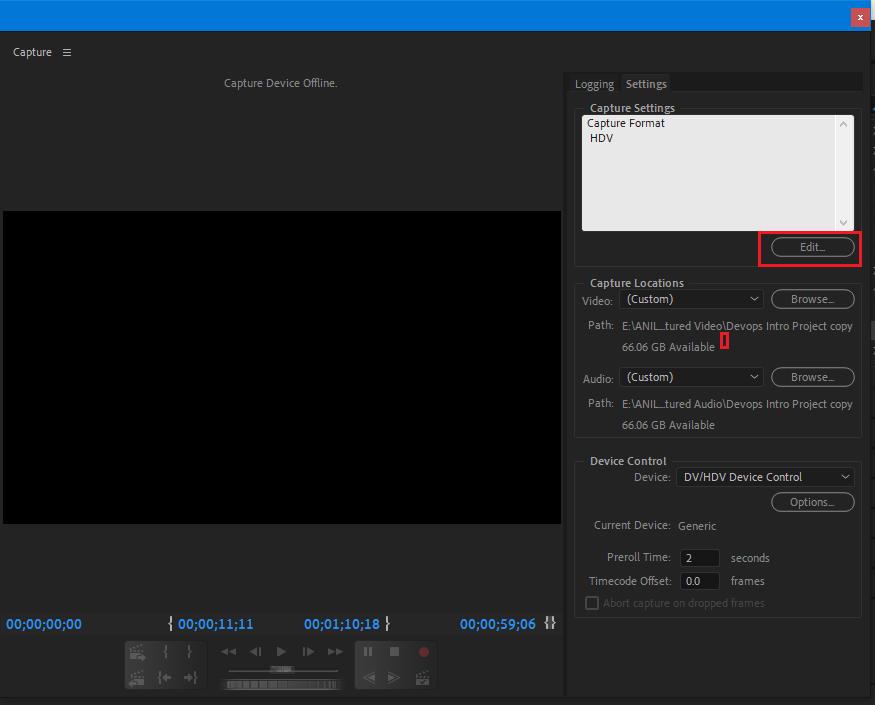
Capture video format
DV and HD options are provided in Adobe Premiere. The format editor of the recording depends on what format the video is required.
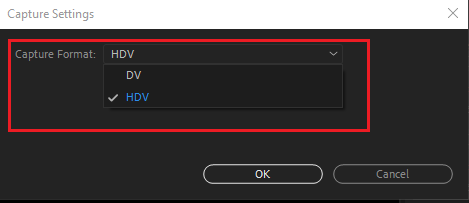
Specify capture settings
- With a project open> choose File > Capture and select the Settings tab.
- In the Capture Settings pannel, click Edit.
- In the Capture Settings dialog box, select an option from the Capture Format menu.
- Click OK.
Reference
Premiere Pro: Capturing & Batch Capturing from miniDV tape

I’m Rajesh Kumar, a DevOps, SRE, DevSecOps, Cloud, and Platform Engineering expert passionate about sharing practical knowledge, real-world experiences, and industry best practices. I have worked at Cotocus and regularly write about technology, travel, investing, health, product reviews, and digital marketing through my various platforms.
I publish technical articles at DevOps School, travel stories at Holiday Landmark, stock market insights at Stocks Mantra, health and fitness guidance at My Medic Plus, product reviews at TrueReviewNow, and SEO and digital marketing strategies at Wizbrand.
Find Trusted Cardiac Hospitals
Compare heart hospitals by city and services — all in one place.
Explore Hospitals